Embulk: a Java bulk loader whose plugins are Ruby gems
Embulk: Pluggable Bulk Data Loader.
At a glance
- What is it?
- Embulk moves records between storages, databases, NoSQL and cloud services through plugins that are packaged as Ruby gems, which is the design decision that makes it both approachable and dated. The last release was v0.11.5 on 2024-09-17, and the repository was pushed to on 2026-10-08.
- Who is it for?
- Adopt Embulk if you have a recurring CSV or database-to-database load, you want a configuration file instead of a custom ETL program, and you want to be able to resume a failed transaction, since `-r resume-state.yml` plus an identical retry is a genuinely useful behaviour that most ad hoc loaders do not have.
- Can I use it commercially?
- Yes. Apache-2.0 is a permissive licence: you can use, modify and sell software built on it, as long as you keep its copyright and licence notices.
- Is it still maintained?
- Yes. The repository last received commits 30 days ago.
- What is it written in?
- Mainly Java, according to GitHub's language statistics.
Answers come from the project's GitHub data, last synced on November 7, 2026, and from our analysis. They are not legal advice.
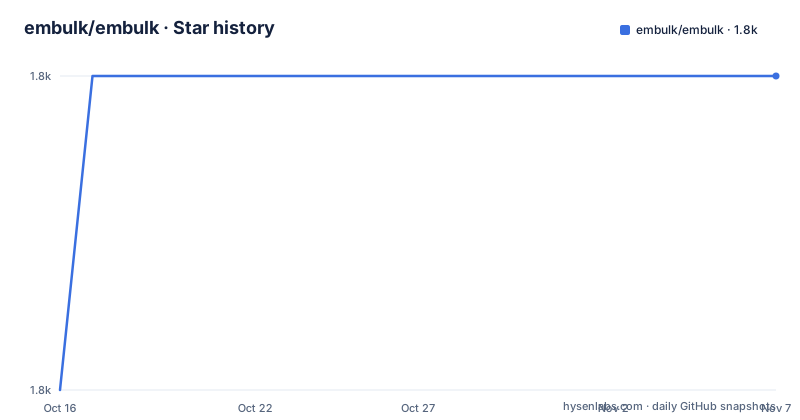
Star history
- embulk/embulk1,785 ★ · +1
| Repository | 2026-10-16 | 2026-11-07 |
|---|---|---|
| embulk/embulk | 1.8k | 1.8k |
1 Stars in the last 22 days, measured from the daily GitHub snapshot. Compare with other projects
Editorial analysis
JRuby plugins are the architecture, not a detail
Embulk is described as a parallel bulk data loader that helps data transfer between various storages, databases, NoSQL and cloud services. Plugins add functions, and the README says you can share the plugins to keep your custom scripts readable, maintainable and reusable.
What makes this notable is the packaging. Plugins are distributed through a gem registry and installed with an `embulk gem` subcommand:
embulk gem install embulk-output-command
embulk gem list
So the loader is Java, the extension model is JRuby, and the plugin ecosystem is RubyGems. That combination is unusual and it is the single biggest factor in evaluating the project. It also means a plugin can be an external command rather than a JVM library at all. The README's example is `embulk-output-command`, a plugin that executes an external command to output the records.
The repository layout reflects the split: `embulk-core/` is the Java core, `embulk-ruby/` is the Ruby runtime layer, `embulk-deps/` holds bundled dependencies, and `embulk-junit4/` plus `test-helpers/` are test infrastructure.
The dependency licensing shows what is vendored. The root carries `LICENSE` for the project plus separate `LICENSE-icu4j`, `LICENSE-jctools`, `LICENSE-jsr166y`, `LICENSE-logback`, `LICENSE-slf4j` and `LICENSE-slf4j-netty`, so an ICU4J and a JCTools dependency is present alongside the logging stack. `NOTICE-executable` covers the distribution wrapper.
A config file with in, out, encoders and formatter
A run is a YAML file with an input section, an output section, and the plugins chosen by type. The README's example uses the bundled `file` input and the `embulk-output-command` plugin, with the gzip encoder and CSV formatter:
in:
  type: file
  path_prefix: "./try1/csv/sample_"
  ...
out:
  type: command
  command: "cat - > task.$INDEX.$SEQID.csv.gz"
  encoders:
    - {type: gzip}
  formatter:
    type: csv
Two things in that command string matter. `$INDEX` and `$SEQID` are placeholders the loader expands per task, which is how a single output command writes many files without you writing a script. And the `encoders` list sits between the output plugin and the formatter, so compression is a layer rather than something the output plugin has to know about.
The README names the bundled plugins directly: `embulk-encoder-gzip` and `embulk-formatter-csv`. Those two are worth reading as documentation of the design, because an encoder and a formatter being separate plugins is the pattern everything else follows.
The full connector inventory lives outside this repository, at plugins.embulk.org, listed by category. That is where you go to answer the only question that decides whether Embulk works for you, which is whether a plugin exists for both your source and your destination.
Resuming a failed transaction is the feature to judge it by
The README's own recommendation is to enable resuming when you start a transaction:
embulk run config.yml -r resume-state.ymlIf the transaction fails, Embulk stores state to that YAML file, and you retry with exactly the same command. The README is explicit that it is the same invocation, which is what makes it safe: the resume state is bound to the run rather than to a set of arguments you have to reconstruct.
If you abandon the transaction, the cleanup subcommand removes the intermediate data:
embulk cleanup config.yml -r resume-state.ymlThat three-command shape, run, retry, clean up, is the argument for using Embulk instead of writing a loader. Bulk loads fail partway, they write partial output, and the recovery path is usually the part nobody writes. Here it is a documented subcommand and a state file you can inspect.
The counterweight is that the state file and the intermediate output live on local disk, so resume is a single-machine capability. A job that fails on one host and has to continue on another is not something the README claims to handle.
Plugin bundles pin versions without touching ~/.embulk
The bundle feature exists because `embulk gem install` writes into `~/.embulk`, which is exactly the wrong place for reproducible runs.
`embulk mkbundle` creates an isolated bundle of plugins, and you install gems into the bundle directory instead of `~/.embulk`. The stated benefit is managing plugin versions. You point `-b <bundle_dir>` at it on the `guess`, `preview` or `run` subcommands:
embulk mkbundle ./embulk_bundle  # please edit ./embulk_bundle/Gemfile to add plugins. Detailed usage is written in the Gemfile
embulk guess -b ./embulk_bundle ...
embulk run   -b ./embulk_bundle ...
Note the inline comment: the command creates the bundle and you then edit the generated `Gemfile` to add plugins, with detailed usage written into that file. So `mkbundle` is scaffolding, not a complete bundle. `embulk mkbundle` also generates example plugins into `<bundle_dir>/embulk/*.rb`, which is a starting point for your own.
The `guess` and `preview` subcommands existing at all is worth noting. `guess` infers a configuration from an input, `preview` shows what a config would produce without writing, and both accept `-b`, so a bundle applies to the whole workflow rather than only to `run`.
Two subcommands outside the data path are documented too. `embulk selfupdate x.y.z` updates Embulk itself to a specific released version, which is a version-pinned upgrade rather than a floating one, and `embulk gem list` shows what is installed.
Building from source is a Gradle and JRuby exercise
The development commands are given directly, which saves time.
./gradlew cli # creates pkg/embulk-VERSION.jarThat produces a runnable jar. For a development loop the README suggests the `classpath` task, with a note that `-x test` skips tests:
./gradlew -t classpath  # -x test: skip test
./bin/embulk
Narrower tasks exist for the core module: `./gradlew :embulk-core:compileJava` compiles just that source, and `./gradlew :embulk-core:dependencies` prints its dependency tree. `./gradlew install` deploys artifacts to your local Maven repository at `~/.m2/repository/`.
Test reporting is wired into the build. JaCoCo's coverage report is at `${project}/build/reports/tests/index.html`, and Findbugs' report is at `${project}/build/reports/findbug/main.html`, with a FIXME comment beside the latter noting that coverage information is not included somehow. That FIXME is in the repository as written, which tells you the FindBugs report is less complete than it looks.
JRuby is upgraded by editing `jrubyVersion` in `build.gradle`, which means the Ruby runtime version is a build variable rather than a managed dependency, and a plugin expecting a different JRuby can fail at runtime rather than at resolution.
`gradle.lockfile` is committed at the root, so Java dependency versions are pinned, alongside `build.gradle`, `settings.gradle`, `gradlew` and `gradlew.bat`, and a `config/` directory.
Release cadence is the real question for an adopter
The version history and the commit history tell different stories, and both matter.
The most recent releases are v0.11.3 on 2024-03-11, v0.11.4 on 2024-05-24 and v0.11.5 on 2024-09-17.
The last push to the repository was on 2026-10-08. So work is happening on `master` while no new version has been published since v0.11.5. The repository is not archived, but a consumer who installs from Maven Central or the published release gets v0.11.5, not the current state of the code.
That distinction decides how you use it. For a scheduled job feeding a dashboard, where the connector set is stable and a frozen release is acceptable, a 2024 release is fine. For a pipeline whose endpoints change, you would be depending on an unreviewed `master` build to get current plugin compatibility, which is a different maintenance commitment.
A version still at 0.x is its own signal, so compatibility should be checked before upgrading.
The licensing is ordinary and worth stating precisely. The project is Apache-2.0 with the LICENSE file at the root, and the separate license files for ICU4J, JCTools, jsr166y, logback and slf4j mean the distribution bundles third-party code under its own terms. `CONTRIBUTING` is not listed at the root, so the contribution path is through the `.github/` directory and the community channels rather than a top-level contributor document. The canonical documentation is embulk.org, and one recipe is linked there for scheduled CSV loading into Elasticsearch with Kibana 5, which dates the project's examples.
Editorial conclusion
Adopt Embulk if you have a recurring CSV or database-to-database load, you want a configuration file instead of a custom ETL program, and you want to be able to resume a failed transaction, since `-r resume-state.yml` plus an identical retry is a genuinely useful behaviour that most ad hoc loaders do not have. Do not adopt it as a foundation for new work without weighing the release cadence: v0.11.5 shipped on 2024-09-17, while the repository itself was pushed to on 2026-10-08. Verify three things before depending on it: that a plugin exists in plugins.embulk.org for each endpoint you need, since the connector inventory is not part of this repository; that the JRuby version pinned in `build.gradle` matches what your plugins expect if you build from source; and that the plugin bundle workflow, `embulk mkbundle` with a `-b` option on `guess`, `preview` or `run`, fits how you plan to pin versions. The code is Apache-2.0 licensed, with separate license files for bundled dependencies including ICU4J, JCTools, jsr166y, logback and slf4j.
Frequently asked questions
How do I install an Embulk plugin?
With `embulk gem install <name>`, for example `embulk gem install embulk-output-command`. Plugins are published on plugins.embulk.org, listed by category, and some are bundled with Embulk itself, such as embulk-encoder-gzip and embulk-formatter-csv.
How do I resume an Embulk transaction that failed?
Start it with the `-r PATH` option, for example `embulk run config.yml -r resume-state.yml`. On failure the state is written to that YAML file, and you retry with exactly the same command. Use `embulk cleanup config.yml -r resume-state.yml` to delete the intermediate data if you give up.
What are Embulk plugin bundles for?
The mkbundle subcommand creates an isolated bundle so gems install into a bundle directory instead of ~/.embulk, which makes plugin versions manageable. You then edit the generated Gemfile to add plugins and pass `-b <bundle_dir>` to the guess, preview or run subcommands.
How do I build Embulk from source?
Run `./gradlew cli` to create pkg/embulk-VERSION.jar, or use `./gradlew -t classpath` and then `./bin/embulk` for a development loop. JRuby is updated by editing jrubyVersion in build.gradle.
What is the latest Embulk release?
v0.11.5, published on 2024-09-17, following v0.11.4 on 2024-05-24 and v0.11.3 on 2024-03-11. The last push to the repository was on 2026-10-08.
What license is Embulk released under?
Apache-2.0 for the project, with separate license files at the repository root for bundled dependencies including ICU4J, JCTools, jsr166y, logback and slf4j, plus a NOTICE-executable file for the wrapper.
Official sources
Add this badge to your README
If you maintain this project, the badge below links readers to this analysis and shows its maintenance status from the daily GitHub snapshot. Paste the markdown into your README; add ?metric=license or ?metric=stars to the image URL for a different field.

[](https://hysenlabs.com/projects/embulk-embulk)Star history chart for your README
[](https://hysenlabs.com/projects/embulk-embulk)Was this useful?