Loguru drops in two C++ files and prints a stack trace on abort
A lightweight C++ logging library
At a glance
- What is it?
- Loguru is a two-file C++11 logging library with verbosity levels, CHECK macros, per-thread names and stack traces on abort, released into the public domain. The interesting engineering is in the flush interval global and the callback hooks for on-screen fatal messages.
- Who is it for?
- Adopt Loguru when you want readable, greppable C++ logs in a project that already depends on glog semantics but not on glog itself, since the migration path is close to drop-in. Do not adopt it expecting structured JSON output, which the library does not offer.
- Can I use it commercially?
- Yes. Unlicense is a permissive licence: you can use, modify and sell software built on it, as long as you keep its copyright and licence notices.
- Is it still maintained?
- Yes. The repository last received commits 43 days ago.
- What is it written in?
- Mainly C++, according to GitHub's language statistics.
Answers come from the project's GitHub data, last synced on October 23, 2026, and from our analysis. They are not legal advice.
Star history
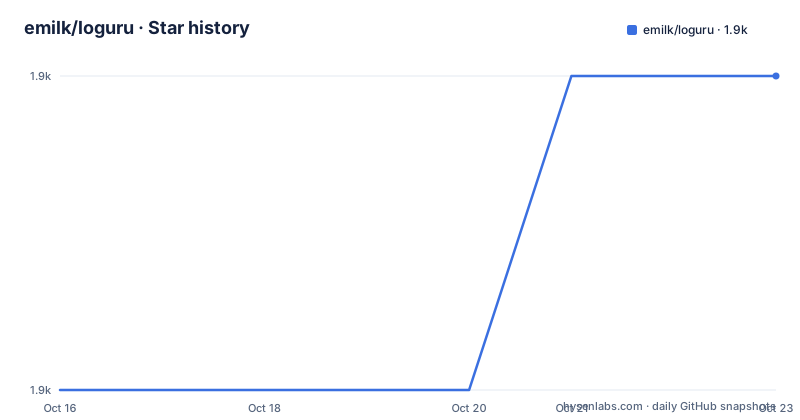
- emilk/loguru1,913 ★ · +1
| Repository | 2026-10-16 | 2026-10-23 |
|---|---|---|
| emilk/loguru | 1.9k | 1.9k |
1 Stars in the last 7 days, measured from the daily GitHub snapshot. Compare with other projects
Editorial analysis
Two files, no dependencies, no includes in the header
Loguru integrates by copying two files, loguru.hpp and loguru.cpp. Either build and link the .cpp file, or include loguru.cpp into one of your own translation units, which is the pattern that keeps a build system simple.
The header is deliberately free of #include directives, and the README names the reason as fast compile times. That matters more than it sounds: a logging header pulled into every translation unit of a large project is a measurable build cost, and dropping a self-contained one is a deliberate optimisation rather than an accident.
The compile line is short: -std=c++11 -lpthread -ldl on the relevant environments. There is no dependency to fetch, and the library is cross platform. CMake projects have three documented routes, add_subdirectory(), FetchContent() and find_package(), with an example project in loguru_cmake_example/.
init, two files at different verbosity, then quiet stderr
The usage block in the README is the API summary. Initialise once at startup, which also time-stamps the start of the log and picks up a verbosity level from the command line as -v:
loguru::init(argc, argv);
loguru::add_file("everything.log", loguru::Append, loguru::Verbosity_MAX);
loguru::add_file("latest_readable.log", loguru::Truncate, loguru::Verbosity_INFO);
loguru::g_stderr_verbosity = 1;
The pair of add_file calls is the pattern worth copying. One file is truncated each run and keeps only INFO and above, so it stays readable when you actually look at it. The other is appended at maximum verbosity and keeps everything. Two sinks at two verbosities, one file, no rotation policy needed for many applications.
Setting g_stderr_verbosity to 1 keeps the console to the most relevant messages, which is the difference between useful terminal output and a wall of text while you are trying to read a stack trace. Turning stderr off entirely is a single assignment to loguru::Verbosity_OFF, and g_colorlogtostderr = false disables the red used for warnings and errors.
Verbosity levels, VLOG and the conditional macros
Levels are integers, 0 upward, and every function comes in two forms: a level and a runtime condition.
LOG_SCOPE_F(INFO, "Will indent all log messages within this scope.");
LOG_F(INFO, "I'm hungry for some %.3f!", 3.14159);
LOG_F(2, "Will only show if verbosity is 2 or higher");
VLOG_F(get_log_level(), "Use vlog for dynamic log level (integer in the range 0-9, inclusive)");
LOG_IF_F(ERROR, badness, "Will only show if badness happens");
Two details are easy to miss. LOG_SCOPE_F indents every message inside its scope, which gives a visual nesting that survives into the log file rather than disappearing after formatting. And VLOG_F takes the level as a runtime argument, so a component that computes its own verbosity does not need its own build flag.
A D prefix exists for debug builds: DLOG_F writes only when NDEBUG is not defined, and DCHECK_F(expensive_check(x)) runs only in debug builds, which is how you keep an expensive invariant check out of release binaries without a macro guard at every call site.
CHECK macros abort by default, and you can swap that
Assertions use the printf family with compile-time format checking on supported compilers:
CHECK_F(fp != nullptr, "Failed to open file '%s'", filename);
CHECK_GT_F(length, 0);
CHECK_EQ_F(a, b, "You can also supply a custom message, like to print something: %d", a + b);
By default a failed CHECK aborts. The README notes that assertion failures are marked noreturn for the benefit of the static analyser and the optimiser, so a failing check does not leave dead code paths the compiler has to keep.
The interesting part is that you can replace the abort. Installing a fatal handler turns a failure into an exception, which is what you want in a service with its own error handling:
loguru::set_fatal_handler([](const loguru::Message& message){
	throw std::runtime_error(std::string(message.prefix) + message.message);
});
The same mechanism serves a second purpose: callbacks for fatal errors can pause an attached debugger or trigger an on-screen display in a game, which is one of the two motivations the author gives for writing the library at all.
Stack traces in chronological order, printed the right way
Stack traces are printed on abort, and most signals also write one. Two details make that output usable.
The first is symbol cleanup. The README shows the before and after of a template-heavy signature: before, the frame name expands into the full std::__1::vector<std::__1::basic_string<char, ...> > const&, and after, it reads some_function_name(std::vector<std::string> const&). Any stack trace tool that skips cleanup produces a wall of template noise where the useful frame is one line.
The second is ordering. Frames print in chronological order with the most relevant at the end, which is the reverse of what a C++ exception backtrace usually shows you. The README links to an article on upside down stacktraces for the reasoning. For someone reading a crash in a terminal, the innermost frame at the bottom is where they start.
Error context is related: local variable values can be captured at the call site and printed only when something crashes, so a failure shows you the value that mattered without paying to format it on every call.
The flush interval is the real performance knob
Two global variables decide how hard logging works. g_flush_interval_ms of 0 flushes on every call, which guarantees nothing is lost on a hard crash. Setting it to about 100 moves flushing into a background thread.
The README quotes numbers from the author's benchmark runs on a MacBook Pro with an SSD and Clang: 6 to 8 microseconds when logging to stderr plus a file in unbuffered mode, and 3 to 5 microseconds with the interval at around 100 ms. Against GLOG the unbuffered mode is described as 25 to 75 percent faster on the MacBook Pro and about the same on a Linux desktop with GCC, while the buffered mode is about twice as fast.
Those are the author's own measurements on his own hardware, and the repository ships loguru_bench/ and glog_bench/ so you can rerun them rather than take them on faith. Read the two numbers together: the roughly 100 ms background-flush mode is faster in the quoted benchmarks, while unbuffered mode flushes every call to avoid missing output on a hard crash.
Licence, streams, fmtlib and the release gap
Loguru is in the public domain, with a fallback grant of a perpetual, irrevocable licence to copy, modify and distribute as you see fit where the dedication is not recognised, and it is also offered under the Unlicense. The author asks for credit rather than imposing a requirement.
Formatting is your choice. printf-style is the default with compile-time checking, stream style is available by defining LOGURU_WITH_STREAMS before including the header, and fmtlib support is a single define:
#define LOGURU_USE_FMTLIB 1
#include <loguru.hpp>
That path also needs the fmtlib include directory set up and linking against fmtlib, or the FMT_HEADER_ONLY define.
One thing to plan around: v2.2.0 was released on 2026-09-10, while v2.1.0 dates from 2019-09-29 and v2.0.0 from 2018-10-02. The last push was on 2026-09-10, the same day. After a seven year gap the project got a large release, so the changelog between 2.1 and 2.2 is the file to read before upgrading an existing integration rather than assuming a patch bump.
Editorial conclusion
Adopt Loguru when you want readable, greppable C++ logs in a project that already depends on glog semantics but not on glog itself, since the migration path is close to drop-in. Do not adopt it expecting structured JSON output, which the library does not offer. Verify first the flush mode you want, because setting loguru::g_flush_interval_ms to zero flushes every call so output is not lost on a hard crash.
Frequently asked questions
How do I add Loguru to a C++ project?
Copy loguru.hpp and loguru.cpp into the project, then either compile and link loguru.cpp or include loguru.cpp in one of your own .cpp files. Compile with -std=c++11 -lpthread -ldl on the relevant environments. CMake users can use add_subdirectory(), FetchContent() or find_package().
What does loguru::g_flush_interval_ms control?
It sets how often output is flushed. At 0 the library flushes on every call so nothing is missed on a hard crash, and at roughly 100 ms flushing moves to a background thread, which the README's benchmark numbers show is faster.
Can a failed CHECK throw an exception instead of aborting?
Yes. Install a fatal handler with loguru::set_fatal_handler and throw from it, building the exception message from the message prefix and body. The same callback mechanism is also used to pause an attached debugger or show fatal messages on screen.
How can I write two log files at different verbosity levels?
Call loguru::add_file more than once, for example once with loguru::Append and loguru::Verbosity_MAX for a full history, and once with loguru::Truncate and loguru::Verbosity_INFO for a readable file that holds only the latest run.
Official sources
Add this badge to your README
If you maintain this project, the badge below links readers to this analysis and shows its maintenance status from the daily GitHub snapshot. Paste the markdown into your README; add ?metric=license or ?metric=stars to the image URL for a different field.

[](https://hysenlabs.com/projects/emilk-loguru)Star history chart for your README
[](https://hysenlabs.com/projects/emilk-loguru)Was this useful?