ezyang/ghstack: one pull request per commit, with the base branch rewritten underneath
Submit stacked diffs to GitHub on the command line
At a glance
- What is it?
- ghstack submits a stack of local commits to GitHub as separate pull requests, pushing three branches per stack entry so that each pull request can be rebased and updated independently. It exists because GitHub has no concept of a pull request whose base is another pull request, and the tool works around that in a way that has consequences you need to understand before you use it.
- Who is it for?
- Adopt ghstack if you routinely submit multi commit stacks for review and want each commit reviewed separately against a synthetic base, since that is the only way GitHub's model allows a stack to be reviewed one piece at a time.
- Can I use it commercially?
- Yes. MIT is a permissive licence: you can use, modify and sell software built on it, as long as you keep its copyright and licence notices.
- Is it still maintained?
- Yes. The repository last received commits 44 days ago.
- What is it written in?
- Mainly Python, according to GitHub's language statistics.
Answers come from the project's GitHub data, last synced on November 7, 2026, and from our analysis. They are not legal advice.
Star history
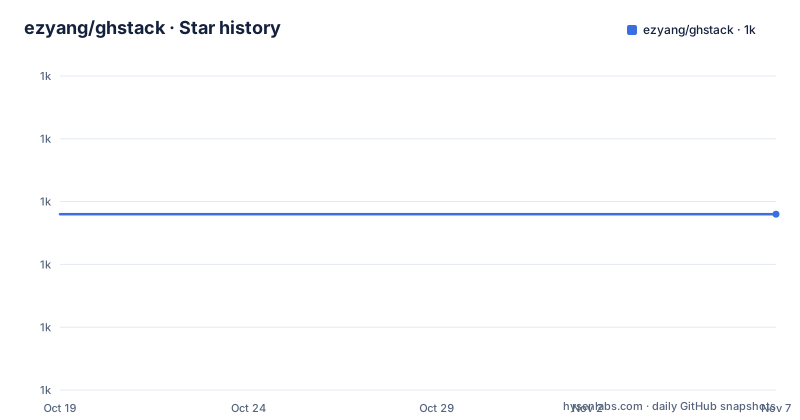
- ezyang/ghstack1,019 ★ · +0
| Repository | 2026-10-19 | 2026-11-07 |
|---|---|---|
| ezyang/ghstack | 1k | 1k |
0 Stars in the last 19 days, measured from the daily GitHub snapshot. Compare with other projects
Editorial analysis
The idea: a stack becomes a chain of pull requests
ghstack submits stacks of diffs to GitHub as separate pull requests. The workflow is short. Prepare a series of commits on top of main, then run `ghstack`, and the tool pushes and creates a pull request for each commit in the stack. You need write permission on the repository you are opening the pull request against.
The point of the split is reviewability. A stack of five commits submitted as one pull request is a single review unit, and the reviewer either approves all of it or none. A stack submitted as five pull requests, each containing one commit, is five review units that can be approved in order, and the intermediate ones can be landed before the last is finished.
The mechanics of updating a stack are the other half. To stack another pull request on top of an existing one, you check out the latest commit from the existing pull request, make a new commit on top and run `ghstack` again. To modify a pull request, you edit the commit and run `ghstack` again, using `git commit --amend` if the commit is at the top of your stack and `git rebase -i` if it is not.
None of this is possible with plain `git push` and the GitHub web interface, because GitHub's pull request model has no way to express a pull request whose base branch is itself a pull request. Everything else in the tool follows from working around that.
Three branches per stack entry
Each commit in the stack gets three branches pushed to the remote, and the names follow a fixed pattern with the username and the stack index.
`gh/username/1/base` is the base branch, the thing your commit was based upon, described as the one to think of as main. It is never force pushed. Whenever you rebase your local stack, merge commits are added on top of base from the true upstream main, which is how the base tracks upstream without rewriting history.
`gh/username/1/head` is your change on top of the base, and the pull request is opened on this branch, requesting a merge into base. Like base, it is never force pushed.
`gh/username/1/orig` is the actual commit as it exists in your local copy. The documentation is explicit that GitHub pull requests never see this commit, and that it is the branch to use if you want a clean commit on its own, for example to move the work to another machine.
The reason there are three rather than one is the never force pushed rule. Because the base and head branches are append-only, a rebase produces new commits rather than rewriting the ones already reviewed, so a reviewer looking at an old pull request still sees a coherent history. The tradeoff is that the branches accumulate, and since each stack entry has three of them, a long lived stack leaves a lot behind.
Setup: a narrowly scoped token and a config file
The configuration lives in `~/.ghstackrc`, and the README is explicit about the token scope. Go to GitHub's `Settings→Developer Settings→Personal Access Tokens` and generate a token with `public_repo` access only, and put it in the config file along with your username:
[ghstack]
github_url = github.com
github_oauth = [your_own_token]
github_username = [your_username]
remote_name = upstream [if remote is called upstream and not origin]
automsg = claude [optional; also supports codex]
The `public_repo` scope matters for two reasons. It is enough to create pull requests on public repositories, which is the tool's normal use, and it is narrow enough that a leaked token does not grant access to private repositories. The `remote_name` entry handles the case where the upstream is called something other than origin, which is common in a fork workflow, and `automsg` is the optional key that turns on agent-generated change descriptions.
The installation path is a single command through uv:
uv tool install ghstackThe project states that it is tested with several different Python versions and requires at least Python 3.9.1, and the package metadata confirms the range, with the console script declared as `ghstack = "ghstack.cli:main"`.
One configuration detail has its own troubleshooting entry. ghstack caches repository metadata in `.git/ghstack-repo-info.json` for the local checkout, so if the repository's default branch has changed and ghstack is still using the old name, you delete that file and rerun, and it queries GitHub again.
Rebasing, and the one command you must not use
The rebasing instruction is unambiguous. The obvious way is `git rebase origin/main`, and the project says plainly: do not do a `git merge`, because ghstack will throw a hissy fit if you do.
The reason is not stylistic. Since each commit is a separate pull request, a merge would have to be resolved in each pull request rather than once for the whole stack, and the resulting history would not be the one the tool models.
Starting a new feature is the simple case: check out main on a new branch and start working. There is no special preparation, no marker file, no stack metadata to create. The stack is whatever commits sit between the merge base and your current position, and ghstack derives it from the repository itself.
The interesting part is the constraint that produces the three branch design, and the README states it as a design constraint. When you create a pull request on GitHub it is always created on the repository where the base branch exists, so the tool must push branches to the upstream repository on which you want the pull requests to be created. In a fork workflow that means your branches land in someone else's repository, and the tool has write access to it.
The second constraint is that a branch name does not correspond to a pull request number. That would be excellent, the documentation says, but there is no way to reserve a pull request number, and the number is not known until the pull request is opened, which cannot happen without a branch. So the tool has to open the pull request first and learn the number afterwards.
Landing: why the GitHub merge button will not work
The README puts the warning early and in bold: you will not be able to merge these commits using the normal GitHub UI, because their branch bases will not be main.
That is the direct consequence of the design. Each pull request targets a synthetic base branch rather than the repository's default branch, so GitHub's own merge button, which merges into the pull request's stated base, is the wrong operation. The supported way is the `ghstack land` command, which takes either a pull request URL or a number:
ghstack land $PR_URL
ghstack land #PR_NUM
Landing is therefore a two step process. A human still reviews and approves each pull request in the GitHub interface as usual, and then a separate command performs the actual merge into the real branch. The tool owns the mechanics of the merge because it knows how the base, head and orig branches relate to each other.
For teams that want the whole thing automated, the README points to a GitHub action example, the `ghstack_land_example` repository, described as an end to end example of how to allow a bot to land. That is the pattern for a review bot that approves and then lands, and it is a different workflow from the pull request model GitHub ships with.
Automsg: an agent writes the change description
The optional `automsg` feature is the newest-looking part of the tool. It is toggled through the config subcommand:
ghstack config automsg claude
ghstack config automsg codex
ghstack config automsg codex --model gpt-5.4
ghstack config --unset automsg
So the supported agents are claude and codex, with a model option for codex, and the setting can be unset. The mechanism is described precisely. ghstack writes the PR context, that is the local commit message and the current pull request description, to a temporary file, and invokes the agent with a prompt to summarize the specific update. The patch update itself is included directly in the prompt.
The detail that shows the implementation was thought through is the treatment of an existing pull request. For a new pull request the patch is the whole thing, but for an existing pull request the patch update is an interdiff against the previously submitted pull request patch, not the whole patch again. So the agent is asked to describe what changed since the last update, rather than to re-describe the entire change every time the pull request is refreshed. That is the difference between a useful summary and a wall of text.
An explicit message still wins. `ghstack -m MESSAGE` overrides the generated description, which is the escape hatch for the case where the agent's summary is wrong or when the update needs a specific explanation.
The awkward parts, and where the project keeps its own notes
The README has a section with an unusual name, the Ripley Cupboard, which documents the mistakes worth mentioning. It is worth reading because it shows the author thinking about the design rather than only about the happy path.
The main entry is about non-stack mode. ghstack processes your entire stack when it uploads updates, but it does not have to be that way: you could imagine asking it to process only the topmost commit and leave the rest alone, which sounds like an easy change to the stack selection algorithm.
The documentation explains why that is wrong, in two parts. Excluding the earlier commits means the base commit would be based on the literal commit in your repository, which has no relationship with the base commit that was previously uploaded, because that one was synthetically constructed. And you would also have to do extra work to pull out an up to date stack to write into the pull request body. So it is not impossible, but it needs real work: working out what the real base commit is, whether it needs advancing, and rewriting the stack rendering code.
The other acknowledged wart is branch clutter. Because branches must be pushed to the upstream repository for the pull requests to be created there, a lot of stale branches hang around, and the project says you will need to set up some other mechanism for pruning them. The tool does not do that for you.
On the state of the code, there is a discrepancy worth knowing. The package metadata declares version 0.18.0, while the most recent release tag listed for the repository is v0.14.0 from 2025-12-30, and the last push was on 2026-09-24. The repository is not archived, and the licence is MIT, with the tooling around it, flake8, mypy, pytest, hypothesis and black, in the dev dependency group.
Editorial conclusion
Adopt ghstack if you routinely submit multi commit stacks for review and want each commit reviewed separately against a synthetic base, since that is the only way GitHub's model allows a stack to be reviewed one piece at a time. Do not adopt it for a single pull request workflow, because the extra branches and the requirement to land through `ghstack land` buy you nothing there, and do not expect the branch bases to be main, since that is precisely why the normal GitHub merge button does not work. Verify first that you have write permission on the upstream repository the pull requests are created against, that your personal access token is scoped narrowly, and that you have a plan for pruning the branches ghstack leaves behind, since the tool explicitly does not do that for you.
Frequently asked questions
How do I install ghstack and configure it?
Install it with `uv tool install ghstack`, then create `~/.ghstackrc` with a `[ghstack]` section containing `github_url`, `github_oauth`, `github_username` and, if your upstream remote is not called origin, `remote_name`. The token should be generated with `public_repo` access only. Python 3.9.1 or newer is required.
How do I submit a stack of commits with ghstack?
Prepare a series of commits on top of main and run `ghstack`. The tool pushes and creates a pull request for each commit in the stack. To stack another pull request on an existing one, commit on top of the checked out pull request and run `ghstack` again.
Why can I not merge a ghstack pull request in the GitHub interface?
Because the pull request's base branch is a synthetic base branch rather than main, so the normal merge button merges the wrong thing. The supported way is `ghstack land $PR_URL` or `ghstack land #PR_NUM`, and a bot can do it through a GitHub action such as the ghstack_land_example workflow.
Can I modify a pull request after submitting it with ghstack?
Yes. Edit the commit and run `ghstack` again, using `git commit --amend` if the commit is at the top of your stack and `git rebase -i` if it is lower down. Rebase with `git rebase origin/main` and never `git merge`, because a merge is not compatible with the per pull request base branches.
What does the automsg option in ghstack do?
It lets an agent write the pull request change description. With `automsg` set to claude or codex, ghstack writes the local commit message and current pull request description to a temporary file and invokes the agent with a prompt summarizing the update, including the patch directly, or an interdiff against the previously submitted patch for an existing pull request. An explicit `ghstack -m MESSAGE` still overrides it.
Official sources
Add this badge to your README
If you maintain this project, the badge below links readers to this analysis and shows its maintenance status from the daily GitHub snapshot. Paste the markdown into your README; add ?metric=license or ?metric=stars to the image URL for a different field.

[](https://hysenlabs.com/projects/ezyang-ghstack)Star history chart for your README
[](https://hysenlabs.com/projects/ezyang-ghstack)Was this useful?