TUI ConsoleLauncher for Android: BusyBox, Themes, and CLI Control
Linux CLI Launcher for Android
At a glance
- What is it?
- TUI ConsoleLauncher is an Android terminal launcher for Linux command-line access, with BusyBox management, prompt customization, themes, and modern Android storage controls. It suits Android users who want a console-oriented launcher rather than a full desktop Linux distribution.
- Who is it for?
- Adopt TUI ConsoleLauncher if you want an Android launcher centered on terminal commands, configurable prompts, and managed BusyBox binaries. Do not treat it as a complete Linux workstation or assume every Linux package is available.
- Can I use it commercially?
- Yes. MIT is a permissive licence: you can use, modify and sell software built on it, as long as you keep its copyright and licence notices.
- Is it still maintained?
- Activity is slowing. The repository last received commits 6 months ago.
- What is it written in?
- Mainly Java, according to GitHub's language statistics.
Answers come from the project's GitHub data, last synced on October 23, 2026, and from our analysis. They are not legal advice.
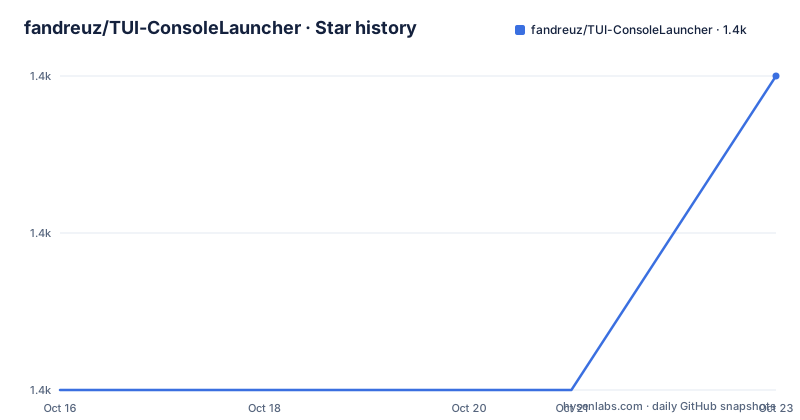
Star history
- fandreuz/TUI-ConsoleLauncher1,435 ★ · +2
| Repository | 2026-10-16 | 2026-10-23 |
|---|---|---|
| fandreuz/TUI-ConsoleLauncher | 1.4k | 1.4k |
2 Stars in the last 7 days, measured from the daily GitHub snapshot. Compare with other projects
Editorial analysis
Why TUI ConsoleLauncher Exists on Android
TUI ConsoleLauncher addresses a narrow gap between a standard Android home launcher and a complete Linux environment. It places terminal interaction in the foreground, then adds launcher-oriented controls for prompt identity, themes, suggestions, and BusyBox installation. The intended user is an Android owner who wants to issue shell commands from the device itself, particularly someone comfortable with utilities such as `ls`, `grep`, `awk`, `top`, `ping`, and `vi`.
This is not presented as a full Debian, Ubuntu, or Arch system. Its Linux expansion comes from BusyBox, a collection of command-line utilities downloaded and installed through the launcher. That boundary matters for expectations. TUI ConsoleLauncher can make routine command-line work available on Android, but the README does not claim a package manager, a graphical desktop, kernel-level system administration, or the full command set associated with a general-purpose Linux distribution.
The launcher also combines terminal access with presentation controls. A prompt can show a chosen user and device name, while theme presets change the terminal appearance and matching shortcut buttons. For an Android user, that means the project serves two related needs: command execution and quick access to that command environment from the device interface.
BusyBox Installation and Command Data Flow
The central expansion mechanism is `bbman`. According to the README, `bbman -install` makes the launcher detect the device architecture, download a BusyBox binary from the EXALAB repository, and check it against a hardcoded SHA-256 hash. The terminal command therefore controls a sequence that crosses device detection, network retrieval, and integrity verification before the command set is available.
After a successful installation, the README says that Linux commands can be run directly. The list is broad enough to include file inspection, text filtering, process display, network checks, and an editor, but it remains the set supplied by BusyBox. The project does not document arbitrary package installation through this mechanism. `bbman` is described as a manager for installing and verifying Linux binaries, not as a replacement for `apt`, `dnf`, or another distribution package manager.
Removal has a separate command:
bbman -removeThis command removes the installed BusyBox integration according to the README. It is useful because users are not required to keep the extra command set after installation. The documentation does not describe rollback behavior for interrupted downloads, failed hash checks, device storage exhaustion, or partial BusyBox installations, so those cases remain unstated.
First Terminal Use Without an Installation Tutorial
The repository does not provide a documented installation procedure, an APK download instruction, a Play Store link, or a build-and-install command. The repository layout includes `gradlew`, `app/`, `build.gradle`, and `settings.gradle`, which indicate an Android Gradle project, but the README does not explain how to obtain the application or deploy a build. This review therefore does not invent an installation command.
Once TUI ConsoleLauncher is obtained through a method the project does not specify, the README gives a direct first-use path. Install the command set from the terminal:
bbman -installThe reader should expect architecture detection, a download, and integrity checking. A completed installation makes commands such as `ls`, `ping`, and `vi` available, according to the README. If the first launch has a visual issue with background transparency, the documented recovery is to enter the following command:
restartThis instruction is specifically for the case where the transparency change does not appear immediately. The README does not explain which UI action launches a fresh terminal session, so it would be misleading to add one.
Prompt, Theme, and Shortcut Customization
The launcher separates identity customization from visual styling. The `username` command changes the displayed terminal prompt, including both the username and device name. Its documented syntax is `username [user] [device]`, and the README says that the interface reloads after the change. That makes it a prompt-labeling command rather than evidence that the command creates or changes an Android system account.
Themes use a separate command:
theme -preset [name]The named presets are `blue`, `red`, `green`, `pink`, `bw`, and `cyberpunk`. Applying one also changes the suggestion bar and shortcut buttons so the interface remains visually consistent. The README further describes these presets as interactive shortcut buttons that execute immediately when tapped. This is a launcher-specific convenience, not a shell completion mechanism documented by the project.
The distinction is useful when choosing between this project and a general terminal emulator. A terminal emulator generally centers on sessions and shell access, while TUI ConsoleLauncher treats the terminal as part of the Android home interface. Its prompt, theme, suggestion, and shortcut controls are intended to make that interface coherent. The cost is that the documentation presents few options for sessions, shells, terminal emulation, or command customization beyond these launcher features.
Android 14 Storage and Platform Boundaries
The README describes modernization for Android 11 through Android 14 and newer compatibility. The build settings target API 34, support Android 5.0 through API 21 and later, use AndroidX, Gradle 8.2, Android Gradle Plugin 8.2.0, and Java 17. These are build and platform facts, not evidence that every Android release or device configuration has been validated.
Storage is one of the clearest architectural changes. Configuration and logs are said to have moved from `/sdcard/t-ui/` to app-private scoped storage obtained through `Context.getExternalFilesDir()`. The stated purpose is to keep application data inaccessible to other applications. Backup is disabled through `android:allowBackup`, and file sharing uses `FileProvider` rather than a `file://` URI. These choices are directly relevant to Android users because command history, logs, and launcher configuration can be sensitive even when the shell itself is local.
Network behavior is also constrained. The README says cleartext traffic is disabled and network communication uses HTTPS with TLS 1.2 or later. It also describes a signature-level custom permission for programmatic commands. However, the documentation does not explain recovery if a download is blocked by connectivity policy, how BusyBox is removed after a failed install, or whether users can move configuration files between devices.
Security Claims and Licensing Boundaries
The README says the project was audited and hardened against the OWASP Mobile Application Security Verification Standard. It associates the changes with storage, network, platform interaction, and resilience controls. Specific claims include disabled backups, immutable `PendingIntent` flags, explicit broadcast receiver export flags, HTTPS-only communication, R8 and ProGuard for release builds, and Android 14 foreground service type declarations. These are documented project claims, not results independently reproduced here.
The signature-level `ohi.andre.consolelauncher.permission.RECEIVE_CMD` permission is especially specific. According to the README, only applications signed with the same developer key can programmatically send commands. That limits command injection through another installed app, but the README does not describe the exact API for sending those commands or how users inspect the signer of a companion application.
The repository declares the MIT license. That means the project is distributed under permissive open-source terms, subject to the license text, but the README does not provide a separate warranty or compliance discussion. The security claims should therefore be evaluated against the actual source, manifest, build configuration, and release artifact relevant to the version being installed.
What TUI ConsoleLauncher Does Not Replace
The closest alternative approach is a standalone Android terminal paired with a full Linux environment. TUI ConsoleLauncher instead integrates BusyBox management and launcher customization into the Android interface. The difference is architectural and practical: the launcher provides one controlled terminal workflow with preset buttons and prompt configuration, while a separate environment may expose more shell or package choices if the user has already configured them.
That comparison also marks the project's wrong-tool cases. It is not a substitute for a desktop Linux distribution when the requirement is a complete package ecosystem, long-running services, or system administration beyond the commands supplied by BusyBox. It is also a poor fit for someone who only needs a conventional Android app launcher and does not want terminal access.
Maintenance signals should be considered separately from the README's modernization claims. The repository is not archived, and its last push was on 2026-04-10. However, the listed releases are from February 2019, including `v6.15` on 2019-02-21, `v6.14` on 2019-02-21, and `v6.13.1` on 2019-02-15. The README does not identify a newer tagged release, explain how compatibility updates are packaged, or provide a detailed upgrade path.
Editorial conclusion
Adopt TUI ConsoleLauncher if you want an Android launcher centered on terminal commands, configurable prompts, and managed BusyBox binaries. Do not treat it as a complete Linux workstation or assume every Linux package is available. Before adoption, verify that your Android version and CPU architecture have suitable BusyBox support, inspect the exact files placed in app-private storage, and confirm that the terminal behavior supplied by your Android system meets your needs.
Frequently asked questions
How do I install BusyBox in TUI ConsoleLauncher?
Run `bbman -install` in the terminal. The README says the launcher detects the architecture, downloads a verified BusyBox binary from the EXALAB repository, and checks its SHA-256 hash before installation.
How do I remove BusyBox from TUI ConsoleLauncher?
Run `bbman -remove`. The README identifies this command as the way to remove BusyBox at any time.
How do I change the terminal prompt in TUI ConsoleLauncher?
Use `username [user] [device]`. The README says this changes both the username and device name in the terminal prompt and reloads the UI.
Official sources
Add this badge to your README
If you maintain this project, the badge below links readers to this analysis and shows its maintenance status from the daily GitHub snapshot. Paste the markdown into your README; add ?metric=license or ?metric=stars to the image URL for a different field.

[](https://hysenlabs.com/projects/fandreuz-tui-consolelauncher)Star history chart for your README
[](https://hysenlabs.com/projects/fandreuz-tui-consolelauncher)Was this useful?