A Lab Homepage That Doubles as a V2Ray Feed Aggregator
Homepage of the Systems and Networks Lab, School of Computer Science and Technology, Beijing Jiaotong University.
At a glance
- What is it?
- The Beijing Jiaotong University systems and networking lab homepage is a static site with a surprising extra role: it aggregates and republishes V2Ray subscription feeds via GitHub Actions. This review covers what the repository actually contains, how the automation works, and where it falls short.
- Who is it for?
- Adopt this repository if you run a small academic lab and need a simple Jekyll-style static homepage with a working GitHub Actions backup for a faculty page. Do not adopt it as a template for a production V2Ray aggregator: the workflow depends on third-party sources, a proxy hack, and manual updates, all of which can break silently.
- Can I use it commercially?
- The repository metadata does not identify a licence. Check the project’s published terms and any component-specific licences before reuse.
- Is it still maintained?
- Yes. The repository received new commits within the last day.
- What is it written in?
- Mainly JavaScript, according to GitHub's language statistics.
Answers come from the project's GitHub data, last synced on November 25, 2026, and from our analysis. They are not legal advice.
Star history
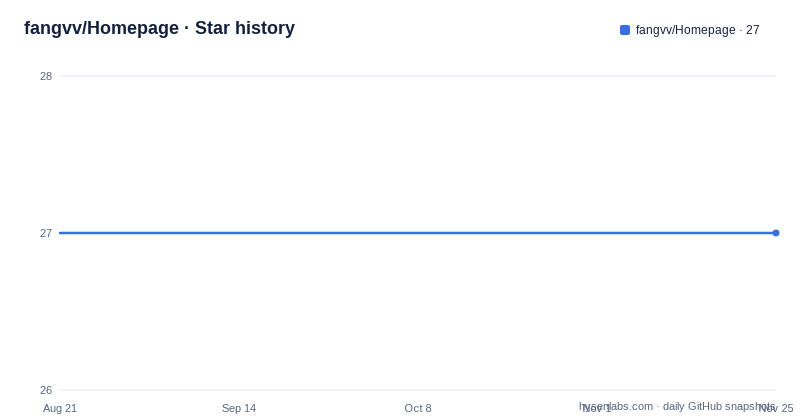
- fangvv/Homepage27 ★ · +0
| Repository | 2026-08-21 | 2026-11-25 |
|---|---|---|
| fangvv/Homepage | 27 | 27 |
0 Stars in the last 96 days, measured from the daily GitHub snapshot. Compare with other projects
Editorial analysis
What This Repository Actually Is
At first glance, fangvv/Homepage is a conventional academic lab website. The README identifies it as the homepage for the System and Network Laboratory at Beijing Jiaotong University's School of Computer Science and Technology. It contains standard Jekyll-like files: index.md, _layouts/, assets/, plus research group pages for edge computing, indoor localization, and on-device large language models. There are FAQ files for undergraduate research internships and for graduate admissions. That part is unremarkable. The unusual part is the automation layer. Two GitHub Actions workflows sit in .github/workflows/. One backs up a faculty homepage on port 8530 every day. The other fetches and merges V2Ray subscription feeds from five sources. The repository is not just a site; it is also a small content pipeline that republishes third-party proxy data. That dual role is the reason to look at this repository at all.
The V2Ray Workflow: A Concrete Mechanism
The v2ray.yml workflow is the most specific piece of automation here. According to the README update log, it was built with an AI coding tool, Trae, and GPT-5.5, and it currently grabs, cleans, and publishes feeds from five V2Ray sources. The README calls this a revolutionary innovation, but the mechanism is straightforward: a scheduled GitHub Actions job fetches subscription URLs, merges the results, and writes them into the repository. The output is then served as static files. There is no server-side daemon, no database, and no user authentication. The workflow depends entirely on the external sources staying alive and on GitHub Actions running on schedule. The README also mentions a link to a CloudflareSpeedTest issue about speed test inaccuracy, which suggests the workflow or a related script may include a speed test step. The exact steps are not documented beyond that. What is clear is that this is a fragile pipeline: if any of the five sources changes format or blocks the bot, the merged feed breaks silently.
Getting It Running: Commands and Config Keys
The README does not provide a setup guide. There is no install script, no requirements.txt, and no documented build command. What you get are file paths and a few operational notes. To deploy the site, you would fork the repository and enable GitHub Pages, since the homepage is published at fangvv.github.io/Homepage. The Jekyll-style structure suggests you can build it locally with jekyll serve, but that is not stated in the README. For the backup workflow, the README mentions a faculty page on port 8530, which implies a server address must be configured as a secret or environment variable, but the exact key is not given. For the V2Ray workflow, the five sources are not listed. The only concrete configuration detail in the README is a git proxy command: git config --global https.proxy 'socks5://127.0.0.1:10808'. The README warns that this command is useless if the proxy is not running. That is the extent of the operational documentation. Anyone adopting this repository will need to reverse-engineer the workflows from the YAML files.
A Genuine Limitation: The Proxy and Counter Problems
The README contains two warnings that reveal real failure modes. First, the git proxy issue. The update log from September 2023 says that running git config --global https.proxy 'socks5://127.0.0.1:10808' is ineffective if the local proxy is not listening on that port. That command changes the user's global Git configuration; Git HTTPS requests can fail if it points to a proxy that is not running. Cloning this repository does not itself configure that proxy, and the note alone does not establish that the hosted workflow uses it. Second, the statcounter issue. The README explicitly tells anyone copying the HTML pages to remove the statcounter code before using them, because it interferes with the site's own counting. That can affect the owner's analytics and visitors' privacy: the counter is embedded in the page source and will send data to the maintainer's statcounter account unless stripped. Both issues are concrete and avoidable, but they are not documented in a separate guide. They are buried in update notes. That is a maintenance cost for anyone who forks the repository.
Maintenance and Upgrade Cost
The README shows a pattern of periodic breakage. The February 2025 note says the GitHub Actions API version was updated from @3 to @4, and after testing, the workflow ran normally again. That implies the workflow broke when GitHub deprecated the older version. The June 2024 note says images were compressed with TinyPNG to improve access speed from China. That is a manual maintenance task, not an automated one. The November 2025 note adds a legal declaration about public code use, which is not a technical change but a policy one. There is no release history, no changelog, and no versioning. The repository is effectively a living document. For a lab site, that is acceptable. For a V2Ray aggregator, it is risky because the external feeds can change without notice. The backup workflow runs daily, which is a reasonable cadence, but the README does not say where the backup is stored or how long it is kept.
Alternatives: What Else Does This Job
If the goal is a static academic lab homepage, the obvious alternative is a plain Jekyll or Hugo site with a standard theme. Those tools have extensive documentation, a large user base, and no embedded counter code. The difference is that fangvv/Homepage is hand-rolled and project-specific, so you get no theme ecosystem or plugin support. If the goal is V2Ray subscription aggregation, the README itself points to CloudflareSpeedTest as a related tool for speed testing. A more robust alternative would be a dedicated aggregator service that runs on a server with logging and alerting, rather than a GitHub Action that silently fails. The README also mentions a link to XIU2/CloudflareSpeedTest issue #168, which is a real project for finding fast Cloudflare IPs. That project is a command-line tool, not a GitHub Action, so it gives you more control over the speed test step. The trade-off is that you need to run it yourself, whereas the Homepage workflow is scheduled for you.
Who Should Adopt This, and What to Verify First
This repository is suitable for a small lab that wants a simple, free, GitHub-hosted homepage with a daily backup of a faculty page. It is not suitable for anyone who needs a reliable V2Ray feed aggregator, without first verifying the external sources, workflow configuration and monitoring. Before adopting, check the actual workflow files to see the source URLs and the exact scheduling. Verify that the actions versions are current, as the README notes a past breakage. Check the commit history to see how recently the workflows were updated; the last push date is not given. Also, inspect the HTML files for statcounter code and remove it if you fork. The README's tone is informal and mixes technical notes with personal rants, which is fine for a lab site but not for production software. If you only need a static homepage, you can copy the structure and skip the V2Ray workflow entirely. If you need the aggregator, plan to add your own monitoring and error handling, because this repository does not provide it.
Editorial conclusion
Adopt this repository if you run a small academic lab and need a simple Jekyll-style static homepage with a working GitHub Actions backup for a faculty page. Do not adopt it as a template for a production V2Ray aggregator: the workflow depends on third-party sources, a proxy hack, and manual updates, all of which can break silently. Before using the HTML files, strip out the statcounter code as the README warns, and check the commit history to see how current the workflows are. Verify that the v2ray.yml actions versions match the current GitHub Actions API, because the README notes a past breakage when @3 moved to @4.
Frequently asked questions
How do I set up a homepage the way fangvv's Homepage repository does?
The site is built from a small set of static files at the repository root: _config.yml, index.md, a _layouts/ directory and assets/, with per page files such as faq.html and llm/llm.html. The published site lives at https://fangvv.github.io/Homepage/, and the default branch is master.
How is the fangvv Homepage repository used day to day?
It mainly stores the Beijing Jiaotong University systems and networking lab homepage, along with research pages for edge computing, indoor localisation and on device large models, two FAQ pages for undergraduates and for graduate admissions, and research experience notes in exp.md. Two GitHub Actions workflows also run from it: one fetches and merges V2Ray subscriptions, and one backs up a mentor homepage on port 8530 daily.
How do I access the fangvv Homepage site?
The published page is https://fangvv.github.io/Homepage/. In the repository root you find index.md, _config.yml, _layouts/, assets/, faq.html, faq2.html, faq-common.css, favicon.svg, llm/, llms.txt, exp.md, expfile/ and papers/, plus the Edgecomp/ and IndoorLoc/ research directories.
Official sources
Add this badge to your README
If you maintain this project, the badge below links readers to this analysis and shows its maintenance status from the daily GitHub snapshot. Paste the markdown into your README; add ?metric=license or ?metric=stars to the image URL for a different field.

[](https://hysenlabs.com/projects/fangvv-homepage)Star history chart for your README
[](https://hysenlabs.com/projects/fangvv-homepage)Was this useful?