FieldTrip and the art of a vendor-neutral MEG pipeline
The MATLAB toolbox for MEG, EEG and iEEG analysis
At a glance
- What is it?
- FieldTrip is a GPL-3.0 MATLAB toolbox for MEG, EEG and iEEG analysis, built at the Donders Institute and used to write analysis protocols rather than click through a GUI. Its virtues are format coverage and a scripted workflow, and its costs are MATLAB dependency, an aggressive path setup that breaks if you get it wrong, and a bundled external toolbox layer with its own licences.
- Who is it for?
- FieldTrip fits labs that record across several MEG or EEG systems, script their analyses, and want one codebase that outlives a vendor's software. It does not fit teams that need a Python stack, a minimal dependency surface, or a commercial product licence.
- Can I use it commercially?
- Yes, with conditions. GPL-3.0 is a copyleft licence: if you distribute software that includes it, you must release that software's source code under the same licence. Running it internally without distributing it does not trigger that obligation.
- Is it still maintained?
- Yes. The repository last received commits 16 days ago.
- What is it written in?
- Mainly MATLAB, according to GitHub's language statistics.
Answers come from the project's GitHub data, last synced on November 7, 2026, and from our analysis. They are not legal advice.
Star history
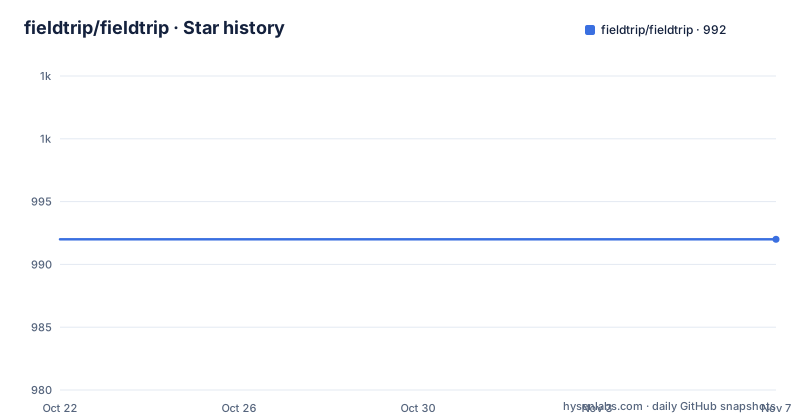
- fieldtrip/fieldtrip992 ★ · +0
| Repository | 2026-10-22 | 2026-11-07 |
|---|---|---|
| fieldtrip/fieldtrip | 992 | 992 |
0 Stars in the last 16 days, measured from the daily GitHub snapshot. Compare with other projects
Editorial analysis
A toolbox for people who write their own protocol
FieldTrip is described as the MATLAB software toolbox for MEG, EEG and iEEG analysis, developed at the Donders Institute for Brain, Cognition and Behaviour in Nijmegen together with collaborating institutes. The problem it addresses is not recording hardware, it is what happens after recording: a scientist with several dozen gigabytes of continuous electrophysiology and a specific question about oscillatory power, connectivity or source localization.
The design choice that defines the project is that FieldTrip ships high-level functions rather than a pipeline application. The README states that the toolbox offers high-level functions you can use to construct your own analysis protocols in MATLAB, and that methods researchers can incorporate new methods for EEG/MEG analysis. The unit of work is a script you write, not a project you configure in a dialog.
The method coverage is broad and specific at once: time-frequency analysis, source reconstruction using dipoles, distributed sources and beamformers, and non-parametric statistical testing. Connectivity has its own top-level directory, forward modeling has another, and the root holds the analysis pipeline entry point ft_analysispipeline.m alongside a long tail of ft_ prefixed functions for artifacts, bad channels, bad segments, channel normalization, and component analysis.
The audience is therefore researchers and methods developers with MATLAB, not data engineers looking for a pip package. Nothing in the project targets Python, and the licensing and installation instructions assume a MATLAB session with a startup.m file.
Why ft_defaults exists and genpath breaks it
The installation section of the README contains the most important operational advice in the repository, and it is a warning rather than a command. After you clone the repository or unzip the download and add it to your MATLAB path, you call the ft_defaults function, which adds the required subdirectories to the path.
The recommended form is short:
addpath(...)
ft_defaults
The README then tells you to put both of these into your startup.m file, so the toolbox configures itself every time MATLAB starts. The rationale for doing it in startup.m is that it happens once, in a known order, rather than leaving each analysis script to manage the path itself.
What you should not do is documented just as clearly. The README says you should not use addpath(genpath(...)), and it recommends against the add with subdirectories button in the graphical path setup tool. The reason given is that there are external toolboxes and backward compatibility directories that should not be on the path. The compat directory and the external directory in the repository listing exist precisely because different functions need different versions of a dependency, and loading every subdirectory indiscriminately puts the wrong one first.
The compensating mechanism is ft_hastoolbox, which the README names as the way the required toolboxes get taken care of when they are needed. In other words, path setup is a deliberate two-part design: ft_defaults sets the safe baseline, and ft_hastoolbox adds an optional dependency at the moment a function actually needs it. Skip ft_defaults and you get functions that appear and disappear depending on session state, which is a hard failure to debug in a long analysis.
fileio and the converter scripts that make formats portable
Format coverage is the concrete reason most labs adopt FieldTrip, and the repository shows how it is achieved. The README states that the toolbox supports the data formats of all major MEG systems, naming CTF, Neuromag/Elekta/Megin, BTi/4D, Yokogawa/Ricoh and FieldLine, as well as most popular EEG systems, and that new formats can be added easily.
The mechanism is visible in the file names at the repository root. Conversion functions exist in both directions for several vendor formats: fieldtrip2ctf.m and fieldtrip2fiff.m, fieldtrip2besa.m and fieldtrip2bis.m, fieldtrip2homer.m and fieldtrip2spss.m, plus besa2fieldtrip.m, bis2fieldtrip.m, edf2fieldtrip.m and data2bids.m. That last one is worth isolating, because BIDS is the data2bids.m script, which moves electrophysiology recordings into a standardized folder and naming layout. The fileio directory holds the low-level readers, and fieldtrip2spss.m shows the toolkit also exports to statistical packages for downstream analysis rather than keeping everything inside MATLAB.
The consequence for an adopter is that a change of acquisition system does not mean a change of analysis code. Scripts that operate on the FieldTrip data structure keep working across CTF and Neuromag recordings, and the conversion step becomes the only thing that has to be revisited. That is a different approach from a vendor-locked analysis suite, where the pipeline and the file format are the same product, and it is the main reason a lab with mixed hardware adopts a toolbox rather than a suite.
Directories as a map of the analysis stack
The top-level layout of the repository is unusually informative because it mirrors the analysis pipeline. The root is dominated by ft_ functions, which are the user-facing operations, and the folders underneath hold the machinery each operation depends on.
connectivity holds the connectivity analysis code, forward holds the forward model computations, fileio holds data reading and writing, and external holds functions from other toolboxes. contrib is a place for contributed code, and compat holds the backward compatibility directories mentioned in the installation notes. bin holds command line utilities, and the repository also ships Contents.m, a file that lists the toolbox contents in the form MATLAB expects for its own help and browsing.
Two of these deserve a note. contrib is where third-party code lives, which means the quality and support level of anything in there is the contributor's business, not the Donders Institute's. external is where the licence boundary sits, and the copyright section is explicit about it: the release includes functions from other toolboxes covered under their respective licenses, details live in fieldtrip/external, and unauthorised copying and distribution of functions not explicitly covered by the GPL is not allowed.
The practical upshot is that ft_defaults is not adding every directory blindly, it is adding the ones that are safe, and then ft_hastoolbox pulls in an external dependency only when a specific function needs it. If a script fails with a missing function after a partial path setup, the fix is in ft_hastoolbox, not in a wider addpath.
From clone to a first analysis script
The install path is short, because this is a source tree of MATLAB functions rather than a compiled package. The README offers two routes: clone the repository, or download the zip file and unzip it. Either way, the next step is to add the directory to your MATLAB path and call ft_defaults so that the required subdirectories are registered.
The documentation and tutorials live outside the repository, at the FieldTrip website, and the README points there for more information, documentation and tutorials. The installation notes also link to the installation FAQ page on the same site. A first script therefore looks like a sequence of ft_ calls on a data structure, and the fieldtrip2besa.m style naming convention makes the function family easy to scan once you know that ft_ prefixed functions operate on the toolbox's standard data structure.
The bit of MATLAB knowledge you need is small. There is no package manager, no lockfile, and no version resolution step. The dependencies are external toolboxes that ft_hastoolbox locates, and the toolbox is added to the path once per session. The cost of that simplicity is that the environment is a MATLAB installation, and MATLAB itself is a commercial license that the toolbox does not include.
One practical detail to get right on day one is where you put the path setup. The README recommends adding the addpath(...) and ft_defaults lines to startup.m, so that a colleague who clones the same repository gets the same path state as you. The related installation page covers the cases where that is not possible, such as shared machines where startup.m is under a different account.
Where the documentation goes quiet
FieldTrip is a mature project with a long history, and the copyright list traces contributions back to 1999, with a copyright line covering 2008-2025 and institutional attribution running to the present. Maturity also means accumulated surface area, and some of it is not documented in the README.
The README does not specify a minimum MATLAB version, which is a real question for an installation. It also does not state which external toolboxes are required for which functions, beyond saying that ft_hastoolbox and ft_defaults take care of them, nor how a version mismatch between a bundled external toolbox and a system-installed one is resolved. The compat directory exists to handle exactly that problem, and the docs point to it without explaining the mechanism.
Another silence concerns reproducibility. The toolbox is scripted, which is good for reproducibility, but the README says nothing about pinning a toolbox version for a published analysis, and the repository has both a default branch and dated release names, so it is not obvious from the README alone which version a colleague should use. The release tags give a way to do this, but nothing in the installation instructions tells you to use them.
The data formats have the same character. New formats can be added easily, and the converter scripts show how, but the README does not list which EEG systems are covered under most popular EEG systems, nor what a format reader does with a corrupt or truncated recording. Anyone processing a large corpus will want to know how partial files are handled, and that answer is not in the top-level documentation.
GPL-3.0, dated releases and a busy commit history
FieldTrip is released under the GNU General Public License, version 3, and the README states that the software is free software that you can redistribute and modify under the terms of the license as published by the Free Software Foundation. The COPYING file holds the details, and the repository carries a DOI badge pointing to a Zenodo record, which gives the project a citable archive. It also ships CITATION.cff, so citation metadata is part of the repository rather than something you assemble by hand.
The licence boundary is the part to read carefully. Individual functions are copyrighted by their respective authors, and the release includes functions from other toolboxes that stay under their own licenses, with details in fieldtrip/external. Unauthorised copying and distribution of functions not explicitly covered by the GPL is not allowed, which means a commercial product that bundles FieldTrip has to look at the external directory rather than assume the whole toolbox is uniformly GPL-3.0. That is a licensing review, not legal advice, and the COPYING file plus the external directory are the two places to read.
Releases are named by date. The most recent is 20251218, published on 2026-01-08, preceded by 20241219 published on 2025-08-20 and 20231220 published on 2024-01-12. The repository is not archived and the last push was on 2026-10-13, so the working tree moves well ahead of the last tagged release, and both are worth knowing about: the tag gives you a fixed code base for a published paper, the branch gives you the newest fixes.
For an upgrade, the practical cost is a MATLAB session, not a dependency graph. You replace the directory, rerun ft_defaults, and rerun your scripts. What you need to check yourself is whether any function your protocol depends on changed its calling convention, since the README does not promise interface stability between dated releases.
Editorial conclusion
FieldTrip fits labs that record across several MEG or EEG systems, script their analyses, and want one codebase that outlives a vendor's software. It does not fit teams that need a Python stack, a minimal dependency surface, or a commercial product licence. Before adopting it, call ft_defaults in a clean MATLAB session, then check the fieldtrip/external directory and the COPYING file against your own redistribution plans.
Frequently asked questions
How do I install the FieldTrip toolbox in MATLAB?
Clone the repository or download the zip file, unzip it, add the directory to your MATLAB path, and call ft_defaults, which adds the required subdirectories. The README recommends putting the addpath(...) and ft_defaults lines in your startup.m file, and warns against addpath(genpath(...)) and the add with subdirectories button.
Which MEG and EEG data formats does FieldTrip read?
The README states that the toolbox supports the data formats of all major MEG systems, naming CTF, Neuromag/Elekta/Megin, BTi/4D, Yokogawa/Ricoh and FieldLine, plus most popular EEG systems. Conversion scripts at the repository root cover BESA, BIS, Homer and SPSS, and data2bids.m moves recordings into a BIDS layout.
What is the difference between FieldTrip and my MEG vendor's own analysis software?
FieldTrip is a scriptable toolbox of high-level MATLAB functions, so a protocol is code you write and can rerun, and the same code works across vendor file formats. A vendor suite is usually a configured application tied to its own acquisition format, which suits quick single-system analysis but leaves you rewriting when the hardware changes.
Is it allowed to use FieldTrip in a commercial product?
The toolbox is licensed under the GNU General Public License version 3, and the README states that functions are copyrighted by their respective authors and that the release includes functions from other toolboxes under their own licenses, with details in fieldtrip/external. Read COPYING and the external directory before redistributing anything, and take your own advice on the commercial implications.
How do I pin a FieldTrip version for a reproducible analysis?
Releases are named by date, with 20251218 published on 2026-01-08 being the most recent of the listed releases. The default branch moves ahead of that tag, so check out the release you want for a published paper and record it, since the README does not describe a version pinning procedure.
Official sources
Add this badge to your README
If you maintain this project, the badge below links readers to this analysis and shows its maintenance status from the daily GitHub snapshot. Paste the markdown into your README; add ?metric=license or ?metric=stars to the image URL for a different field.

[](https://hysenlabs.com/projects/fieldtrip-fieldtrip)Star history chart for your README
[](https://hysenlabs.com/projects/fieldtrip-fieldtrip)Was this useful?