Sing App Lite: a Bootstrap 4 dashboard template you can read end to end
💥Free and open-source admin dashboard template built with Bootstrap 4.5 💥
At a glance
- What is it?
- Sing App Lite is the free edition of a commercial admin dashboard, built with Bootstrap 4.5, Handlebars and SCSS, compiled by gulp into a static site. It gives you a dashboard, tables, charts, maps and a hover sidebar, and it leaves theming, login and extra pages to the paid package.
- Who is it for?
- Sing App Lite suits a developer who wants a finished looking admin interface today, in plain Handlebars and Bootstrap, without paying for a template and without a JavaScript build chain beyond gulp. It is the wrong base if you need theming, a login page or more pages, since those live in the commercial full version, and its dependency stack is pinned to older versions.
- Can I use it commercially?
- Yes. MIT is a permissive licence: you can use, modify and sell software built on it, as long as you keep its copyright and licence notices.
- Is it still maintained?
- Yes. The repository last received commits 2 days ago.
- What is it written in?
- Mainly Handlebars, according to GitHub's language statistics.
Answers come from the project's GitHub data, last synced on November 7, 2026, and from our analysis. They are not legal advice.
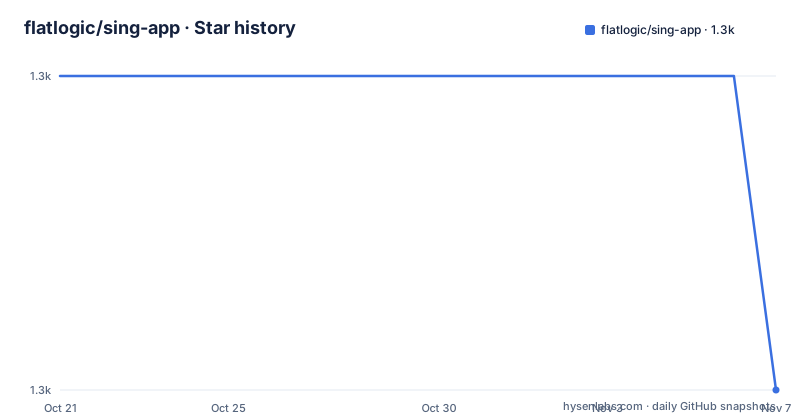
Star history
- flatlogic/sing-app1,268 ★ · -1
| Repository | 2026-10-21 | 2026-11-07 |
|---|---|---|
| flatlogic/sing-app | 1.3k | 1.3k |
-1 Stars in the last 17 days, measured from the daily GitHub snapshot. Compare with other projects
Editorial analysis
What the free edition gives you, and what it withholds
The scope is set by a deliberate line drawn between the free repository and the paid product. The lite version includes Bootstrap 4 and SCSS, a responsive layout, styled Bootstrap components such as buttons and modals, a dashboard sample, typography, tables, notifications, base charts, icons, maps and a hover sidebar.
Everything else is in the full version, and the README names the missing pieces explicitly: theming, login, and additional pages. That is a substantial carve-out. A dashboard template without theming is a fixed colour scheme you keep, and a template without a login page is a set of screens that assume something else authenticates the user.
The commercial structure is worth understanding before you start, because the free repository is one variant of a larger family. The full package includes versions for Bootstrap 4, React with backend integration, Vue.js, Angular and AngularJS, and the free Vue.js edition is published separately as Sing App Vue Dashboard. The company also points to its template catalogue and a support forum.
The premise behind the template is a practical one. Building an admin interface from scratch means tracking analytics, dynamic form data, user interface elements and user experience details at the same time, and the argument is that a working foundation saves both time and money. The lite version is MIT licensed, so you may reuse and modify it as long as you keep the copyright and licence notice, even though the wider product is commercial.
The build is a static site generator, not an application framework
The most useful thing to know about the architecture is that this is a static site. The primary language of the project is Handlebars, and the build compiles templates and styles into plain HTML and CSS. There is no server component, no router and no runtime data layer in the free edition, and the charts and widgets are client-side JavaScript against a JSON or inline data source.
The toolchain is gulp with a small manifest. The two scripts in package.json are:
  "scripts": {
    "build": "gulp build",
    "watch": "gulp watch"
  },
There is a gulpfile.js at the root, a src directory holding the sources and a dist directory holding the output, and the dev dependencies list the specific pieces: gulp itself, gulp-hb for the Handlebars compilation, gulp-sass for the stylesheets, gulp-rename, gulp-sourcemaps, handlebars-layouts for layout inheritance, del for cleaning, popper.js and glyphicons-halflings.
The result is a folder of static files that you can serve with anything. The README is explicit that opening the file directly is not enough, because some features will not work unless the page is served from a web server such as apache, nginx or a built-in development server. That is the usual constraint for anything that fetches a JSON file or uses a browser API restricted to real origins, and it is worth noting before you decide this is a single file artefact you can email to someone.
Getting it and building it
The quick start is three steps, and the first one is a slightly unusual clone because it renames the remote and pins the branch:
$ git clone -o sing-app-lite -b master --single-branch \
      https://github.com/flatlogic/sing-app.git MyApp
$ cd MyApp
The remote is named sing-app-lite rather than sing-app, and only the master branch is fetched, so a checkout of this template does not drag in the history of the commercial variants that share the repository.
Then the dependencies and the build:
yarn installyarn buildThe build command takes the source files in the source directory and writes the output into the distribution folder, after which you open the generated index page in a browser. The watch command recompiles the Handlebars templates and the SCSS styles on the fly as files change:
yarn watchOne inconsistency is worth flagging before you get stuck on it. The documented workflow says to use yarn, and it notes that the project is moving all dependencies to npm so that there will be no bower dependencies soon, which dates the instruction. The manifest itself defines only the build and watch scripts and lists both a yarn.lock file and a node_modules directory at the root, so the dependency installation in practice may already be done for you in the repository as it stands.
A dependency stack that stopped in 2019
The manifest tells you what era this template comes from, and it is worth reading before you build anything on it.
The runtime dependencies include Bootstrap at 4.5.2 and jQuery at 2.1.4, which is several major versions behind the one most projects use. The charting layer is the flot family, with flot itself, plus separate Git-pinned packages for order bars, the animator, and dashes, each pinned to a specific commit hash rather than a version. There is also a Google Maps wrapper, hammerjs for touch gestures with its jQuery integration, owl.carousel for carousels, a progress bar script, a widget system called widgster, font-awesome at 4.7.0 and line-awesome.
The git dependency style is worth calling out on its own. Several packages are referenced through the git protocol with a hash, for example the calendar widget and the flot extensions, and one of them uses the git:// form of URL. That form of URL is not served by every network, and a hash-pinned dependency cannot be updated by a simple version bump, so a fresh install depends on those specific Git hosts being reachable and on those commits still existing.
None of this makes the template unusable, but it does mean you are inheriting a stack of a particular generation. If your own application already runs a modern Bootstrap 5 and jQuery 3 project, this template will not simply drop in, because the class names, the JavaScript plugin APIs and the grid differ between those majors.
Committed node_modules and dist, and a version number that moved on
Two things about the repository layout deserve a comment.
The first is that a node_modules directory appears at the top level alongside dist, the.idea folder from IntelliJ, the.nojekyll marker used by GitHub Pages, and the source files. A committed dependency directory is unusual, and it means a fresh clone may already contain an installed dependency tree that does not match what the current lockfile or manifest would produce. It also makes the clone large, and it is a sign of a template that was distributed as a zip through a download link as much as through Git.
The second is a version mismatch that will confuse you. The manifest declares version 1.2.7, while the tagged release history stops at v1.2.2, which was published on 2020-10-26 after v1.2.1 and v1.2.0. So the package version in the working tree is ahead of the last tag, in the same way as a project where the tagged release is stale.
There is a changelog.md in the repository and a pull request workflow under.github, plus a code of conduct and a contributing guide, so the project is set up for contributions even though the releases stopped. The last push was on 2026-04-13, and the repository is not archived, though the last published release is from 2020.
Where the free template stops and the paid one starts
Because this repository is the free sample of a commercial product, the boundary between the two is worth stating plainly before you invest a week in it.
The free repository gives you the layout system, the styled components, a dashboard page, tables, notifications, base charts, icons, maps and the hover sidebar, all of it MIT licensed and free to modify. The paid product adds theming, a login flow, and the additional pages that a real admin product needs. The paid product also exists in React, Vue, Angular and AngularJS variants, with the React version carrying backend integration, and the free Vue edition is a separate repository.
The project also markets a consulting and integration service on top of the templates, offering to wire a dashboard into accounting software, a customer relationship management system, email management, marketing automation and website analytics tools. The README frames the dashboard as a way for a platform owner to track orders, their success rate, referring social sites, sales states and growth periods.
The support route is the vendor's own forum rather than an issue tracker, and the documentation lives on the vendor's demo site. For a template that people fork and adjust, the practical consequence is that a community around the free repository will be small compared with the traffic around the paid one, so expect to read the source rather than ask. That is acceptable for a static theme, and it is a reason to pick a different starting point if your dashboard needs to grow into a real product with a login and theming.
Editorial conclusion
Sing App Lite suits a developer who wants a finished looking admin interface today, in plain Handlebars and Bootstrap, without paying for a template and without a JavaScript build chain beyond gulp. It is the wrong base if you need theming, a login page or more pages, since those live in the commercial full version, and its dependency stack is pinned to older versions. Before you build on it, check that the Bootstrap 4.5 and jQuery versions suit the rest of your project, and read the package.json scripts, because the documented workflow mentions yarn while the manifest defines only build and watch.
Frequently asked questions
How do I build and run the Sing App Lite template?
Clone the repository with git clone -o sing-app-lite -b master --single-branch, then run yarn install and yarn build. The build compiles the sources into the dist folder, and the README notes the page must be served from a web server such as apache or nginx rather than opened from disk, or some features will not work.
What is the difference between Sing App Lite and the full Sing App?
The lite version includes the Bootstrap 4 and SCSS setup, responsive layout, styled components, a dashboard sample, typography, tables, notifications, base charts, icons, maps and a hover sidebar. Theming, a login page and additional pages are only in the full commercial version.
What licence does Sing App Lite use?
The lite version is MIT licensed. The wider product is a commercial template offered in Bootstrap, React, Vue, Angular and AngularJS variants, and there is a separate free Vue.js edition published as its own repository.
Which JavaScript libraries does the template depend on?
The manifest lists Bootstrap 4.5.2, jQuery 2.1.4, the flot charting family with several Git-pinned extensions, a Google Maps wrapper, hammerjs with its jQuery integration, owl.carousel, font-awesome 4.7.0, line-awesome, a progress bar script and the widgster widget set. Templates are compiled by Handlebars through gulp-hb and styles by gulp-sass.
Official sources
Add this badge to your README
If you maintain this project, the badge below links readers to this analysis and shows its maintenance status from the daily GitHub snapshot. Paste the markdown into your README; add ?metric=license or ?metric=stars to the image URL for a different field.

[](https://hysenlabs.com/projects/flatlogic-sing-app)Star history chart for your README
[](https://hysenlabs.com/projects/flatlogic-sing-app)Was this useful?