Fork CMS: a Symfony components CMS with a browser-driven installer
Fork is an easy to use open source CMS using Symfony Components.
At a glance
- What is it?
- Fork CMS is a PHP content management system built on Symfony components, installed with a single composer create-project and configured through a wizard in the browser. Its frontend and backend are separate application layers with their own assets and conventions, and the Docker setup in the repository is clearly aimed at local development rather than production.
- Who is it for?
- Fork CMS suits a team that wants a conventional PHP CMS with an established module system, a built-in installer, and no per-seat licence cost, and it fits particularly well with Symfony component experience rather than with a full framework background.
- Can I use it commercially?
- Yes. MIT is a permissive licence: you can use, modify and sell software built on it, as long as you keep its copyright and licence notices.
- Is it still maintained?
- Yes. The repository last received commits 23 days ago.
- What is it written in?
- Mainly PHP, according to GitHub's language statistics.
Answers come from the project's GitHub data, last synced on November 7, 2026, and from our analysis. They are not legal advice.
Star history
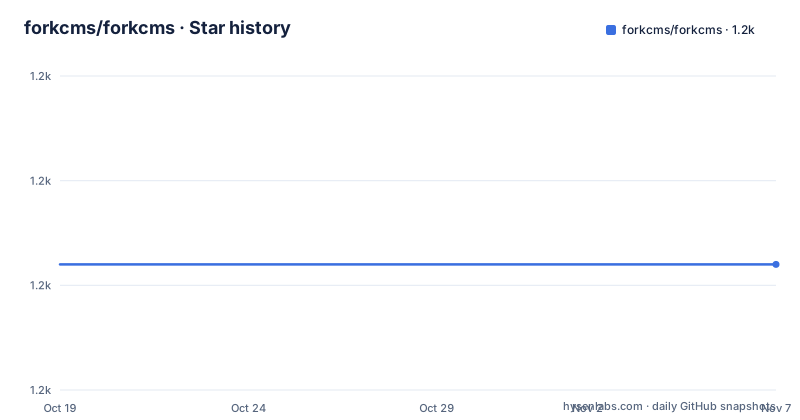
- forkcms/forkcms1,172 ★ · +0
| Repository | 2026-10-19 | 2026-11-07 |
|---|---|---|
| forkcms/forkcms | 1.2k | 1.2k |
0 Stars in the last 19 days, measured from the daily GitHub snapshot. Compare with other projects
Editorial analysis
A CMS that assumes you have a shell
Fork is described as an easy to use open source CMS using Symfony Components, and the install procedure is five steps with the first one being a prerequisite rather than a command.
Make sure you have composer installed, then run composer create-project forkcms/forkcms. in your document root, browse to your website, follow the steps on screen, and you are done.
composer create-project forkcms/forkcms .That single command is worth reading carefully. There is no unzip step, and no database credentials to enter before the code exists. The document root is the install target, and the wizard handles the rest.
The README also covers the other way in. If you are using git instead of composer create-project, or the zip file from fork-cms.com, you have to install the dependencies yourself, and the command is composer install -o in the document root.
The dependency on a shell is the constraint to be honest about. Fork CMS is not a CMS you can drop onto shared hosting that only gives you FTP and a control panel. You need composer, and you need to be able to run it where the document root is.
The topic list names symfony and doctrine alongside php and cms, which tells you the persistence layer is Doctrine and the framework layer is Symfony's set of components rather than the full framework. That distinction matters later, in the upgrade path.
Frontend and backend are two separate applications
The repository layout makes the two-layer structure visible before you read a line of the code.
There is an app/ directory, a src/ directory, a tests/ directory, a bin/ directory and a var/ directory at the root, plus index.php and autoload.php as the entry points. The JavaScript source lives in src/Backend/Core/Js and src/Frontend/Core/Js, which is the clearest statement of the split: the admin interface and the public site are separate code trees that happen to ship in the same application.
The frontend has its own cache directory, src/Frontend/Cache/, which appears in the lint ignore list of the npm package alongside the CKEditor and CKFinder sources, the Highcharts library, the pages module's jstree plugin, and a bundled copy of jQuery. Ignoring those paths in the JavaScript linter is a sensible way to keep third-party and generated code out of the style checks.
The backend and frontend globals are also declared explicitly for the linter: $, jQuery, jsData, jsFrontend, jsBackend and utils. Those are the cross-layer handles a module uses to talk to the page, and the fact that they are listed by name rather than imported tells you the JavaScript side is a global-scope design rather than a module-graph one.
For a team coming from a modern JavaScript build with explicit imports, that is a culture difference rather than a technical defect, and it is the thing most likely to slow down a first contribution.
Backend styling runs through Sass and gulp
The backend uses Bootstrap in combination with Sass, and the README is specific about the workflow: to make changes you should make the changes into the scss-files and regenerate the real css with gulp build.
The same instruction appears in the Yarn section, and it is worth understanding why. Yarn is used to install the JavaScript dependencies, and the README explains that for now there is a gulp-script that moves everything to the correct directories, so if you change the dependencies you must make sure you run gulp build.
That is an unusual arrangement. Normally yarn installs into node_modules and a bundler resolves from there. Here the gulp task copies assets into the directories the application actually serves, which means the built output is committed or at least generated into the tree, and the classic failure mode is a developer changing a dependency, seeing the new library in node_modules, and wondering why nothing changed in the browser until they run the build.
The dependency list also shows the age of the frontend stack. Gulp is at 3.x, bootstrap-sass is pinned to 3.4.1, font-awesome is 4.7.0, and there is a jQuery 3.5.0 with jquery-migrate at 1.4 and jquery-ui-dist at 1.12. The asset list includes CKEditor 4.7.3 for rich text, cropper at a 3.0.0-rc.2 pre-release, fine-uploader, slick-carousel, photoswipe, bootstrap-datepicker, bootstrap-tagsinput pointing at a git URL, and a bootstrap-accessibility-plugin.
The lint script is simply standard, and the package resolutions block pins graceful-fs to a patched version, which is the usual way to work around an old transitive dependency on modern Node.
None of this makes the CMS unsuitable, but it does date the frontend, and a team that wants a modern asset pipeline will be replacing rather than extending it.
Tests need a second database, not a second flag
The README explains the test setup in a way that removes the usual confusion.
The framework is phpunit, and it is installed when you run composer install. To run the tests you need a database with the same credentials as your normal database and with the name suffixed with _test. Because the project supports multiple PHP versions this caused some issues, so they use the bridge from symfony.
The commands are composer test for everything, and then the same command with a testsuite filter for the unit, functional or installer suites.
composer testcomposer test -- --testsuite=functional
composer test -- --testsuite=unit
composer test -- --testsuite=installerYou can also skip the installer tests with composer test -- --exclude-group=installer.
The separate _test database is the detail to plan for. It is not a fixture, it is a second database that has to exist and be migrated, and the docker-compose file makes that concrete: the db service mounts a test_db.sql file read-only and a scripts directory into the container's initdb path, and the environment block sets MYSQL_DATABASE=forkcms along with the user and password.
Those credentials are development defaults sitting in a committed file. The compose file itself carries the comment to change them if you are planning on using Docker for purposes other than local development, which is the right warning, and it also explains that the database data is bind-mounted to a host directory by default because it is harder to accidentally lose all your db data that way.
The Docker setup is a development convenience
The repository has a Dockerfile and a docker-compose.yml, and it is worth being precise about what they are for.
The compose file defines two services. The app service builds from the local context with the Dockerfile, caches from the published ghcr.io/forkcms/forkcms image, works in /var/www/html, and publishes ports 80 and 443. It depends on the db service and reads its environment from a file at ./var/docker/.env. The volumes mount the working tree into the container as cached, and a separate named volume holds the var directory.
The db service runs mariadb:latest with a restart policy, publishes 3306, and mounts a host directory for the data, the test SQL file read-only, and an init scripts directory.
Two things follow. First, this is a development topology: the source tree is bind-mounted so your edits appear immediately, and the database image is mariadb:latest, which is a moving tag rather than a pinned version. Second, the port publishing and the default database password are fine for a laptop and wrong for a server.
The Dockerfile is also plainly a development image. It starts from php:7.4-apache, enables the rewrite module, and installs a long list of PHP extensions: gd with freetype and jpeg, pdo_mysql, mbstring, zip and intl, with the intl step needing a C++ compiler at build time. It copies a custom php.ini, installs XDebug 2.9.8 as a PECL extension and enables it, and then installs composer through the official installer script.
Enabling XDebug in the image and building on PHP 7.4 both point the same way. This is a container for working on Fork CMS locally, with a debugger and a broadly compatible PHP, not an artefact you would ship to production without rebuilding it.
Upgrade notes kept per major version
The root directory contains a series of upgrade documents, and the naming convention tells you the project's history more efficiently than any changelog entry.
There is UPGRADE_3.6.md, UPGRADE_3.7.md, UPGRADE_3.8.md, UPGRADE_3.9.md, UPGRADE_4.0.md and UPGRADE_5.0.md, alongside VERSION.md and a CHANGELOG.md.
The pattern is a documentation file per major version boundary, which is a sensible way to handle the question every CMS user actually asks, which is what breaks when I move from version N to N+1. The current major line is 5.x, with 5.12.1, 5.12.2 and 5.12.3 released on 2026-10-14 and 2026-10-15, and the last push was on 2026-10-15.
Two consecutive patch releases on consecutive days is a normal signal for a project with a steady release flow, and the fact that the last push matches the newest tag suggests the tree is at the release point rather than ahead of it.
The build badge points at a run-tests workflow, and there is a Code Coverage badge against the master branch with codecov.yml at the root, plus phpstan.neon for static analysis and .scrutinizer.yml for the legacy inspection service. A huntr.dev badge is also present, which is the security bounty platform, and the README gives the security reporting route explicitly: email [email protected] rather than opening an issue.
The licence is MIT, in LICENSE.md, and the homepage is fork-cms.com with documentation at docs.fork-cms.com.
Editorial conclusion
Fork CMS suits a team that wants a conventional PHP CMS with an established module system, a built-in installer, and no per-seat licence cost, and it fits particularly well with Symfony component experience rather than with a full framework background. It is the wrong tool if you want a headless content API, since the delivery model is server-rendered pages, and it is the wrong choice if your hosting is managed PHP without shell access to run composer, since the documented install path assumes a document root you can run commands in. Before you adopt it, read the UPGRADE_5.0.md file in the repository root, because the upgrade notes are kept per major version there, and check the PHP version your host provides against what the composer.json requires.
Frequently asked questions
How do I install Fork CMS?
Install composer, run composer create-project forkcms/forkcms . in your document root, then browse to your website and follow the on-screen steps. If you cloned with git or downloaded the zip instead, run composer install -o in the document root.
How do I run the Fork CMS tests?
Run composer test. You need a database with the same credentials as your normal database and a name suffixed with _test, and phpunit is installed by composer install. Individual suites run with composer test -- --testsuite=unit, functional or installer.
How do I change the styling of the Fork CMS backend?
The backend uses Bootstrap with Sass. The README says to make changes in the scss files and regenerate the real css with gulp build, and to run gulp build after changing dependencies so the assets are moved to the correct directories.
How do I report a security issue in Fork CMS?
The README asks you to email [email protected] instead of using the issue tracker. It also notes that HTML is allowed in translations because it is sometimes needed, and that reports about that are not accepted as security issues.
Where are the Fork CMS upgrade instructions?
The repository root keeps one document per major version boundary, including UPGRADE_3.6.md through UPGRADE_5.0.md, alongside VERSION.md and a CHANGELOG.md.
Official sources
Add this badge to your README
If you maintain this project, the badge below links readers to this analysis and shows its maintenance status from the daily GitHub snapshot. Paste the markdown into your README; add ?metric=license or ?metric=stars to the image URL for a different field.

[](https://hysenlabs.com/projects/forkcms-forkcms)Star history chart for your README
[](https://hysenlabs.com/projects/forkcms-forkcms)Was this useful?