MobX Formkit: form state that lives in the MobX store
Reactive MobX Form State Management
At a glance
- What is it?
- MobX Formkit is a form library whose core depends only on MobX and renders in React, Vue, Lit, Angular, Solid or vanilla JavaScript through the matching binding. It ships eight validation plugins, a full event hook set, nested fields and a form composer, in about eight kilobytes gzipped.
- Who is it for?
- MobX Formkit fits a team that already uses MobX, whose forms are stateful enough to need computed field props, change tracking and event hooks, and that does not want to maintain a second state system beside the one it already has.
- Can I use it commercially?
- Yes. MIT is a permissive licence: you can use, modify and sell software built on it, as long as you keep its copyright and licence notices.
- Is it still maintained?
- Yes. The repository last received commits 3 days ago.
- What is it written in?
- Mainly TypeScript, according to GitHub's language statistics.
Answers come from the project's GitHub data, last synced on November 6, 2026, and from our analysis. They are not legal advice.
Star history
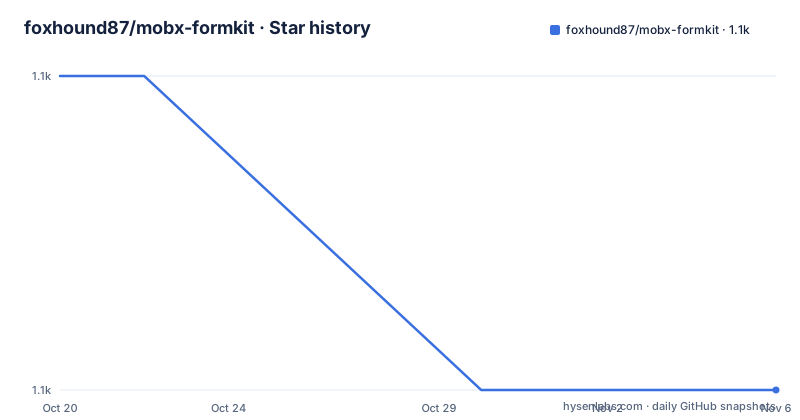
- foxhound87/mobx-formkit1,094 ★ · -1
| Repository | 2026-10-20 | 2026-11-06 |
|---|---|---|
| foxhound87/mobx-formkit | 1.1k | 1.1k |
-1 Stars in the last 17 days, measured from the daily GitHub snapshot. Compare with other projects
Editorial analysis
The form is a MobX store with a field list
MobX Formkit is a form state management library built on MobX observables, and the central claim is that the core is UI-agnostic: it depends only on `mobx` and renders in React, Vue 3, Lit, Angular, Solid or vanilla JavaScript through the matching MobX binding.
That constraint is what shapes everything else. Because the form instance is an observable object and nothing else, the same instance can be handed to a React observer, to a Vue component, or to a plain function, and the reactivity comes from MobX rather than from a framework-specific mechanism. The alternative, a form library whose state is stored in a framework hook, cannot make that claim.
The form is defined declaratively as data. Fields are described by a name, a label, a placeholder, a type and a set of rules, and the `Form` constructor takes that field list together with an options object that carries the validation plugins and the event hooks. Everything else, reactivity, validation, change tracking and component bindings, follows from that definition.
The size claim is worth taking at face value but checking against your own bundle. The badge says about 8 kB gzip, and the features list describes the package as tree-shakeable, with zero DOM dependencies, and SSR-ready, working with Next.js, Remix, Vite and any other server-side rendering setup. The `sideEffects` field is set to false in the package metadata, which is what makes tree shaking work in practice.
The MobX version range is deliberately wide. One peer dependency range covers MobX 5, 6 and 7, `^5.15.0 || ^6.0.0 || ^7.0.0`, so a project on an older MobX is not forced to upgrade the state library to adopt a form library.
The quick example: fields as data and rules as strings
The install is one npm command.
npm install --save mobx-formkitThe example then builds a validator, a field list and a form. The validator is a plugin instance, and the DVR plugin takes the validation library it wraps:
import { Form } from "mobx-formkit";
import dvr from "mobx-formkit/lib/validators/DVR";
import validatorjs from "validatorjs";

const plugins = {
  dvr: dvr({ package: validatorjs }),
};
The fields are plain objects, and the rules are written as a pipe-separated string:
const fields = [
  {
    name: "email",
    label: "Email",
    placeholder: "Insert Email",
    rules: "required|email|string|between:5,25",
  },
];
The hooks are functions, and the form is the combination of the two:
const hooks = {
  onSuccess(form) {
    alert("Form is valid! Send the request here.");
  },
  onError(form) {
    alert("Form has errors!");
  },
};const form = new Form({ fields }, { plugins, hooks });The `rules` string is the part that deserves a second look, because it is a mini language embedded in a string rather than a function. `required`, `email` and `string` are rule names, and `between:5,25` passes arguments after a colon. That is compact and readable for a simple form, and it is a decision to revisit when a rule needs logic rather than a name and a parameter, since at that point the string stops being enough and a custom rule has to be written.
Eight validation plugins that are allowed to mix
The validation layer is the most unusual part of the library, and it is where the flexibility claim lives.
Eight plugins ship: DVR, VJF, AJV, YUP, JOI, ZOD, VALIBOT and VINEJS. They are described as supporting sync and async validation, being extendable, and being mixable on the same form. That last one is the unusual part, and it is the part that changes how a codebase thinks about validation.
The usual pattern in a form library is one validation system, chosen once, applied to every field. Here, a form can hold more than one. A form that validates a legacy field with a schema validator, a date with a date library and a business rule with a hand-written rule does not need one library to be good at all three. The cost is that error reporting has to be normalised across the plugins, and that a team has to make a decision about which plugin owns which field, which is a decision that is easy to defer and hard to unwind later.
DVR is the plugin that wraps another library, and the quick example shows the pattern: `dvr({ package: validatorjs })` takes the validation package as an argument, which is how the library avoids depending on any of them directly. The dependencies of the core stay small, and a project picks the validator it already uses.
The other framework adapters follow the same idea. Field prop bindings are one-line `bind()` calls for standard inputs, and the documentation lists custom rewriters and templates for Material UI, Ant Design, React Aria, Headless UI, React Widgets, React Select, Chakra UI and PrimeReact, which are the component libraries whose props do not match the HTML defaults.
Hooks, nested fields and the composer
Three features cover the parts of a form that a validation library does not.
The event hooks give full lifecycle control, and the named ones are `onInit`, `onChange`, `onFocus`, `onBlur`, `onSubmit`, `onSuccess` and `onError`, with more behind the documentation link. Since the hooks receive the form instance, a hook can read the current values, and a submission hook is where the network call goes.
Nested fields and arrays are supported with dot notation, dynamic add, remove and move operations, ordered `ArrayMap` collections and full serialization. The `ArrayMap` is the piece to look at closely, because an array inside a form is normally a plain array, and an ordered collection that supports move operations is a different structure with different semantics. What that costs in terms of the values you get back is worth checking before a form with a repeated section is built on it.
Reactive computed props are the third piece, and they are the feature that comes most directly from the MobX foundation: functional field props that re-evaluate automatically when their MobX dependencies change. A field that shows a running total, or disables itself based on another field, is a computed property over observable state, and it recomputes when the state it reads changes, without a subscription the developer has to wire up.
The forms composer is for the case of several forms at once. It orchestrates multiple forms for wizards and multi-step flows, with batch validate, submit and clear, which is the operation a multi-step form needs and which no single form instance can do on its own.
There is a DevTools package and a browser extension for inspecting form state, fields and validation in real time, and the project also publishes installable AI agent skill files for Cursor, Windsurf, Claude Code, Codebuff and Copilot.
Bindings, subpath exports and the framework list
The same `Form` instance renders in React, Vue 3, Lit, Angular, Solid, Octane or vanilla JavaScript, in each case through the matching MobX binding. In React, the example wraps the component in `observer` from `mobx-react` and reads every field property through the accessor:
export default observer(({ form }) => (
  <form onSubmit={form.onSubmit}>
    <label htmlFor={form.$("email").id}>{form.$("email").label}</label>
    <input {...form.$("email").bind()} />
    <p>{form.$("email").error}</p>

    <button type="submit">Submit</button>
    <p>{form.error}</p>
  </form>
));
The accessor returns a field object with the identifier, the label, the error and the binding in one call, and the spread operator puts the binding onto the input. The form-level `error` is separate from the field errors, and the action methods `onSubmit`, `onClear` and `onReset` are properties of the form rather than of the field.
The package layout supports that modularity. The `exports` map in the package metadata has an entry for the root, for `./composer`, for `./devtools`, for `./validators/*` and for `./lib/utils`, each with types, an ESM build and a CommonJS build, and the `typesVersions` block maps the same subpaths for older TypeScript resolution. So a project that only wants the core does not pull the validators, and a project that wants one validator can import one validator.
The build is Rollup, configured in `rollup.config.mjs`, and the repository also carries a `umd.html` file and a UMD setup section in the documentation, so the library can be loaded from a script tag for a project that is not on a bundler. The TypeScript story is described as first: generics in the form type `Form<F>`, typed field access, and autocomplete for nested field paths, which is what makes dot notation into typed paths rather than into strings.
Where MobX Formkit is the wrong tool
The limits follow from the design, and the first one is the MobX dependency.
The core depends only on `mobx`, and that is a strength only if your project already runs MobX. A React codebase with a different state library, or a server-rendered application with no client state at all, gets a form library that introduces a second reactivity model. The alternative there is a form library whose state is not observable at all, where the form data is local to the component and validation is done on submit, which is less machinery and less power.
The second limit is the plugin surface. Eight validators that can be mixed on one form, custom rewriters for a list of component libraries, computed field props, a composer for multi-form flows, a DevTools extension: this is a large API for a form library, and every part of it is a thing a team has to understand before it can maintain the form code. The rule strings help at the start and are a ceiling later, since a rule whose logic outgrows a name and a parameter has to become a custom rule with a different shape.
The third is the release rhythm. The recent releases are v1.0.0 on 2026-08-16, v1.1.0 on 2026-08-16 and v1.1.1 on 2026-08-18, so the 1.x line is days old, while the version field in the repository's `package.json` still reads 1.0.1. A library at version one with a young minor line is going to change, and the upgrade cost is paid in the form code rather than in a lockfile.
The realistic alternative for a project that has no MobX is to keep the form state local and use a library with its own conventions, or to write a small observable store by hand if the team already understands MobX. The realistic alternative for a project that does have MobX but does not want a large form API is to use MobX directly with a handful of observable fields and a validation function, which is a day of work and about eighty lines. What MobX Formkit buys for that day of work is the parts that are tedious rather than hard: the field accessor, the binding, the error normalisation across plugins, the hooks, the DevTools.
The licence is MIT, with the text in the `LICENSE` file, and the documentation is published at `foxhound87.github.io/mobx-formkit` with a separate demo project and a live demo site linked from the README.
Editorial conclusion
MobX Formkit fits a team that already uses MobX, whose forms are stateful enough to need computed field props, change tracking and event hooks, and that does not want to maintain a second state system beside the one it already has. It is the wrong choice for a codebase without MobX, since the core depends on it directly, and it is the wrong choice for a large application that has settled on another form library with its own conventions, because the plugin and hook surface is the kind of API that is expensive to change later. Before adopting it, read the validation plugin documentation and decide whether mixing validators on one form is a requirement or a liability, check the peer dependency range against the MobX version you run, and note that the version in `package.json` reads 1.0.1 while the published releases are on the 1.1 line.
Frequently asked questions
How do I install MobX Formkit?
With `npm install --save mobx-formkit`. The core depends only on mobx, and the package supports MobX 5, 6 and 7 through the peer dependency range `^5.15.0 || ^6.0.0 || ^7.0.0`, so an older MobX project does not have to upgrade its state library.
Which validation libraries can MobX Formkit use?
Eight plugins ship: DVR, VJF, AJV, YUP, JOI, ZOD, VALIBOT and VINEJS, supporting sync and async validation, extendable and mixable on the same form. A plugin such as DVR wraps the library you pass it, as in dvr({ package: validatorjs }), so the core depends on none of them.
How do I bind a MobX Formkit field to a React input?
Through the one-line bind() helper from the matching MobX binding. In React the component is wrapped in observer and the field properties come from the accessor, so form.$("email") gives the id, the label, the error and the binding to spread onto the input.
Does MobX Formkit work with server-side rendering?
The package is described as tiny and SSR-ready, about 8 kB gzip, tree-shakeable with zero DOM dependencies, working with Next.js, Remix, Vite and other SSR setups. The same form instance renders in React, Vue 3, Lit, Angular, Solid, Octane or vanilla JavaScript through the matching MobX binding.
Official sources
Add this badge to your README
If you maintain this project, the badge below links readers to this analysis and shows its maintenance status from the daily GitHub snapshot. Paste the markdown into your README; add ?metric=license or ?metric=stars to the image URL for a different field.

[](https://hysenlabs.com/projects/foxhound87-mobx-formkit)Star history chart for your README
[](https://hysenlabs.com/projects/foxhound87-mobx-formkit)Was this useful?