eslint-plugin-tailwindcss: nine rules for catching Tailwind CSS classname mistakes at lint time
ESLint plugin for Tailwind CSS usage
At a glance
- What is it?
- eslint-plugin-tailwindcss is an ESLint plugin with nine rules that enforce ordering, canonical spelling, shorthand usage, and contradiction detection in Tailwind CSS classnames. Version 4.4.0 targets Tailwind CSS v4 and ESLint v10, and one rule in the recommended configuration raises errors rather than warnings.
- Who is it for?
- eslint-plugin-tailwindcss suits teams that want Tailwind CSS classname ordering and correctness enforced at lint time rather than left to code review. The plugin works with Tailwind CSS v4 and ESLint v10; teams still on Tailwind CSS v3 should install `[email protected]` instead.
- Can I use it commercially?
- Yes. MIT is a permissive licence: you can use, modify and sell software built on it, as long as you keep its copyright and licence notices.
- Is it still maintained?
- Yes. The repository last received commits 74 days ago.
- What is it written in?
- Mainly TypeScript, according to GitHub's language statistics.
Answers come from the project's GitHub data, last synced on November 7, 2026, and from our analysis. They are not legal advice.
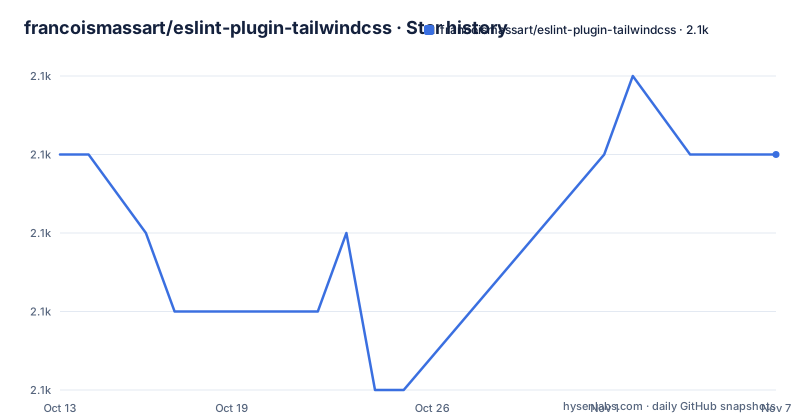
Star history
- francoismassart/eslint-plugin-tailwindcss2,072 ★ · +0
| Repository | 2026-10-13 | 2026-11-07 |
|---|---|---|
| francoismassart/eslint-plugin-tailwindcss | 2.1k | 2.1k |
0 Stars in the last 25 days, measured from the daily GitHub snapshot. Compare with other projects
Editorial analysis
ESLint rules for Tailwind CSS classname consistency, available since 2021
eslint-plugin-tailwindcss adds ESLint rules that catch mistakes in how Tailwind CSS classnames are written in HTML, JSX and template files. Nine rules cover classname ordering, canonical spelling, shorthand consolidation, arbitrary value usage, and class contradictions. Installing it as a dev dependency means it will not affect the final bundle size, according to the README.
Best practices and consistency enforcement have been the stated project goal since 2021. Version 4.4.0, the current stable build, targets Tailwind CSS v4 and requires ESLint v10. An upgrade guide at UPGRADE.md covers the path from the v3 plugin to v4. Teams still on Tailwind CSS v3, or on older ESLint versions, should install `[email protected]` rather than the current version.
The package name on npm is `eslint-plugin-tailwindcss`. TypeScript source lives in src/, test coverage in tests/, and rule documentation in docs/. Both CommonJS and ESM exports are present, so the plugin works in both `require`-based and `import`-based ESLint configurations. A ROADMAP.md at the repository root lists planned additions to the rule set. The SPONSORS.md file documents the project's individual sponsorship model through GitHub Sponsors and thanks.dev.
The package is MIT-licensed and reached version 4.4.0 on 2026-08-21, with the last commit on 2026-08-26.
classnames-order reads the Tailwind CSS compiler rather than a static list
Two rules use the Tailwind CSS compiler to determine correctness rather than a hardcoded list of allowed values. `classnames-order` enforces the classname order the compiler would emit, and `enforces-canonical-classname` checks that each classname matches the canonical spelling the compiler resolves. A classname that exists but uses a non-canonical spelling gets flagged and can be auto-fixed.
Using the compiler is a design choice with a clear trade-off. A static list of classnames would be simpler to ship but would lag behind Tailwind CSS version changes. Compiler-based detection means rule output tracks whatever version of Tailwind CSS the project has installed, but also requires a working Tailwind CSS installation configured correctly for these rules to resolve classes.
To support the compiler interaction, the package carries `@typescript-eslint/utils`, `postcss`, `postcss-nested` and `synckit` as direct production dependencies. The tailwindcss package is also listed as a dependency in package.json. A worker script at src/utils/tailwindcss-api/worker/ handles communication between the linting process and the Tailwind CSS compiler, with synckit managing cross-thread coordination. This allows the plugin to call the compiler synchronously from ESLint rules.
A misconfigured settings block pointing to the wrong Tailwind CSS config file will cause the ordering and canonical rules to produce incorrect results without surfacing an obvious configuration error.
Installing with npm and writing the minimal ESLint flat config
Install the plugin as a dev dependency:
npm i -D eslint-plugin-tailwindcsspnpm also works as a package manager according to the README. After installing, add the plugin to the project's `eslint.config` file. A starting point from the README:
import eslintPluginTailwindcss from "eslint-plugin-tailwindcss";
import { defineConfig } from "eslint/config";

export default defineConfig([
  eslintPluginTailwindcss.configs["flat/recommended"] ||
    eslintPluginTailwindcss.configs.recommended,

  {
    settings: {
      // Def
The settings block is where Tailwind CSS-specific options go, such as the config file path. Full documentation for settings is in the docs/ directory. `flat/recommended` is the entry for flat config format projects, and the fallback `configs.recommended` handles older ESLint config formats. For teams migrating from the older .eslintrc format, both config styles are supported through these two entry points.
Starting from the recommended configuration enables eight of the nine rules. The ninth, `no-arbitrary-value`, must be added manually and is not included in the recommended set.
Six rules support auto-fix, two need manual choices, and one requires explicit opt-in
Nine rules split across three capability categories based on how violations can be addressed.
Six support automatic correction with the `--fix` flag: `classnames-order`, `enforces-canonical-classname`, `enforces-negative-arbitrary-values`, `enforces-shorthand`, `important-modifier-suffix` and `no-unnecessary-arbitrary-value`. Passing `--fix` to ESLint applies all of these changes without any manual intervention.
Two rules offer editor suggestions but no auto-fix: `no-contradicting-classname` and `no-custom-classname`. An editor suggestion surfaces a proposed fix in supporting IDEs that the developer must accept explicitly. These rules cannot be applied automatically because each fix may require a judgment call: removing one of two contradicting classes, or deciding whether a non-Tailwind class belongs in the markup at all.
`no-unnecessary-arbitrary-value` is in both groups. It carries both auto-fix and editor suggestion capability, as shown in the rules table.
The ninth rule, `no-arbitrary-value`, appears in the rules table with no default configuration indicator. It does not appear in the recommended configuration and must be added to the ESLint config manually. It forbids arbitrary values in classnames entirely, which is a stricter stance than `no-unnecessary-arbitrary-value`, which only flags arbitrary values that have a direct built-in Tailwind CSS equivalent.
no-contradicting-classname: the one recommended rule that exits with an error, not a warning
Seven of the eight rules in the recommended configuration sit at the warning severity level. Only `no-contradicting-classname` is set at the error level. The rules table column for warnings shows seven entries and the column for errors shows one. Reading the table column by column, the pattern could be misread as uniformly warning-level, but that single error-level rule changes how the recommended configuration behaves in CI.
An ESLint warning does not exit with a non-zero code by default. An error does. Any file with two contradicting Tailwind CSS classnames, such as two separate text colour classes targeting the same CSS property on the same element, will cause the ESLint process to exit with a failure code. For teams running ESLint in CI, contradicting classnames stop the build rather than produce a report entry that can be ignored.
`no-contradicting-classname` also carries no auto-fix. Editor suggestions are available in supporting IDEs, but the developer must choose which of the two conflicting classnames to remove. That judgment call is why automated correction is not provided. Full details of what counts as a contradiction are in docs/rules/no-contradicting-classname.md. The rule description in the table is: "Avoid contradicting Tailwind CSS classnames."
v4 targets Tailwind CSS v4, and v3 stays available for older projects
The default branch of the repository is named v4. Version 4.4.0 is built for Tailwind CSS v4 and ESLint v10. Projects on Tailwind CSS v3 or older ESLint APIs need `[email protected]`, which is the published version for that generation.
Upgrading from the v3 plugin to v4 is a breaking change, and UPGRADE.md at the repository root documents that migration path. Running the v4 plugin against a Tailwind CSS v3 project is not a supported configuration, and the compiler-based rules will produce incorrect results because the compiler version does not match what the plugin expects. The same problem occurs in reverse: running the v3 plugin against Tailwind CSS v4 leaves the compiler-dependent rules working against the wrong API.
For a project upgrading from Tailwind CSS v3 to v4, both the framework upgrade and the plugin upgrade need to happen in coordination. Doing one without the other creates a version mismatch that produces misleading lint output, particularly for the ordering and canonical-spelling rules that depend on the compiler to determine correctness.
Where the plugin generates noise: custom classnames and the no-arbitrary-value opt-in
Teams that mix Tailwind CSS classes with custom CSS class names in the same markup will find `no-custom-classname` produces warnings on every custom class. The rule detects classnames that do not belong to Tailwind CSS, which is exactly what a custom class defined outside the Tailwind CSS system would be. Editor suggestions are offered but no auto-fix is available, so each flag requires a manual decision. Whether to enable this rule depends on how cleanly the project separates Tailwind CSS from any custom class usage.
`no-arbitrary-value` is intentionally absent from the recommended configuration. Enabling it forbids all arbitrary values in classnames, including arbitrary pixel values and custom colour values that the built-in scale cannot cover. Arbitrary values are a deliberate Tailwind CSS feature for edge cases, and removing them entirely from an existing codebase would require replacing every instance. Teams that want partial enforcement should use `no-unnecessary-arbitrary-value` from the recommended configuration instead, since it flags only arbitrary values that have a matching built-in equivalent.
Both rules share a limitation: false positives can occur if the project uses class-manipulation libraries that assemble classname strings dynamically at runtime. Static analysis has no way to resolve the final classname strings, so the plugin sees only fragments and may flag them as unrecognised.
Editorial conclusion
eslint-plugin-tailwindcss suits teams that want Tailwind CSS classname ordering and correctness enforced at lint time rather than left to code review. The plugin works with Tailwind CSS v4 and ESLint v10; teams still on Tailwind CSS v3 should install `[email protected]` instead. Before adopting, check which rules fit the codebase: `no-arbitrary-value` is not in the recommended configuration and must be explicitly added, while `no-contradicting-classname` raises errors rather than warnings and will block CI on any file with two conflicting classes for the same property.
Frequently asked questions
How do I install eslint-plugin-tailwindcss?
Run npm i -D eslint-plugin-tailwindcss to add it as a dev dependency. pnpm also works. For Tailwind CSS v3 projects, install [email protected] instead of the current v4 version.
What rules does eslint-plugin-tailwindcss include?
There are nine rules covering classname ordering, canonical spelling, shorthand usage, negative arbitrary value notation, the v4 important modifier suffix, arbitrary value enforcement, class contradictions, custom classname detection, and unnecessary arbitrary values. Eight of the nine are in the recommended configuration; no-arbitrary-value must be added manually.
Does eslint-plugin-tailwindcss support Tailwind CSS v4?
Yes. Version 4.4.0 targets Tailwind CSS v4 and ESLint v10. Teams on Tailwind CSS v3 should use [email protected]. An upgrade guide from v3 to v4 is at UPGRADE.md in the repository.
Can eslint-plugin-tailwindcss fix classname order automatically?
Yes. The classnames-order rule and five others support the --fix flag for automatic correction. Two rules, no-contradicting-classname and no-custom-classname, only offer editor suggestions and require a manual decision.
What is the difference between no-arbitrary-value and no-unnecessary-arbitrary-value?
no-arbitrary-value forbids all arbitrary values in classnames and is not in the recommended configuration; it must be added manually. no-unnecessary-arbitrary-value only flags arbitrary values that have a built-in Tailwind CSS equivalent, and it is included in the recommended configuration as a warning.
Official sources
Add this badge to your README
If you maintain this project, the badge below links readers to this analysis and shows its maintenance status from the daily GitHub snapshot. Paste the markdown into your README; add ?metric=license or ?metric=stars to the image URL for a different field.

[](https://hysenlabs.com/projects/francoismassart-eslint-plugin-tailwindcss)Star history chart for your README
[](https://hysenlabs.com/projects/francoismassart-eslint-plugin-tailwindcss)Was this useful?