Paket: solution-level .NET dependency management with explicit transitive tracking
A dependency manager for .NET with support for NuGet packages and Git repositories.
At a glance
- What is it?
- Paket is a dependency manager for .NET that stores all dependency decisions in two files at the solution root: paket.dependencies for what you want and paket.lock for every package that resolves, including transitive dependencies. It also references git repositories and HTTP resources as dependency sources alongside NuGet packages.
- Who is it for?
- Paket is a good fit for .NET solutions that mix NuGet packages with git or HTTP dependency sources, or for teams that want a single lock file covering all projects at the solution level rather than per-project packages.config entries. It is worth reviewing for projects already on a recent NuGet version with PackageReference, since NuGet added transitive dependency tracking in a later version that addressed some of what Paket was built to solve.
- Can I use it commercially?
- Yes. MIT is a permissive licence: you can use, modify and sell software built on it, as long as you keep its copyright and licence notices.
- Is it still maintained?
- Yes. The repository last received commits 1 day ago.
- What is it written in?
- Mainly F#, according to GitHub's language statistics.
Answers come from the project's GitHub data, last synced on October 23, 2026, and from our analysis. They are not legal advice.
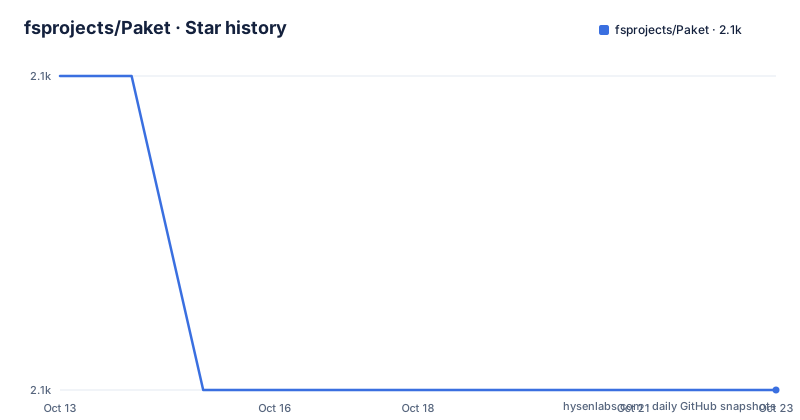
Star history
- fsprojects/Paket2,088 ★ · -1
| Repository | 2026-10-13 | 2026-10-23 |
|---|---|---|
| fsprojects/Paket | 2.1k | 2.1k |
-1 Stars in the last 10 days, measured from the daily GitHub snapshot. Compare with other projects
Editorial analysis
What Paket adds over NuGet packages.config: explicit transitive dependency tracking
NuGet's packages.config format records every package that ends up in a project, whether you requested it directly or it arrived as a transitive dependency. Both categories appear in the same file with no distinction. A developer reading packages.config cannot tell which packages the project actually requires and which are present only because a direct dependency needed them.
Paket separates the two. Its paket.dependencies file lists what you want at the solution level. Its paket.lock file records what you get: every transitive package and the version it resolved to. That separation is the central design decision, making the lock file answer the question of what the code actually depends on without requiring manual reasoning about which entries are direct and which are transitive.
The README's 'Why Paket?' section also identifies a second NuGet behavior: when two packages conflict over a shared dependency, NuGet silently selects the latest version, and the README states there is no way to control this process. Paket's resolution results sit in the lock file, giving the developer a record of what happened rather than a silent decision.
paket.dependencies and paket.lock: format, scope, and what each file governs
Both files sit at the solution root rather than inside individual project directories. paket.dependencies specifies the packages and version constraints the solution wants. It can reference NuGet packages, git repositories and HTTP resources in the same file, and it supports groups to separate dependencies by purpose.
paket.lock is the computed output of dependency resolution. Every package that will be installed is listed here at an exact version, including all transitives and their sources. Committing this file to source control means every developer and every build server gets the same set of packages. The lock file documents the complete dependency graph in a reproducible form.
This solution-level scope differs from NuGet's per-project packages.config. A constraint written in paket.dependencies applies across all projects in the solution, not just one. The documentation for the lock file format is at https://fsprojects.github.io/Paket/lock-file.html and for the dependencies file format at https://fsprojects.github.io/Paket/dependencies-file.html.
For large solutions with many projects that need the same packages, this centralization avoids the problem of inconsistent version pins across multiple packages.config files. Each project in the solution pulls from the same resolved set.
Installing Paket: paket.exe, the bootstrapper, and building from source
Both paket.exe and paket.bootstrapper.exe are listed in the README's 'Online resources' section under separate 'Download' links, but both footnote references map to the same URL. paket.bootstrapper.exe is a launcher that downloads the correct version of paket.exe automatically rather than requiring manual binary management. An install.sh script also lives at the repository root. The getting started guide at https://fsprojects.github.io/Paket/get-started.html is the documented starting path for new users.
For building Paket from source, the README gives platform-specific commands. On Windows:
build.cmdOn Linux or macOS:
build.shBoth commands build the solution and run the test suite. After a successful build, binaries appear in the ./bin directory. Any change to the repository code should pass the test suite before a pull request is submitted. Documentation changes go to Markdown files in /docs/content, but command descriptions and syntax are generated from the Paket.Commands module, so changing command behavior requires a source code change, not just a documentation edit.
Git repositories and HTTP resources as dependency sources alongside NuGet
Paket's paket.dependencies file accepts three types of sources: NuGet packages, files referenced from git repositories, and files served over HTTP. The git dependency path is documented at https://fsprojects.github.io/Paket/git-dependencies.html and the HTTP path at https://fsprojects.github.io/Paket/http-dependencies.html.
This matters for cases where the needed asset is not published to a NuGet feed. A private library hosted only on a git server, a configuration file at a stable URL, or a binary maintained outside any package registry can be listed in paket.dependencies directly. NuGet's package model requires those assets to be wrapped in a NuGet package and published before they can be consumed through the standard restore path.
Paket's lock file covers these non-NuGet sources too. A git dependency is pinned to a specific commit or tag at resolution time; an HTTP dependency is pinned to the URL as resolved. Checking paket.lock into source control means the git and HTTP references are as deterministic as the NuGet package references.
The trade-off for git dependencies is that the referenced repository must remain accessible and the referenced commit must remain available. For HTTP dependencies, the URL must continue to serve the expected content. Neither of those conditions is guaranteed, and neither is validated during a local restore if the assets are already cached.
What the NuGet 6.3 announcement link reveals about the README's main argument
The README's 'Why Paket?' section opens with the sentence: 'NuGet did not separate out the concept of transitive dependencies.' That phrase 'did not' is a hyperlink, and its target is a Microsoft blog post on the NuGet developer blog about transitive dependencies, floating versions and signed package verification. The blog post announces the addition of transitive dependency management to NuGet itself.
The linked evidence is the announcement of the feature the surrounding sentence says NuGet lacks. The past tense 'did not' acknowledges this implicitly, but the body of the README section does not describe what that NuGet update changed or whether it closes the gap. For teams evaluating Paket against current NuGet, the README's central argument may only partially apply depending on which NuGet version and project format is in use.
What that NuGet update does not address is Paket's other two capabilities: referencing git repositories and HTTP resources as direct dependencies, and maintaining a single solution-level lock file rather than per-project configuration. Those remain Paket-specific features. Whether they justify adding a second dependency management layer depends on the project's actual needs.
Building from source and how the repository bootstraps its own dependencies
Paket uses itself to manage its own dependencies. At the repository root sit paket.dependencies, paket.lock and a .paket/ directory that holds the bootstrapper. A new contributor cloning the repository encounters Paket's own tooling before the standard .NET restore path.
global.json at the root pins the .NET SDK version the build requires. Directory.Build.props and Directory.Build.targets carry MSBuild properties that apply to every project in the solution. The solution file is Paket.sln. Source code lives under src/, unit tests under tests/ and integration tests under integrationtests/.
RELEASE_NOTES.md at the root tracks changes per version. The completion/ directory holds shell completion scripts. AGENTS.md and CLAUDE.md at the root carry instructions for AI agents and Claude Code respectively, indicating the project team uses automated tooling in its development workflow.
Paket 11.0.0 was published on 2026-10-05. It is MIT-licensed, with the licence text in LICENSE.txt at the root.
Six named maintainers, the fsprojects governance model, and where to report issues
Paket is hosted under the fsprojects GitHub organization, which the README describes as the F# Community Project Incubation Space. 6 maintainers are listed: @forki, @agross, @cloudroutine, @matthid, @isaacabraham and @theimowski. Repository management tasks without a specific owner fall to @fsprojectsgit, which serves as the default account for the organization.
For bugs and feature requests, the README points to the GitHub issue tracker. Community discussion and announcements go through the @PaketManager Twitter account, and a Gitter channel is linked from the README badges. Code contributions follow a fork-and-pull-request process, with the requirement that any new feature includes both tests and documentation changes.
Documentation changes for commands must go through the source code rather than the documentation files alone. Short descriptions and syntax for each command generate automatically from the Paket.Commands module in the codebase. A change to command behavior that updates only /docs/content/... without updating Paket.Commands will produce documentation that disagrees with the tool.
Editorial conclusion
Paket is a good fit for .NET solutions that mix NuGet packages with git or HTTP dependency sources, or for teams that want a single lock file covering all projects at the solution level rather than per-project packages.config entries. It is worth reviewing for projects already on a recent NuGet version with PackageReference, since NuGet added transitive dependency tracking in a later version that addressed some of what Paket was built to solve. Before adopting, run `build.sh` or `build.cmd` against a local clone to verify the current build passes, and check RELEASE_NOTES.md for any breaking changes in version 11.0.0.
Frequently asked questions
What is Paket and how does it differ from NuGet?
Paket is a dependency manager for .NET that stores all dependency decisions in two files at the solution root: paket.dependencies for what you want and paket.lock for what resolves, including all transitive packages. NuGet's packages.config lists all packages in a single file without distinguishing direct from transitive dependencies.
How do I install Paket?
Both paket.exe and paket.bootstrapper.exe are linked in the README's 'Online resources' section. The repository also contains an install.sh script at the root. Getting started documentation is at https://fsprojects.github.io/Paket/get-started.html.
What is the paket.lock file in Paket?
paket.lock is a file generated at the solution root that records the exact resolved version of every package, including all transitive dependencies. Committing it to source control makes builds reproducible across machines.
Can Paket reference packages from a git repository?
Yes. paket.dependencies can reference files from git repositories directly, in addition to NuGet packages and HTTP resources. The git dependency documentation is at https://fsprojects.github.io/Paket/git-dependencies.html.
How do I build Paket from source?
Run build.cmd on Windows or build.sh on Linux and macOS. Both commands build the solution and run the test suite. Compiled binaries land in the ./bin directory.
Official sources
Add this badge to your README
If you maintain this project, the badge below links readers to this analysis and shows its maintenance status from the daily GitHub snapshot. Paste the markdown into your README; add ?metric=license or ?metric=stars to the image URL for a different field.

[](https://hysenlabs.com/projects/fsprojects-paket)Star history chart for your README
[](https://hysenlabs.com/projects/fsprojects-paket)Was this useful?