fullcalendar-angular: the v6 Angular wrapper that is being replaced by v7
The official Angular component for FullCalendar
At a glance
- What is it?
- The official Angular component for FullCalendar, a thin connector that exposes the calendar through a `full-calendar` element and a CalendarOptions object, with nested templates for custom event content. The important fact is in the README's warning banner: this repository shows v6, the current version is v7, and the v6 code is lagging behind.
- Who is it for?
- fullcalendar-angular is the right choice if you are on Angular 12 to 22 and want FullCalendar v6 with its plugin ecosystem, dayGrid and timeGrid as separate packages, and the nested ng-template mechanism for custom event content. It is the wrong choice for a new project, because the README states the current version is v7 and that this repository's code is lagging behind and will be updated, so you would start on a line that is being replaced.
- Can I use it commercially?
- Yes. MIT is a permissive licence: you can use, modify and sell software built on it, as long as you keep its copyright and licence notices.
- Is it still maintained?
- Yes. The repository last received commits 23 days ago.
- What is it written in?
- Mainly TypeScript, according to GitHub's language statistics.
Answers come from the project's GitHub data, last synced on November 7, 2026, and from our analysis. They are not legal advice.
Star history
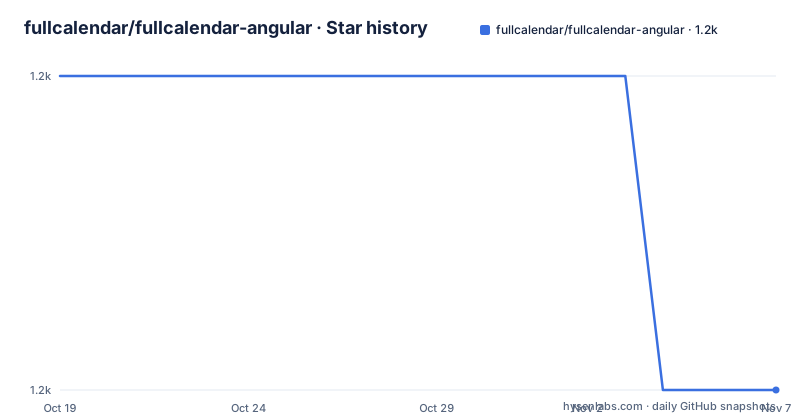
- fullcalendar/fullcalendar-angular1,167 ★ · -1
| Repository | 2026-10-19 | 2026-11-07 |
|---|---|---|
| fullcalendar/fullcalendar-angular | 1.2k | 1.2k |
-1 Stars in the last 19 days, measured from the daily GitHub snapshot. Compare with other projects
Editorial analysis
The warning banner is the most useful paragraph
The README opens with a warning that changes how you should read everything after it. This repository shows FullCalendar v6, the current version is v7, which is developed in the `fullcalendar-workspace` repository for now, and this repository's code is lagging behind and will be updated.
That is an unusual thing for a package README to say about itself, and it changes the adoption decision. The package you would install from this repository is a maintained line, but it is not the line the project is moving toward.
The second half of the warning explains the concrete difference in v7. Plugins like dayGrid and timeGrid are no longer separate packages. The install becomes:
npm install @fullcalendar/angular fullcalendar temporal-polyfilland plugins are imported from `@fullcalendar/angular/daygrid` and similar paths. The warning is emphatic that you should not install `@fullcalendar/core`, `@fullcalendar/daygrid` or the other v6 packages with v7, and it points to the v7 Angular documentation.
So the decision is binary and it is documented. A v6 project installs `@fullcalendar/angular` with `@fullcalendar/core` and separate plugin packages. A v7 project installs `@fullcalendar/angular` with `fullcalendar` and the `temporal-polyfill`, and pulls plugins out of the connector package. The `temporal-polyfill` in the v7 install is the hint that v7 moves to the Temporal API for date handling rather than the older Date-based logic, which is a substantial change underneath the plugin packaging change.
Installing the connector and its plugins
For v6, the installation is the Angular connector, the core package and any plugins you need:
npm install @fullcalendar/angular @fullcalendar/core @fullcalendar/daygridThe three-part install is a consequence of the v6 packaging model, where `@fullcalendar/angular` depends on `@fullcalendar/core` as a peer dependency and each view is its own package.
The peer dependency ranges in `package.json` are precise. `@angular/common` and `@angular/core` are declared as `12 - 22`, and `@fullcalendar/core` is pinned to `~6.1.21`, which means any 6.1.x patch but not 6.2. The README states the same support window in prose, that `@fullcalendar/angular` version 6 supports Angular 12 to 22.
The runtime dependency list contains exactly one entry, `tslib` at `^2.3.0`. That is the hallmark of a well-kept Angular library: no polyfill bundle, no state management, no utility framework, nothing that would collide with your own dependencies.
The package version in `package.json` is 6.1.21, and the published releases are v6.1.21 from 2026-06-18, v6.1.20 from 2025-12-23 and v6.1.19 from 2025-08-10. The last push to the repository was on 2026-10-15, so work is still landing on this branch even as v7 is developed elsewhere.
The component is an element plus an options object
The API shape is small. You connect `FullCalendarModule` to your app module, and then you use a `full-calendar` element with an options object bound to it.
The module wiring is the standard Angular NgModule pattern:
import { BrowserModule } from '@angular/platform-browser';
import { NgModule } from '@angular/core';
import { FullCalendarModule } from '@fullcalendar/angular';
import { AppComponent } from './app.component';

@NgModule({
  declarations: [
    AppComponent
  ],
  imports: [
    BrowserModule,
    FullCalendarModule // register FullCalendar with your app
  ],
  providers: [],
  bootstrap: [AppComponent]
})
export class AppModule { }
And the component itself takes a `CalendarOptions` object:
import { Component } from '@angular/core';
import { CalendarOptions } from '@fullcalendar/core';
import dayGridPlugin from '@fullcalendar/daygrid';

@Component({
  selector: 'app-root',
  templateUrl: `
    <div>
      <h1>Demo App</h1>
      <full-calendar [options]="calendarOptions"></full-calendar>
    </div>
  `,
  styleUrls: ['./app.component.scss']
})
export class AppComponent {
  calendarOptions: CalendarOptions = {
    plugins: [dayGridPlugin],
    initialView: 'dayGridMonth',
    weekends: false,
    events: [
      { title: 'Meeting', start: new Date() }
    ]
  };
}
The `CalendarOptions` type is the important part, and it comes from `@fullcalendar/core`. The wrapper does not define its own configuration model; it hands FullCalendar's own options object to the underlying library. That means anything FullCalendar supports is available, and the documentation for the options object is the FullCalendar documentation rather than an Angular-specific subset.
The plugin list is explicit in the options, with `plugins: [dayGridPlugin]`, and the initial view is chosen with `initialView: 'dayGridMonth'`. Events are plain objects with a title and a start date.
Nested templates are how you customise event rendering
The one feature of the wrapper that goes beyond passing options is nested template support, and the README shows it as a content projection into the `full-calendar` element:
<full-calendar [options]="calendarOptions">
  <ng-template #eventContent let-arg>
    <b>{{arg.timeText}}</b>
    <i>{{arg.event.title}}</i>
  </ng-template>
</full-calendar>
The `ng-template` with the `#eventContent` reference is picked up by the component and used to render each event, with the `let-arg` template variable giving access to the render argument, which carries `timeText` and `event`.
This is the piece that makes the wrapper feel like an Angular component rather than a script tag. A pure JavaScript embed would require reaching into the DOM after render and replacing the content of every event element, which is fragile and fights the framework. Here the event content is declared in the template, Angular renders it, and the change detection cycle works as it does everywhere else in the app.
The cost is that the template is part of the component's API, so the number of customisable slots is fixed by the wrapper rather than open-ended. The README shows one, `eventContent`.
The v6 build and test tooling is from the Angular 13 era
The development section says the repository must be installed with PNPM, and the scripts are the Angular CLI ones:
pnpm installwith `build` producing production-ready dist files, `watch` building and watching development dist files, `start` running a simple example application, `test` running headlessly, `test:dev` running interactively, and `clean`.
The `package.json` shows what those map to. The build is `ng build lib && pnpm run meta`, where the `meta` step creates a `dist/lib` directory and copies the README and `LICENSE.txt` into it, which is how the licence file ends up in the published package. The test script is `ng test lib --watch=false --browsers ChromeHeadless`, so the suite runs in headless Chrome through Karma with Jasmine as the test framework. The `ci` script chains clean, build and test.
The toolchain versions are revealing. The dev dependencies are Angular 13.3, the Angular CLI at 13.3.10, TypeScript at 4.6.4, `ng-packagr` for the library packaging, `zone.js` at 0.11.4, Karma at 6.3 and Jasmine at 4. Those are the versions from early 2022, and they are pinned to roughly that range rather than floating.
That is not a criticism so much as a fact about a supporting repository. A library that is published as a compiled Angular package and is not the focus of development can keep an old toolchain without harming consumers, because the consumer compiles the package's TypeScript output against their own Angular version. The peer dependency range of Angular 12 to 22 is what matters to a user, and it is broad.
Where the project came from, and who maintains it
The history section says the project is built and maintained by irustm in partnership with the maintainers of FullCalendar, and that it was originally called `ng-fullcalendar`, which can still be found on npm.
The old name is worth knowing because it is what many tutorials and blog posts still refer to, and the current package is published as `@fullcalendar/angular`. A search result pointing at `ng-fullcalendar` refers to the project's former name, still published on npm, and the name overlap is a common source of confusion when you are working through an existing codebase.
The repository is not archived, the licence is MIT with a `LICENSE.txt` file, and the default branch is main. The top level entries are `lib/`, `app/`, `angular.json`, `tsconfig.json`, `package.json`, `pnpm-lock.yaml`, `CHANGELOG.md` and a `context7.json` file.
The `app/` directory is the example application that the `start` script runs, and the `lib/` directory is the library itself, built by `ng build lib` as a separate ng-packagr project. The two-target split is why the build script names `lib` explicitly, and why the `meta` step copies the licence into `dist/lib` rather than `dist`.
The documentation and example links are the two places to look for the intended usage: the Angular documentation at fullcalendar.io/docs/angular, and the example project in the fullcalendar-examples repository under `angular15`.
Where fullcalendar-angular is the wrong choice
The first wrong case is a new project, which is the one the README's own warning points at. v7 is the current version, it is being developed in the fullcalendar-workspace repository, and this repository's code is lagging behind. Starting a new application on v6 means starting on a line that is being replaced, and the plugin packaging changes between the two versions, so a migration is not a version bump.
The second wrong case is an application on Angular outside the 12 to 22 range. The peer dependencies are `12 - 22` for both `@angular/common` and `@angular/core`, and the README confirms the same window. An application on Angular 23 or later cannot use this version of the connector.
The third is a project that has already standardised on a different calendar. The wrapper is not a general calendar, it is the Angular surface of FullCalendar, and swapping it for another library means rewriting the template and the options object rather than swapping a component.
The fourth is a requirement for rich event content that the nested template mechanism cannot express. The `ng-template` approach is good for the standard event rendering slot, and the README shows one such slot, so a project that needs several differently rendered event shapes, or content rendered outside the calendar entirely, is limited by what the wrapper projects.
For an existing Angular application on a supported version that already uses FullCalendar v6, the connector is a thin, dependable layer with a single runtime dependency, and the v6 to v7 move is the only thing to plan around.
Editorial conclusion
fullcalendar-angular is the right choice if you are on Angular 12 to 22 and want FullCalendar v6 with its plugin ecosystem, dayGrid and timeGrid as separate packages, and the nested ng-template mechanism for custom event content. It is the wrong choice for a new project, because the README states the current version is v7 and that this repository's code is lagging behind and will be updated, so you would start on a line that is being replaced. Before adopting it, decide which major version you are targeting and read the v7 Angular documentation, and if you are staying on v6, note that the plugin packages are separate installs in v6 while in v7 they are imported from the connector package itself.
Frequently asked questions
How do I install the FullCalendar Angular component?
For v6, run `npm install @fullcalendar/angular @fullcalendar/core @fullcalendar/daygrid`, adding the plugin packages you need. For v7, run `npm install @fullcalendar/angular fullcalendar temporal-polyfill` and import plugins from `@fullcalendar/angular/daygrid` and similar paths.
Which Angular versions does @fullcalendar/angular support?
The README states that version 6 of the package supports Angular 12 to 22, and the peer dependencies declare `12 - 22` for both `@angular/common` and `@angular/core`, with `@fullcalendar/core` pinned to `~6.1.21`.
How do I customise how events are rendered in fullcalendar-angular?
Project a nested `ng-template` with an `#eventContent` reference into the `full-calendar` element. The template variable gives access to the render argument, which carries `timeText` and `event`.
Is fullcalendar-angular still being developed?
The repository is not archived and the last push was on 2026-10-15, but the README states that this repo shows v6, that the current version is v7 developed in the fullcalendar-workspace repository, and that this repository's code is lagging behind and will be updated.
What is the difference between ng-fullcalendar and @fullcalendar/angular?
The project was originally called `ng-fullcalendar`, which can still be found on npm. The current package is `@fullcalendar/angular`, maintained by irustm in partnership with the FullCalendar maintainers.
Official sources
Add this badge to your README
If you maintain this project, the badge below links readers to this analysis and shows its maintenance status from the daily GitHub snapshot. Paste the markdown into your README; add ?metric=license or ?metric=stars to the image URL for a different field.

[](https://hysenlabs.com/projects/fullcalendar-fullcalendar-angular)Star history chart for your README
[](https://hysenlabs.com/projects/fullcalendar-fullcalendar-angular)Was this useful?