The Vue 3 connector is one component wrapping an options object, and it is already behind v7
The official Vue 3 component for FullCalendar
At a glance
- What is it?
- The FullCalendar Vue 3 package is a thin component that takes an options object and renders a calendar, with named slots for event content. Its README opens with a warning that v7 is developed in the fullcalendar-workspace monorepo and that this repository is lagging behind.
- Who is it for?
- Adopt @fullcalendar/vue3 if you are on Vue 3 and want the official FullCalendar connector rather than a wrapper you maintain. Do not start a new integration on the v6 line documented in this repository, because the README says development has moved to the workspace for v7.
- Can I use it commercially?
- Yes. MIT is a permissive licence: you can use, modify and sell software built on it, as long as you keep its copyright and licence notices.
- Is it still maintained?
- Yes. The repository last received commits 24 days ago.
- What is it written in?
- Mainly JavaScript, according to GitHub's language statistics.
Answers come from the project's GitHub data, last synced on November 7, 2026, and from our analysis. They are not legal advice.
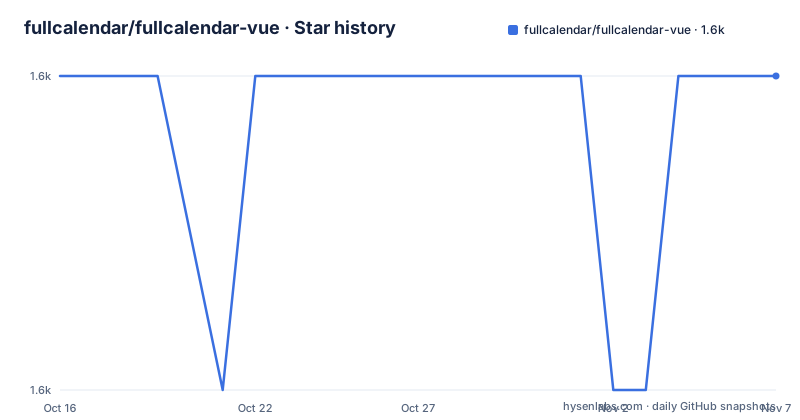
Star history
- fullcalendar/fullcalendar-vue1,584 ★ · +0
| Repository | 2026-10-16 | 2026-11-07 |
|---|---|---|
| fullcalendar/fullcalendar-vue | 1.6k | 1.6k |
0 Stars in the last 22 days, measured from the daily GitHub snapshot. Compare with other projects
Editorial analysis
Read the warning at the top before reading anything else
The first thing in the README is a note about versions, and it is more important than the rest of the file.
This repository shows FullCalendar v6. The current version is v7, which is developed in the fullcalendar-workspace repository under standard/packages/vue3 for now, and this repository's code is described as lagging behind and going to be updated.
The v6 to v7 change is a packaging change with a concrete failure mode. Plugins like dayGrid and timeGrid are no longer separate packages. Instead of installing several scoped packages you install one:
npm install @fullcalendar/vue3 temporal-polyfilland import plugins from paths inside @fullcalendar/vue3, for example @fullcalendar/vue3/daygrid. The README is explicit that you should not install @fullcalendar/core, @fullcalendar/daygrid or the other v6 packages alongside v7.
So a project following the example below is on the old line, and a project following the v7 docs has a different dependency set entirely. Mixing the two is the mistake that produces a build that resolves two copies of the calendar. The v7 Vue documentation is the place to go if you are starting now.
Installation on v6 takes the connector, the core and each plugin
The documented v6 install is three packages: the Vue 3 connector, the core, and whichever plugins you need.
npm install @fullcalendar/vue3 @fullcalendar/core @fullcalendar/daygridThe connector is deliberately thin. Its package.json declares two peer dependencies, @fullcalendar/core at about 6.1.21 and vue at 3.0.11 or later, and no runtime dependencies of its own. That is the design in one line: this component does not contain a calendar, it mounts the one you pass it through the core.
The pinned peer dependency is worth noting. @fullcalendar/core uses the 6.1.21-compatible range, while the devDependencies pin daygrid at 6.1.21.
The practical reading for the current state of the project: 6.1.21 is the last tag in this repository, and the connector you install from npm is that version. Anything newer for Vue comes from the workspace pipeline described in the v7 docs.
The component takes one options object and nothing else
Usage is a component and an options object. The component is registered locally and receives its configuration through the options prop.
<script>
import FullCalendar from '@fullcalendar/vue3'
import dayGridPlugin from '@fullcalendar/daygrid'

export default {
  components: {
    FullCalendar
  },
  data: function() {
    return {
      calendarOptions: {
        plugins: [dayGridPlugin],
        initialView: 'dayGridMonth',
        weekends: false,
        events: [
          { title: 'Meeting', start: new Date() }
        ]
      }
    }
  }
}
</script>
The options object is where the calendar actually lives: plugins is the list of what you installed, initialView selects the layout, weekends toggles weekend columns, and events is the data. Because the whole configuration is one reactive object rather than a set of props, adding a view or a source of events is a change to that object.
That has a consequence worth knowing early. Reactivity is Vue reactivity over the options object, so the pattern for loading events is to replace or update the events array in that object and let the calendar re-render, not to call an imperative API after mounting.
The example here is an options API component because the README example is. The component itself does not require the options API.
Named slots are the extension point for event rendering
The one bit of template surface the connector exposes is a named slot for event content, documented with a direct link to the Vue slots guide.
<template>
  <FullCalendar :options='calendarOptions'>
    <template v-slot:eventContent='arg'>
      <b>{{ arg.timeText }}</b>
      <i>{{ arg.event.title }}</i>
    </template>
  </FullCalendar>
</template>
The slot argument carries the event data the calendar computed for that block, so timeText and event.title are available without you recomputing them. That is the practical difference: you control the markup and Vue renders it, rather than styling the generated DOM afterwards.
Everything else about the calendar, including its own toolbar and header, is part of the core and configured through the options object rather than through props on this component.
The repository also links an example project for Vue 3 under fullcalendar-examples, which is the fastest way to see a working configuration with more than the two-option demo.
Development setup is pnpm, Karma and Chrome
Working on the connector rather than consuming it has its own requirements, and the README states the package manager constraint: this repository must be installed with pnpm.
The scripts are short: build produces production-ready dist files, dev builds and watches development dist files, test runs headlessly, test:dev runs interactively, and clean removes dist and tests/dist.
The build script shows what it is made of: tsc, then rollup, then vite, then minify. The minify step is terser writing dist/index.global.min.js, so there is a global build alongside the module build. TypeScript types come from the tsc step against tsconfig.json.
Tests run on Karma rather than a modern runner, with ChromeHeadless for the headless script and karma-chrome-launcher, karma-jasmine and karma-spec-reporter among the dev dependencies, configured through karma.config.cjs. Vue components are tested with @vue/test-utils, and vue-i18n is present as well, which suggests the test suite covers localisation of the rendered calendar.
Licensing is MIT, and the package version in package.json is 6.1.21, matching the last tag. The last push to the repository was on 2026-10-15, so maintenance of this branch continues even though feature work has moved.
Editorial conclusion
Adopt @fullcalendar/vue3 if you are on Vue 3 and want the official FullCalendar connector rather than a wrapper you maintain. Do not start a new integration on the v6 line documented in this repository, because the README says development has moved to the workspace for v7. Before installing, check which major your project targets and follow the v7 Vue docs rather than the example below.
Frequently asked questions
How do I install FullCalendar for Vue 3?
On v6, install npm install @fullcalendar/vue3 @fullcalendar/core @fullcalendar/daygrid. On v7, plugins ship inside the connector: install @fullcalendar/vue3 temporal-polyfill and import plugins from @fullcalendar/vue3/daygrid and similar paths, without installing @fullcalendar/core or the v6 plugin packages.
Which FullCalendar version does the Vue 3 component support?
This repository shows v6 and is described as lagging behind. The current version is v7, developed in the fullcalendar-workspace repository for now, so a new integration should follow the v7 Vue documentation rather than this repository's example.
How do I customize how an event is displayed in FullCalendar Vue?
Use the named eventContent slot on the FullCalendar component. The slot argument carries the event data, so arg.timeText and arg.event.title render inside your own markup.
Does @fullcalendar/vue3 bundle the calendar itself?
No. Its package.json declares @fullcalendar/core as a peer dependency at the matching 6.1.x version, along with vue at 3.0.11 or later, and no runtime dependencies. You install the core and the plugins you use.
Official sources
Add this badge to your README
If you maintain this project, the badge below links readers to this analysis and shows its maintenance status from the daily GitHub snapshot. Paste the markdown into your README; add ?metric=license or ?metric=stars to the image URL for a different field.

[](https://hysenlabs.com/projects/fullcalendar-fullcalendar-vue)Star history chart for your README
[](https://hysenlabs.com/projects/fullcalendar-fullcalendar-vue)Was this useful?