BinExport: turning disassembly into Protocol Buffers for BinDiff
Export disassemblies into Protocol Buffers
At a glance
- What is it?
- BinExport is the exporter component of BinDiff, a plugin for IDA Pro, Binary Ninja and Ghidra that writes a disassembly database into the Protocol Buffers format BinDiff consumes, with scripting hooks and command line options for automation. It suits reverse engineers who want to diff two binaries or who want the export in their own tooling, and it targets current disassembler versions only.
- Who is it for?
- Adopt BinExport if you diff binaries with BinDiff, or if you want to load disassembly into your own tooling, since it writes a Protocol Buffers file that the schema in binexport2.proto describes and that you can parse without BinDiff. Do not adopt it for an older disassembler, because support for the IDA Pro 8.x series has been discontinued and the plugin requires 9.4 or higher.
- Can I use it commercially?
- Yes. Apache-2.0 is a permissive licence: you can use, modify and sell software built on it, as long as you keep its copyright and licence notices.
- Is it still maintained?
- Yes. The repository last received commits 11 days ago.
- What is it written in?
- Mainly C++, according to GitHub's language statistics.
Answers come from the project's GitHub data, last synced on November 7, 2026, and from our analysis. They are not legal advice.
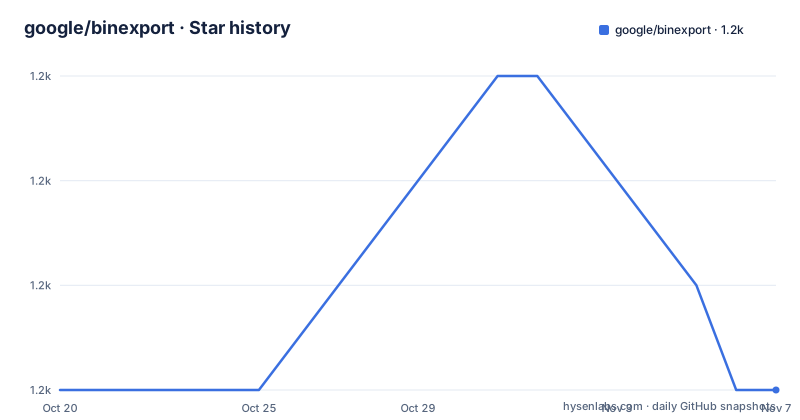
Star history
- google/binexport1,215 ★ · +0
| Repository | 2026-10-20 | 2026-11-07 |
|---|---|---|
| google/binexport | 1.2k | 1.2k |
0 Stars in the last 18 days, measured from the daily GitHub snapshot. Compare with other projects
Editorial analysis
What the project is, and what it is not
BinExport is the exporter component of BinDiff, and it is a plugin or extension for the disassemblers IDA Pro, Binary Ninja and Ghidra that exports disassembly data into the Protocol Buffer format that BinDiff requires.
The first thing the README gets right is the disclaimer. It is not an official Google product, experimental or otherwise, it is just code that happens to be owned by Google. The copyright line reads 2011-2026 Google LLC, and the log string the Binary Ninja plugin prints credits both zynamics GmbH and Google LLC, so part of the lineage reaches back to zynamics and the code now lives in a Google owned repository.
That history explains the design. A binary diffing tool needs to compare two programs, and to compare them it needs a normalised representation of each program that is not tied to the disassembler it came from. The exporter is the component that produces that representation, and the schema is a Protocol Buffers definition, with binexport2.proto at the root of the repository and a writer in binexport2_writer.cc.
Because the output is a published schema rather than an opaque file, the export is useful on its own. The README says the main use case is via BinDiff, but also that BinExport can be used to export disassembly into different formats, and the repository contains the proto file and the writers, so you can read the output with your own code.
The licence is Apache-2.0, and the last push to the repository was on 2026-10-13.
Installing into IDA Pro, and the version that was dropped
Installation differs per disassembler, and each one has a verification procedure, which is a good sign for the quality of the integration.
For IDA Pro, the requirement is stated bluntly: BinExport supports IDA Pro 9.4 or higher, and support for the older 8.x series has been discontinued. The binaries come from the releases page and are copied into the plugins directory, with default paths given for each operating system, and there is a separate set of per user paths if you do not want to install system wide.
The verification is done inside IDA. You select Help, then About programm, then Addons, and if the install worked the addons dialog appears. That is a plugin registering itself with the host, which is the only reliable way to know the version loaded matches the one you copied.
The Binary Ninja path is the same shape, with per user plugin directories listed for the three platforms, and the verification is done in the Log native dock, which you enable from View, Native Docks, Show Log if it is not visible. A correct install produces a version line in that log.
Ghidra is installed as an extension rather than a plugin. You download the binaries, start Ghidra, choose File, then Install Extensions, click the plus icon to add an extension, point it at the ghidra_BinExport.zip file, confirm, and restart Ghidra. The verification is that the Install Extensions dialog lists BinExport once the restart has happened.
The export formats, and what you actually get
Three output formats are supported, and they serve different purposes.
The Protocol Buffer based full export is the one BinDiff consumes, and it is the complete representation of the disassembly. The statistics text file is a summary of the binary, which is what you want when you want numbers rather than a database. The text format for debugging is the third, and it exists for the people maintaining the plugin, since when an export misbehaves the readable dump is what tells you what went wrong.
In IDA, the export is invoked from the plugin dialog, where you select the type of the file to be exported. The resulting .BinExport file is written next to the database you exported from, and the naming follows the database name with the extension appended, which is the behaviour the scripting section describes in detail.
In Binary Ninja, the integration is described as minimal at this time. You open or create an analysis database, select Tools, then Plugins, then BinExport, and the export process starts, with the .BinExport file placed next to the analysis database.
The Ghidra path is the extension installation described earlier, and the export itself runs from the extension.
So the outputs are consistent across the three hosts, which is the point. A Protocol Buffer file produced from an IDA database and one produced from a Ghidra project describe the same program in the same schema, and that is what makes a cross tool diff possible.
Scripting the export from IDA
The plugin registers IDC functions, and the table of them is the API you automate against.
BinExportBinary exports to a Protocol Buffer and takes a filename. BinExportText exports to a text file dump with a filename. BinExportStatistics exports to a statistics text file with a filename. The same three are available from IDAPython.
Calling them from IDAPython looks like this.
import idaapi
idaapi.ida_expr.eval_idc_expr(None, ida_idaapi.BADADDR,
  'BinExportBinary("exported.BinExport");')
The other route is to invoke the plugin's main function directly, and the README gives the IDC script for it.
static main() {
  batch(0);
  auto_wait();
  load_and_run_plugin("binexport12_ida", 2 /* kBinary */);
  qexit(0);
}
The caveat is stated right after the example. Calling the main function does not provide any control over the output filename, because BinExport will always use the filename of the currently loaded database without the extension and append .BinExport.
That is a small but important asymmetry for an automation script. If you want a specific output name, you use the registered function and pass the filename. If you use the plugin main function, the name is decided for you, which is fine for a batch run where each database has a distinct name and awkward when it does not.
The command line options, and their ordering requirement
IDA plugin options can be specified on IDA's command line, and the set is small and specific.
There is an option to invoke a BinExport IDC function and exit, with a second option supplying the argument for that function. There is an option to log messages to a file, and one to also log to standard error. And there is an X86 specific option to enable the heuristic that identifies non-returning functions.
-OBinExportAutoAction:<ACTION>
-OBinExportModule:<PARAM>
-OBinExportLogFile:<FILE>
-OBinExportAlsoLogToStdErr:TRUE
-OBinExportX86NoReturnHeuristic:TRUE
The X86 heuristic is worth a note of its own. A function that never returns changes the shape of a call graph, so a binary whose analysis marks a function as non-returning differently from another tool produces a different graph, and the diff is then full of noise that is really a heuristic disagreement. Enabling it on both sides of a comparison is the way to avoid that.
And there is a rule that will waste an afternoon if you miss it. These options must come before any files. An option placed after the binary name comes too late, and the export will simply not happen.
So the shape of an automated run is the options first, then the file to analyse, which means a wrapper script has to be careful about argument order.
The build, the layout and the state of the project
The repository is the complete source needed to build the plugin binaries for Linux, macOS and Windows, which is a stronger claim than most plugin projects make, since it means you can build the thing yourself rather than trusting a prebuilt binary.
The build is CMake, with a CMakeLists.txt at the root and a cmake directory, a .clang-format for the C++ sources, and a kokoro directory for continuous integration. The version string is generated, through version.cc.in, which is how a build picks up the release version rather than hardcoding it.
The source layout separates the schema from the writers and from the per tool integrations. At the root sit the model classes, one file per concept, with function.cc, expression.cc, operand.cc, instruction.cc, basic_block.cc, flow_graph.cc, call_graph.cc, edge.cc, comment.cc, entry_point.cc, library_manager.cc and address_references.cc, plus the shared headers. The protocol side is binexport2.proto with binexport2_writer.cc, the statistics writer is statistics_writer.cc, the debug dump is dump_writer.cc, and the reader directory holds the code that reads the format back.
The per tool directories are ida, binaryninja and java, the last of which covers the Ghidra extension. The boost_parts directory suggests parts of the Boost libraries are vendored, and the tools, util, stubs and testing directories hold the supporting code.
The release history is short and dated by the Ghidra version it targets, with v12-20240417-ghidra_11.0.3 from 2024-04-17, v12-20230515-ghidra_10.3 from 2023 and v12-20230113-ghidra_10.2.2 from January 2023. The naming pattern is useful, since it tells you the release is version 12 of the format, built for a specific Ghidra release. The last push to the repository was on 2026-10-13, so the source is being worked on even though the tagged builds lag.
Editorial conclusion
Adopt BinExport if you diff binaries with BinDiff, or if you want to load disassembly into your own tooling, since it writes a Protocol Buffers file that the schema in binexport2.proto describes and that you can parse without BinDiff. Do not adopt it for an older disassembler, because support for the IDA Pro 8.x series has been discontinued and the plugin requires 9.4 or higher. Before you automate an export, check the command line options, since the automatic action option and the module argument have to be placed before any file arguments or IDA will ignore them.
Frequently asked questions
What does BinExport do?
It is the exporter component of BinDiff, a plugin for IDA Pro, Binary Ninja and Ghidra that exports disassembly data into the Protocol Buffer format BinDiff requires. It can also export to a statistics text file and to a text format for debugging.
Which version of IDA Pro does BinExport support?
BinExport supports IDA Pro 9.4 or higher, and support for the older 8.x series has been discontinued. The binaries are copied into the IDA plugins directory and the installation is verified through the addons dialog under Help, About programm.
How do I export a binary from IDA without using the dialog?
The plugin registers the IDC functions BinExportBinary, BinExportText and BinExportStatistics, which take a filename, and the same three are available from IDAPython. You can also call the plugin main function directly from an IDC script, in which case the output filename is fixed to the database name with a .BinExport extension.
How do I automate a BinExport run from the command line?
IDA plugin options are used, including -OBinExportAutoAction with the action to invoke, -OBinExportModule for its argument, -OBinExportLogFile and -OBinExportAlsoLogToStdErr. The README notes that these options must come before any files on the command line.
Official sources
Add this badge to your README
If you maintain this project, the badge below links readers to this analysis and shows its maintenance status from the daily GitHub snapshot. Paste the markdown into your README; add ?metric=license or ?metric=stars to the image URL for a different field.

[](https://hysenlabs.com/projects/google-binexport)Star history chart for your README
[](https://hysenlabs.com/projects/google-binexport)Was this useful?