java-docs-samples requires a project ID for testing
Java and Kotlin Code samples used on cloud.google.com
At a glance
- What is it?
- GoogleCloudPlatform/java-docs-samples is the Apache-2.0 corpus behind the Java and Kotlin snippets on cloud.google.com, organised as one Gradle project per Google Cloud product, where the Makefile compiles a single subdirectory with Maven and refuses to run tests without a project id. It is a samples repository rather than a library, and its real contribution is the testing discipline it applies to documentation code.
- Who is it for?
- Use this repository when you need a working, currently maintained reference for a Google Cloud Java or Kotlin API and want the snippet to have passed a real integration test rather than being aspirational documentation. Do not treat it as a library to depend on, because the samples are standalone Gradle projects under Apache-2.0 with per-sample dependencies and no published artefact.
- Can I use it commercially?
- Yes. Apache-2.0 is a permissive licence: you can use, modify and sell software built on it, as long as you keep its copyright and licence notices.
- Is it still maintained?
- Yes. The repository received new commits within the last day.
- What is it written in?
- Mainly Java, according to GitHub's language statistics.
Answers come from the project's GitHub data, last synced on October 24, 2026, and from our analysis. They are not legal advice.
Star history
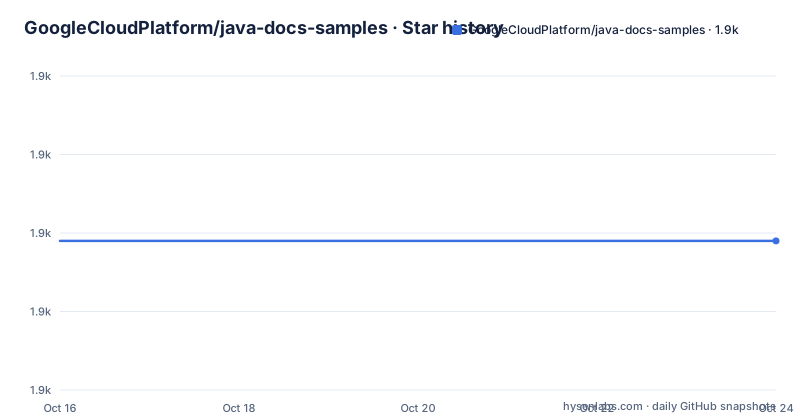
- GoogleCloudPlatform/java-docs-samples1,909 ★ · +0
| Repository | 2026-10-16 | 2026-10-24 |
|---|---|---|
| GoogleCloudPlatform/java-docs-samples | 1.9k | 1.9k |
0 Stars in the last 8 days, measured from the daily GitHub snapshot. Compare with other projects
Editorial analysis
One Gradle project per Cloud product, which is why the Makefile takes a dir
The repository holds Java sample code demonstrating Google Cloud Platform, with some samples accompanied by guides on cloud.google.com and details in per-sample README files. Browsing ready to use samples happens through the Google Cloud Samples catalogue, filtered to Java.
The directory listing shows the structure more clearly than any description: there is one top-level directory per product, and each is an independent Gradle project. You can see `aiplatform/`, `asset/`, `auth/`, `batch/`, `bigquery/`, `bigtable/`, `cloud-sql/`, `compute/`, `container-registry/`, `content-warehouse/`, `datacatalog/`, `dataflow/`, `datalabeling/`, `dataplex/`, `dataproc/`, `dialogflow/`, `dialogflow-cx/`, `discoveryengine/`, `dlp/`, `document-ai/`, `endpoints/`, `errorreporting/`, `eventarc/`, `firestore/`, `functions/`, `genai/`, `healthcare/`, `iam/`, `iap/`, `iot/`, `jobs/`, `kms/`, `language/`, `managedkafka/`, `media/`, `media_cdn/`, `mediatranslation/` and more, alongside shared directories such as `flexible/`, `appengine-java8/`, `appengine-java11/`, `appengine-java17-bundled-services/`, `appengine-java21/` and `appengine-java25/`.
There is a single `build.gradle` at the root and no root `pom.xml`, but the Makefile drives Maven. That combination is normal here and worth naming so it does not confuse you: Gradle is used for dependency management within each sample, while the workflow targets exposed by the Makefile are `build`, `test` and `lint`, all implemented with `mvn`.
The App Engine directories show why the directory list matters. There are separate trees for Java 8, Java 11 with and without bundled services, Java 17, Java 21 and Java 25, so a sample targeting App Engine is chosen by runtime as much as by product. `SAMPLE_FORMAT.md` and `.gitallowed` at the root document the sample structure, which is a hint about how strictly new samples are shaped.
check-env makes the credential requirement a build failure, not a stack trace
The Makefile has one rule whose only job is to fail early:
check-env:
ifeq ("${PROJECT_ID}", "")
	$(error At least one of the following env vars must be set: GOOGLE_SAMPLES_PROJECT, GOOGLE_CLOUD_PROJECT.)
endif
`test` depends on `check-env`, so running `make test` without a project id stops immediately with that message rather than failing somewhere inside a sample after compiling. The project id resolution prefers `GOOGLE_SAMPLES_PROJECT` and falls back to `GOOGLE_CLOUD_PROJECT`, then exports it as `GOOGLE_CLOUD_PROJECT` into the action environment.
The header comment states the reason plainly: testing requires Application Default Credentials, with a link to the ADC documentation.
That makes this repository different from most sample collections. A sample that is never executed rots silently; a sample that must pass against a real service is corrected when the API changes. The cost is that running the test suite is not free, it consumes quota against a real project.
The per-directory invocation is the documented workflow:
make lint build dir=translate/snippetswith `dir` defaulting to the current directory, so you work on one product's samples rather than the whole tree. `.ONESHELL` is set so every command in a recipe runs in the same subshell, which is what lets the `cd ${dir}` and the `mvn` invocation compose.
The test target runs clean verify against real services
The `test` target runs a full Maven verify rather than a quick test:
test: check-env build
	cd ${dir}
	mvn --quiet --batch-mode --fail-at-end clean verify \
    -Dfile.encoding="UTF-8" \
    -Dorg.slf4j.simpleLogger.log.org.apache.maven.cli.transfer.Slf4jMavenTransferListener=warn \
    -Dmaven.test.redirectTestOutputToFile=true \
    -Dbigtable.projectID="${GOOGLE_CLOUD_PROJECT}" \
    -Dbigtable.instanceID=instance
Every flag is doing something. `--quiet` and `--batch-mode` keep output and prompts down in CI. `--fail-at-end` tells Maven to continue the build and report failures at the end. `file.encoding` set to UTF-8 is pinned because the default encoding differs by platform and sample text is full of non-ASCII.
The SLF4J property silences Maven's own transfer listener so real download output is not confused with test output. The two `bigtable.*` properties are the visible edge of that hardcoding: a sample expecting a specific Bigtable instance passes its project and a fixed instance ID of `instance`.
`build` is the prerequisite and is simply `mvn compile`, so tests run against freshly compiled sources.
Lint is a separate target, `mvn -P lint checkstyle:check`, which means style violations fail CI independently of test results.
One practical note: `clean verify` on a Bigtable sample uses the configured project and instance ID.
Authentication is Application Default Credentials, three ways
The setup section describes how samples obtain credentials, and there are two documented routes.
The interactive route runs the gcloud oauth flow:
gcloud auth application-default loginThe manual route is to set `GOOGLE_APPLICATION_CREDENTIALS` to the path of a service account key JSON file.
The third case is implicit. The README notes that Application Default Credentials can find the credentials on its own as long as the application is running on Compute Engine, Kubernetes Engine, App Engine or Cloud Functions. Inside those environments, Application Default Credentials can find the credentials implicitly.
Authentication guidance lives outside this repository, at the Application Default Credentials page and at the setting up authentication for server to server production applications page.
The sources of code headers is a separate requirement and an unusual one. Every file containing source code must include copyright and licence information, and the README is explicit that this includes any JS or CSS files served to browsers, with the stated purpose of helping well-intentioned people avoid accidental copying that does not comply with the licence. The required Apache header is given verbatim, starting `Copyright 2022 Google LLC` and running through the Apache 2.0 boilerplate. Because headers must be current and samples span years, this is the sort of thing that generates a lot of small commits.
The licence is Apache-2.0 with a LICENSE file at the root, and the README closes with the note that Java is a registered trademark of Oracle and/or its affiliates.
Java 11 and 17 gate the merge; Java 8 and 21 are advisory
The supported runtimes section describes a two-tier policy that is easy to misread.
Every submitted change has to pass all checks running on Java 11 and Java 17 before it merges into the main branch. Those are enforced. Periodic checks also run on Java 8 and Java 21, but the README says passing those is not enforced at the moment.
Then the instruction that looks contradictory until you read it again: because Java 8 is a supported Java runtime in Google Cloud, configure your code sample to build with Java 8, using Java 11 in exceptional cases.
So the write target is Java 8 and the merge gate is Java 11 and 17. The reasoning is that samples must run on the oldest runtime Google Cloud supports, while CI verifies across the versions people actually deploy on. A sample targeting Java 17 syntax would compile in CI and fail for the users the documentation targets.
That policy makes this repository a poor starting point if you want modern Java. Records, sealed types, pattern matching for switch and the rest are all available in the Cloud but not usable here without violating the runtime floor.
CI runs through `.kokoro/`, Google's internal CI system, with `.github/` also present, plus `CODE_OF_CONDUCT.md` and `SECURITY.md`.
Where these samples are the wrong source
The first wrong case is anything requiring a production architecture. Each directory is a demonstration of one API call pattern, with no retry policy, no connection pooling beyond library defaults, no observability and no deployment configuration. Copying a sample into a service and calling it a foundation is how you end up with a service that talks to BigQuery with no timeout.
The second is Kotlin coverage. The repository description says Java and Kotlin samples and the topics list both, but the primary language is Java and the overwhelming majority of what is here is Java. If you want Kotlin idioms for a Cloud API, this is not where they are.
The third is offline or air-gapped development. Some samples may require access to Google Cloud during testing.
What is genuinely reusable is narrower and more valuable: the ADC setup, the header requirement, the per-directory Makefile workflow, and the observation that these samples are integration tested on every merge. If you are writing your own samples for internal documentation, the `make test` shape with an environment check and a fail-at-end Maven run is worth copying, because it is the difference between documentation that compiles and documentation that works.
One caveat on scale: a recent release is the 2017 Monitoring Apiary pre-deletion release. The repository has more recent commits and includes an `appengine-java25/` directory.
Editorial conclusion
Use this repository when you need a working, currently maintained reference for a Google Cloud Java or Kotlin API and want the snippet to have passed a real integration test rather than being aspirational documentation. Do not treat it as a library to depend on, because the samples are standalone Gradle projects under Apache-2.0 with per-sample dependencies and no published artefact. Before running anything, set `GOOGLE_SAMPLES_PROJECT` or `GOOGLE_CLOUD_PROJECT` and complete `gcloud auth application-default login`, because `make test` depends on `check-env` and fails immediately without one of them, and note that testing hits real Google Cloud resources so those calls cost you quota and may create billable objects.
Frequently asked questions
How do I build and test one sample from java-docs-samples?
Use the Makefile with a directory, for example `make lint build dir=translate/snippets`. `build` runs `mvn compile`, `lint` runs `mvn -P lint checkstyle:check`, and `test` runs `mvn clean verify` after checking that a project id is set. Each product directory is its own Gradle project.
Why does make test fail with an error about GOOGLE_SAMPLES_PROJECT?
The `check-env` target depends on a project id and errors out if neither `GOOGLE_SAMPLES_PROJECT` nor `GOOGLE_CLOUD_PROJECT` is set. `GOOGLE_SAMPLES_PROJECT` takes precedence, and the resolved value is exported as `GOOGLE_CLOUD_PROJECT` into the action environment, because testing hits real Google Cloud resources.
How do I authenticate to run the Google Cloud Java samples?
Run `gcloud auth application-default login` to create local credentials through the oauth flow, or set `GOOGLE_APPLICATION_CREDENTIALS` to a service account key JSON file. Inside Compute Engine, Kubernetes Engine, App Engine or Cloud Functions, Application Default Credentials are found implicitly with no setup.
Which Java versions do the samples support?
Changes must pass checks on Java 11 and Java 17 to merge, while Java 8 and Java 21 are checked periodically without enforcement. Because Java 8 is a supported runtime in Google Cloud, samples should be configured to build with Java 8, or Java 11 in exceptional cases.
What licence and headers do the Google Cloud Java samples require?
The repository is Apache-2.0. Every file containing source code must include copyright and licence information, including JS and CSS files served to browsers, using the Apache header shown in the README beginning with `Copyright 2022 Google LLC`.
Official sources
Add this badge to your README
If you maintain this project, the badge below links readers to this analysis and shows its maintenance status from the daily GitHub snapshot. Paste the markdown into your README; add ?metric=license or ?metric=stars to the image URL for a different field.

[](https://hysenlabs.com/projects/googlecloudplatform-java-docs-samples)Star history chart for your README
[](https://hysenlabs.com/projects/googlecloudplatform-java-docs-samples)Was this useful?