inspirejs.org: A JavaScript slide deck bundle with core and plugins
Lean, hackable, extensible slide deck framework. Previously known as CSSS.
At a glance
- What is it?
- inspirejs.org combines @inspirejs/core and @inspirejs/plugins in native ESM. It fits JavaScript developers who want Inspire.js and its official plugins through one package.
- Who is it for?
- Adopt inspirejs.org when you want the complete Inspire.js bundle and already have a browser toolchain that resolves ESM bare specifiers. Do not choose it if you need a working repository test command, a non-JavaScript deck editor, or tightly controlled plugin loading.
- Can I use it commercially?
- Yes. MIT is a permissive licence: you can use, modify and sell software built on it, as long as you keep its copyright and licence notices.
- Is it still maintained?
- Yes. The repository last received commits 51 days ago.
- What is it written in?
- Mainly JavaScript, according to GitHub's language statistics.
Answers come from the project's GitHub data, last synced on November 7, 2026, and from our analysis. They are not legal advice.
Star history
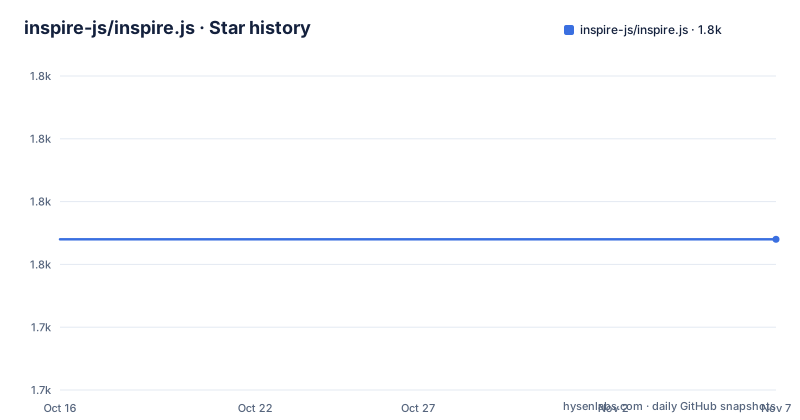
- inspire-js/inspire.js1,754 ★ · +0
| Repository | 2026-10-16 | 2026-11-07 |
|---|---|---|
| inspire-js/inspire.js | 1.8k | 1.8k |
0 Stars in the last 22 days, measured from the daily GitHub snapshot. Compare with other projects
Editorial analysis
What the inspirejs.org bundle solves
inspirejs.org packages the Inspire.js slide deck framework as a single install. Its repository description calls it a “lean, hackable, extensible slide deck framework,” while the README calls it the “one-install bundle.” The practical problem it solves is dependency assembly. A browser presentation project can depend on one package and receive both the Inspire.js engine and the official plugins instead of declaring those packages separately.
The intended audience is JavaScript developers working on browser-based slide presentations. The package is native ESM and uses bare specifiers, so the surrounding application needs an import map, a bundler, or a no-build tool capable of resolving those specifiers. That requirement places it closer to a web development framework than a conventional presentation editor.
The repository links to talks by Lea Verou, the MIT “Design for the Web” course, a TC39 First-class protocols presentation, and web platform talks. These links show that Inspire.js is associated with technical and web-focused presentations. They do not, however, document a standalone slide editor, a document format, or a server-side rendering system. The repository describes a front-end framework distributed through npm, not a hosted presentation service or office suite.
How the inspirejs.org package is structured
The repository presents `inspirejs.org` as a thin bundle rather than a separate rendering engine. Its README says the package pulls in and re-exports `@inspirejs/core` and `@inspirejs/plugins`. The first is identified as the engine, while the second contains the official plugins that are autoloaded. This means the root import is intended to provide the standard engine and official extension set together.
The package metadata confirms the composition. `package.json` declares dependencies on `@inspirejs/core` and `@inspirejs/plugins`, both using the `^3` range. It also sets `"type": "module"` and declares `src/index.js` as the main entry. Four package exports are listed:
"exports": {
  ".": "./src/index.js",
  "./core": "./src/core.js",
  "./util": "./src/util.js",
  "./plugins": "./src/plugins.js"
}
Those paths show that the distribution has separate internal entry points. The README does not explain the implementation of each file or describe how the subpath exports change loading behavior. Based on the repository layout, the package offers a convenient root bundle while also exposing named paths for code, utilities, and plugins. Developers should inspect those source files before depending on undocumented import semantics.
Installing inspirejs.org and loading Inspire.js
The README documents one installation command:
npm install inspirejs.orgThe package does not require compilation in the documented setup. Instead, its native ESM modules must be resolved by the project. The README recommends Nudeps for a no-build approach, but also mentions import maps and bundlers. Whichever route is selected, the browser must be able to resolve the package’s bare specifiers.
The stylesheet comes from `@inspirejs/core`. The documented HTML uses this placeholder path:
<link href="/path/to/@inspirejs/core/inspire.css" rel="stylesheet" />The `/path/to/` portion must be replaced with the path used by the project. After that, a module script can import the bundle for its side effects:
<script type="module">
	import "inspirejs.org"; // core + plugins, ready to go
</script>
The README states that this import loads the core and plugins. When the project needs the API object, it can use the default import:
import Inspire from "inspirejs.org";The README also says that the API is available as the global `Inspire`. It does not include a complete slide markup example, configuration schema, or command that starts a local development server, so this setup ends at loading the framework rather than defining the entire first deck.
Bundle install versus separate Inspire.js dependencies
The bundle and direct dependencies solve different package management needs. The README recommends `inspirejs.org` when a project wants the engine and official plugins “in one go.” This reduces dependency declarations and avoids manually assembling the standard package set. It is the documented path for teams whose presentation should have all official plugins available through the root import.
The README recommends depending directly on `@inspirejs/core` and `@inspirejs/plugins` when finer control is needed. That approach separates the engine from the official extension package and can help a project control which package boundaries it publishes or installs. The README does not claim that direct installation disables plugins automatically, improves tree shaking, or reduces browser output without a build step. Those outcomes cannot be inferred from the repository metadata.
This distinction matters because the package is described as a bundle, not as a plugin marketplace. The `plugins` export identifies a source entry point, but the README does not document how to register a custom plugin, exclude an official plugin, or inspect loaded plugins through the `Inspire` API. A project that expects those controls should inspect `@inspirejs/plugins` and `@inspirejs/core` before selecting the direct dependencies.
Native ESM requirements and deployment failure points
The strongest operational constraint is the need to resolve bare specifiers. The README explicitly describes the package as native ESM and says resolution can be handled by an import map, a bundler, or a no-build tool. Serving only an HTML file that imports `inspirejs.org` does not satisfy that requirement unless the server and browser environment provide a suitable module-resolution path.
The stylesheet path is another concrete deployment point. The documented `/path/to/@inspirejs/core/inspire.css` URL is a placeholder, not a path guaranteed to work in every application. A bundler may emit a different stylesheet location, while a no-build deployment must expose the package asset at a URL the page can request. A deck could load its JavaScript module and still render incorrectly if this stylesheet request fails, because the README lists both parts as part of setup.
The repository does not document supported browsers, production server settings, Content Security Policy requirements, or caching guidance for package assets. It also does not describe how slide source files are loaded. These are real gaps for deployment planning, but they should not be turned into invented requirements. The documented first checks are module resolution and stylesheet availability.
Testing gaps in the inspirejs.org repository
The root repository does not expose a working test command. Its `test` script is configured to print an error and exit with a failure status:
"test": "echo \"Error: no test specified\" && exit 1"This means an engineer cannot use `npm test` as a validation gate for the bundle as documented by this repository. It does not establish whether `@inspirejs/core`, `@inspirejs/plugins`, or example presentation repositories have their own test suites. Those packages live in separate repositories, and the README does not document their test commands.
The absence of repository-level tests is particularly relevant because the bundle combines two version-3 dependencies. Its package metadata can confirm dependency declarations, but it does not document integration scenarios for plugin autoloading, ESM resolution, browser assets, or the `Inspire` global. A team adopting the package should first establish which upstream commands can validate the engine, plugins, and their integration. Until those checks are identified, `npm test` is a known failure rather than evidence about framework behavior.
Maintenance, releases, and MIT licensing
The repository is not archived, and its last push was on 2026-09-17. Its listed release history includes `v1.1.0` on 2021-12-23 and `v1.0.0` on 2018-09-29, while `package.json` currently declares version `3.0.1`. The README does not explain the missing intermediate release entries or provide migration notes for the version change.
Because `inspirejs.org` depends on `@inspirejs/core` and `@inspirejs/plugins`, upgrade review must cover both upstream packages as well as the bundle itself. The dependency ranges are both `^3`, which permits compatible 3.x releases within the declared range. The README does not document an upgrade cadence, compatibility matrix, browser support policy, or release checklist.
The package declares the MIT license. That license designation should be reviewed in the repository’s `LICENSE` file for its actual obligations, especially when redistributing bundled third-party code. This is a licensing note, not legal advice. The release script uses `npm login && npx release-it`, but the README does not explain publishing credentials, CI checks, or rollback procedures. A release-oriented deployment should therefore verify the upstream package versions and repository validation steps rather than assuming that the bundle’s release command covers them.
Editorial conclusion
Adopt inspirejs.org when you want the complete Inspire.js bundle and already have a browser toolchain that resolves ESM bare specifiers. Do not choose it if you need a working repository test command, a non-JavaScript deck editor, or tightly controlled plugin loading. Verify module resolution, the `inspire.css` asset path, the `Inspire` API, and your required slide markup before building the presentation.
Frequently asked questions
What is inspirejs.org?
It is the one-install bundle for the Inspire.js slide deck framework. It re-exports `@inspirejs/core` and `@inspirejs/plugins` so a browser project can load the engine and official plugins through one package.
How do I install inspirejs.org?
Run `npm install inspirejs.org`, then load `@inspirejs/core/inspire.css` and import `inspirejs.org` from a module script. The surrounding project must resolve native ESM bare specifiers.
Does the inspirejs.org repository have a working test command?
No. Its `test` script prints `Error: no test specified` and exits with status 1. The README does not identify a substitute test command for the bundled engine and plugins.
Official sources
Add this badge to your README
If you maintain this project, the badge below links readers to this analysis and shows its maintenance status from the daily GitHub snapshot. Paste the markdown into your README; add ?metric=license or ?metric=stars to the image URL for a different field.

[](https://hysenlabs.com/projects/inspire-js-inspire-js)Star history chart for your README
[](https://hysenlabs.com/projects/inspire-js-inspire-js)Was this useful?