Intel Media Driver is the VAAPI user space driver behind hardware video on Linux
Intel Graphics Media Driver to support hardware decode, encode and video processing.
At a glance
- What is it?
- The Intel Media Driver for VAAPI is a user space driver that gives GEN based Intel graphics hardware accelerated decoding, encoding and video post processing through the Video Acceleration API. It ships in two builds, one with closed media kernels and one fully open, and the difference between them is a packaging decision you have to make deliberately.
- Who is it for?
- Adopt the Intel Media Driver when your Linux media stack needs VAAPI acceleration on Intel integrated graphics and you want to build or package the driver yourself rather than take a distribution build. Do not adopt it if you are satisfied with the distribution packages, because Ubuntu and Debian already ship both builds and rebuilding buys little.
- Can I use it commercially?
- Check first. The repository uses a licence we do not classify automatically, so read its LICENSE file before any commercial use.
- Is it still maintained?
- Yes. The repository last received commits 1 day ago.
- What is it written in?
- Mainly C, according to GitHub's language statistics.
Answers come from the project's GitHub data, last synced on October 25, 2026, and from our analysis. They are not legal advice.
Star history
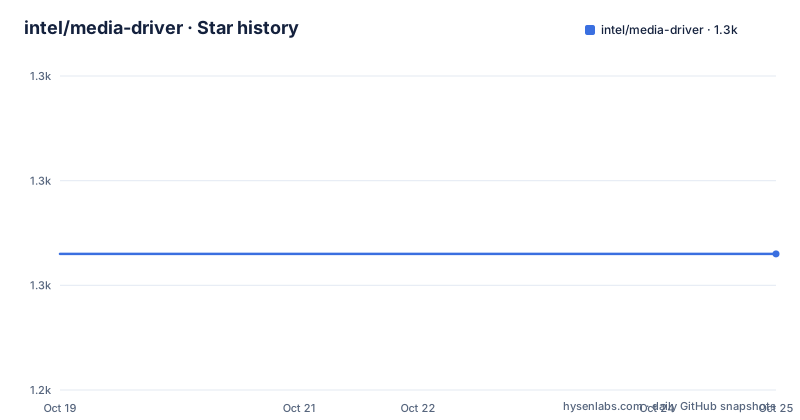
- intel/media-driver1,253 ★ · +0
| Repository | 2026-10-19 | 2026-10-25 |
|---|---|---|
| intel/media-driver | 1.3k | 1.3k |
0 Stars in the last 6 days, measured from the daily GitHub snapshot. Compare with other projects
Editorial analysis
A user space driver, not a kernel module
The Intel Media Driver for VAAPI is a VA-API user mode driver supporting hardware accelerated decoding, encoding, and video post processing for GEN based graphics hardware.
The distinction in that first sentence is the one to hold on to. This is a user mode component that sits in the graphics stack and talks to the hardware through the kernel, not a kernel driver itself. That is why it installs a shared object into a DRI directory and asks you to export environment variables, rather than asking you to build and install a kernel module.
The consumer of all this is a media application, usually a video player or a transcoding pipeline, that speaks VAAPI. The application asks the driver to decode or encode on the GPU, and the driver decides which hardware block does the work.
The implementation is C, and the repository is the intel organisation's media-driver project with a wiki as its documentation home. The licence is recorded as a custom one that GitHub cannot classify, and the readme explains it as the MIT license with portions covered under the BSD 3-clause New or Revised License, with links to both texts.
The releases are quarterly and dated by quarter, with intel-media-26.3.5 for the 2026Q3 release on 2026-09-30, intel-media-26.2.4 for 2026Q2 on 2026-07-30 and intel-media-26.1.5 for 2026Q1 on 2026-04-22. The last push was on 2026-10-19, so the code is current.
Two libraries have to be in place before you build
The building section is a numbered sequence, and the first two steps are not part of this repository at all.
The build dependencies for Ubuntu 16.04 and later are installed first.
apt install autoconf libtool libdrm-dev xorg xorg-dev openbox libx11-dev libgl1-mesa-glxThe readme notes that equivalents for other distributions should work.
Then two prerequisites are built and installed by hand. First LibVA, and then GmmLib following the GmmLib compatibility page, which is the wiki entry that tells you which GmmLib version goes with which driver release. That page is the one to read before you start, because a mismatch there produces a build failure or, worse, a driver that loads and misbehaves.
After that the workspace is arranged. The media repository is fetched and placed in a workspace folder, and the readme suggests the workspace be a dedicated one for the media driver build, with the media-driver directory inside it and a build_media directory beside it.
The configure and compile steps then follow the usual CMake shape.
$ cmake ../media-driver
$ make -j"$(nproc)"
The out-of-source build directory is not a convention here, it is required, because the driver expects to be built outside its own source tree.
Installing writes a driver and a profile script
The install step is one command, and the readme then lists what it puts on the system.
$ sudo make installOn Ubuntu the installed files are the DRI video driver itself, a profile script under /etc/profile.d/, and the compute runtime library.
-- Installing: /usr/lib/x86_64-linux-gnu/dri/iHD_drv_video.so
-- Installing: /etc/profile.d/intel-media.sh
-- Installing: /usr/lib/x86_64-linux-gnu/igfxcmrt64.so
The readme says that for iHD_drv_video.so you should export the related LIBVA environment variables, and gives the two of them.
export LIBVA_DRIVERS_PATH=<path-contains-iHD_drv_video.so>
export LIBVA_DRIVER_NAME=iHD
The first tells LibVA where to look for drivers, and the second names the one to use. Without them a freshly installed driver is invisible, because LibVA scans its own default paths and does not know that somebody has just put a driver somewhere else. A related detail is that the path has to contain the driver file itself, so the value is the directory, not the file.
The two builds are the licence decision
The Media driver supports two builds, and the difference between them is not a preference about shaders, it is a packaging and licence decision.
The Full Feature Build is the default driver build, which supports all features by hardware accelerator and closed source shaders, in the form of media kernel binaries. Most operating system vendors, and the readme names RHEL, SUSE and Fedora, use this build.
The Free Kernel Build enables fully open source shaders, the media kernels, and the hardware features, but the features would be limited.
The Ubuntu and Debian packages make the split explicit. They provide intel-media-va-driver-non-free for the full feature build and intel-media-va-driver for the free kernel build. And the readme adds a clarification that is worth quoting because the name misleads people. Free here means open source kernel but is not related to fee need to pay. The word free is about openness, not about price.
So the free kernel build is not the paid one and the non-free package is not the paid one either. The naming reflects the media kernel binaries, which in the full build are shipped as prebuilt binaries rather than as source.
If you are packaging the driver for an organisation that has a policy on closed binaries, this is the decision you have to make, and the readme links to a build options section for the detail.
Three things the driver makes hardware do
The Components and Features section names three components, and the hardware behind each one is specified, which is useful because it tells you which silicon can do what.
Video decoding calls the hardware based decoder, VDBox, which provides fully accelerated hardware video decoding to release the graphics engine for other operations. The point of the last clause is the reason to use the driver at all rather than a software decoder.
Video encoding supports two modes, and the choice is made by the application through VAAPI. One calls the hardware based encoder, VDEnc and Huc, to provide low power encoding. The other is a hardware and shader combination, described as PAK plus shader with the media kernel and VME, which is the newer path on the more recent platforms.
Video processing supports several popular features through the hardware based video processor, VEBox and SFC, and a shader based solution using the media kernel, together.
That three way split is the shape of the whole driver. Every modern media engine on Intel silicon has these fixed function blocks plus a programmable shader, and the driver is the layer that decides how a VAAPI call reaches them.
The table of codec support that follows is the practical part, because it is the only place in the documentation that says which codec works on which generation in which build.
The platform list and a matrix you have to read carefully
The Supported Platforms section runs from Broadwell to Crescent Island, and the generations are grouped by family.
BDW is Broadwell. SKL is Skylake. BXTx covers Broxton, Apollo Lake and Gemini Lake. KBLx covers Kaby Lake, Coffee Lake, Whiskey Lake, Comet Lake and Amber Lake. ICL is Ice Lake. JSL and EHL are Jasper Lake and Elkhart Lake. TGLx covers Tiger Lake, Rocket Lake, Alder Lake in its S, P and N variants, and Raptor Lake. Then DG1 and SG1, Alchemist which is DG2 and ATSM, MTLx which is Meteor Lake and Arrow Lake, LNL for Lunar Lake, BMG for Battlemage, PTL for Pather Lake, NVL for Nova Lake, and CRI for Crescent Island.
The feature matrix then crosses those platforms with codecs, and each cell carries a code for the full feature build and another for the free kernel build. The codes are combinations of D for decode, E for encode, and s for a software fallback.
The readme does not spell out what every abbreviation in that table means, so the table is a reference to be read alongside the platform list rather than a document you can interpret on its own. The numbers to take from it are the ones for the codec you need and the generation you own.
An AVC entry for the newest parts, for instance, is marked for both decode and encode in both builds, while the free kernel column for the same parts is the one that drops to decode only on some rows.
A quarterly release cadence and a C codebase
The repository layout describes a mature driver project rather than a small one.
There is media_driver/ for the driver itself, cmrtlib/ for the compute runtime, media_common/ for the shared code, media_softlet/ for the software components, and Tools/ for the supporting utilities. The build system is CMake with a CMakeLists.txt at the root, plus distro_cmake.sh and pack_ext.cmake for distribution packaging, and os_release_info.cmake for the release metadata.
There is also third-party-programs.txt, which is the file to read when a licence question comes up, and security.md, which is where a vulnerability in the driver would be reported. The .travis.yml is a leftover from a continuous integration setup, and the .github/ directory holds the current workflows and issue templates.
The release naming is the most useful thing to understand about the versioning. The tags are of the form intel-media-26.3.5, where 26 is the year, 3 is the quarter, and 5 is the patch, and the release titles repeat the pattern in words, for example Intel Media Driver 2026Q3 Release. The three most recent releases cover three consecutive quarters, which means the driver is on a predictable quarterly schedule with patch releases inside each quarter.
For a system component that sits between the application and the hardware, that schedule is the main operational fact. A distribution that ships the full feature build will ship it once per quarter, and the free kernel build will lag in features rather than in freshness.
Editorial conclusion
Adopt the Intel Media Driver when your Linux media stack needs VAAPI acceleration on Intel integrated graphics and you want to build or package the driver yourself rather than take a distribution build. Do not adopt it if you are satisfied with the distribution packages, because Ubuntu and Debian already ship both builds and rebuilding buys little. Verify first which build you need, since the free kernel build has limited features, check that the LibVA and GmmLib versions you build against are the ones the driver expects, and confirm that the LIBVA_DRIVERS_PATH and LIBVA_DRIVER_NAME variables point at the driver you just installed.
Frequently asked questions
What is the Intel Media Driver for VAAPI?
It is a VA-API user mode driver supporting hardware accelerated decoding, encoding and video post processing for GEN based graphics hardware. It is a user space component that talks to the hardware through the kernel rather than a kernel module itself.
What do I need to build the Intel Media Driver?
The build dependencies autoconf, libtool, libdrm-dev, xorg, xorg-dev, openbox, libx11-dev and libgl1-mesa-glx, plus LibVA and GmmLib built and installed separately, and then a CMake configure in a separate build_media directory followed by make.
What is the difference between the Full Feature Build and the Free Kernel Build?
The Full Feature Build is the default and supports all features through the hardware accelerator and closed source media kernel binaries, and it is what most distributions ship. The Free Kernel Build enables fully open source media kernels and the hardware features, but the features are limited.
Does the free kernel build cost money?
No. The readme clarifies that free here means open source kernel but is not related to fee need to pay. The naming reflects whether the media kernels are shipped as open source shaders or as closed source binaries.
Which environment variables do I need after installing the driver?
LIBVA_DRIVERS_PATH, set to the directory that contains iHD_drv_video.so, and LIBVA_DRIVER_NAME, set to iHD.
How often is the Intel Media Driver released?
Quarterly. The recent tags are intel-media-26.3.5 for the 2026Q3 release, intel-media-26.2.4 for 2026Q2 and intel-media-26.1.5 for 2026Q1, with the year, quarter and patch encoded in the tag name.
Official sources
Add this badge to your README
If you maintain this project, the badge below links readers to this analysis and shows its maintenance status from the daily GitHub snapshot. Paste the markdown into your README; add ?metric=license or ?metric=stars to the image URL for a different field.

[](https://hysenlabs.com/projects/intel-media-driver)Star history chart for your README
[](https://hysenlabs.com/projects/intel-media-driver)Was this useful?