django-pipeline for Django Asset Packaging
Pipeline is an asset packaging library for Django.
At a glance
- What is it?
- django-pipeline combines Django static-file discovery with CSS and JavaScript concatenation, compression, template loading, and optional embedded assets. It suits projects that need reproducible asset compilation during collectstatic, but it adds external compiler binaries and configuration requirements.
- Who is it for?
- Adopt django-pipeline when Django applications need configured CSS and JavaScript bundles built during static-file collection. Do not choose it for a simple static-asset setup that does not need compilation, or when external compiler binaries cannot be managed.
- Can I use it commercially?
- Yes. MIT is a permissive licence: you can use, modify and sell software built on it, as long as you keep its copyright and licence notices.
- Is it still maintained?
- Yes. The repository last received commits 4 days ago.
- What is it written in?
- Mainly Python, according to GitHub's language statistics.
Answers come from the project's GitHub data, last synced on November 7, 2026, and from our analysis. They are not legal advice.
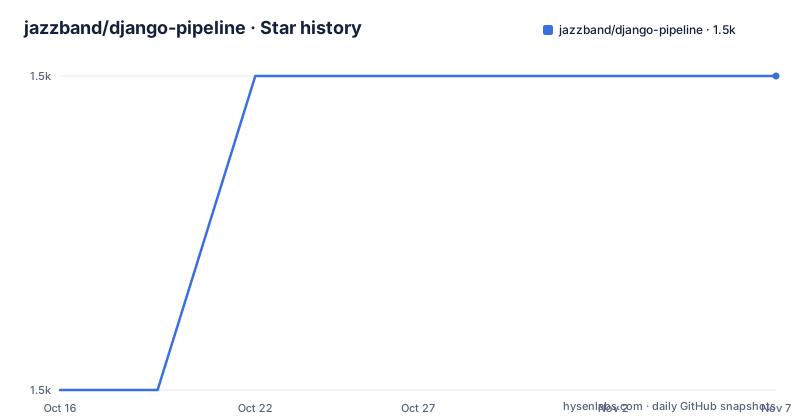
Star history
- jazzband/django-pipeline1,538 ★ · +1
| Repository | 2026-10-16 | 2026-11-07 |
|---|---|---|
| jazzband/django-pipeline | 1.5k | 1.5k |
1 Stars in the last 22 days, measured from the daily GitHub snapshot. Compare with other projects
Editorial analysis
What django-pipeline packages
django-pipeline is an asset packaging library for Django applications. Its purpose is to turn groups of source assets from `STATICFILES_DIRS` into output files under `STATIC_ROOT` when Django runs `collectstatic`. The README identifies CSS and JavaScript concatenation and compression as the central use case. It also lists built-in JavaScript template support and optional data-URI embedding for images and fonts.
The target audience is Django developers who ship multiple CSS or JavaScript source files and want the application to define bundles in settings instead of managing every output file manually. Pipeline works with Django's normal static-files machinery, including `FileSystemFinder`, `AppDirectoriesFinder`, and its own `PipelineFinder`. This makes it a build-time layer inside an existing Django deployment process, rather than a standalone asset server or complete frontend build system.
The library does not make every optimization automatic. A project still chooses the bundles, identifies output paths, and installs compiler or compressor binaries separately. That boundary matters for adoption. Pipeline can reduce the number of asset references represented in templates, but it also moves part of the asset toolchain outside the Python package.
The collectstatic compilation path
According to the README, the data path begins with source files found through Django's static-files finders. The `PIPELINE` setting maps a logical bundle name to `source_filenames`, an `output_filename`, and optional context such as a stylesheet media value. During `collectstatic`, Pipeline compiles and compresses those source files and places the result in `STATIC_ROOT`.
The documented configuration merges `css/main.css` and `css/normalize.css` into `css/styles.css`. Its JavaScript group merges `js/app.js` and `js/script.js` into `js/main.js`. The README identifies `yuglify` as the compressor for that example, although it notes that other compilers and compressors are supported.
Templates refer to logical group names rather than generated paths. The documented tags are `{% stylesheet 'css_files' %}` and `{% javascript 'js_files' %}`, after loading the Pipeline template library. This indirection is useful because application templates do not need to change when a bundle's output filename or source ordering changes.
The package metadata describes Python 3.9 through 3.13 and PyPy, and lists Django framework classifiers from 4.0 through 5.2. Those are declared compatibility targets in `pyproject.toml`, not evidence that every deployment environment has been checked.
Install django-pipeline and configure Django
The README gives a direct installation command. It installs the Python package, but it does not install external compiler binaries. After installation, add `pipeline` to `INSTALLED_APPS` and configure Django's storage and finders.
pip install django-pipelineThe application setting enables Pipeline as a Django app:
INSTALLED_APPS = [
    ...
    'pipeline',
]
The quickstart uses `PipelineManifestStorage` and adds `PipelineFinder` after Django's standard file-system and application-directory finders:
STATICFILES_STORAGE = 'pipeline.storage.PipelineManifestStorage'

STATICFILES_FINDERS = (
    'django.contrib.staticfiles.finders.FileSystemFinder',
    'django.contrib.staticfiles.finders.AppDirectoriesFinder',
    'pipeline.finders.PipelineFinder',
)
The README's example uses `STATICFILES_STORAGE`, but Django storage configuration can differ across Django versions. The README does not explain those differences, so the setting should be checked against the Django version used by the application.
The README explicitly says that Pipeline only works when `DEBUG` is False. That restriction makes the documented configuration unsuitable as a source of generated bundles during ordinary template development, where the expected result is often direct serving of unmodified source files.
Define CSS and JavaScript bundles
A first bundle is defined in the `PIPELINE` dictionary. The following example is taken from the README. The `extra_context` value supplies `media: screen,projection` for the CSS output, while the JavaScript bundle has no extra context in the example.
PIPELINE = {
    'STYLESHEETS': {
        'css_files': {
            'source_filenames': (
                'css/main.css',
                'css/normalize.css',
            ),
            'output_filename': 'css/styles.css',
            'extra_context': {
                'media': 'screen,projection',
            },
        },
    },
    'JAVASCRIPT': {
        'js_files': {
            'source_filenames': (
                'js/app.js',
                'js/script.js',
            ),
            'output_filename': 'js/main.js',
        }
    }
}
The README says to install compiler and compressor binaries separately. Its example points `YUGLIFY_BINARY` at a binary under `node_modules`:
PIPELINE.update({
    'YUGLIFY_BINARY': path.join(BASE_DIR, 'node_modules/.bin/yuglify'),
})
The repository's `package.json` lists development dependencies including `yuglify`, `uglify-js`, `terser`, `sass`, `less`, `stylus`, `typescript`, and `babel-cli`. The file is marked private and named `django-pipeline-tests`, so it should not be treated as a published frontend application package. It documents tools used by the project's test setup, not a complete deployment recipe.
After `collectstatic`, load the template library and request configured bundle names:
{% load pipeline %}
{% stylesheet 'css_files' %}
{% javascript 'js_files' %}
The reader should expect generated files at the configured output paths under `STATIC_ROOT` after Django's static collection step. The README does not show a deployment-specific `collectstatic` wrapper, so none is added here.
External binaries and deployment boundaries
The main operational constraint is explicit: compiler and compressor binaries must be installed manually. Pipeline's Python package can invoke configured tools, but the application environment still needs the operating-system executable, its runtime, and any language packages required by that tool. The README's Node.js example uses `node_modules/.bin/yuglify`, which means a deployment must preserve that path or configure the binary explicitly.
This design offers flexibility over Pipeline itself. The repository includes several compiler and compressor dependencies in `package.json`, including CSS processors, JavaScript processors, and transpilers. However, the README does not document a complete production installation procedure for every compiler, nor does it describe error handling when a binary is missing or exits unsuccessfully. An application should treat compiler availability as part of its deployment environment, not as a transitive Python dependency.
The package metadata says the project requires Python `>=3.9`. `pyproject.toml` declares `setuptools_scm` as a build requirement and `wheel` and `setuptools` as project dependencies. The license is MIT, so the repository provides a permissive license identifier, although license interpretation for a particular deployment remains a matter for that project's legal process. The repository is not archived, and the last push was on 2026-10-05. Available releases include 4.1.0 on 2025-12-15, 4.0.0 on 2024-12-06, and 3.1.0 on 2024-05-11. The README does not state an upgrade policy or provide migration instructions for each version.
When Pipeline is the wrong choice
django-pipeline is a poor fit for a Django project that already has a separate frontend build system and only needs Django to publish already-built files. Adding a second asset pipeline can duplicate bundling, create unclear ownership of generated files, and require two sets of compiler binaries. The README does not describe interoperability with a particular Node.js bundler, so that combination should not be assumed.
It is also a poor fit when `DEBUG` must remain True during development, because the README states that Pipeline only works when `DEBUG` is False. Projects that need immediate edits to source CSS or JavaScript without a compilation step may prefer Django's ordinary static-file serving. Pipeline's documented flow is designed around `collectstatic`, not a live asset watcher.
A related limitation is dependency visibility. The Python package metadata does not install the JavaScript and CSS compilers used by the example. Missing, inaccessible, or platform-incompatible binaries can prevent bundle generation even when the Python package installation succeeds. The README does not describe fallback behavior, partial output, or rollback when compilation fails. The first deployment check should therefore be a controlled `collectstatic` with the same executable paths and operating system used in production.
Pipeline compared with direct Django static files
The direct Django approach serves files discovered by `STATICFILES_FINDERS` without defining compiler-backed bundle groups. It has fewer moving parts and is a better choice when each source file can remain separate or when another system already performs bundling. Pipeline's difference is that it processes configured groups during `collectstatic`, writes combined or compressed outputs, and gives templates logical names for those groups.
This difference also changes ownership. With direct static files, asset files and their naming remain visible to the Django application. With Pipeline, the `PIPELINE` setting becomes the contract between configuration, compiler binaries, generated output, and template tags. That contract can simplify template usage, but it introduces a build dependency and requires source ordering and output paths to be correct.
The built-in JavaScript template support and optional data-URI embedding are additional Pipeline features. They are relevant when a project wants those capabilities as part of its Django asset flow. They do not make Pipeline a general-purpose replacement for every JavaScript module loader or frontend compiler, and the README does not claim such a replacement.
Editorial conclusion
Adopt django-pipeline when Django applications need configured CSS and JavaScript bundles built during static-file collection. Do not choose it for a simple static-asset setup that does not need compilation, or when external compiler binaries cannot be managed. Verify first that your Django version, source files, compiler commands, collectstatic deployment path, and template references match the documented configuration.
Frequently asked questions
How do I install django-pipeline?
The README documents installing it with `pip install django-pipeline`. Compiler and compressor binaries are separate requirements and must be installed manually.
When does django-pipeline generate CSS and JavaScript bundles?
The README states that Pipeline compiles and compresses assets from `STATICFILES_DIRS` to `STATIC_ROOT` when Django's `collectstatic` command runs.
Does django-pipeline work with DEBUG enabled?
No. The README explicitly says that Pipeline only works when `DEBUG` is False.
How are bundles referenced in Django templates?
Load the Pipeline template library and use `{% stylesheet 'css_files' %}` or `{% javascript 'js_files' %}`. The names refer to groups defined in the `PIPELINE` setting.
What external tools does django-pipeline require?
The chosen compiler or compressor must be installed separately. The README's example configures `YUGLIFY_BINARY` to point at `node_modules/.bin/yuglify`, and the repository's `package.json` lists several compiler and compressor packages.
Official sources
Add this badge to your README
If you maintain this project, the badge below links readers to this analysis and shows its maintenance status from the daily GitHub snapshot. Paste the markdown into your README; add ?metric=license or ?metric=stars to the image URL for a different field.

[](https://hysenlabs.com/projects/jazzband-django-pipeline)Star history chart for your README
[](https://hysenlabs.com/projects/jazzband-django-pipeline)Was this useful?