jkfran/killport: Port-Based Process and Container Control
A command-line tool to kill processes and containers running on specified ports.
At a glance
- What is it?
- killport is a Rust CLI that finds and terminates native processes or containers associated with specified ports. Its default behavior prioritizes containers, while dry runs, signal selection, target modes, and exit codes support controlled local cleanup.
- Who is it for?
- Developers who repeatedly free local service ports should evaluate killport, especially when Docker, Podman, OrbStack, Colima, or another OCI-compatible runtime is involved. Operators should not treat it as a production process manager, and every adopter should first verify the default signal, runtime permissions, target mode, and behavior of the selected signal in its own environment.
- Can I use it commercially?
- Yes. MIT is a permissive licence: you can use, modify and sell software built on it, as long as you keep its copyright and licence notices.
- Is it still maintained?
- Yes. The repository last received commits 11 days ago.
- What is it written in?
- Mainly Rust, according to GitHub's language statistics.
Answers come from the project's GitHub data, last synced on October 23, 2026, and from our analysis. They are not legal advice.
Star history
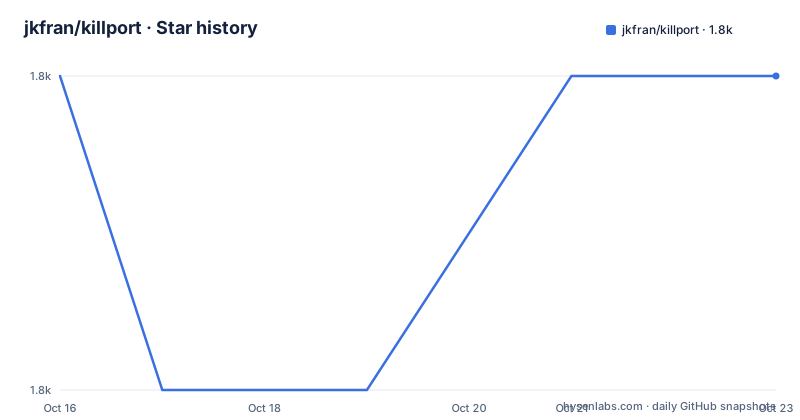
- jkfran/killport1,843 ★ · +0
| Repository | 2026-10-16 | 2026-10-23 |
|---|---|---|
| jkfran/killport | 1.8k | 1.8k |
0 Stars in the last 7 days, measured from the daily GitHub snapshot. Compare with other projects
Editorial analysis
Why killport Exists for Local Port Conflicts
killport addresses a recurring development problem: a service cannot bind its intended port because another process or container is already using it. Instead of requiring the user to identify the owner, select a target, and send an operating-system signal separately, the command accepts one or more port numbers and performs that sequence. It is aimed at developers and local operators who need a direct command for ports occupied by development servers, proxy processes, or containers.
The tool is not limited to native executables. Container support is part of its central design, which matters because a port can appear to belong to a container runtime while the process table also contains forwarding helpers. The README identifies support for Docker, OrbStack, Podman, Colima, and other OCI-compatible runtimes. This makes killport relevant to local container workflows, but its documented scope remains port-based termination. It does not describe service discovery, log collection, container restart policies, production orchestration, or automatic replacement of the killed workload.
Auto Mode Chooses Containers Before Native Processes
The default `auto` mode follows a defined priority sequence. killport first checks whether a container runtime is available. If it finds a container associated with a requested port, it terminates the container rather than a native port-forwarding process. The README specifically names `docker-proxy` and `OrbStack Helper` as processes that are automatically skipped in this situation. This avoids redirecting termination to infrastructure that merely exposes the container port.
If the container check finds no matching container, killport falls back to native process handling. Users can remove that decision with `-m, --mode <MODE>`. Selecting `process` restricts the search to native processes, while `container` restricts it to containers and skips native matches. This explicit choice is useful when a script should never broaden its target beyond one target class.
The repository structure supports a cross-platform implementation rather than a single operating-system port mechanism. `Cargo.toml` uses `procfs` on Linux and Android, `libproc` on macOS, and `windows-sys` features related to IP Helper, process threads, sockets, and process enumeration on Windows. The `bollard` dependency is present for container-runtime access, while `tokio` supplies the asynchronous runtime. These files indicate the main integration boundaries, but the README does not expose their lower-level discovery details.
Signals, Dry Runs, and Script Exit Semantics
killport sends `SIGKILL` by default. That setting makes the command direct, but it also means users do not get a graceful termination attempt unless they select another supported signal. The documented `-s, --signal <SIG>` option accepts alternatives such as `SIGTERM`, `SIGINT`, and other entries covered by `SIGNALS.md`. For a service that should receive a chance to shut down, the documented choice is:
killport -s sigterm 8080Before terminating anything, `--dry-run` reports the target without sending a signal:
killport --dry-run 8080
# Would kill process 'node' listening on port 8080
The output shown in the README is an example, not a guaranteed process name or a complete inventory. The command supports explicit exit semantics: `0` means a target was found and killed, or `--no-fail` was used; `1` denotes an error such as permission denial or an internal failure; and `2` means no matching process or container was found. Scripts that should not fail merely because a port is already free can use:
killport --no-fail 8080This changes missing-target handling, but it does not turn permission errors into success. Code `1` remains an error.
Installing killport on Supported Platforms
The README offers Homebrew, Cargo, a shell installer, and binary releases. On macOS or another environment with Homebrew, the documented installation command is:
brew install killportUsers with Cargo can install the crate from crates.io:
cargo install killportThe repository declares Rust `1.86` as its `rust-version`. The README does not give a separate rustup installation command, so Cargo must already be available for the Cargo route.
A shell installation option is also documented:
curl -sL https://bit.ly/killport | shAfter using this route, the README says to add `$HOME/.local/bin` to `PATH` if it is not already there. The repository includes `install.sh`, but the README does not document its flags or behavior beyond this invocation.
For platform-specific binaries, the documented source is the GitHub releases page. The README says each release includes shell completions and a man page. The release list shows `v2.0.2` dated 2026-08-01, while `Cargo.toml` declares version `2.0.3`. The repository files do not explain that difference, so users should check the installed binary's reported version when diagnosing an installation.
A First Container and Multi-Port Workflow
The basic invocation takes one or more positional port arguments:
killport 8080Multiple ports are accepted in one command:
killport 3000 8080 9090The default mode checks for matching containers first. To ensure that native processes are never considered, request container mode explicitly:
killport --mode container 8080The inverse restriction is available when a container must not be selected:
killport --mode process 8080These commands terminate matching targets; they do not document restarting them. For a repeatable first use, start with a dry run, confirm the reported target, then select the signal appropriate to the workload. The README does not document confirmation prompts, rollback, retry behavior, or a way to preserve the original target.
Runtime access is an important boundary. Permission denial is an explicit error condition, and the documentation does not say that killport elevates privileges. The repository does not establish that a user can always terminate a process or control a container owned by another account. Running with additional operating-system privileges may be possible, but that behavior and its security implications are not documented here.
Maintenance, Compatibility, and MIT Usage
The repository is not archived, and the last push was on 2026-10-12. Its recent release history includes `v2.0.0` on 2026-03-08, `v2.0.1` on 2026-07-06, and `v2.0.2` on 2026-08-01. The presence of CI configuration, tests, `CHANGELOG.md`, `SECURITY.md`, and contribution documents indicates that repository work is not limited to a single source directory. However, the README and file list do not document a support window for particular runtime versions or a long-term-support branch.
Compatibility is explicitly claimed for Linux, macOS, and Windows. The platform-specific dependencies show that each operating system requires a different process or networking integration. The README says container support applies to Docker, OrbStack, Podman, Colima, and OCI-compatible runtimes, but it does not specify exact runtime API versions or remote runtime configuration.
The project uses the MIT license. That permits use, modification, distribution, and private combination under the license conditions, while copyright and license notices must be preserved. This is a license summary rather than legal advice. Vendoring the binary, modifying source, or redistributing release artifacts should be checked against the actual `LICENSE` and `SECURITY.md` rather than inferred from the package metadata.
Manual Cleanup Versus killport's Runtime-Aware Choice
The practical alternative is a manual cleanup workflow: identify the listener for the port, decide whether it is a native process or a container, and then terminate the selected target with the operating system's process or container tools. That approach exposes each decision separately and can be necessary when the user needs operating-system diagnostics beyond the concise target report produced by a dry run.
killport changes the approach by packaging port lookup, target selection, and signal delivery into one command. Its clearest differentiator is not merely that it can kill a process. In `auto` mode, it checks containers first and avoids forwarding helpers when a container owns the port. A manual workflow can make the same distinction, but only if the person knows which forwarding process to ignore and which container to stop. The explicit `process` and `container` modes also make that policy suitable for scripts.
The trade-off is reduced visibility. The README documents concise modes and exit codes, but it does not provide filtering by process name, container ID, image, service label, ownership, or parent process. If a port has several candidates or the user must preserve one of them, the port-only interface may be too broad. killport is therefore better suited to deterministic local cleanup than to selective lifecycle management.
Editorial conclusion
Developers who repeatedly free local service ports should evaluate killport, especially when Docker, Podman, OrbStack, Colima, or another OCI-compatible runtime is involved. Operators should not treat it as a production process manager, and every adopter should first verify the default signal, runtime permissions, target mode, and behavior of the selected signal in its own environment. For an existing service, begin with a dry run before permitting termination.
Frequently asked questions
Does killport kill a Docker container or only the process using its port?
In the default `auto` mode, killport prioritizes matching containers and skips port-forwarder processes such as `docker-proxy` and `OrbStack Helper`. Use `--mode process` to restrict termination to native processes.
How can I preview what killport will terminate?
Use `--dry-run` with one or more ports. The README shows `--dry-run` producing a message such as `Would kill process 'node' listening on port 8080` without terminating it.
What happens when no process is listening on the specified port?
killport exits with code `2` when no matching process or container is found. Passing `--no-fail` makes that missing-target case exit with code `0`.
Official sources
Add this badge to your README
If you maintain this project, the badge below links readers to this analysis and shows its maintenance status from the daily GitHub snapshot. Paste the markdown into your README; add ?metric=license or ?metric=stars to the image URL for a different field.

[](https://hysenlabs.com/projects/jkfran-killport)Star history chart for your README
[](https://hysenlabs.com/projects/jkfran-killport)Was this useful?