jQuery Color 3.0.0 for JavaScript Color Manipulation and Animation
jQuery plugin for color manipulation and animation support.
At a glance
- What is it?
- jQuery Color is a JavaScript plugin that parses, converts, manipulates, and animates CSS colors for supported jQuery versions. It is aimed at browser code that needs a shared color object across `.css()` and `.animate()`.
- Who is it for?
- Adopt jQuery Color when an existing jQuery application needs a browser-side color object for CSS values or animations. Do not choose it for a standalone build toolchain, color science library, or modern application that does not already depend on jQuery.
- Can I use it commercially?
- Check first. The repository uses a licence we do not classify automatically, so read its LICENSE file before any commercial use.
- Is it still maintained?
- Yes. The repository last received commits 6 days ago.
- What is it written in?
- Mainly JavaScript, according to GitHub's language statistics.
Answers come from the project's GitHub data, last synced on November 6, 2026, and from our analysis. They are not legal advice.
Star history
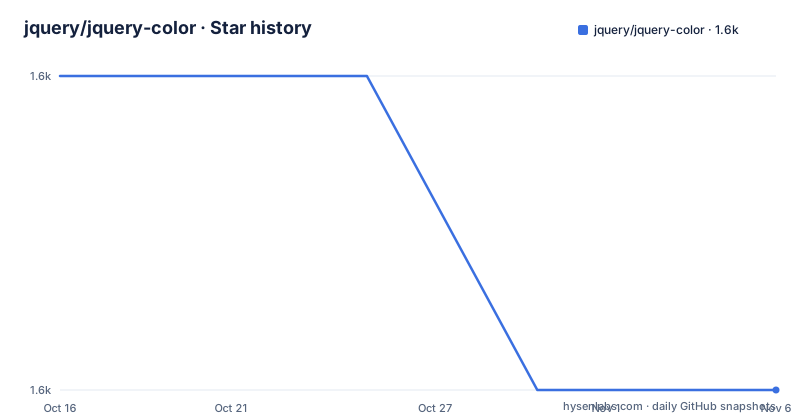
- jquery/jquery-color1,637 ★ · -1
| Repository | 2026-10-16 | 2026-11-06 |
|---|---|---|
| jquery/jquery-color | 1.6k | 1.6k |
-1 Stars in the last 21 days, measured from the daily GitHub snapshot. Compare with other projects
Editorial analysis
What jQuery Color Changes in jQuery Workflows
jQuery Color solves a narrow but recurring problem in jQuery applications: JavaScript code often needs to read, create, transform, or animate colors without manually converting values among hex, RGB, RGBA, HSL, and named-color forms. The plugin provides the `jQuery.Color()` factory, a Color object with getters and setters, string conversion methods, and integration with jQuery animation. It is intended for developers working on browser interfaces that already use jQuery, especially code that changes visual properties such as `backgroundColor`, `color`, borders, outlines, and text decoration colors.
The README states support for jQuery versions 1.12+ and 2.2+. Version 3.x documents current Chrome, Edge, Firefox, and Safari as supported browsers. It does not guarantee support for every other browser, so compatibility claims should be limited to the documented matrix. The project also supports optional extended names as a plugin or as part of a selected release build. That distinction matters when a page needs CSS named colors beyond the base bundle.
The central design is tied to jQuery rather than being a general color library. A project that needs server-side color calculations, perceptual color comparisons, color-space conversion, palette analysis, or image processing should look elsewhere. jQuery Color is appropriate when the value must become a CSS declaration or participate in a jQuery animation.
jQuery Color's Factory, Object, and Animation Hook
The `jQuery.Color()` function accepts strings, numeric RGBA values, arrays, objects, and HSL-style objects. The README gives these forms: a color string such as `"#abcdef"`, `jQuery.Color( red, green, blue, alpha )`, an RGBA array, a red-green-blue-alpha object, or an object containing `hue`, `saturation`, `lightness`, and `alpha`. It can also read a computed value from an element with `jQuery.Color( element, cssProperty )`.
Internally, the Color object stores RGBA components in `color._rgba`. The public methods expose components through `red()`, `green()`, `blue()`, and `alpha()`, while `hue()`, `saturation()`, and `lightness()` expose the HSL view. Setter calls return a copy rather than mutating the original object. The documented relative syntax, such as `"+=100"` and `"-=100"`, is available on component accessors.
Animation is implemented through a jQuery `cssHook`. Once the plugin is loaded, jQuery's `.animate()` can interpolate between two colors for the documented properties. The default list includes `backgroundColor`, `borderBottomColor`, `borderLeftColor`, `borderRightColor`, `borderTopColor`, `color`, `columnRuleColor`, `outlineColor`, `textDecorationColor`, and `textEmphasisColor`. A separate `jQuery.Color.hook()` call extends this list to other CSS properties, such as SVG `fill` and `stroke`. That extension is explicit rather than automatic, which avoids silently treating every browser property as a color.
Installing Dependencies and Running the Repository Tests
The README directs users who want to build or test the repository to clone the repository, enter its directory, and install the Node dependencies. The documented command is:
cd jquery-color && npm installThis installs the dependencies declared by the repository. The README then gives the build and test command:
npm testThe `package.json` file defines `npm test` as the browser test entry point. Its `pretest` script runs the package copy task, the build, and linting before the browser tests. Separate package scripts also exist for Chrome, Edge, Firefox, Safari, the unit runner, and the test server, but the README only explicitly presents `npm test` as the main repository command. A contributor following the repository instructions should expect dependency installation to precede the build and browser test sequence.
For application use, the README does not give a package-manager installation command for consuming a published npm release. Instead, it directs users to the jQuery Color releases page at `https://releases.jquery.com/color/`, where a standalone version or bundle can be selected. The example page loads jQuery first and the plugin second from the jQuery CDN, so script order matters in that example.
A First Background Color Animation
The shortest useful first step is to load jQuery, load jQuery Color, select an element, and animate a supported color property. The README example loads these scripts:
<script src="https://code.jquery.com/jquery-4.0.0.min.js"></script>
<script src="https://code.jquery.com/color/jquery.color-3.0.0.min.js"></script>
The page defines a `div` with `background-color: #bada55` and connects a click handler to `#go`. The handler animates the element to `"#abcdef"` over 1500 milliseconds:
$( "#go" ).on( "click", function() {
	$( "#block" ).animate( {
		backgroundColor: "#abcdef"
	}, 1500 );
} );
The expected page behavior is that clicking `#go` changes the div's background over the specified duration. A second example constructs a desaturated color with `jQuery.Color({ saturation: 0 })` and animates the same property to that value. This demonstrates the relationship between the factory and the animation hook: the factory creates a Color object that `.animate()` accepts.
For SVG properties, the README gives an explicit extension call before animation:
jQuery.Color.hook( "fill stroke" );The call makes `fill` and `stroke` available to the plugin's color handling. The example does not show a complete SVG document or the resulting values, so it should be treated as configuration guidance rather than a standalone page template.
Color Conversion, Copying, and Partial Transitions
The factory is also useful when the application needs to manipulate a color before writing it through jQuery. The README documents `toRgbaString()`, `toHslaString()`, and `toHexString( includeAlpha )`. The first two methods include alpha only when it is not `1`; otherwise they return `rgb(...)` or `hsl(...)` strings. `toHexString()` returns a hex CSS string, and passing a truthy `includeAlpha` produces the alpha form described as `"#rrggbbaa"`.
The object model uses copying semantics for documented setters. A call such as `red( value )` returns a copy with the red component changed, while the getter returns the component. This makes transformations easier to compose without accidentally changing an earlier object, but application code must use the returned value. The README does not describe mutation of private fields such as `_rgba`, so those internals should not be treated as a public integration point.
Partial color values are supported through `null` and `undefined`. The README explains that these values signal non-existence to `transition()`, which keeps the value supplied at the other end of the transition. For example:
jQuery.Color([ 255, null, null, 1 ])In that case, only the red and alpha channels animate. This is useful for controlled transitions, but it makes the distinction between an absent component and a numeric zero important. A missing value is meaningful input rather than a malformed color.
Plugin Boundaries and Alternative Animation Approaches
The plugin has clear boundaries. The README lists the properties enabled by default, and custom properties require `jQuery.Color.hook()`. The hook call names CSS properties, as with `"fill stroke"`. It does not claim that arbitrary browser-specific color syntax will work everywhere. A developer should check the CSS property list before assuming that a jQuery animation will treat a value as a color.
The documentation also makes RGBA the internal representation while HSL values and strings act as conversion interfaces. That is convenient for UI code, but it does not make the plugin a full color-management system. The README does not document gamut mapping, color-space conversion, interpolation in perceptual spaces, or contrast analysis.
A real alternative is a standalone color utility paired with native CSS transitions or Web Animations. Such an approach can manipulate colors without adding a plugin to jQuery, and browser-native animation can handle a CSS property change directly. The difference is integration: jQuery Color installs a jQuery `cssHook`, returns Color objects accepted by `.css()` and `.animate()`, and provides jQuery-oriented component methods. A standalone utility may suit an application that does not depend on jQuery or needs broader palette functionality.
Maintenance, Releases, and Custom Licensing
The repository is not archived. Its last recorded push was on 2026-10-16. The listed releases include 3.0.0 on 2024-05-15, 3.0.0-alpha.2 on 2020-05-11, and 2.2.0 on 2020-05-11. The repository package metadata currently identifies the development version as `3.0.1-pre`, while the documented production example uses the released `jquery.color-3.0.0.min.js` file.
Upgrading requires checking more than the version number. First, confirm the jQuery version used by the page. The README documents jQuery 1.12+ and 2.2+ support. Then check whether the application relies on custom CSS properties registered through `jQuery.Color.hook()`. Finally, inspect `LICENSE.txt` before redistributing a modified plugin or bundling it with an application.
The repository includes dedicated scripts for build, lint, unit tests, and named browser targets. The package's `test` script runs `pretest`, then the browser test command. These documented commands provide specific upgrade checks for contributors. The README does not document a rollback procedure, a compatibility matrix for every intermediate jQuery release, or a long-term support policy. The custom license terms are not reproduced in the README, so they must be read in `LICENSE.txt`.
Editorial conclusion
Adopt jQuery Color when an existing jQuery application needs a browser-side color object for CSS values or animations. Do not choose it for a standalone build toolchain, color science library, or modern application that does not already depend on jQuery. Verify the custom `LICENSE.txt`, browser support, the exact jQuery version, and whether the required CSS properties need `jQuery.Color.hook()` before adding it.
Frequently asked questions
What is jQuery Color used for?
jQuery Color provides a `jQuery.Color()` factory for creating and manipulating color objects. The plugin also installs a jQuery `cssHook` that allows `.animate()` to animate supported CSS color properties.
Which jQuery and browsers does jQuery Color 3.x support?
The README lists support for jQuery 1.12+ and 2.2+. For jQuery Color 3.x, the documented browser support is current Chrome, Edge, Firefox, and Safari. Support for other browsers is not guaranteed.
How do I animate an SVG fill or stroke with jQuery Color?
Register those properties with `jQuery.Color.hook( "fill stroke" )` before using jQuery animation. The README gives this hook as the way to support SVG `fill` and `stroke` as colors.
Official sources
Add this badge to your README
If you maintain this project, the badge below links readers to this analysis and shows its maintenance status from the daily GitHub snapshot. Paste the markdown into your README; add ?metric=license or ?metric=stars to the image URL for a different field.

[](https://hysenlabs.com/projects/jquery-jquery-color)Star history chart for your README
[](https://hysenlabs.com/projects/jquery-jquery-color)Was this useful?