FusionTik: A Next.js TikTok Downloader with Provider Failover and Alerting
A source code of the tiktok downloader website.
At a glance
- What is it?
- FusionTik is a TypeScript and Next.js web app that downloads TikTok videos, photo carousels, and MP3 audio without a watermark. It relies on two third-party APIs with a fallback chain, and it alerts operators via Telegram, email, or webhook when both fail.
- Who is it for?
- Adopt FusionTik if you need a self-hostable TikTok downloader with a clean UI and a built-in failover chain between two third-party APIs, and if you are comfortable with those APIs being the single point of failure. Do not adopt it if you require guaranteed uptime, if you need to process videos at scale, or if you cannot accept the legal and ToS risks of downloading TikTok content.
- Can I use it commercially?
- Check first. The repository uses a licence we do not classify automatically, so read its LICENSE file before any commercial use.
- Is it still maintained?
- Yes. The repository received new commits within the last day.
- What is it written in?
- Mainly TypeScript, according to GitHub's language statistics.
Answers come from the project's GitHub data, last synced on October 21, 2026, and from our analysis. They are not legal advice.
Star history
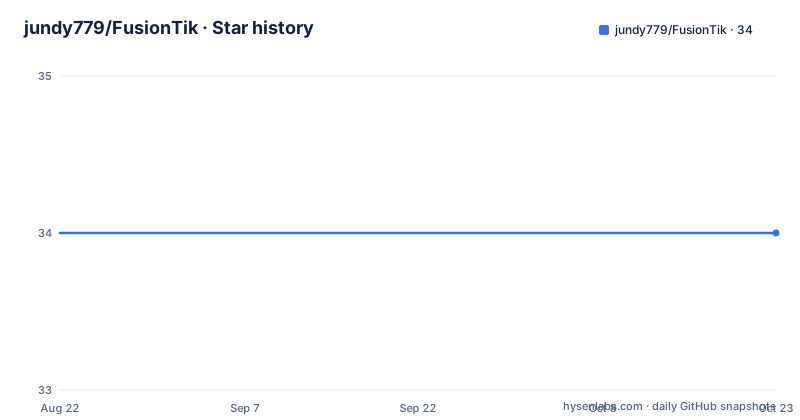
- jundy779/FusionTik34 ★ · +0
| Repository | 2026-08-22 | 2026-10-21 |
|---|---|---|
| jundy779/FusionTik | 34 | 34 |
0 Stars in the last 60 days, measured from the daily GitHub snapshot. Compare with other projects
Editorial analysis
What FusionTik Solves and Who It Is For
FusionTik is a web application that lets a user paste a TikTok URL and download the video without a watermark, save all images from a carousel post, or extract the audio as MP3. The README states that no installation or login is required. The target user is someone who wants a quick, browser-based tool for saving TikTok content to their own device. For developers, the project serves as a reference for building a Next.js 15 App Router application with a layered architecture, custom React hooks, and a provider pattern for external API calls. The codebase is written in TypeScript and styled with Tailwind CSS, and it uses MongoDB Atlas for a global download counter. The project is not a library or a CLI; it is a full website that you can deploy to Vercel or run in a Docker container.
The Provider Failover Chain Is the Core Mechanism
The central data flow is simple: the frontend submits a TikTok URL to the API route POST /api/tiktok. The route validates the URL with a regex check for tiktok.com. Then it tries the first provider, Zell API at apizell.web.id. If that request fails with a 5xx error, the code falls back to a second provider, Sanka API at sankavollerei.com. If both providers fail, the system triggers a notification to a Telegram bot, an email via Nodemailer, or a custom webhook. This failover chain is the most interesting part of the project. It means the downloader is only as reliable as these two external services. The README's sequence diagram shows the exact flow: user to frontend, frontend to API, API to Zell, and on failure to Sanka. The response from a successful provider is parsed and normalized into a common structure that includes title, creator, videos, audio, and images. That normalized response is what the frontend uses to render download options.
Layered Architecture and State Management
The README describes a layered architecture with Presentation, Application, and Infrastructure layers. The presentation layer consists of React components like page.tsx, video-preview.tsx, result-card.tsx, stats-card.tsx, and navbar.tsx. State management is handled by custom hooks: use-download-history stores up to 100 entries in localStorage, use-download-stats tracks personal stats, and use-global-stats manages a global counter. The application layer is the Next.js API routes, including /api/tiktok and /api/global-stats. The infrastructure layer includes MongoDB Atlas for the global counter, with a fallback to a JSON file if MongoDB is unavailable. The README also mentions a repository pattern for the global stats route, meaning the data access is abstracted behind a repository interface. This separation is clean and makes the code easier to test, though the actual test coverage is not mentioned in the material.
Getting It Running: Commands and Configuration
The README does not provide explicit installation commands, but the project structure implies a standard Next.js workflow. You would clone the repository, run npm install, and then set up environment variables for the API endpoints and credentials. The README mentions MongoDB Atlas, Telegram bot, SMTP, and webhook configurations. The exact environment variable names are not listed in the provided material, so you would need to inspect the source code for keys like MONGODB_URI, TELEGRAM_BOT_TOKEN, SMTP_HOST, and so on. The project has a Docker workflow file in .github/workflows/docker.yml, which suggests you can build a Docker image. The homepage is deployed on Vercel at https://fusiontik.vercel.app, so deploying to Vercel is a likely path. The CI workflow in ci.yml suggests automated testing or linting, but the specifics are not given. You should check the repository's README on GitHub for the full configuration guide, as the provided material is truncated.
Security and Privacy Trade-offs
The README emphasizes a privacy-first approach: no files are stored on the server, and download history stays in the user's browser via localStorage. That is a genuine privacy benefit. However, the application sends the TikTok URL to two third-party APIs, Zell and Sanka. Those services see every request, including the URL and likely the user's IP address. The README does not describe what those providers do with the data. Also, the global counter is stored in MongoDB Atlas, so the server does collect aggregate download counts. The project has a CodeQL workflow, which suggests the author cares about static analysis security scanning, but the material does not include any security audit results. The license is listed as NOASSERTION, which means the license is not declared in the repository metadata. That is a red flag for anyone wanting to use or modify the code legally. You should check the LICENSE file in the repository to see what terms apply.
Limitations and Failure Modes
The most obvious limitation is the dependence on two third-party APIs. If Zell and Sanka are down, the downloader does not work, and the only response is an alert to the operator. There is no local fallback for actually fetching TikTok content. The README's message flow shows that if both providers fail, the user gets an error, and the system sends notifications. That is a failure mode, not a graceful degradation. Another limitation is that the global counter relies on MongoDB Atlas, and the README mentions a JSON file fallback, but the details of that fallback are not clear. The download history is capped at 100 entries, which is a reasonable limit but could be a problem for heavy users. The project also has a Photo Mode that downloads all carousel images at once, but the README does not specify how the images are packaged, whether as a zip or individually. The download strategy uses either a Blob progress approach or window.open, which suggests that some downloads may open a new tab instead of showing a progress bar, depending on the browser or file type.
Alternatives and How They Differ
A common alternative to a self-hosted downloader like FusionTik is using a public TikTok downloader website that does not require any setup. Those services are often closed-source and may have their own limitations, such as ads or file size caps. Another alternative is to use a command-line tool like yt-dlp, which supports TikTok and many other platforms. yt-dlp is a Python program that runs locally and does not require a web server or third-party APIs. It directly scrapes the TikTok CDN, which gives it more control and avoids the dependency on Zell or Sanka. However, yt-dlp requires a terminal and is not a web interface. FusionTik's advantage is its polished UI and the failover chain, but yt-dlp is more robust in terms of provider independence. The choice depends on whether you prioritize a browser-based experience or reliability.
Maintenance and Upgrade Considerations
The repository has recent releases, with v2.5.0 pushed on 2026-02-27 and v2.1.0 on the same day, which suggests active development. The release notes mention 'Clean Code & API Update' and 'Clean Code & Security Update', indicating that the author is iterating on the codebase. The presence of CI, Docker, and CodeQL workflows suggests a commitment to automated checks. However, the maintenance cost is real: you must monitor the third-party APIs for changes. If Zell or Sanka change their response schema, the parsing logic in route.ts will break. The README does not document a versioning strategy for the API responses. The project uses MongoDB Atlas, which has its own operational overhead, though the JSON file fallback reduces that. The license being NOASSERTION means you cannot assume any open-source rights, so you should contact the author or check the LICENSE file before using the code in your own project.
Editorial conclusion
Adopt FusionTik if you need a self-hostable TikTok downloader with a clean UI and a built-in failover chain between two third-party APIs, and if you are comfortable with those APIs being the single point of failure. Do not adopt it if you require guaranteed uptime, if you need to process videos at scale, or if you cannot accept the legal and ToS risks of downloading TikTok content. Before deploying, verify that the Zell and Sanka APIs are still accepting requests, check the exact response schemas, and confirm that your MongoDB Atlas cluster and SMTP credentials are configured correctly. The project is a functional reference implementation, not a production-grade service.
Frequently asked questions
Who is the CEO of FusionTek, and is this their repository?
This repository is unrelated to FusionTek the company. It is the source of FusionTik, a TikTok downloader web application written by an author credited as Fusionify.ID, built on Next.js, MongoDB Atlas and TypeScript, and deployed at fusiontik.vercel.app.
What does nexustek do, according to this repository?
Nothing in this repository concerns nexustek. The code is a Next.js App Router downloader that validates a pasted TikTok URL with a regex and resolves it through the Zell API first, falling back to the Sanka API, then normalises the response into video, audio and image results.
What are fusion technology solutions, and does FusionTik cover them?
The repository does not discuss fusion technology. It covers download formats instead: MP4 video without a watermark, photo mode that saves every image from a carousel in one click, and MP3 audio extraction, with history kept in localStorage and a global download counter in MongoDB Atlas.
Official sources
Add this badge to your README
If you maintain this project, the badge below links readers to this analysis and shows its maintenance status from the daily GitHub snapshot. Paste the markdown into your README; add ?metric=license or ?metric=stars to the image URL for a different field.

[](https://hysenlabs.com/projects/jundy779-fusiontik)Star history chart for your README
[](https://hysenlabs.com/projects/jundy779-fusiontik)