AutoBrew: A Shell Script for Managed Homebrew Installs on macOS
AutoBrew: Homebrew deployments made easy
At a glance
- What is it?
- AutoBrew is a small Shell script that installs Homebrew as the currently logged-in user or a predefined user, aimed at admins using Jamf Pro or Munki. Its simplicity hides a narrow scope and some real caveats.
- Who is it for?
- Adopt AutoBrew if you manage macOS fleets with Jamf Pro or Munki and need a straightforward way to install Homebrew for the logged-in user without manual steps. Avoid it if you require support for root-installed Homebrew, which the project explicitly warns against, or if you need advanced configuration like custom prefixes or multi-user setups.
- Can I use it commercially?
- Not without permission. GitHub finds no licence file in the repository, and without a licence all rights are reserved by default: you may read the code but not reuse it. Check the README, or ask the authors, before using it.
- Is it still maintained?
- Probably not. The repository last received commits 57 months ago, on February 5, 2022.
- What is it written in?
- Mainly Shell, according to GitHub's language statistics.
Answers come from the project's GitHub data, last synced on October 21, 2026, and from our analysis. They are not legal advice.
Star history
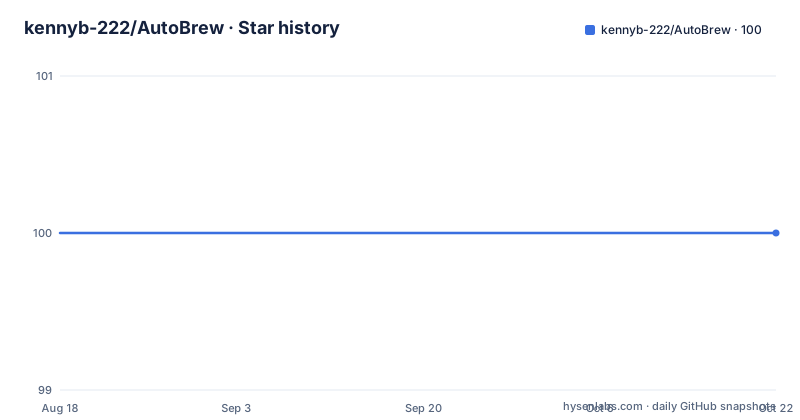
- kennyb-222/AutoBrew100 ★ · +0
| Repository | 2026-08-18 | 2026-10-21 |
|---|---|---|
| kennyb-222/AutoBrew | 100 | 100 |
0 Stars in the last 64 days, measured from the daily GitHub snapshot. Compare with other projects
Editorial analysis
The Problem AutoBrew Solves
Homebrew's official installer refuses to run as root, and running it as root is dangerous. For macOS admins who manage fleets with Jamf Pro or Munki, deploying Homebrew to each machine manually is tedious. AutoBrew addresses this by providing a single script that installs Homebrew as the currently logged-in user. It is not a package manager or a full deployment framework. It is a thin wrapper around Homebrew's installation process, designed to be triggered by existing management tools. The target user is a system administrator who already has a management tool in place and needs a reliable way to bootstrap Homebrew on many machines.
How AutoBrew Works
The repository contains a single Shell script, AutoBrew.sh. According to the README, you run it with sudo, and it installs Homebrew as the currently logged-in user. If you pass a username as an argument, it installs for that predefined user instead. The exact mechanism inside the script is not detailed in the README. The script likely detects the user, sets the appropriate environment variables, and invokes Homebrew's installation script under that user's context. The key design choice is that it does not run Homebrew as root. Instead, it uses sudo to launch the script, but the script itself performs the installation as a non-root user. This matches Homebrew's requirement that the installation be owned by a standard user account.
Getting AutoBrew Running
The README gives two concrete commands. The first is for the current logged-in user: sudo /bin/sh /path/to/AutoBrew.sh. The second passes a username: sudo /bin/sh /path/to/AutoBrew.sh "username". You can run these directly from the command line, or you can integrate them into a Jamf Pro policy or a Munki script. There are no configuration keys, environment variables, or flags documented. The script takes at most one argument. This simplicity is a strength for quick adoption, but it also means you have no control over Homebrew installation options, such as the prefix or analytics settings.
Limitations and Failure Modes
The most obvious limitation is the warning in the README: running or installing Homebrew as root is extremely dangerous and no longer supported. AutoBrew does not attempt to bypass that. If you run the script without sudo, it will likely fail because it needs elevated privileges to write to system paths. If you pass a username that does not exist or is not currently logged in, the script may fail or install to the wrong home directory. The README does not describe error handling, so a failed installation may leave partial files. Another failure mode is when no user is logged in, such as at the login window. The script depends on a logged-in user, so it is unsuitable for pre-login deployment. For fleets that require Homebrew before user login, this is a deal-breaker.
Alternatives and Different Approaches
A common alternative is to use a management tool's built-in package installer to push a pre-built Homebrew package, such as a .pkg created with a tool like Packages or a custom recipe. That approach does not run the official installer at all. Instead, it places Homebrew files directly into /usr/local or /opt/homebrew and creates the necessary directory structure. This bypasses the need to run a script as the logged-in user, so it works at the login window and does not depend on a specific user being present. The trade-off is that you must maintain the package yourself, updating it each time Homebrew changes. AutoBrew delegates that maintenance to the official installer, which is a real advantage but also a dependency on Homebrew's installation script.
Maintenance and Upgrade Cost
The repository has no releases and no visible history of updates, but the last push is unknown. The script itself is small, so maintenance cost is low. However, because it relies on Homebrew's official installer, any changes to that installer could break AutoBrew. The README does not mention a version pin or a checksum verification, so you trust whatever the script downloads. The license is unknown, which is a concern if you plan to redistribute or modify the script in a corporate environment. You should contact the author or check the repository files for a license before adopting it. The upgrade cost is minimal: you re-run the script, and Homebrew updates itself. But if the script breaks, you must fix it yourself or wait for an update.
Who Should Adopt AutoBrew
AutoBrew is a good fit for small to medium macOS fleets where Jamf Pro or Munki is already in use, and where the logged-in user is always present during deployment. It is also suitable for admins who want to avoid maintaining a custom Homebrew package. However, if you need to install Homebrew at the login window, or if you require a specific Homebrew version, or if you need to support multiple users on the same machine, AutoBrew is not the right tool. The README provides no troubleshooting guidance, so you should test it on a single machine first. Given the unknown license and the lack of release management, verify the script's contents and licensing before rolling it out to production. The script is a simple solution to a specific problem, and it works only within those boundaries.
Editorial conclusion
Adopt AutoBrew if you manage macOS fleets with Jamf Pro or Munki and need a straightforward way to install Homebrew for the logged-in user without manual steps. Avoid it if you require support for root-installed Homebrew, which the project explicitly warns against, or if you need advanced configuration like custom prefixes or multi-user setups. Before using, verify the script's contents for any changes since the README was written, and confirm the user account you pass exists and has the necessary permissions. The script's value is in its minimalism, but that minimalism means you trade flexibility for simplicity.
Frequently asked questions
What is the purpose of Homebrew in this project?
Homebrew is what the project deploys. AutoBrew.sh installs Homebrew as the currently logged in user, either directly from the command line or by being run through a management tool such as Jamf Pro or Munki.
Does AutoBrew.sh install Homebrew as root?
The script is invoked with sudo, but it installs for a user rather than for root. The README quotes a disclaimer that running or installing Homebrew as root is extremely dangerous and no longer supported using the official Homebrew installation method.
Can AutoBrew.sh install Homebrew for a specific username?
Yes. Run sudo /bin/sh /path/to/AutoBrew.sh with a username argument and it installs for that predefined user instead of for whoever happens to be logged in.
How do I run AutoBrew.sh myself?
Run sudo /bin/sh /path/to/AutoBrew.sh from the command line, substituting the real path to the script. The README also suggests running it through a management tool such as Jamf Pro or Munki.
Is AutoBrew still maintained?
The last push to the main branch is dated 2022-02-05 and the repository has no GitHub releases, so there is no version history to track. It is also a two-file repository with no declared licence.
Official sources
Add this badge to your README
If you maintain this project, the badge below links readers to this analysis and shows its maintenance status from the daily GitHub snapshot. Paste the markdown into your README; add ?metric=license or ?metric=stars to the image URL for a different field.

[](https://hysenlabs.com/projects/kennyb-222-autobrew)Star history chart for your README
[](https://hysenlabs.com/projects/kennyb-222-autobrew)