exyte/Grid: CSS Grid layout for SwiftUI with tracks, spans and packing
The most powerful Grid container missed in SwiftUI
At a glance
- What is it?
- Grid is a Swift package that brings CSS Grid layout to SwiftUI, adding explicit track sizing, column and row spanning, and dense-packing placement that SwiftUI's built-in lazy grids do not provide. The ViewBuilder closure caps at 10 direct children, and the library's GridGroup container works around that limit.
- Who is it for?
- Grid suits any SwiftUI project that needs a non-uniform grid where cells span multiple rows or columns, or where dense packing should fill gaps automatically. It is the wrong choice when a stable tagged release is required: the last release was 1.5.0 in March 2023 and the repository received further pushes through 2026-09-15 with no new tag.
- Can I use it commercially?
- Yes. MIT is a permissive licence: you can use, modify and sell software built on it, as long as you keep its copyright and licence notices.
- Is it still maintained?
- Yes. The repository last received commits 38 days ago.
- What is it written in?
- Mainly Swift, according to GitHub's language statistics.
Answers come from the project's GitHub data, last synced on October 23, 2026, and from our analysis. They are not legal advice.
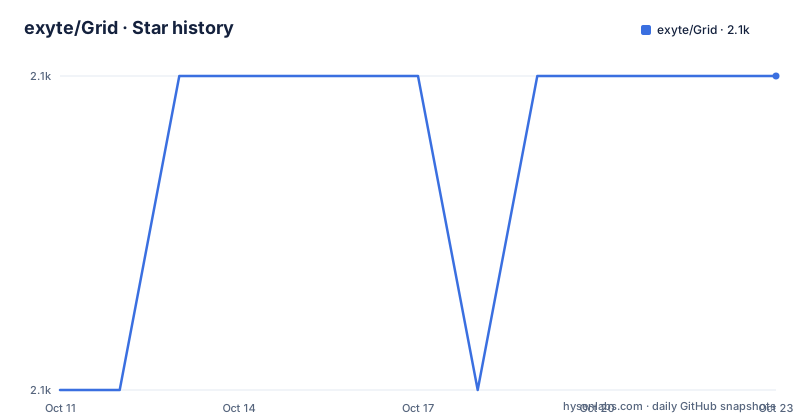
Star history
- exyte/Grid2,119 ★ · +1
| Repository | 2026-10-11 | 2026-10-23 |
|---|---|---|
| exyte/Grid | 2.1k | 2.1k |
1 Stars in the last 12 days, measured from the daily GitHub snapshot. Compare with other projects
Editorial analysis
What SwiftUI's lazy grids cannot do that this library adds
SwiftUI ships with LazyVGrid and LazyHGrid, which lay out cells along a fixed set of tracks. Both assume each cell occupies exactly one track. Neither provides a mechanism for a cell to span multiple tracks at once, and neither lets you position a cell at a specific row and column index. Grid addresses those gaps. It is a Swift package from Exyte, designed for SwiftUI, drawing its layout model from CSS Grid.
The library places a Grid container in your view hierarchy. You describe your tracks, items and any spanning or positioning modifiers inside a closure, and the layout engine handles placement. It can flow items by rows or columns, leave gaps when a spanning item cannot fit in the current line (sparse mode), or backfill those gaps with smaller items that arrive later in source order (dense mode). Explicit positioning, variable track sizes, per-cell alignment, background and overlay modifiers, and animated content updates are all available.
The use cases that match this feature set are irregular grids: a calculator keyboard where the zero key is wider than the others, a photo mosaic where selected images expand, or any layout where cells have different widths or heights by design. The repository's animated GIF uses a calculator layout as its primary demonstration.
The three track size modes and how they compose on one axis
Track sizing controls how much space each column or row receives. Grid offers three distinct modes. Fraction tracks, written as `.fr(...)`, divide the remaining space proportionally. The numeric argument controls the ratio between tracks: a track with a larger value receives more of the remaining space than one with a smaller value. Fixed tracks, written as `.pt(...)`, take a constant number of points regardless of the container's dimensions. Content-based tracks use `.fit` and size to the largest child they hold.
These three modes are composable on a single axis. A row of columns could mix a fixed sidebar in `.pt(...)`, a label that sizes to its text in `.fit`, and a content area that takes all remaining space in `.fr(...)`. Each track in the array is independent.
The tracks parameter accepts an integer, a single track size value, or an array of track sizes. Passing a plain integer such as `tracks: 3` creates three equal fraction tracks with no additional configuration. The four initialization forms in the README cover ViewBuilder closures, Range<Int>, Identifiable model collections, and collections with an explicit ID keypath. All four accept the same tracks parameter, so switching from a static closure to a data-driven list does not require changing the track configuration.
Installing via Swift Package Manager or CocoaPods, and running the example
Swift Package Manager is the direct path for a new Xcode project. In Xcode, open the File menu, select "Swift Packages > Add Package Dependency," and enter the repository URL when prompted:
https://github.com/exyte/GridXcode resolves the package from the default branch. The repository root contains a Package.swift manifest.
For a project already using CocoaPods, one line in the Podfile adds the library. The pod name is ExyteGrid, not Grid:
pod 'ExyteGrid'An ExyteGrid.podspec file at the repository root holds the pod specification. Carthage compatibility is also listed in the README, with a link to the Carthage project page for setup steps.
The minimum targets are iOS 14.0 or later and macOS 10.15 or later, with Xcode 12 or later required. iOS 13 support existed through version 0.1.0 and was dropped after that.
To build and run the included example application, clone the repository and initialize the CocoaPods workspace:
git clone [email protected]:exyte/Grid.git
cd Grid/Example/
pod install
open Example.xcworkspace/
The example project depends on CocoaPods regardless of which package manager you use in your own project. If CocoaPods is not on your machine, you must install it before the example builds. The workspace name is Example.xcworkspace, not Example.xcodeproj.
The 10-view ViewBuilder cap, GridGroup's identity model, and two ForEach constraints
SwiftUI's ViewBuilder closure accepts at most 10 direct child views. For a small grid this is no obstacle. Once a layout needs more than 10 inline cells, the cap becomes a compile-time error. Grid's GridGroup container resolves this.
GridGroup is an enumerable container that the layout engine treats as a flat list of items. Every view inside it becomes a separate grid item, not a single grouped view. The key difference from SwiftUI's Group is that outer method modifications applied to a GridGroup do not propagate to the views inside it. The README documents this in the GridGroup section while using the term "GridView" where it means GridGroup, a naming inconsistency in that paragraph: the surrounding text uses GridGroup throughout, and only that one description refers to "GridView."
GridGroup supports the same four construction patterns as Grid: a ViewBuilder closure, a Range<Int>, Identifiable models, and models with an explicit ID parameter. `GridGroup.empty` marks a cell position as containing no content.
Animation identity requires care with ForEach. There is no way to extract a KeyPath id from an initialized ForEach view, so the engine distinguishes items by position order during animations rather than by identity. For tracked updates, the README recommends ForEach with Identifiable models or GridGroup with an explicit ID. A separate constraint also applies: View's `.id()` modifier has no effect inside a ForEach used with Grid, because the inner ForEach clears that value.
Row and column spans, explicit starts, and the sparse-versus-dense packing choice
Spanning lets a single view occupy more than one track in a given direction. Grid supports spanning by rows, by columns, and both at once. The span is set as a modifier on the view inside the Grid or GridGroup closure.
Explicit positioning sets the start row, the start column, or both. A view with only a start column set lets the auto-placement algorithm decide the row. A view with both coordinates set lands exactly where specified, regardless of where the algorithm would otherwise have placed it.
Without explicit positioning, the algorithm places items according to the flow direction: advancing along rows first, or advancing along columns first. That choice determines which axis fills before the grid advances to the next line.
Packing mode controls what the algorithm does with gaps left by spanning items. Sparse packing places items in order and leaves gaps when a spanning view cannot fit in the remaining space on the current line. Dense packing scans for any item that fits a gap and backfills it. Dense packing can change the visual order relative to source order, which matters when the content has a logical reading sequence such as numbered entries or timestamped items that a screen reader should encounter in order.
Fill mode, scroll mode, alignment, and what animated updates require
Content mode controls whether the grid sizes itself to fill its container or sizes itself to its content and allows overflow. Fill mode distributes the container's available space among the tracks. Scroll mode lets the content extend past the container bounds, similar to how LazyVGrid behaves when placed inside a ScrollView.
Spacing sets the gap between rows and between columns as separate settings for each axis. Alignment is documented as a standalone feature in the table of contents.
Animation support is built in. When the grid content changes, SwiftUI's animation system can interpolate between old and new layouts because GridGroup and ForEach with Identifiable models supply the item identity the engine needs to track positions. The table of contents lists animated updates as entry 12 of the 14 documented features. Grid cell backgrounds and overlays are covered in entry 4, allowing each cell to carry a background view or an overlay view independently.
Caching is listed as entry 13. The README does not document the caching mechanism, so what gets cached and under what conditions is not stated.
The @GridBuilder beta label and what to verify before adopting
The @GridBuilder feature for conditional statements is listed as entry 14 in the documentation table of contents and is the only one of the 14 features that carries a beta label. No other entry in the table of contents carries that designation. The README lists the feature as "Conditional statements / @GridBuilder" with the beta note, but does not document the conditional syntax or the specific restrictions that apply while it carries that label.
For projects that pin to a tagged release when adding a Swift package, the last release tag is 1.5.0 from 2023-03-20, and the library is under the MIT licence. The repository was last pushed on 2026-09-15.
Before depending on this library in production, run the example application on your target hardware and confirm the layout engine handles your specific spanning and packing configuration. The example uses CocoaPods regardless of which package manager your project uses, and the only workspace that opens the demo is Example.xcworkspace.
Editorial conclusion
Grid suits any SwiftUI project that needs a non-uniform grid where cells span multiple rows or columns, or where dense packing should fill gaps automatically. It is the wrong choice when a stable tagged release is required: the last release was 1.5.0 in March 2023 and the repository received further pushes through 2026-09-15 with no new tag. Before adopting it, verify that the @GridBuilder conditional-statements feature, which the README marks as beta, covers your conditional grid requirements. Also confirm whether SPM or CocoaPods is already in your project, because building the included example requires CocoaPods even when you add the package via SPM.
Frequently asked questions
What is exyte/Grid for SwiftUI?
It is a Swift package that adds CSS-style grid layout to SwiftUI. It provides track sizing modes, column and row spanning, dense packing, and explicit item positioning that SwiftUI's built-in LazyVGrid and LazyHGrid do not offer.
How do I install exyte/Grid?
Via Swift Package Manager, add a package dependency in Xcode pointing to https://github.com/exyte/Grid. Via CocoaPods, add `pod 'ExyteGrid'` to your Podfile. The pod name is ExyteGrid, not Grid.
Does exyte/Grid work with iOS 13?
The README states that iOS 13 support was present through version 0.1.0 and was dropped after that. The current minimum requirement is iOS 14.0.
What is the difference between GridGroup and SwiftUI's Group?
GridGroup places each of its child views as a separate grid item, while SwiftUI's Group collapses children into one view for modification purposes. Outer modifiers applied to a GridGroup do not propagate to the views inside it.
What is the latest version of exyte/Grid?
The last tagged release is 1.5.0, published on 2023-03-20. The repository was last pushed on 2026-09-15, with no release tag corresponding to those later changes.
Official sources
Add this badge to your README
If you maintain this project, the badge below links readers to this analysis and shows its maintenance status from the daily GitHub snapshot. Paste the markdown into your README; add ?metric=license or ?metric=stars to the image URL for a different field.

[](https://hysenlabs.com/projects/exyte-grid)Star history chart for your README
[](https://hysenlabs.com/projects/exyte-grid)Was this useful?