rtail: pipe terminal output into a browser
rtail(1) - Terminal output to the browser in seconds, using UNIX pipes.
At a glance
- What is it?
- rtail connects standard input to a browser through UDP and Socket.IO without requiring application logging libraries. It suits temporary, real-time diagnostics on trusted networks, but it is not a durable log store.
- Who is it for?
- Adopt rtail when engineers need a lightweight way to inspect several live process streams from a browser and can keep the server on a trusted network. Do not adopt it as the system of record or place it directly on an untrusted network.
- Can I use it commercially?
- Yes. Apache-2.0 is a permissive licence: you can use, modify and sell software built on it, as long as you keep its copyright and licence notices.
- Is it still maintained?
- Yes. The repository last received commits 1 day ago.
- What is it written in?
- Mainly TypeScript, according to GitHub's language statistics.
Answers come from the project's GitHub data, last synced on October 23, 2026, and from our analysis. They are not legal advice.
Star history
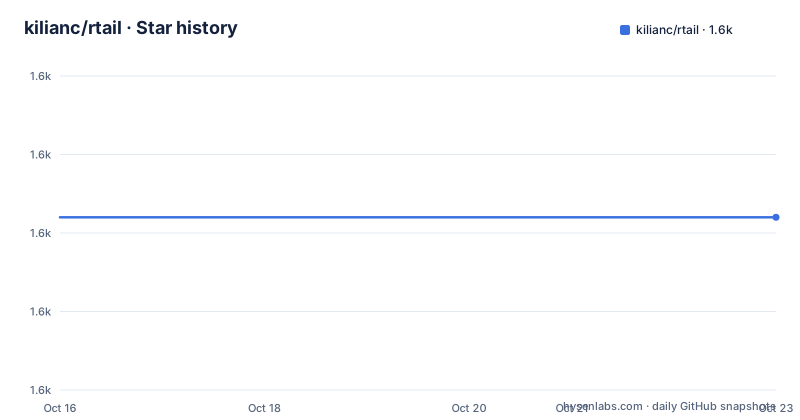
- kilianc/rtail1,612 ★ · +0
| Repository | 2026-10-16 | 2026-10-23 |
|---|---|---|
| kilianc/rtail | 1.6k | 1.6k |
0 Stars in the last 7 days, measured from the daily GitHub snapshot. Compare with other projects
Editorial analysis
rtail's role in UNIX-pipe debugging
rtail solves a narrow operational problem: viewing output from commands or applications running on other machines without first adding a logging SDK to those applications. Its intended users are developers and operators who need a quick view of multiple live streams across servers or environments. Instead of modifying the program that produces the logs, an engineer can attach rtail with standard UNIX input and output redirection.
The basic flow starts at the process that owns the output. Both standard output and standard error can be merged, then sent into the `rtail` command. The client reads each line from `stdin` and broadcasts it over UDP. A listening `rtail-server` receives those datagrams and forwards their contents to the browser through Socket.IO. The browser can then present several identified streams at once.
This makes rtail closer to a transport adapter than a log-management system. It suits live inspection during development, incident diagnosis, and short demonstrations. It does not collect files, implement retention policies, index events, or provide the query facilities expected from a logging platform. The README states directly that there is no persistent layer and that the tool stores no data.
The available `rtail-server` backlog is also modest in purpose. It keeps a configurable number of lines per stream, with a default of 100. That cache can give a browser opening later a short context window, but it does not turn rtail into durable history.
UDP ingestion and Socket.IO browser delivery
The architecture separates the location of the process from the location of the viewer. The process remains on its host. The rtail client runs on that same host and sends each input line to a server address. The browser talks to the server over the HTTP side of the application, while the command output arrives through the UDP side.
UDP is central to the design because the client does not establish a TCP-style connection before sending a line. The project documentation contrasts this with logio, which used TCP and required stricter client and server handshaking. Removing that connection-oriented path keeps the ingestion mechanism simple, although the README does not document delivery guarantees, retry behavior, ordering guarantees, or recovery after packet loss.
On the server side, Socket.IO carries each incoming UDP message to connected browser clients. The default UDP port is 9999, and the default web port is 8888. Stream names come from the client `--id` option, or from a generated moniker when no identifier is supplied. Giving a process a stable name such as `api.myproject.com` makes it easier to distinguish in a multi-stream view.
The client also processes terminal-oriented details before transmission. ANSI colors are kept by default, while `--no-tty` strips them. Date parsing is enabled by default, and `--no-date-parse` disables date parsing and stripping. `--mute` prevents input from also being written to standard output. These defaults favor readable live output, but operators who need an exact byte-oriented representation should check the documented ANSI and date behavior rather than assuming the browser shows the source stream unchanged.
Running the server with the documented container
The repository identifies the container image as the recommended server deployment method. It publishes TCP port 8888 for the web application and UDP port 9999 for client messages. The basic Docker command starts the server with a container name and both required port mappings.
docker run -d --name rtail -p 8888:8888 -p 9999:9999/udp ghcr.io/kilianc/rtailAfter the container starts, open `http://localhost:8888`. The image binds `0.0.0.0` inside the container, which makes the published ports reachable beyond the local Docker host. That behavior has a direct operational consequence: the server has no authentication and should remain on a trusted network unless a reverse proxy supplies an appropriate access boundary.
A checkout also includes `docker-compose.yml`. It maps the same two ports, sets `RTAIL_WEB_PORT` and `RTAIL_UDP_PORT`, and configures `restart: unless-stopped`.
docker compose up -dThe compose file also sets `build: .`, allowing the service to build from the checkout. Its comment says to remove that line to always pull the published image. That distinction matters when reproducing a deployment: the default compose configuration is not necessarily a pull-only deployment.
Installing rtail and sending a named stream
The client belongs on the machine that produces the output, not in the server container. The package is written in TypeScript and requires Node.js 22.18 or newer because it relies on Node's type-stripping behavior becoming available without a flag.
npm install -g rtailThe same package also installs `rtail-server`, which provides a non-container option. With the Docker server listening on the default ports, a first stream can be named explicitly and sourced from a local command.
node server.js 2>&1 | rtail --id "api.myproject.com"Here, `2>&1` combines standard error with standard output. The `--id` value labels the stream in the browser. If the server is not on the default host, add `--host`; if it uses a nondefault UDP port, add `--port`.
node server.js 2>&1 | rtail --id "api.myproject.com" --host example.comThe browser should show new input as the source process emits it. The README does not document replay behavior for lines sent before a browser connects. The server backlog may provide recent context, but it should not be treated as a guarantee that every client-side transition is recoverable.
Log rotation is handled by placing `tail -F` before rtail rather than using a static `tail` invocation.
tail -F log.txt | rtailFor local output that should still be recorded in a file, rtail can continue writing to standard output by default.
mycommand | rtail > server.logUse `--mute` when the browser is the only desired output destination.
rtail-server ports, backlog, and operational limits
The server has a deliberately small option set. Its UDP and HTTP listeners default to `127.0.0.1`, ports 9999 and 8888 respectively. Running the server directly with the globally installed package uses those loopback defaults, while the Docker image changes both host values to `0.0.0.0` so published ports work correctly.
A direct server start with custom ports looks like this:
rtail-server --web-port 8080 --udp-port 9090If only the web port changes in a Docker deployment, the documented `RTAIL_WEB_PORT` environment variable can be passed to the image. The server also supports a backlog count, defaulting to 100 lines per stream. This is useful for immediately showing recent lines, but the repository does not describe disk persistence, query syntax, stream deletion, authentication, authorization, rate limiting, or long-term retention.
Those omissions define the wrong-use cases. rtail is unsuitable as evidence for an audit, as the only copy of production logs, or as a system that must recover every line during network disruption. It is also unsuitable for direct internet exposure because the documented server has no authentication. A reverse proxy can protect the web interface, but the documentation does not explain proxying or authentication for the UDP ingestion path.
There is another deployment concern when several repository worktrees run locally. The Makefile notes that each worktree needs a distinct HTTP port, UDP port, and container name. Binding conflicts around UDP can be confusing because two servers may appear to start even though one never receives the expected stream.
License, upgrades, and rtail alternatives
The repository does not identify the license. The README contains a license badge, but no license text or confirmed identifier is available here. That means an organization should not infer redistribution or modification rights from the public repository alone. The actual license file or package metadata needs to be checked before incorporating the code into a product distribution.
The repository is not archived, and the last push was on 2026-08-22. Version 0.3.0 was released on 2026-08-11, substantially later than v0.2.1 from 2015-07-11. The release gap indicates that operators should treat upgrades as infrequent events and review the release notes rather than assuming a regular release cadence.
rtail positions itself as a replacement for logio, but the practical difference is the transport and client model. rtail sends lines as UDP broadcasts and uses Socket.IO only between `rtail-server` and the browser. The README characterizes logio as TCP-based and requiring client and server handshaking. rtail requires no application logging integration because the output producer can be connected through a UNIX pipe.
For durable aggregation, the README points to loggly. That is a different approach because it addresses persistent log handling rather than a transient browser view. If the requirement includes searchable history, reliable retention across client or server restarts, or records that must survive a local log file, rtail should be rejected in favor of a system designed to store the data.
Editorial conclusion
Adopt rtail when engineers need a lightweight way to inspect several live process streams from a browser and can keep the server on a trusted network. Do not adopt it as the system of record or place it directly on an untrusted network. Before deployment, verify that the host can receive UDP traffic on port 9999, that every producer sends through rtail, and that the intended history duration satisfies the `rtail-server --backlog` setting.
Frequently asked questions
How do I install rtail and view the first log stream?
Install the package globally with `npm install -g rtail`, then pipe a command into it. Name the stream with `--id` and open the server's web interface to view live output.
Does rtail store logs permanently?
No. The README states that rtail has no persistent layer and stores no data. Its configurable server backlog is for recent lines per stream, not durable log retention.
Can I expose rtail-server to an untrusted network?
The documented server has no authentication. Keep it on a trusted network or place a reverse proxy in front of the web service, while separately considering the unprotected UDP path.
Official sources
Add this badge to your README
If you maintain this project, the badge below links readers to this analysis and shows its maintenance status from the daily GitHub snapshot. Paste the markdown into your README; add ?metric=license or ?metric=stars to the image URL for a different field.

[](https://hysenlabs.com/projects/kilianc-rtail)Star history chart for your README
[](https://hysenlabs.com/projects/kilianc-rtail)Was this useful?