ngx-quill for Angular: Installation, Configuration, and Data Formats
Angular (>=2) components for the Quill Rich Text Editor
At a glance
- What is it?
- ngx-quill integrates Quill with Angular components, forms, configuration, custom modules, and read-only viewers. It suits Angular applications that accept Quill Delta data, but HTML remains a documented compatibility concern.
- Who is it for?
- Angular teams that already use Quill or want its Delta model and form bindings should adopt ngx-quill after checking the compatibility table for their exact Angular version. Projects that require dependable cross-editor HTML interchange should first verify their HTML workflow against the documented Quill 2 issues, or choose direct Quill integration with more explicit browser-side wiring.
- Can I use it commercially?
- Yes. MIT is a permissive licence: you can use, modify and sell software built on it, as long as you keep its copyright and licence notices.
- Is it still maintained?
- Yes. The repository last received commits 14 days ago.
- What is it written in?
- Mainly TypeScript, according to GitHub's language statistics.
Answers come from the project's GitHub data, last synced on November 7, 2026, and from our analysis. They are not legal advice.
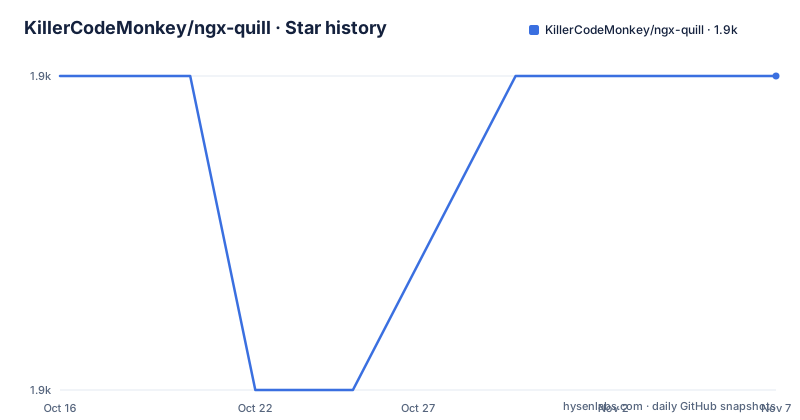
Star history
- KillerCodeMonkey/ngx-quill1,854 ★ · +0
| Repository | 2026-10-16 | 2026-11-07 |
|---|---|---|
| KillerCodeMonkey/ngx-quill | 1.9k | 1.9k |
0 Stars in the last 22 days, measured from the daily GitHub snapshot. Compare with other projects
Editorial analysis
Why ngx-quill Exists in an Angular Application
ngx-quill is an Angular module and component library for the Quill Rich Text Editor. It is intended for developers building Angular applications that need WYSIWYG editing, read-only Quill rendering, template-driven forms, reactive forms, or Angular signal forms. The library supplies `<quill-editor>` for editing and also documents `quill-view` and `quill-view-html` components for presenting stored content.
The package does not replace Quill. The README requires `quill` as a peer dependency and expects the application to provide `@angular/core`, `@angular/common`, `@angular/forms`, `@angular/platform-browser`, and `rxjs`. This makes ngx-quill an Angular integration layer around Quill rather than a separate editor engine.
That division matters when selecting a tool. Angular applications can gain declarative components, form bindings, global configuration, and custom module registration. Applications that do not use Angular gain little from this package. The repository also includes examples for Ionic and Angular Universal, but its core target remains Angular applications. Its current compatibility table lists Angular v22 with ngx-quill 31.x, Angular v21 with ngx-quill 29.x and 30.x, and Angular v20 with ngx-quill 28.x. Those pairings should be checked before upgrading either side.
How ngx-quill Connects Angular and Quill
The integration starts when `QuillModule.forRoot()` is imported into an Angular `NgModule`. The README notes that lazy-loaded modules still require `QuillModule.forRoot()` in the root module so the `Config` service is registered. A standalone application can instead register configuration through `provideQuillConfig` from `ngx-quill/config`.
The configuration object is passed to Quill. The documented example enables the syntax module and configures a toolbar, while the README refers to Quill's configuration documentation for the available modules and options. Applications can extend the exported `defaultModules`, define custom formats through `customOptions`, and add or replace Quill modules through `customModules`.
Editor data moves through Angular bindings rather than updating on every Quill event indiscriminately. According to the README, ngx-quill updates `ngModel` or `formControl` for every `user` change. If application code changes content directly through the editor reference, the README says to pass `'user'` as the source argument to Quill API methods when the Angular model must be updated.
This source distinction has practical value for forms. Quill's `text-change` event supplies a source value, while ngx-quill is specifically described as reacting to user changes. Code that mutates Quill without that source can therefore leave editor content and Angular form state out of alignment unless the integration is handled correctly.
Installing ngx-quill and Rendering the First Editor
Install the package from the Angular project that will host the editor. The README gives `npm install ngx-quill` and separately requires compatible peer dependencies, including Quill `^2.0.0`.
npm install ngx-quillThe next step is a theme stylesheet. Quill's `bubble.css` or `snow.css` is required in the application build. The README locates these files in `node_modules/quill/dist` and permits loading them from `index.html`, CSS, SCSS, or the build configuration.
@import '~quill/dist/quill.bubble.css';
// or
@import '~quill/dist/quill.snow.css';
Only one theme should be selected for the desired editor presentation. The source retains the `// or` line as documentation of the alternative, not as a configuration requiring both imports.
For a standard Angular `NgModule`, import `QuillModule` from `ngx-quill` and register `QuillModule.forRoot()`.
import { QuillModule } from 'ngx-quill'Add that module to the application module's `imports` array.
@NgModule({
  imports: [
    ...,

    QuillModule.forRoot()
  ],
  ...
})
class YourModule { ... }
Finally, place `<quill-editor></quill-editor>` in the component template. At this point the Angular build should contain the editor component and its selected Quill theme.
Configuring Syntax Modules and Standalone Applications
Applications that need global Quill settings can import `QuillConfigModule` from `ngx-quill/config`. The README describes this as an alternative that removes the need to import the `ngx-quill` library into the vendor bundle. Configuration can include Quill modules, including syntax support.
import { QuillConfigModule } from 'ngx-quill/config';

@NgModule({
  imports: [
    ...,

    QuillConfigModule.forRoot({
      modules: {
        syntax: true,
        toolbar: [...]
      }
    })
  ],
  ...
})
class AppModule {}
Standalone Angular applications use a provider function instead. This keeps the Quill options visible in `bootstrapApplication`, while the module form remains available to applications organized around `NgModule`.
import { provideQuillConfig } from 'ngx-quill/config';

bootstrapApplication(AppComponent, {
  providers: [
    provideQuillConfig({
      modules: {
        syntax: true,
        toolbar: [...]
      }
    })
  ]
})
The README sends developers who enable `syntax` to Quill's Syntax Highlight Module Guide. It also points to Quill Configuration for the full set of supported settings. ngx-quill is therefore the Angular registration and component layer, while Quill remains the source for detailed module behavior.
There is another operational detail for server-rendered applications. In an Angular Universal setup, the README explains that server and browser execution can cause `Quill.register` to run twice. This can produce a global registration warning even when both registrations are expected. Passing `suppressGlobalRegisterWarning: true` is documented as the way to suppress those warnings.
Delta Storage Versus HTML in ngx-quill
The most consequential limitation is content representation. The README warns that there are many open HTML issues with Quill v2 and recommends its Delta representation as object or JSON data. It describes HTML as generally not the best practice and gives two reasons: Delta is intended to render content correctly and makes migration to another editor or a major Quill version easier.
That recommendation should shape the data model before an editor is added. A form that stores Quill Delta can remain tied to Quill's structured operations. An HTML-only requirement introduces a conversion and rendering boundary. The README points to open Quill 2 issues concerning semantic HTML, so it does not offer evidence that arbitrary stored HTML is a dependable interchange format in this version.
The editor supports Angular's `ngModel`, `formControl`, and `formControlName`, but those bindings do not remove the storage decision. An application can have a functioning editor while still creating a later migration problem if every value is reduced to HTML. The safer starting point is to define whether persisted content is Quill Delta, plain text, or an HTML contract before writing toolbar, preview, and export features.
The repository examples distinguish sanitized and unsanitized HTML content and cover several content formats. That is evidence that format handling is a deliberate area of the project, not proof that every HTML combination is equally reliable. Teams with strict HTML requirements should inspect the relevant Quill issues and define their validation and sanitization policy before adoption.
Editor Failures, Custom Modules, and Direct Quill Integration
Two documented behaviors can surprise new users. First, IME input and special characters may add unwanted new lines. The README links the issue and suggests removing the `compositionend` patch from `zone.js` as a possible solution. Second, Quill triggers a form control or model change during the first render because validation can occur only after editor initialization. These are initialization and input-handling boundaries, not merely configuration preferences.
Customization is available through `customOptions` for formats and options, and `customModules` for adding or replacing modules. The example repository lists custom fonts, toolbar placement, formulas, image resizing, key bindings, placeholders, readonly toggling, bubble toolbars, and direction changes. These examples demonstrate supported extension points, but the core README does not define the complete configuration schema for each custom module.
A real alternative is integrating Quill directly in an Angular application without ngx-quill. Direct integration would require the application to create Quill instances, synchronize their state with Angular forms, load theme assets, and manage viewer components itself. ngx-quill removes that wiring through Angular modules and components, at the cost of adding an integration package whose releases track Angular versions.
That trade-off favors ngx-quill when Angular form binding and component declarations are central. Direct Quill may be more appropriate when the application needs browser-side control that is outside the documented ngx-quill surface. The repository does not document a full migration procedure between these approaches, so existing editor instances and persisted formats would need separate validation.
ngx-quill Release Compatibility and MIT Upgrade Cost
The repository is not archived, and the last push was on 2026-10-12. Recent releases include v31.0.0 for Angular v22 on 2026-06-04, v30.1.3 on 2026-04-24, and v30.1.2 on 2026-04-20. The current compatibility table gives support windows of November 2027 for Angular v22 with ngx-quill 31.x, May 2027 for Angular v21 with ngx-quill 29.x and 30.x, and November 2026 for Angular v20 with ngx-quill 28.x.
An upgrade is therefore not only an npm package change. It includes matching Angular and ngx-quill lines, checking Quill peer compatibility, and reviewing toolbar, syntax, custom module, and form behavior. The repository's lint command is `npm run lint`, which runs ESLint and TypeScript with `npx tsc --noEmit`. Its package file declares MIT licensing and lists Node.js engine ranges of `^22.22.3 || ^24.15.0 || ^26.0.0`.
The MIT license permits use and modification under its conditions, but this review does not interpret those legal terms. Organizations still need to account for Quill and Angular licenses in the full distributed application. The relevant engineering cost is version alignment: Angular releases and their supported ngx-quill lines have different end dates, so upgrade planning cannot be postponed without reducing the project's documented support window.
Editorial conclusion
Angular teams that already use Quill or want its Delta model and form bindings should adopt ngx-quill after checking the compatibility table for their exact Angular version. Projects that require dependable cross-editor HTML interchange should first verify their HTML workflow against the documented Quill 2 issues, or choose direct Quill integration with more explicit browser-side wiring.
Frequently asked questions
How do I install ngx-quill in an Angular application?
Run `npm install ngx-quill`, install the documented Angular and RxJS peer dependencies plus `quill` `^2.0.0`, and include either `quill.bubble.css` or `quill.snow.css` in the application build.
Which ngx-quill version should I use with Angular 22?
The compatibility table lists Angular v22 with ngx-quill 31.x, supported until November 2027. The listed recent release is v31.0.0.
Should ngx-quill editor content be stored as HTML or Delta?
The README recommends Delta as object or JSON data because it is intended to render correctly and supports migration between editors and major Quill versions. It also warns that Quill v2 has open HTML issues.
Official sources
Add this badge to your README
If you maintain this project, the badge below links readers to this analysis and shows its maintenance status from the daily GitHub snapshot. Paste the markdown into your README; add ?metric=license or ?metric=stars to the image URL for a different field.

[](https://hysenlabs.com/projects/killercodemonkey-ngx-quill)Star history chart for your README
[](https://hysenlabs.com/projects/killercodemonkey-ngx-quill)Was this useful?