STTextView for macOS and iOS source editors
Performant and reusable text view component (TextKit 2), with line numbers and more. UITextView / NSTextView replacement.
At a glance
- What is it?
- STTextView replaces UITextView and NSTextView with a reusable TextKit 2 component tailored to source editing on macOS, iOS, and Mac Catalyst. It offers line numbers, search, plugins, multiple cursors, and configurable layout, but requires recent Apple toolchain versions.
- Who is it for?
- STTextView fits developers building a custom source editor on macOS, iOS, or Mac Catalyst who need TextKit 2 behavior, line numbers, search, and plugin-based features. It is a poor fit for applications that must support older operating systems or Xcode versions, or that depend on undocumented UITextView and NSTextView behavior.
- Can I use it commercially?
- Check first. The repository uses a licence we do not classify automatically, so read its LICENSE file before any commercial use.
- Is it still maintained?
- Yes. The repository last received commits 17 days ago.
- What is it written in?
- Mainly Swift, according to GitHub's language statistics.
Answers come from the project's GitHub data, last synced on October 23, 2026, and from our analysis. They are not legal advice.
Star history
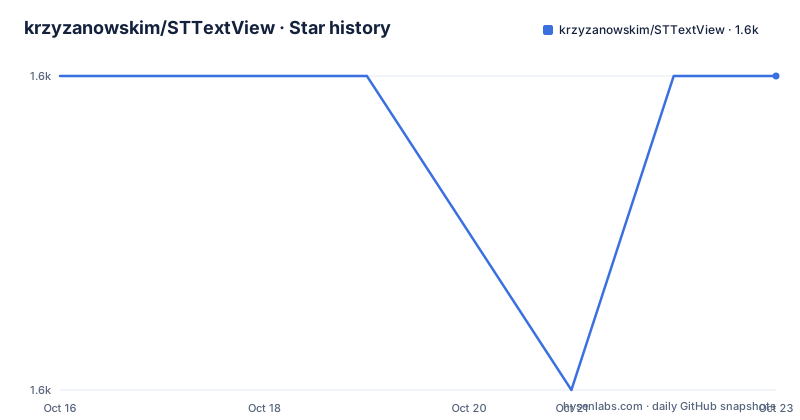
- krzyzanowskim/STTextView1,606 ★ · +0
| Repository | 2026-10-16 | 2026-10-23 |
|---|---|---|
| krzyzanowskim/STTextView | 1.6k | 1.6k |
0 Stars in the last 7 days, measured from the daily GitHub snapshot. Compare with other projects
Editorial analysis
Why STTextView replaces Apple text views
STTextView addresses applications that need a source-code editor rather than a generic editable text surface. Its main stated consumer is Swift Studio, where editing behavior, presentation, and extensibility are central product requirements. The component reimplements the role played by UITextView on iOS and NSTextView on macOS using TextKit 2, giving the host application a source-oriented text-editing component with its own API.
The README connects this decision to bugs encountered while working with Apple's text editing classes and TextKit 2, including support requests that led the author to start the project. This is a specific engineering rationale, not evidence that the Apple components are universally unsuitable. Native UITextView and NSTextView remain a different architectural choice because they are Apple's platform components, and the README does not claim that STTextView matches every native API or behavior.
The target audience is narrower than all Swift developers. It includes teams implementing code editors, structured note editors, or other interfaces that need line numbers, visible invisible characters, adjustable wrapping, annotations, syntax highlighting, or completion support. A simple form field or short text-entry control is unlikely to justify introducing STTextView and its platform requirements. Its stronger case is an application that needs editor controls beyond those documented for the standard use case.
TextKit 2 layout and editing architecture
At the center of the component is `STTextView`, an `NSView` subclass presented through an API that the README describes as similar to `NSTextView`. The repository includes two demo applications, `TextEdit` and `TextEdit.SwiftUI`, providing AppKit and SwiftUI examples to inspect. Presentation is configured through properties attached to the text view, including fonts, text colors, paragraph defaults, wrapping, selected-line highlighting, and the gutter.
The documented editing capabilities include range highlighting and selection, multiple cursors, search and replacement, spelling and grammar, dictation, undo and redo, and both left-to-right and right-to-left layout. Line height and horizontal wrapping can be adjusted, while invisible characters can be displayed. The README also describes smooth scrolling for long content, but it does not publish benchmark conditions, supported document sizes, or memory limits. A production adoption should therefore be checked against representative source files rather than relying on that description alone.
Syntax highlighting, anchored annotations, and completion are not all mandatory parts of the core editing surface. They are offered through separate plugin repositories. This separation keeps language parsing and application-specific editor behavior out of the core component, but it also means that adding STTextView does not automatically provide a parser, completion engine, or annotation model. The host project must decide whether those extensions belong in its dependency graph.
Adding STTextView and creating the first editor
The documented installation route is Swift Package Manager. Add the package dependency to `Package.swift`, or add it through the Package Dependencies controls in Xcode project settings. The README's dependency example starts at version `2.2.0`; the release history lists `2.4.1`, released on 2026-09-08, as the newest listed version.
Use the repository's manifest dependency as follows:
let package = Package(
    dependencies: [
        .package(url: "https://github.com/krzyzanowskim/STTextView", from: "2.2.0")
    ]
)
After resolving the package, import `STTextView`, initialize it, and add it to the application's container view:
import STTextView

let textView = STTextView()
view.addSubview(textView)
This creates the basic editor view. A macOS application also needs a scrolling container for useful long-document presentation. The README documents two approaches: assign the text view as an `NSScrollView` document view, or call `scrollableTextView()` and retrieve its `documentView` as `STTextView`.
let scrollView = STTextView.scrollableTextView()
let textView = scrollView.documentView as! STTextView
This convenience initializer produces a scroll view containing an `STTextView`. The snippets do not show Auto Layout constraints, so the host application remains responsible for sizing and positioning the resulting view hierarchy.
Configuring source presentation and the gutter
STTextView exposes several source-editor settings without requiring a separate configuration document. A host can assign an `NSMutableParagraphStyle`, choose a monospaced system font, set a text color, add attributed ranges, disable horizontal wrapping, and highlight the selected line. These properties operate directly on the text view.
The following example configures 120 percent line height, a default tab interval, a monospaced font, and selected-line highlighting:
let paragraph = NSParagraphStyle.default.mutableCopy() as! NSMutableParagraphStyle
paragraph.lineHeightMultiple = 1.2
paragraph.defaultTabInterval = 28
textView.defaultParagraphStyle = paragraph
textView.font = NSFont.monospacedSystemFont(ofSize: 14, weight: .regular)
textView.textColor = .textColor
textView.highlightSelectedLine = true
Line numbers use the gutter view. Enabling `showsLineNumbers` adds the editor gutter, and the optional separator creates a visible boundary beside the text:
textView.showsLineNumbers = true
textView.gutterView?.drawSeparator = true
Setting `isHorizontallyResizable` to `true` in the README's customization example means lines are not wrapped to the editor width. For applications that prefer bounded wrapping, the SwiftUI options list provides `.wrapLines`.
The README does not document keyboard shortcut mappings, accessibility verification, cursor animation, text encoding behavior, or a maximum supported file size. Those omissions matter when replacing a platform text view because a source editor is expected to behave consistently under repeated navigation and editing operations.
Search and replace inside the macOS editor
STTextView includes an optional incremental search-and-replace interface for macOS. The README places this interface inside a view, usually a scroll view. Enabling `isIncrementalSearchingEnabled` activates the search behavior, while the `textFinder` configuration controls presentation such as dimming the content view during incremental search.
textView.isIncrementalSearchingEnabled = true
textView.textFinder.incrementalSearchingShouldDimContentView = true
These properties make search part of the editor component rather than requiring every application to construct a separate search interface. This is useful for source editors where users need to locate and replace text frequently, particularly in long documents.
The documentation does not describe the exact keyboard shortcuts, search history, regular-expression support, whole-document replacement safeguards, or behavior for extremely large strings. It also does not document an iOS equivalent for this particular interface. The feature list names search and replacement as a general capability, while the visible configuration example is explicitly marked for macOS. Teams that require identical search behavior on both platforms should inspect the TextEdit demo applications before depending on a shared user experience.
Binding STTextView from SwiftUI
SwiftUI applications use the separate `STTextViewSwiftUI` module. Its wrapper binds an `AttributedString` to `@State` and accepts an options list. The README's example enables wrapped lines, selected-line highlighting, and line numbers before applying a monospaced font.
import STTextViewSwiftUI

struct ContentView: View {
    @State private var text = AttributedString("Hello World!")

    var body: some View {
        TextView(
            text: $text,
            options: [.wrapLines, .highlightSelectedLine, .showLineNumbers]
        )
        .textViewFont(.monospacedSystemFont(ofSize: 14, weight: .regular))
    }
}
This is the shortest documented SwiftUI first use. The binding keeps the editable attributed value in the view's state, while the options select immediate editor behavior. The monospaced font supports the source-code presentation shown in the example.
The README does not show how the wrapper is embedded in a larger navigation structure, how files are loaded, or how a syntax plugin is registered from SwiftUI. The `TextEdit.SwiftUI` demo is the named place for those application-level patterns. The documentation also does not describe persistence or serialization for `AttributedString`, so applications should verify how file encoding and attributed ranges fit into their own storage layer.
Plugin contracts for syntax and annotations
The plugin system separates the text-editing component from optional language-aware behavior. `STPlugin` defines setup and teardown, while `STPluginContext` gives a plugin access to the text view, its properties, text-change subscriptions, events, text attributes, and selections. That context is the communication boundary between the host editor and an extension.
The documented plugin skeleton is concise:
class MyPlugin: STPlugin {
    func setUp(context: STPluginContext) {
        // Initialize your plugin
    }

    func tearDown() {
        // Clean up resources
    }
}
The README identifies separate repositories for Tree-sitter syntax highlighting, Tree-sitter with Neon highlighting, TextFormation-based completion, anchored annotations, and a template for new plugins. This means an application can start with the core editor and add only the extensions required by its product.
That modularity also creates an adoption boundary. A code editor that needs parsing, typed completion, or anchored diagnostics must evaluate separate dependencies and decide how they communicate with the host. The repository description does not establish the release compatibility, minimum system requirements, or maintenance status of those plugin projects. The core repository cannot by itself confirm that a particular syntax stack is current or production-ready.
Maintenance, upgrades, alternatives, and licence review
The repository is not archived, and its last push was on 2026-10-06. Releases listed near that point include `2.4.1` on 2026-09-08, `2.4.0` on 2026-08-13, and `2.3.12` on 2026-08-01. The README does not define a support policy, compatibility promise, or release migration procedure, so upgrading an editor should include reviewing `CHANGELOG.md` and the demo applications.
The stated build requirements are macOS 14.0+, iOS 16.0+, Mac Catalyst 16.0+, Swift 5.9+, and Xcode 26.0+. These minimums directly constrain adoption. A project must verify its installed Xcode version and CI environment before adding the dependency. The README does not offer a lower-Xcode compatibility path.
The main alternative is Apple's native `NSTextView` or `UITextView`. Those classes provide the platform's standard editing component. STTextView instead offers a source-editor package built on TextKit 2, with documented line numbers, selected-line highlighting, configurable line height, search, multiple cursors, and a plugin contract. The project does not claim complete native API parity, so choosing STTextView means accepting both its editor features and the work of validating any native behaviors the application expects.
GitHub classifies the repository as using a custom licence that it cannot categorize, and the project points readers to `LICENSE.md`. The README excerpt does not contain that licence's terms. Teams must read the file to determine permitted use, attribution, redistribution, and compatibility obligations rather than assuming a standard open-source licence.
Editorial conclusion
STTextView fits developers building a custom source editor on macOS, iOS, or Mac Catalyst who need TextKit 2 behavior, line numbers, search, and plugin-based features. It is a poor fit for applications that must support older operating systems or Xcode versions, or that depend on undocumented UITextView and NSTextView behavior. Before adoption, read `LICENSE.md`, verify compatibility with macOS 14.0+, iOS 16.0+, Mac Catalyst 16.0+, Swift 5.9+, and Xcode 26.0+, then confirm which separate plugins the editor requires. The most concrete adoption boundary is STTextView's stated TextKit 2 platform requirements.
Frequently asked questions
What are the minimum platform requirements for STTextView?
STTextView requires macOS 14.0+, iOS 16.0+, Mac Catalyst 16.0+, Swift 5.9+, and Xcode 26.0+.
How do I add line numbers to STTextView?
Set `showsLineNumbers` to `true`. The gutter separator can also be enabled through `gutterView?.drawSeparator`.
Does STTextView include syntax highlighting and typed completion?
The core provides plugin support, while syntax highlighting and TextFormation-based completion are offered through separate plugin repositories. Those extensions must be evaluated and added separately.
Official sources
Add this badge to your README
If you maintain this project, the badge below links readers to this analysis and shows its maintenance status from the daily GitHub snapshot. Paste the markdown into your README; add ?metric=license or ?metric=stars to the image URL for a different field.

[](https://hysenlabs.com/projects/krzyzanowskim-sttextview)Star history chart for your README
[](https://hysenlabs.com/projects/krzyzanowskim-sttextview)Was this useful?