KubePug Checks Kubernetes API Deprecations Before Upgrade
Kubernetes PreUpGrade (Checker)
At a glance
- What is it?
- KubePug is a Go-based kubectl plugin and command-line checker for finding deprecated or deleted Kubernetes APIs in a live cluster or manifest files. It supports version-targeted checks, replacement API reporting, CI exit codes, local manifest scanning, and air-gapped databases.
- Who is it for?
- KubePug fits Kubernetes administrators, platform engineers, and CI owners who need to find API removals before an upgrade. It is unsuitable for teams that need semantic validation, policy enforcement, or a fully self-contained deployment without first supplying a local deprecation database.
- Can I use it commercially?
- Yes. Apache-2.0 is a permissive licence: you can use, modify and sell software built on it, as long as you keep its copyright and licence notices.
- Is it still maintained?
- Yes. The repository last received commits 3 days ago.
- What is it written in?
- Mainly Go, according to GitHub's language statistics.
Answers come from the project's GitHub data, last synced on November 7, 2026, and from our analysis. They are not legal advice.
Star history
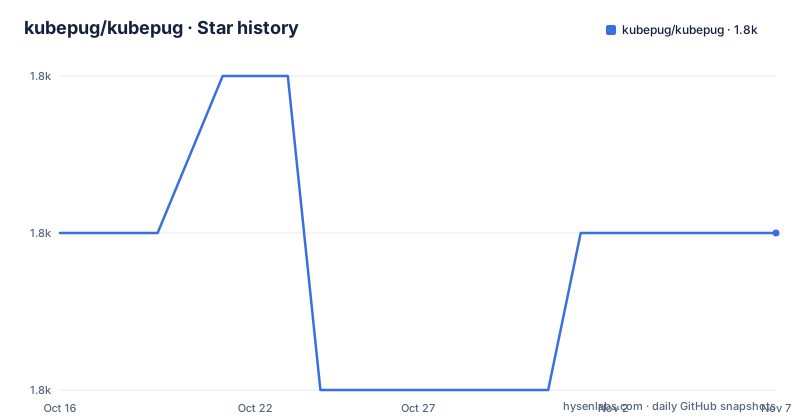
- kubepug/kubepug1,842 ★ · +0
| Repository | 2026-10-16 | 2026-11-07 |
|---|---|---|
| kubepug/kubepug | 1.8k | 1.8k |
0 Stars in the last 22 days, measured from the daily GitHub snapshot. Compare with other projects
Editorial analysis
Why KubePug Exists for Kubernetes Upgrade Planning
KubePug addresses a specific Kubernetes upgrade risk: an object may still exist in a manifest or cluster even though the API version used to describe it has been deprecated or deleted in the target release. The project is intended for operators and engineers who need an inventory of affected objects before moving to another Kubernetes version. Its output identifies the API, the object, the deprecation or deletion version, and, when available, the replacement API.
The distinction between deprecated and deleted APIs matters operationally. A deprecated API is still available but carries a migration warning, while a deleted API may no longer be accepted by the target cluster. KubePug lets users select the Kubernetes release being validated instead of relying only on the current cluster version. That makes it useful for release preparation, where the cluster has not yet been upgraded but manifests or deployed objects need to be checked against the future API surface.
The README also positions KubePug as a kubectl plugin. It can inspect a running cluster through kubeconfig or the current context, or it can read Kubernetes manifest files and directories. This gives the same deprecation model two different inputs: objects obtained from Kubernetes and YAML supplied before deployment.
KubePug's Database and Reporting Flow
The documented flow starts with a generated data.json file containing API deprecation information for a specified Kubernetes release. By default, the command uses the database URL https://kubepug.xyz/data/data.json. The README states that this file is generated hourly from the latest stable Kubernetes API version. KubePug uses the selected database while validating the objects it reads.
For a cluster check, the command uses Kubernetes client libraries and the normal kubeconfig or current cluster context. Flags such as --kubeconfig, --cluster, --context, and --as-uid affect which cluster and identity the command uses. For manifest checking, --input-file points to a file or directory. The directory example scans YAML files while excluding subdirectories, which is a detail worth checking when a repository organizes manifests into nested folders.
The version flag determines the comparison target. The documented default is --k8s-version=master, while examples use values such as --k8s-version=v1.22 or --k8s-version=v1.22.0. Output can be sent to stdout or saved with --filename, and --format accepts stdout, plain, json, or yaml. The report groups findings under deprecated and deleted APIs and includes replacement information such as networking.k8s.io/v1/Ingress for the removed extensions/v1beta1 Ingress example.
Installing KubePug and Running the First Check
The simplest documented installation for kubectl plugin users is Krew. After installing the plugin, the command can be run as part of a manifest or cluster check. The README also supports installation through Go, which is appropriate when the environment already has Go 1.23.0 or a compatible toolchain.
For users who prefer a standalone binary, the README directs them to the Releases page rather than prescribing a package manager or a fixed version.
For Krew installation, run:
kubectl krew install deprecationsFor a Go installation, run:
go install github.com/kubepug/kubepug@latestThe standalone documentation gives the first useful example as a version-targeted cluster check:
kubepug --k8s-version=v1.22The command checks the current context against v1.22. The README shows sample output containing a deprecated PodSecurityPolicy object and a deleted extensions/v1beta1 Ingress object. For file-based checking, use:
kubepug --input-file=./deployment/ --error-on-deleted --error-on-deprecatedThis reads the configured database, checks the deployment directory, and makes the process fail when either deprecated or deleted objects are found. The exit behavior is controlled by the two --error-on flags; without them, findings are displayed but the documented default return code remains zero.
CI Integration, Helm, and Air-Gapped Operation
KubePug can be placed in CI without changing the basic analysis model. The README provides a Helm example that renders manifests first and sends them to KubePug through standard input:
helm template -f values.yaml .0 | kubepug --k8s-version v1.22.0 --input-file=-This approach checks generated Helm output rather than only the templates in the repository. It can reveal an API problem introduced by values or template logic, although the command still checks Kubernetes API versions rather than validating the full meaning of the rendered resources.
The --error-on-deleted and --error-on-deprecated flags turn findings into a CI failure. This is useful when an upgrade policy requires deprecated APIs to be removed before merge or release. The README does not document a built-in remote cache policy, authentication method for the database URL, or retry policy, so operators should account for network availability separately.
For an air-gapped environment, the documented approach is to download data.json on a connected machine, transfer it securely, and pass its location with --database:
kubepug --k8s-version=v1.22 --database=location/of/your/data.jsonThe project also documents generating the database with the generator container. Its build and generation commands are:
git clone https://github.com/kubepug/kubepug
docker build -t generator -f generator/Dockerfile generatordocker run generator > data.jsonThe generator uses the latest stable Kubernetes API by default. For the latest development version, the README specifies:
docker run -e VERSION=master generator > data.jsonThis self-hosting route adds an operational responsibility: the local database must be generated, transferred, updated, and kept consistent with the target Kubernetes version.
KubePug's Boundaries as a Kubernetes Validator
KubePug is a deprecation checker, not a complete manifest validator. The README documents API version detection, affected objects, replacement APIs, and deprecated or deleted versions. It does not claim to validate resource semantics, image availability, quotas, security policies, owner references, networking behavior, or whether an application will function after migration. A manifest can contain a current API and still be operationally invalid.
The default database dependency is also a boundary. The project uses a generated data.json URL by default, and the README describes hourly generation based on the latest stable Kubernetes API. A disconnected or restricted environment therefore needs a local file and a process for updating it. The target version still matters because one database can describe multiple release milestones.
The cluster mode depends on access to the Kubernetes API and the selected credentials. A missing permission, an unavailable context, or an incorrect kubeconfig can prevent object discovery. File mode does not resolve those cluster permissions, but it also cannot reveal objects that exist only in the cluster. These are separate checks with different coverage.
Compared with general-purpose policy or admission tooling, KubePug takes a narrower approach. Policy engines can evaluate broader rules and admission decisions, while KubePug focuses on API lifecycle information. Compared with manual API review, KubePug automates comparison and reporting, but its findings still require an engineer to perform the actual manifest or cluster migration.
KubePug Maintenance, Licensing, and Upgrade Work
The repository is not archived, and the last push was on 2026-06-22. The listed recent releases are v1.7.1 and v1.7.0 from 2023-10-18, followed by v1.6.1 from 2023-08-11. This distinction matters for adoption decisions: the repository has a later push than its listed release history, but the release record shown does not establish a current release cadence.
The project uses the Apache-2.0 license. The repository includes Go module dependencies related to Kubernetes client libraries, Cobra, YAML parsing, semantic versioning, logging, and release utilities. The go.mod file specifies Go 1.23.0, so a standalone build or local source workflow needs to account for that module requirement. The Makefile provides build, test, lint, image publishing, release, snapshot, and clean targets. Upgrading dependencies or Kubernetes client libraries can therefore require more than changing an application configuration file.
The database introduces a separate upgrade dimension from the binary. Even if the KubePug executable remains unchanged, the correctness of a report depends on the deprecation data it downloads or receives through --database. Teams maintaining a local copy must decide when to regenerate it and how to associate it with the Kubernetes release being evaluated. The README does not document database schema compatibility or a formal support policy for that file.
Editorial conclusion
KubePug fits Kubernetes administrators, platform engineers, and CI owners who need to find API removals before an upgrade. It is unsuitable for teams that need semantic validation, policy enforcement, or a fully self-contained deployment without first supplying a local deprecation database. Before adoption, verify that the selected target version, database location, manifest format, and desired failure behavior match the upgrade plan.
Frequently asked questions
How do I install KubePug as a kubectl plugin?
The README gives `kubectl krew install deprecations` as the Krew installation command. It also documents `go install github.com/kubepug/kubepug@latest` for a Go installation.
Can KubePug check local Kubernetes manifests instead of a cluster?
Yes. Use `--input-file` with a manifest file or directory. The documented directory example checks YAML files while excluding subdirectories and can return an error for deprecated or deleted objects.
How does KubePug work in an air-gapped environment?
Download `data.json` outside the restricted environment, transfer it securely, and pass its local path with `--database`. The README also documents building and running the generator container to create the file.
Does KubePug fail when it finds a deprecated API?
Not by default. The `--error-on-deprecated` flag makes the program exit with return code 1 when deprecated objects are found. The separate `--error-on-deleted` flag applies the same failure behavior to deleted objects.
Official sources
Add this badge to your README
If you maintain this project, the badge below links readers to this analysis and shows its maintenance status from the daily GitHub snapshot. Paste the markdown into your README; add ?metric=license or ?metric=stars to the image URL for a different field.

[](https://hysenlabs.com/projects/kubepug-kubepug)Star history chart for your README
[](https://hysenlabs.com/projects/kubepug-kubepug)Was this useful?