Laravel Fortify: Frontend-Agnostic Authentication Backend
Backend controllers and scaffolding for Laravel authentication.
At a glance
- What is it?
- Laravel Fortify provides the backend authentication layer used by Laravel Starter Kits, covering registration, login and two-factor authentication without prescribing a frontend. It is aimed at Laravel developers who need server-side authentication scaffolding while retaining control over the user interface.
- Who is it for?
- Adopt Fortify when building a Laravel application that needs registration, authentication or two-factor authentication with a custom frontend. Do not treat it as a complete user interface or a replacement for every application-specific authorization policy.
- Can I use it commercially?
- Yes. MIT is a permissive licence: you can use, modify and sell software built on it, as long as you keep its copyright and licence notices.
- Is it still maintained?
- Yes. The repository last received commits 17 days ago.
- What is it written in?
- Mainly PHP, according to GitHub's language statistics.
Answers come from the project's GitHub data, last synced on November 7, 2026, and from our analysis. They are not legal advice.
Star history
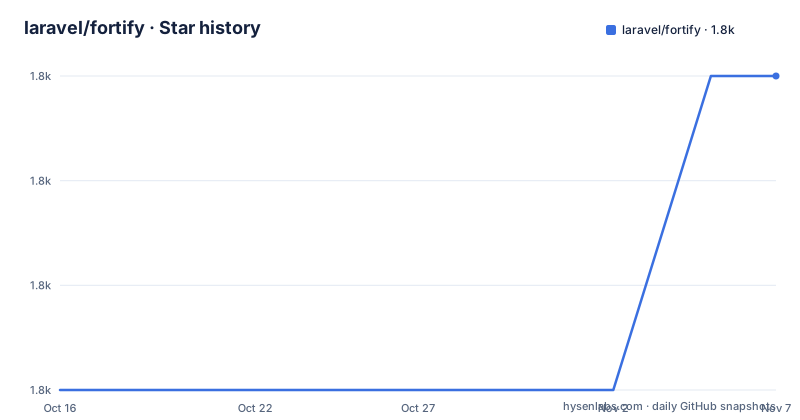
- laravel/fortify1,763 ★ · +3
| Repository | 2026-10-16 | 2026-11-07 |
|---|---|---|
| laravel/fortify | 1.8k | 1.8k |
3 Stars in the last 22 days, measured from the daily GitHub snapshot. Compare with other projects
Editorial analysis
Fortify's Laravel Authentication Boundary
Laravel Fortify is described in the README as a “frontend agnostic authentication backend for Laravel.” That boundary is the central design choice. The package supplies the server-side foundation for authentication-related flows while leaving the presentation layer to the application or another Laravel package. The README specifically connects Fortify with registration, authentication and two-factor authentication in Laravel Starter Kits. That makes it relevant to developers who want those application concerns available from a Laravel backend without adopting the Starter Kit's complete front end. It is also relevant to teams that already have an established UI framework and need to expose authentication endpoints without redesigning that UI around a particular implementation. The repository description calls the project “Backend controllers and scaffolding for Laravel authentication,” so its purpose is concrete infrastructure rather than a visual authentication kit.
Repository Structure Behind the Backend
Based on the repository layout, Fortify keeps implementation concerns in conventional Laravel directories. The top-level `src/` directory contains the package source, while `routes/` provides route-related material and `config/` contains configuration files. The repository also includes `resources/`, `database/`, `stubs/` and `workbench/` directories, indicating that the package includes more than a single controller class. The README does not enumerate every service, action, view or database component, so the exact runtime flow cannot be confirmed from the repository description alone. What can be confirmed is that the project is organized as a Laravel package with separate areas for source, routes, configuration, resources and database artifacts. This layout is important when evaluating integration. A developer should inspect the installed package's routes and configuration rather than assuming that installing it automatically creates a particular login page or user interface.
Installing Fortify Through Laravel Documentation
The README does not give a package-manager installation command or a configuration snippet. It directs developers to the official Laravel Fortify documentation at `https://laravel.com/docs/fortify`, so that documentation is the correct place to find the installation procedure for a compatible Laravel application. The repository does contain `composer.json`, which identifies the package metadata and dependency boundary, but the README does not state an exact Composer command or supported version matrix. The first practical step is to follow the Laravel documentation for the Laravel release in the target application, then inspect the installed package's routes and configuration. A successful installation should be checked against the application's own Laravel version, because a Laravel package's source, configuration keys and route behavior belong to a specific framework context.
Registration, Login and Two-Factor Authentication
The README names three feature areas: registration, authentication and two-factor authentication. These are separate concerns with different application decisions around them. Registration determines how new account records are created and which user attributes the application accepts. Authentication handles access to the application after registration. Two-factor authentication adds a second verification step to that access process. Fortify's backend orientation means that these capabilities can exist independently of the visual form components used to submit them. The README does not state which login views it provides, whether a particular user model is required, or how recovery and account-lockout behavior is configured. Those details should not be inferred from the feature names. Developers should read the official documentation and the package configuration after installation. The useful evaluation question is whether Fortify supplies the server-side routes and scaffolding required by the application while leaving the desired interface in the developer's hands.
Fortify Compared With a Complete Starter Kit
The clearest alternative described by the README is a Laravel Starter Kit. Fortify powers the registration, authentication and two-factor authentication features used by Starter Kits, but it is not presented as the Starter Kit itself. A Starter Kit is a broader application starting point that uses Fortify for registration, authentication and two-factor authentication. Fortify instead leaves the frontend unspecified. This difference matters when a team wants authentication foundations without taking on a starter kit's UI stack or application scaffolding. It also means that choosing Fortify leaves more interface and integration work to the application developer. Fortify is therefore the more focused choice for a team with an existing frontend, while a Starter Kit is the more relevant choice when the goal is to begin from a broader Laravel application template. The README does not provide a feature-by-feature comparison, so the distinction here is based on the package's stated frontend-agnostic role and its relationship to Starter Kits.
Maintenance, Releases and Upgrade Considerations
The repository is not archived, and its last push was on 2026-10-16. The recent releases listed are `v1.41.0` on 2026-10-06, `v1.40.0` on 2026-09-22 and `v1.39.0` on 2026-08-25. These records indicate recent release activity on the 1.x branch, but they do not describe the exact upgrade procedure or compatibility policy. The repository includes `UPGRADE.md` and `CHANGELOG.md`, which are the relevant places to inspect for version-specific migration notes. Upgrade cost depends on the changes between the installed Fortify version and the target version, as well as the Laravel application version and any local customization around routes, configuration or user authentication behavior. The MIT license permits use and modification under its terms, but the license text should be reviewed for the project's obligations and for compatibility with the surrounding application.
Editorial conclusion
Adopt Fortify when building a Laravel application that needs registration, authentication or two-factor authentication with a custom frontend. Do not treat it as a complete user interface or a replacement for every application-specific authorization policy. Before adoption, verify the Fortify version supported by your Laravel release, the routes and configuration exposed by the installed package, and the exact features required by your application.
Frequently asked questions
What is Laravel Fortify used for?
Laravel Fortify is a frontend-agnostic authentication backend for Laravel. The README identifies registration, authentication and two-factor authentication as the feature areas used by Laravel Starter Kits.
Does Laravel Fortify provide a frontend?
No. The README describes Fortify as frontend agnostic, so it supplies backend authentication foundations without prescribing the application's frontend.
Where can I find the installation instructions for Laravel Fortify?
The README directs developers to the official documentation at `https://laravel.com/docs/fortify`. The README does not include an installation command.
Official sources
Add this badge to your README
If you maintain this project, the badge below links readers to this analysis and shows its maintenance status from the daily GitHub snapshot. Paste the markdown into your README; add ?metric=license or ?metric=stars to the image URL for a different field.

[](https://hysenlabs.com/projects/laravel-fortify)Star history chart for your README
[](https://hysenlabs.com/projects/laravel-fortify)Was this useful?