Elog Markdown Publishing Across Yuque, Notion, FlowUs, Feishu, and Static Sites
Markdown 批量导出工具、开放式跨平台博客解决方案,随意组合写作平台(语雀/Notion/FlowUs/飞书/我来Wolai)和博客平台(Hexo/Vitepress/Halo/Confluence/WordPress等)
At a glance
- What is it?
- Elog connects cloud writing platforms to Markdown-oriented site generators and publishing systems. It suits users who want to keep an existing editor while replacing manual Markdown export and file placement, but its documentation and compatibility claims still need verification for each adapter.
- Who is it for?
- Adopt Elog when writing already happens in a supported cloud editor and publishing currently depends on manual Markdown export. Do not adopt it if you need a documented, self-contained database publisher without separate writing and rendering services.
- Can I use it commercially?
- Yes. MIT is a permissive licence: you can use, modify and sell software built on it, as long as you keep its copyright and licence notices.
- Is it still maintained?
- Yes. The repository last received commits 17 days ago.
- What is it written in?
- Mainly TypeScript, according to GitHub's language statistics.
Answers come from the project's GitHub data, last synced on October 23, 2026, and from our analysis. They are not legal advice.
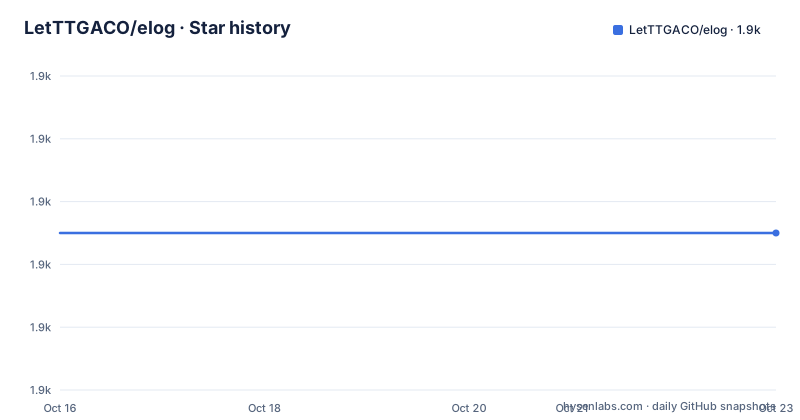
Star history
- LetTTGACO/elog1,875 ★ · +0
| Repository | 2026-10-16 | 2026-10-23 |
|---|---|---|
| LetTTGACO/elog | 1.9k | 1.9k |
0 Stars in the last 7 days, measured from the daily GitHub snapshot. Compare with other projects
Editorial analysis
Why Elog Separates Writing from Publishing
Elog addresses a mismatch common to personal blogs and documentation sites. A writer may prefer Notion, FlowUs, Feishu Cloud Docs, Yuque, or Wolai for collaboration and formatting, while the destination is Hexo, VitePress, Hugo, Halo, Confluence, WordPress, or another system that expects Markdown files. Without an intermediary, moving a finished article from the first environment to the second can involve repeated copying and manual adjustment of content or image references.
The project is aimed at users who want to retain a familiar writing environment while treating blog or documentation rendering as a separate concern. Its listed writing sources are Notion, Yuque, FlowUs, Feishu Cloud Docs, and Wolai. Its named publishing targets include static-site generators and content systems: Hexo, VitePress, Hugo, Docusaurus, Docz, Halo, Confluence, and WordPress. For static generators, the README gives the underlying condition as placing Markdown documents in the directory expected by the rendering framework.
That split is Elog's central design decision. It does not attempt to be another editor or replace the selected blog generator. Its value lies in transporting structured content between two ecosystems. This makes it a reasonable fit for a personal publishing pipeline or a documentation workflow where source and destination platforms are already fixed. It is less suitable when direct database publishing, real-time bidirectional editing, or a single all-in-one administration system is required, because Elog's documented model remains an intermediary that exports and writes content.
Elog's Source-to-Markdown Publishing Flow
The visible architecture is organized as a TypeScript pnpm workspace. The repository contains a `packages/` directory, a separate `plugins/` directory, and workspace configuration in `pnpm-workspace.yaml`. The root package delegates builds to packages matching `@elog/*`. This layout supports a modular product rather than one monolithic command, with platform integrations and publishing behavior separated across repository areas.
The documented data flow begins with content in a supported writing platform. Elog retrieves or exports that content, generates Markdown, and makes it available to a compatible destination. It can also generate Front Matter Markdown. Before the Markdown files are generated, its image handling feature scans images, uploads them when an image host is configured, and replaces the references in the document. That image step matters because the README says image URLs from platforms such as Notion and Yuque can fail when placed on another site due to anti-hotlinking behavior.
The publishing side is split by architecture. Hexo, VitePress, Hugo, Docusaurus, and Docz consume local Markdown through their rendering processes. Halo, Confluence, and WordPress are handled as named publishing platforms rather than assumed to share the same local-directory workflow. The repository also advertises custom document-processing adapters, so the transformation boundary can be extended when content requires behavior outside the included integrations.
The available image destinations are local storage, Tencent Cloud COS, Alibaba Cloud OSS, GitHub, Qiniu Cloud, and Upyun. The README also identifies community plugins for Cloudflare R2 and Backblaze B2 and states that a custom image-host plugin can target another service. This makes image delivery configurable, but the exact credential model, upload rules, naming policy, and overwrite behavior must be established from the adapter documentation rather than inferred from the overview.
Elog Installation and First Publishing Check
The README does not provide a self-contained terminal installation sequence or a minimal configuration file. It directs new users to the Elog documentation site at `https://elog.1874.cool/` and lists backup documentation at `https://1874.notion.site` and `https://wordpress.1874.cool`. Because the README does not state the installation command, initialization flags, configuration schema, or required environment variables, this article does not invent them.
The repository package metadata does establish one package-manager constraint for contributors. The root `package.json` uses a `preinstall` script that invokes `only-allow pnpm`, and its build script delegates package builds to `pnpm --filter=@elog/* run build`. Those scripts describe the monorepo workflow, not necessarily the installation procedure for an end user. The public CLI is identified elsewhere in the README through the npm package `@elog/cli`, but the overview still does not provide a documented command for installing or invoking it.
A responsible first-use check therefore begins in the linked documentation rather than with an assumed CLI command. Select the exact combination named by the project, such as Yuque with VitePress or Notion with Hexo. Then locate that combination's source credentials, output directory, image setting, and front matter options in the documentation. After generating a small post, inspect the resulting Markdown and image references. This catches the main integration boundaries before a GitHub Actions or hosting deployment is added. The README provides complete deployment examples as separate repositories, but it does not claim that every example configuration is interchangeable.
Front Matter and Static Generator Compatibility
Elog's fit depends heavily on the destination's expected document contract. A static-site generator may require front matter fields, filenames, directories, assets, links, and a particular Markdown dialect. Elog advertises Front Matter generation, which addresses part of that contract, but the README does not enumerate a universal field set or promise identical output for every generator.
Hexo, VitePress, Hugo, Docusaurus, and Docz are grouped conceptually because they render local Markdown. Even within that group, destination behavior is controlled by each project's configuration and conventions. A generator's routing model can depend on file paths, and documentation tools can apply their own navigation or metadata rules. Elog's role is to write the source material into the agreed location and format; successful publication still depends on the receiving generator interpreting that output correctly.
Halo, Confluence, and WordPress introduce a different boundary because these systems are not merely local Markdown renderers in the same sense. The overview names them as supported publishing platforms, but it does not explain their publishing APIs, page replacement rules, authentication behavior, or treatment of unsupported blocks. That omission matters when evaluating an existing site. A tool can produce a visually plausible Markdown export and still fail to preserve database properties, hierarchy, permissions, or page identity on the destination.
For this reason, compatibility should be treated as an adapter-level claim. Verify one representative article containing headings, links, code, lists, images, and any source-specific block. Then confirm how the destination displays each element. The README's statement that similar Hexo-style frameworks can work by writing Markdown into a specified directory is broad, but it does not eliminate framework-specific configuration requirements.
Image Relocation as Both Feature and Failure Point
Image processing is one of Elog's most concrete differentiators. The documented sequence is scan, upload, then link replacement before Markdown generation. Without it, a cross-platform export may retain source-platform URLs that are inaccessible from the published site. Elog addresses that risk with built-in targets and plugins.
The built-in choices cover different operating models. Local storage keeps assets with the generated content, while Tencent Cloud COS, Alibaba Cloud OSS, GitHub, Qiniu Cloud, and Upyun involve remote storage or service-specific repository access. The README does not state whether uploads are blocking, how failed images are handled, whether existing files are deduplicated, or whether deleted images are removed. It also does not document retry limits or credential storage. Those behaviors should not be assumed.
This creates a genuine operational boundary. A successful Markdown export can still produce broken pages if an upload fails, credentials expire, a remote host rejects a request, or replacement produces URLs that the target site cannot access. Cloudflare R2 and Backblaze B2 are available through community plugins, which broadens storage choice but also makes that integration dependent on a plugin's own configuration and compatibility.
The safer adoption criterion is to inspect one exported article containing several images after the pipeline runs. Confirm that the Markdown points to the intended destinations, that the files or objects exist, and that the generated links load under the deployment's access policy. The feature solves a real source-to-destination problem, but it moves part of the publishing risk from copied URLs to credentialed upload operations.
Elog's Boundaries Against Native CMS and Direct API Publishing
The closest architectural alternative is native content management software such as WordPress or Halo. That approach keeps authoring, storage, rendering, and administration in one system. It avoids building a bridge between separate cloud documents and a publishing backend, although it requires the writer to use the CMS interface or accept another way of generating content into it.
A second approach is a custom export script. If content comes from one API and must become a fixed set of Markdown files, a small project can implement exactly the required mapping without adopting Elog's adapters. The trade-off is ownership: the script's authentication, pagination, metadata conversion, image handling, retries, and future API changes all belong to the user. Elog offers a broader supported platform matrix and reusable plugins, but adoption also means accepting its configuration model and dependency on those adapters.
A third option is direct API publication into Confluence, WordPress, or another destination without a local Markdown stage. That can fit workflows where the destination's own representation is authoritative. The README does not provide enough detail to claim a feature or performance advantage for either approach. Its differentiator is portability across named writing and publishing combinations.
Elog is the wrong tool when a single native editor is already acceptable and there is no need to retain a separate writing service. It is also a weak fit for content that depends on interactive databases, application-specific blocks, or real-time collaboration after publication. Markdown export is most predictable for document-shaped articles, not for every feature offered by Notion, FlowUs, Feishu, Yuque, or Wolai.
Elog Maintenance, Releases, and MIT License
The repository is not archived, and its last push was on 2026-10-06. Recent published versions include `v0.15.0-beta.1` on 2025-03-06, `v0.15.0-beta.0` on 2025-03-05, and `v0.14.7` on 2025-02-28. The presence of a recent push indicates recent repository work, while the beta labels show that the latest listed release line should be assessed as prerelease software rather than treated as a stable API guarantee.
The repository uses pnpm workspaces and Changesets. Its release script builds all `@elog/*` packages and publishes through `pnpm changeset publish`. This indicates that releases are handled across multiple packages. For adopters, that structure means upgrades may involve more than one adapter or plugin, even when the user interacts only with `@elog/cli`. The README does not publish a compatibility matrix, migration guide, deprecation policy, or rollback procedure, so those upgrade details remain unconfirmed.
The repository and root package metadata identify the license as MIT. That permits reuse and modification under the license's conditions, including preservation of its copyright and permission notice. It does not grant rights to third-party writing platforms, hosting services, image hosts, or plugins under separate terms. Plugin licensing and service terms are not documented in the README, so users should inspect the relevant `LICENSE` files and provider agreements before redistribution or commercial deployment.
Editorial conclusion
Adopt Elog when writing already happens in a supported cloud editor and publishing currently depends on manual Markdown export. Do not adopt it if you need a documented, self-contained database publisher without separate writing and rendering services. Before adoption, verify the documented setup path for the exact source, renderer, image host, credentials, front matter behavior, and upgrade route, because the README names broad compatibility while directing configuration details to external documentation.
Frequently asked questions
Which writing platforms does Elog support?
The README lists Notion, Yuque, FlowUs, Feishu Cloud Docs, and Wolai as supported writing platforms. It presents them as sources that can be combined with supported publishing platforms.
Can Elog publish Markdown to Hexo and VitePress?
Yes. Elog explicitly lists Hexo and VitePress, and its documentation says similar frameworks work by placing Markdown documents in a specified directory for rendering.
Does Elog copy images while exporting content?
The README says Elog can upload scanned images to an image host before generating Markdown and replace the original image links. It lists local storage, Tencent Cloud COS, Alibaba Cloud OSS, GitHub, Qiniu Cloud, and Upyun as built-in destinations.
Official sources
Add this badge to your README
If you maintain this project, the badge below links readers to this analysis and shows its maintenance status from the daily GitHub snapshot. Paste the markdown into your README; add ?metric=license or ?metric=stars to the image URL for a different field.

[](https://hysenlabs.com/projects/letttgaco-elog)Star history chart for your README
[](https://hysenlabs.com/projects/letttgaco-elog)Was this useful?