libbitcoin-system: Building a C++20 Bitcoin Foundation
Bitcoin Cross-Platform C++ Development Toolkit
At a glance
- What is it?
- libbitcoin-system is the foundational C++ library in the libbitcoin toolkit for applications that need Bitcoin-related components and cross-platform builds. It supports several build systems, but its custom AGPL terms and dependency requirements require review before adoption.
- Who is it for?
- Adopt libbitcoin-system when a C++20 Bitcoin application needs a separately buildable foundation library and you can accommodate Boost plus the repository's licensing model. Do not choose it for a closed-source project until the requirements in COPYING have been reviewed for the intended distribution model.
- Can I use it commercially?
- Check first. The repository uses a licence we do not classify automatically, so read its LICENSE file before any commercial use.
- Is it still maintained?
- Yes. The repository last received commits 1 day ago.
- What is it written in?
- Mainly C++, according to GitHub's language statistics.
Answers come from the project's GitHub data, last synced on November 7, 2026, and from our analysis. They are not legal advice.
Star history
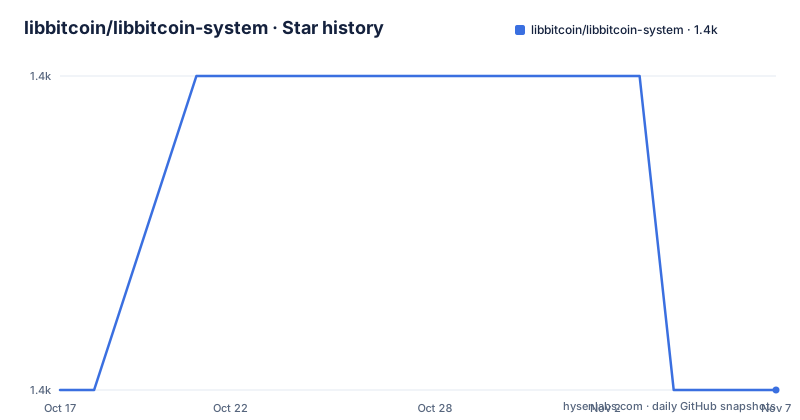
- libbitcoin/libbitcoin-system1,395 ★ · +0
| Repository | 2026-10-17 | 2026-11-07 |
|---|---|---|
| libbitcoin/libbitcoin-system | 1.4k | 1.4k |
0 Stars in the last 21 days, measured from the daily GitHub snapshot. Compare with other projects
Editorial analysis
libbitcoin-system's role in a larger Bitcoin toolkit
libbitcoin-system addresses the low-level foundation needed to build Bitcoin applications in C++ across supported platforms. It is not described as a complete wallet, node, or end-user application. Instead, the README identifies it as the foundational library on which several other libbitcoin libraries depend. That separation lets each library repository be cloned and built separately, which can be useful when an application needs only a defined subset of the toolkit.
The intended users are C++ developers working directly with the library rather than developers looking for a packaged Bitcoin service. The repository includes public headers under include/, implementation files under src/, tests under test/, and an example entry point at examples/main.cpp. It also provides build definitions for GNU Autotools, CMake, CMake Presets, and Visual Studio 2026.
That foundation comes with substantial build prerequisites. The stated compiler requirement is C++20, with CI verification listed for GCC 13 through 16, Clang 18 through 19, Apple Clang, and MSVC from Visual Studio 2026. Boost 1.86 or newer is also required, including its container, json, program_options, url, and unit_test_framework components for tests. This is a compiler-level and dependency-level library rather than a lightweight header-only utility.
Autotools, CMake, and preset-based dependency builds
The repository provides three installation scripts, each targeting a different build path. builds/gnu/install-gnu.sh uses GNU Autotools, builds/cmake/install-cmake.sh uses CMake, and builds/cmake/install-presets.sh uses named CMake configurations. The scripts can download and build Boost and can optionally build bitcoin-core/secp256k1. Unrecognized options are passed through as configuration options to the builds, so script-specific configuration is still significant.
The three paths expose the same core decisions through different interfaces. Autotools and the standard CMake script accept options such as --prefix, --build-config, --build-link, --build-boost, --build-secp256k1, --build-use-local-src, --build-skip-tests, --build-parallel, and --build-post-install-clean. The preset script instead selects a named combination such as nix-gnu-release-static, nix-gnu-release-shared, nix-gnu-debug-static, or nix-gnu-debug-shared.
The CMake route adds explicit cache-style switches including -Dwith-tests, -Dwith-examples, -Dwith-secp256k1, and -Denable-<extension>. The documented defaults enable tests and examples, disable secp256k1, and disable CPU extensions. These defaults matter for build time and reproducibility. The README also identifies the Autotools path as the reference build for CI, which is a reason to prefer it when matching that build environment matters.
Building libbitcoin-system from source on Ubuntu
The following is the GNU Autotools installation path documented for Ubuntu 24.04 LTS. It installs the build prerequisites, clones the repository, builds Boost from source, creates a release static build, installs it under the selected prefix, and removes dependency build artifacts after installation. The README states that a successful installation places headers, the library, and lib/pkgconfig/libbitcoin-system.pc under the prefix.
Install the Ubuntu packages first:
sudo apt install build-essential git autoconf automake libtool pkg-configFor the CMake route, the README also requires cmake:
sudo apt install cmakeClone and enter the repository:
git clone https://github.com/libbitcoin/libbitcoin-system
cd libbitcoin-system
Run the documented GNU Autotools installation:
./builds/gnu/install-gnu.sh \
  --prefix=$HOME/libbitcoin \
  --build-boost \
  --build-config=release \
  --build-link=static \
  --build-post-install-clean
This first use installs the development artifacts rather than launching an application. After the script completes, the expected result is the installed header and library set plus the pkg-config metadata under $HOME/libbitcoin. Use --help to inspect the complete option list:
./builds/gnu/install-gnu.sh --helpThe README does not document a separate smoke-test command for consuming the installed package, so the pkg-config file and installed headers are the first concrete verification points documented by the project.
macOS and Windows build differences
The macOS path uses the same Autotools and CMake installation scripts with Apple Clang. Homebrew supplies the build tools, including autoconf, automake, libtool, pkg-config, and cmake. The documented package command is:
brew install autoconf automake libtool pkg-config cmakeAfter that, the reader can follow either the GNU Autotools or CMake installation example. The repository does not describe a separate macOS dependency installation procedure for Boost or secp256k1 beyond the general behavior of the installation scripts.
Windows has a materially different route. Visual Studio 2026 project files are located under builds/msvc/vs2026/. NuGet dependencies are restored when the solution is built. The documented packages are libbitcoin-boost 1.91.0, which is required, and secp256k1_vc145 0.8.0, which is optional. The README also says that only Boost is required and that secp256k1 can replace the internal implementation.
The command-line Windows script is builds\msvc\build-msvc.cmd. It invokes msbuild and nuget from PATH. A Developer Command Prompt supplies msbuild, while nuget.exe must be downloaded separately. The README documents MSBUILD_EXE and NUGET_EXE for selecting other executables. That setup is a practical limitation for automation compared with the Unix scripts.
secp256k1, tests, and the cost of choosing a build configuration
libbitcoin-system can use its internal secp256k1 implementation or the bitcoin-core/secp256k1 library. The GNU installation script exposes --build-secp256k1, while CMake uses -Dwith-secp256k1. CMake defaults this option to OFF, and the Windows project lists secp256k1_vc145 as optional. The choice therefore affects dependency acquisition, build configuration, and potentially the implementation used by an application.
Tests are part of the default CMake configuration through -Dwith-tests=ON, while --build-skip-tests is available to the Autotools script. The README says the Autotools route is well-tested and is the reference build for CI. It does not publish a detailed performance comparison between link modes, preset names, or secp256k1 choices. It also does not document upgrade automation or a compatibility policy for upgrading a Bitcoin protocol library.
The practical maintenance cost comes from integration rather than release frequency alone. The repository is not archived, and the last push was on 2026-10-14. The listed releases are v3.8.0 from 2023-08-18 and v3.6.0 from 2019-08-29. The README states that master is current and pending the v4 release, so developers should not assume that the branch label itself identifies a stable release.
The libbitcoin-system licensing boundary
The repository does not use a standard license identifier recognized by GitHub. Its README describes the terms as AGPL with a lesser clause and points to COPYING as the controlling file. It states that the library may be used within a proprietary project, but that the core library and any changes to it must be published online, and that source code for the library must remain freely accessible.
That summary is not a substitute for reviewing COPYING. The relevant practical questions concern how an application incorporates the library, whether modified library code is distributed, and what publication obligation applies to the final deployment. The README explicitly says the project may be used within a proprietary project, but it also imposes publication conditions. Engineers should therefore treat the license as a design constraint rather than treating proprietary use as automatically unrestricted.
The licensing issue is separate from the platform support. C++20 and Boost requirements affect the build environment, while COPYING affects whether the resulting integration is acceptable for the intended product. The repository does not provide legal advice, and this page should not imply that the short README summary resolves every distribution scenario.
Where libbitcoin-system differs from a higher-level Bitcoin library
The clearest alternative is a higher-level Bitcoin library or application framework that hides much of the protocol and build integration work. libbitcoin-system instead sits at the foundation of the libbitcoin toolkit. The README says several other libraries depend on it, while each library can be built separately. That arrangement gives a C++ application direct access to a foundational dependency and allows narrower repository-level integration.
The trade-off is exposed infrastructure. The project requires a C++20 compiler, Boost components, build tools, dependency scripts, and choices around tests, link mode, CPU extensions, and secp256k1. A higher-level library may reduce that setup, although the README does not document a named alternative or its exact API. The comparison here is therefore about architectural position, not an unsupported claim about another project's performance or feature set.
For teams already using libbitcoin, choosing the foundational repository can avoid duplicating lower-level work. For teams seeking a command-line tool, wallet UI, or managed Bitcoin service, this repository is the wrong layer because its documented outputs are headers, libraries, tests, and build infrastructure. The repository's examples and source layout also indicate that integration is a code-level task rather than a packaged end-user installation.
Editorial conclusion
Adopt libbitcoin-system when a C++20 Bitcoin application needs a separately buildable foundation library and you can accommodate Boost plus the repository's licensing model. Do not choose it for a closed-source project until the requirements in COPYING have been reviewed for the intended distribution model. Verify the compiler, dependency, secp256k1 choice, build script, and installed pkg-config file before committing an application to it.
Frequently asked questions
How do I install libbitcoin-system on Ubuntu?
The README documents Ubuntu 24.04 LTS packages for Autotools, with cmake added for CMake builds. It then provides a git clone command and installation scripts under builds/gnu/install-gnu.sh and builds/cmake/install-cmake.sh.
What compiler and Boost versions does libbitcoin-system require?
The stated requirement is a C++20 compiler and Boost 1.86 or newer. The listed Boost components are container, json, program_options, url, and unit_test_framework for tests.
Can libbitcoin-system use bitcoin-core/secp256k1?
Yes. The GNU installation script documents --build-secp256k1, and CMake documents -Dwith-secp256k1. The CMake default is OFF, while the Windows project lists secp256k1_vc145 as optional.
Official sources
Add this badge to your README
If you maintain this project, the badge below links readers to this analysis and shows its maintenance status from the daily GitHub snapshot. Paste the markdown into your README; add ?metric=license or ?metric=stars to the image URL for a different field.

[](https://hysenlabs.com/projects/libbitcoin-libbitcoin-system)Star history chart for your README
[](https://hysenlabs.com/projects/libbitcoin-libbitcoin-system)Was this useful?