laravel-elasticsearch puts the Elastic PHP client behind a Laravel facade
An easy way to use the official Elastic Search client in your Laravel applications.
At a glance
- What is it?
- laravel-elasticsearch is a small integration package from MailerLite that wires the official elasticsearch-php client into a Laravel application: configuration from a published file or environment variables, an Elasticsearch facade, and support for AWS Elasticsearch Service credentials. Its versioning tracks Elasticsearch major versions rather than Laravel versions.
- Who is it for?
- laravel-elasticsearch suits Laravel teams on Elasticsearch 8.x who want the official client configured from environment variables and called through a facade instead of a hand-built ClientBuilder. It is the wrong tool for an application still on Elasticsearch 7.x, since the 12.x line moves to the 8.x client with a new namespace, new response objects and removed configuration options.
- Can I use it commercially?
- Yes. MIT is a permissive licence: you can use, modify and sell software built on it, as long as you keep its copyright and licence notices.
- Is it still maintained?
- Yes. The repository last received commits 44 days ago.
- What is it written in?
- Mainly PHP, according to GitHub's language statistics.
Answers come from the project's GitHub data, last synced on November 6, 2026, and from our analysis. They are not legal advice.
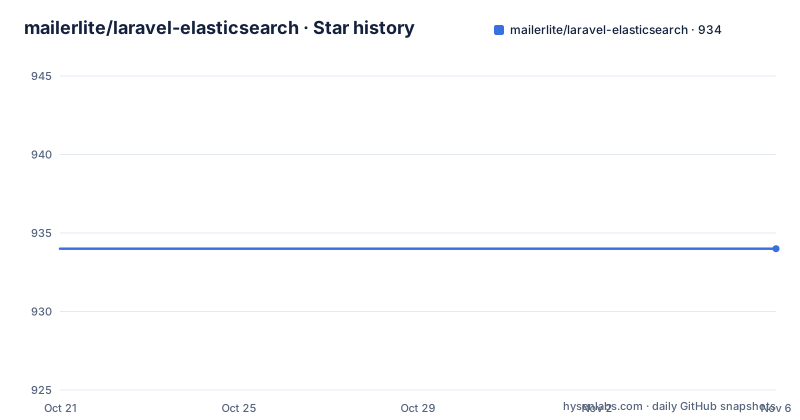
Star history
- mailerlite/laravel-elasticsearch934 ★ · +0
| Repository | 2026-10-21 | 2026-11-06 |
|---|---|---|
| mailerlite/laravel-elasticsearch | 934 | 934 |
0 Stars in the last 16 days, measured from the daily GitHub snapshot. Compare with other projects
Editorial analysis
The facade removes the ClientBuilder boilerplate, not the query language
The package exists to remove a small amount of ceremony from every Elasticsearch call in a Laravel application. The README shows the before and after directly. Previously a controller or service built a client by hand and then called it.
use Elastic\Elasticsearch\ClientBuilder;

$data = [
    'body' => [
        'testField' => 'abc'
    ],
    'index' => 'my_index',
    'id' => 'my_id',
];

$client = ClientBuilder::create()->build();
$return = $client->index($data);
With the package installed, the client construction lines are replaced by a facade call.
use Elasticsearch;

$return = Elasticsearch::index($data);
The README is precise about the scope of that change. The Elasticsearch facade is just an entry point into the Elastic client, which means the payload, the endpoint names and the response objects are still the ones from elasticsearch-php. Nothing is abstracted away, so any knowledge you have of the official client carries over, and any limitation of it does too. The win is that one configured client is resolved for you instead of being rebuilt in every call site, and that the configuration has one place to live.
That narrowness is the package's main virtue. It is an integration layer, not a query builder, and it does not try to become a search abstraction you have to learn.
Package major versions follow the Elasticsearch major version
The versioning rule is stated in the installation section and it catches teams out. The current release targets Elasticsearch 8.x, and the README includes a table mapping cluster version to package version: 8.x pairs with ^12 and 7.x pairs with ^11.
So the package version is chosen by your cluster, not by your Laravel version. Installing an Elasticsearch 7 cluster means asking composer for the older line.
composer require mailerlite/laravel-elasticsearch:^11The README also flags the cost of moving forward. Version 12 moves to the Elasticsearch 8.x client, and that upgrade introduces breaking changes: a new namespace, new response objects, and removed configuration options. The full migration guide lives in UPGRADING.md, and the repository keeps the documentation for the older line on a separate 11.x branch.
The requirements are listed plainly as PHP 8.2 or higher, with the note that Laravel 13 requires PHP 8.3, plus Laravel 11, 12 or 13, and an Elasticsearch 8.x cluster. So the compatibility matrix is two dimensional. A team on Laravel 13 is also on PHP 8.3, and a team still on Elasticsearch 7 has to stay on the older package line even if its framework is current.
Configuration arrives through a published file or through .env keys
The service provider is registered automatically, so there is nothing to add to your providers array. The only setup step is publishing the config file.
php artisan vendor:publish --provider="MailerLite\LaravelElasticsearch\ServiceProvider"After publishing, the README describes an alternative path where you leave the config file alone and set the connection through environment variables instead.
ELASTICSEARCH_HOST=localhost
ELASTICSEARCH_PORT=9200
ELASTICSEARCH_SCHEME=http
ELASTICSEARCH_USER=
ELASTICSEARCH_PASS=
For API key authentication there are two more keys.
ELASTICSEARCH_API_ID=
ELASTICSEARCH_API_KEY=
The published config file reads from those same keys with defaults, for example the host defaulting to localhost and the port defaulting to 9200. That is what makes the two paths alternatives rather than layers: the env file is the input, and the config file is the place where the mapping happens.
One detail worth copying from the published file is that the scheme default differs by context. The local default is http on port 9200, while the comment notes that an instance on AWS usually wants the port set to null, since the scheme carries the information there. Getting that wrong is a common cause of a connection that resolves but never completes.
AWS Elasticsearch needs its own key block, and a closure that breaks under config caching
Connecting to Elasticsearch Service on Amazon AWS requires the AWS SDK for PHP as an extra dependency.
composer require aws/aws-sdk-php:^3.80The environment then needs four more keys.
AWS_ELASTICSEARCH_ENABLED=true
AWS_REGION=...
AWS_ACCESS_KEY_ID=...
AWS_SECRET_ACCESS_KEY=...
The interesting part is the custom credential path. When you need something like an instance profile rather than static keys, the published config file is where the provider is built. The instance profile provider is wrapped in the memoized provider and then resolved with wait() to get credentials.
$provider = \Aws\Credentials\CredentialProvider::instanceProfile();
$memoizedProvider = \Aws\Credentials\CredentialProvider::memoize($provider);
$credentials = $memoizedProvider()->wait();
That approach has a wrinkle, and the README explains it in two steps. If a job runs under supervisor, the credentials must be renewed at runtime, which means storing the memoized provider itself rather than the credentials it returned, and passing the closure through. If you use php artisan config:cache, a closure in the config file is not allowed, and the documented workaround is to store the class and method name as a callable instead.
'aws_credentials' => [\Aws\Credentials\CredentialProvider::class, 'defaultProvider'],Two different shapes for the same key, chosen by whether config caching is on. It works, but it is the kind of detail that bites when the app boots differently in production than in CI.
Elasticsearch 8 turns on TLS and authentication by default
A cluster running Elasticsearch 8 enables TLS and authentication by default, which changes the connection setup compared with older versions. The README lists what a secured cluster typically needs: the scheme set to https, credentials supplied either as basic auth with ELASTICSEARCH_USER and ELASTICSEARCH_PASS or as an API key with ELASTICSEARCH_API_ID and ELASTICSEARCH_API_KEY, and a certificate trust decision.
ELASTICSEARCH_SCHEME=httpsFor a cluster with a self-signed certificate, sslVerification in the published config file points at the CA bundle, for instance the http_ca.crt that Elasticsearch generates.
'sslVerification' => '/path/to/http_ca.crt',The README also names the escape hatch and marks it clearly: for local development only you can set sslVerification to false, and it says that this is not recommended in production. That is the line to hold to, since the whole point of the 8.x defaults is that traffic to the cluster is encrypted and authenticated.
Because the scheme, the credentials and the certificate all have to agree, a partially configured setup fails in a way that looks like a network problem rather than a configuration one. Setting the scheme, the credentials and the CA path together is the reliable approach.
Installation and the first index call
The whole setup for a standard case is three steps. Install the package, publish the config file, and point it at your cluster.
composer require mailerlite/laravel-elasticsearchphp artisan vendor:publish --provider="MailerLite\LaravelElasticsearch\ServiceProvider"Then set the connection values, either in the published config file or through the environment keys, and call the facade from anywhere in the application. A first useful action is an index call with a body, an index name and a document id, the same payload shape the official client expects.
What you should see is the official client's response object, unchanged, because the package does not wrap responses. If the call fails, the failure comes from the client and the cluster, and the usual suspects are the scheme, the port default and whether the credentials you supplied match the ones the cluster expects. The README asks for bug reports and suggestions through GitHub issues, and the repository carries a CONTRIBUTING.md alongside a CHANGELOG.md for tracking changes.
What the package does not do, and what it costs to keep
The honest limits are easy to state. This is not a search integration in the sense of a query builder, a Scout driver or a set of macros for common filters. The facade resolves a configured client and forwards calls to it. Everything else, including the shape of the response objects and the naming of the endpoints, is elasticsearch-php's, which also means a major upgrade of the client can change behaviour under you, exactly as the README warns for the 8.x move.
The alternative approach is to skip the package and use the official client directly, configuring it yourself in a service provider and injecting it. The difference in approach is that the official client gives you full control and no framework coupling, while this package gives you configuration from .env, a Laravel facade, and AWS credential handling in a form the framework expects. For a team already inside Laravel, that is usually worth more than the extra control.
On maintenance and licensing: the project is released under the MIT licence, so you can use it inside a commercial application and modify it. The last push to the repository was on 2026-09-24, and the release history is steady, with 12.0.0 published on 2026-07-06, 11.3.0 on 2026-04-16 and 11.2.1 on 2026-03-09. The upgrade cost sits in the Elasticsearch major version rather than in the package itself, so track the compatibility table before you change the cluster version rather than after.
Editorial conclusion
laravel-elasticsearch suits Laravel teams on Elasticsearch 8.x who want the official client configured from environment variables and called through a facade instead of a hand-built ClientBuilder. It is the wrong tool for an application still on Elasticsearch 7.x, since the 12.x line moves to the 8.x client with a new namespace, new response objects and removed configuration options. Verify first which Elasticsearch major version your cluster runs and which package major matches it, then decide whether the published config file or the .env keys are your source of truth, because the two are alternative paths and the supervisor closure trick only works when config caching is off.
Frequently asked questions
Which Laravel and Elasticsearch versions does laravel-elasticsearch support?
The requirements are PHP 8.2 or higher (Laravel 13 requires PHP 8.3), Laravel 11, 12 or 13, and an Elasticsearch 8.x cluster for the current version. The package major follows the cluster major, with 8.x pairing with ^12 and 7.x pairing with ^11.
How do I install laravel-elasticsearch in Laravel?
Run composer require mailerlite/laravel-elasticsearch, then publish the configuration file with php artisan vendor:publish --provider="MailerLite\LaravelElasticsearch\ServiceProvider". The service provider is registered automatically, so nothing needs adding to the providers array.
How do I connect laravel-elasticsearch to AWS Elasticsearch Service?
Install the AWS SDK with composer require aws/aws-sdk-php:^3.80 and set AWS_ELASTICSEARCH_ENABLED, AWS_REGION, AWS_ACCESS_KEY_ID and AWS_SECRET_ACCESS_KEY in the .env file. For custom credentials such as an instance profile, build the provider in the published config file, using the closure form for supervisor jobs and the class and method callable when you run php artisan config:cache.
How do I handle TLS with an Elasticsearch 8 cluster?
Elasticsearch 8 enables TLS and authentication by default, so set the scheme to https, supply either basic auth or API key credentials, and point sslVerification at the CA bundle such as http_ca.crt in the published config file. Setting sslVerification to false is described as a local development option only.
What changes when upgrading from Elasticsearch 7 to 8 with laravel-elasticsearch?
Version 12 moves to the Elasticsearch 8.x client and introduces breaking changes, including a new namespace, new response objects and removed configuration options. The full migration guide is in UPGRADING.md, and the documentation for the older line lives on the 11.x branch.
Official sources
Add this badge to your README
If you maintain this project, the badge below links readers to this analysis and shows its maintenance status from the daily GitHub snapshot. Paste the markdown into your README; add ?metric=license or ?metric=stars to the image URL for a different field.

[](https://hysenlabs.com/projects/mailerlite-laravel-elasticsearch)Star history chart for your README
[](https://hysenlabs.com/projects/mailerlite-laravel-elasticsearch)Was this useful?