Ember Simple Auth sessions, stores, and authenticators
A library for implementing authentication/authorization in Ember.js applications.
At a glance
- What is it?
- Ember Simple Auth adds client-side session state, persistence, cross-tab synchronization, and pluggable authentication to Ember.js applications. Its small core is flexible, but applications must explicitly provide the session service and session store required since v7.
- Who is it for?
- Adopt Ember Simple Auth when an Ember.js application needs a client-side session abstraction with interchangeable authentication mechanisms and persistence. Do not choose it when a ready-made authentication service, server session policy, or framework-independent client is required.
- Can I use it commercially?
- Yes. MIT is a permissive licence: you can use, modify and sell software built on it, as long as you keep its copyright and licence notices.
- Is it still maintained?
- Yes. The repository received new commits within the last day.
- What is it written in?
- Mainly JavaScript, according to GitHub's language statistics.
Answers come from the project's GitHub data, last synced on October 23, 2026, and from our analysis. They are not legal advice.
Star history
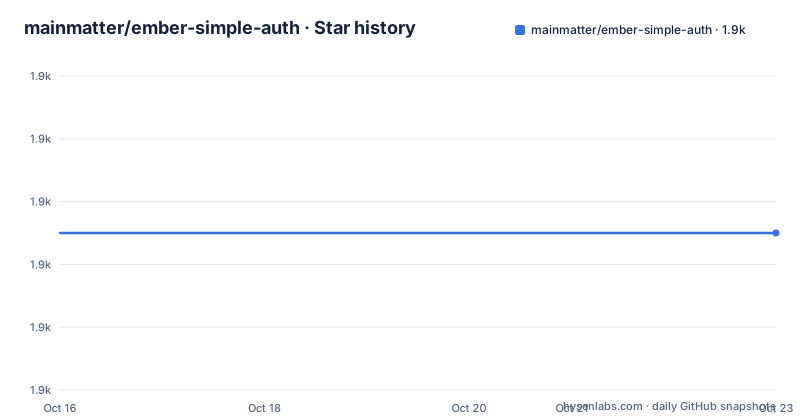
- mainmatter/ember-simple-auth1,905 ★ · +0
| Repository | 2026-10-16 | 2026-10-23 |
|---|---|---|
| mainmatter/ember-simple-auth | 1.9k | 1.9k |
0 Stars in the last 7 days, measured from the daily GitHub snapshot. Compare with other projects
Editorial analysis
Why Ember Simple Auth belongs in an Ember application
Ember Simple Auth addresses a client-side authentication problem that becomes messy when every screen handles credentials, session data, persistence, and logout independently. It is aimed at teams building Ember.js applications that need a consistent session interface while authenticating against an application server or an external provider such as Facebook or GitHub. The README also identifies authorization of Ember Data requests as part of the included test application, although the core library does not prescribe an application-wide authorization policy.
The library keeps its structural requirements small. According to the README, it supports Ember.js versions starting with 3.28, requires Node 16 or later, does not support IE11, and has Embroider guidance in the repository's `ember-try` scenario and test application build. Those constraints matter during evaluation because adopting the library means evaluating its place in an existing Ember build as well as its authentication API.
Ember Simple Auth is not a complete identity provider. It maintains client state and coordinates authentication flows. Token validation, account recovery, password policy, authorization rules, and other server responsibilities remain application concerns. The distinction matters because installing the package does not make an application secure by itself.
The session, store, and authenticator data flow
The architecture has three documented building blocks. The `session` service is the main interface for reading and changing session data, authenticating a session, and invalidating one. An authenticator performs the authentication exchange. A session store persists state across page reloads and synchronizes changes between multiple application tabs or windows. The documented cross-tab consequence is direct: logging out in one window logs out the others.
This separation gives an application control over where authenticated data comes from and where it is kept. Multiple authenticators can represent different login methods while application code continues to address the session service. The store can also be replaced or customized without turning every login control into provider-specific code. That is the main architectural benefit visible in the repository documentation.
The design does not remove server-side concerns. Client session synchronization tells other browser windows what the application believes, but it is not proof that every backend request is authorized. Application requests must still enforce the server's own rules. The README's complete test app is identified as the reference for server authentication, Facebook, Ember Data authorization, and error handling, but the truncated installation section does not expose enough of that implementation to prescribe an HTTP contract.
Install Ember Simple Auth and create the required application files
The README gives a direct Ember CLI installation command. It requires an Ember application and a compatible Node environment.
ember install ember-simple-authSince v7, Ember Simple Auth no longer automatically supplies the session service and default session store. The application must explicitly import both. This is a meaningful migration consideration for existing installations because implicit wiring from an older release should not be assumed in a new setup.
Create `app/services/session.js`, or `app/services/session.ts`, with the service shown in the walkthrough:
import Service from 'ember-simple-auth/services/session';

export default class SessionService extends Service {}
Then create `app/session-stores/application.js`, or `app/session-stores/application.ts`, and extend `AdaptiveStore` as documented:
import AdaptiveStore from 'ember-simple-auth/session-stores/adaptive';

export default class SessionStore extends AdaptiveStore {}
The optional TypeScript form supplies a generic `Data` type for data returned by authenticators. It can document an authenticated user identifier in application code, but it does not validate the data at runtime or define backend authorization.
Reading authentication state in Ember components and controllers
After the service exists, Ember's service injection mechanism makes it available to controllers and components. The session service's `isAuthenticated` property is the documented state for conditional login and logout interfaces. This keeps templates dependent on session state rather than directly selecting an authenticator or reading storage.
For a JavaScript controller, the documented injection pattern is:
import Controller from '@ember/controller';
import { service } from '@ember/service';

export default class ApplicationController extends Controller {
  @service session;
}
Templates can then branch on `this.session.isAuthenticated`. For a TypeScript application, the same service can carry an authenticator-specific data type. The repository also provides guides for managing the current user and GitHub authorization with torii, but the README section provided ends before their commands or configuration. Those guides should be consulted for provider-specific implementation rather than extrapolated from the generic service example.
The README mentions an `invalidate` method but ends before showing a complete action. It would be inaccurate to invent an action signature or storage call here. A complete application still needs to connect its logout control to the documented session invalidation API and handle failures from the selected authenticator.
Session persistence, FastBoot, and multi-window logout
The session store has two documented jobs. It preserves session state through a page reload, and it coordinates that state across browser tabs or windows. These are separate concerns from obtaining credentials. An authenticator can authenticate a session, while the store determines how that state persists and propagates.
That division can simplify applications with one primary persistence mechanism, but it also means the application team must choose a store that matches its deployment. The README lists guides for FastBoot, Engines, session stores, and custom stores, yet it does not state their configuration requirements in the text available. It would be unsafe to assume that browser storage behavior, server rendering, or an engine initializer works in a particular way without reading those guides and checking the selected store's code.
Cross-tab synchronization also defines a behavior that tests should cover. A logout initiated in one window is documented to produce logout in every other window. An application should account for components receiving changed session state rather than assuming each tab refreshes. Conversely, documentation for this feature does not establish behavior for token revocation, simultaneous writes, storage quotas, or conflicting updates, so those cases require direct verification against the chosen store.
Ember Simple Auth limits, alternatives, and maintenance
The clearest limitation is its scope. Ember Simple Auth coordinates client-side authentication and authorization-related application behavior, but it does not supply the server's authentication implementation, token policy, user database, or authorization rules. Teams that need those components still have to build or select them separately. The library is also tied to Ember.js, so it does not serve a React, Vue, server-rendered, or standalone JavaScript client by itself.
Compared with a hand-written application-specific session module, Ember Simple Auth adds explicit session, store, and authenticator abstractions plus built-in cross-window synchronization. A custom module could be smaller for one fixed login path, but it would also need to solve persistence, propagation, authentication, invalidation, and extension itself. The library is more appropriate when those responsibilities recur or when multiple authentication methods need a common interface.
Versioning deserves attention. The repository is not archived, and its last push was on 2026-10-16. Recent releases include v8.4.1 and v8.4.0 on 2026-09-11, followed by v8.3.1 on 2026-06-13. The repository contains guides for upgrading to v9, v7, v4, and v3, but no v9 release is listed in the repository facts. That guide should not be treated as evidence that v9 is available.
The project is licensed under MIT. That license identifies the project's permission and notice terms, but teams still need to review those terms against their own policies. Upgrade effort depends on the starting major version and application wiring, especially when moving from versions that relied on automatic session-service or store registration.
Editorial conclusion
Adopt Ember Simple Auth when an Ember.js application needs a client-side session abstraction with interchangeable authentication mechanisms and persistence. Do not choose it when a ready-made authentication service, server session policy, or framework-independent client is required. Before adoption, verify the compatibility of your Ember version, Node and pnpm toolchain, chosen authenticator, session store, cross-tab logout behavior, and server-side invalidation contract with `ember-simple-auth` v8.4.1.
Frequently asked questions
What is Ember Simple Auth used for?
It is a lightweight Ember.js library for maintaining client-side sessions, persisting their state, synchronizing logout across tabs, and connecting authentication through pluggable authenticators.
How do you install Ember Simple Auth?
The documented installation is `ember install ember-simple-auth`. The README requires Node 16 or later and states support for Ember.js versions starting with 3.28.
Why must an Ember application define its own session service and store?
Starting with v7, Ember Simple Auth no longer automatically provides a session service and default session store. The walkthrough requires application files that import and extend the documented service and `AdaptiveStore` classes.
Does logging out in one browser window log out the other windows?
Yes. The README states that the session store synchronizes state across tabs and windows, so logout in one window also results in logout in the others.
Does Ember Simple Auth provide backend authorization rules?
No backend authorization rules are documented as part of the library. The test app includes authorization of Ember Data requests and error handling as reference implementations, while the server must enforce its own rules.
Official sources
Add this badge to your README
If you maintain this project, the badge below links readers to this analysis and shows its maintenance status from the daily GitHub snapshot. Paste the markdown into your README; add ?metric=license or ?metric=stars to the image URL for a different field.

[](https://hysenlabs.com/projects/mainmatter-ember-simple-auth)Star history chart for your README
[](https://hysenlabs.com/projects/mainmatter-ember-simple-auth)Was this useful?