Flowtime.js for Viewport-Fitted HTML Presentations
Flowtime.js HTML5/CSS3/JS Websites and Presentation Framework
At a glance
- What is it?
- Flowtime.js is a client-side presentation and website framework that handles full-page navigation, fragments, deep links, history, and overview mode while leaving visual design to HTML and CSS. It is best suited to static, slide-like experiences rather than conventional scrolling pages or SEO-driven sites.
- Who is it for?
- Flowtime.js fits developers who need a static presentation with precise keyboard navigation and URL-addressable pages, especially when they want complete control over HTML and CSS. It is a poor fit for content-heavy sites that depend on scrolling, search indexing, or a visible release and upgrade path.
- Can I use it commercially?
- Yes. MIT is a permissive licence: you can use, modify and sell software built on it, as long as you keep its copyright and licence notices.
- Is it still maintained?
- Activity is slowing. The repository last received commits 7 months ago.
- What is it written in?
- Mainly JavaScript, according to GitHub's language statistics.
Answers come from the project's GitHub data, last synced on November 7, 2026, and from our analysis. They are not legal advice.
Star history
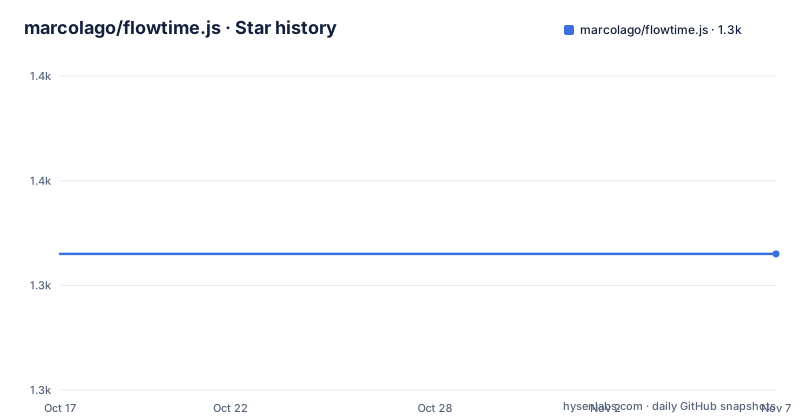
- marcolago/flowtime.js1,343 ★ · +0
| Repository | 2026-10-17 | 2026-11-07 |
|---|---|---|
| marcolago/flowtime.js | 1.3k | 1.3k |
0 Stars in the last 21 days, measured from the daily GitHub snapshot. Compare with other projects
Editorial analysis
Why Flowtime.js Exists Beyond Ordinary Page Slides
Flowtime.js addresses a specific kind of browser document in which each screen behaves like a page, even though the presentation or website is implemented as one HTML document. It is aimed at developers building presentations, guided web experiences, and sites whose content is organized into sections and pages. The framework takes responsibility for navigation, fragments, deep links, browser history, and overview mode. It does not impose a visual theme, which is the central design decision here.
That distinction matters. The README explicitly says the framework does not style a presentation or site for the user. A default theme is available, but individual elements remain under CSS control. This makes the project relevant when a generic slide template would conflict with a particular design. It also means that adopting the framework does not remove the need to write a coherent presentation layout. The repository includes examples for custom backgrounds, custom fragment animations, modal overlays, native zoom, video, variable height, overflow scrolling, and other cases, but the README does not explain each example in detail.
Flowtime.js is therefore closer to a browser presentation runtime than to a content management system or a general website template. It addresses navigation and viewport behavior, not publishing workflows, asset pipelines, collaborative editing, or server-side rendering.
Sections, Pages, and Fragment State in Flowtime.js
The default layout places sections next to one another horizontally and stacks pages vertically inside each section. Adding the `ft-cross` class to the Flowtime element reverses that arrangement: sections are stacked vertically, while their pages extend horizontally. This is a structural choice exposed through HTML rather than a separate renderer or component tree.
Within that structure, fragments divide a page into successive states. A normal up or down arrow movement advances through those fragments one at a time. Holding Shift skips the remaining fragments and moves directly to the next or previous page. Fragments can be styled individually through CSS classes, and the README also states that fragments may be nested. That makes the model useful for staged diagrams or code samples without requiring separate HTML documents for every visual increment.
Pages and sections also have several navigation boundaries. Left and right arrows normally move between sections while attempting to preserve the current page index. If the next section has no matching page, Flowtime.js selects its highest available index. Shift plus a horizontal arrow jumps to the first page of the previous or next section. Page Up and Page Down select the first or last page in the current section, while Home and End select the boundaries of the entire document.
The model is compact, but it is not the same as a linear list of routes. State includes section, page, and fragment. Any custom implementation must preserve those distinctions rather than reducing navigation to one page counter.
Navigation, Deep Links, and Browser History
Flowtime.js supports links, keyboard controls, mouse input, gestures, and URL fragments. Navigation links use an `href` value that targets a formatted hash destination. Browser back and forward actions are handled through the HTML History APIs, allowing an individual presentation state to be shared as a URL. If the History APIs are unavailable, the framework falls back to the `hashchange` event.
That approach is useful for a presentation because every meaningful state can have a stable destination without requiring a server route for each slide. It also changes how navigation should be designed. A normal in-page anchor that jumps to arbitrary text is not equivalent to a Flowtime.js page link, because Flowtime.js manages page and fragment state. Custom controls need to cooperate with that state model rather than treating the viewport as a conventional scrolling region.
Overview mode, opened with `ESC`, displays the structure of the whole site or presentation. A user can select a page there or navigate with the arrow keys and confirm the selection with Return. This is more than a visual thumbnail mode: it becomes an alternative navigation surface for reaching distant pages.
The history support has a clear boundary. Flowtime.js is client-side only. The README states that SEO requires server-side logic to serve the single-page content to search engines. A static demonstration can therefore be easy to publish, but search visibility cannot be assumed from the client-side navigation alone.
Installing Flowtime.js and Starting with the Published Demo
The README directs new users to the project documentation, sample presentation, examples folder, and wiki. It does not provide an installation command, package import, npm dependency, build command, or documented deployment procedure. The repository does contain `package.json`, but its package version is `1.0.0` and its `dependencies` object is empty. Its listed tools are development dependencies for tasks such as concatenation, minification, autoprefixing, and watching, not documented runtime installation instructions.
For a first real use, follow the README's documented entry point and open the sample presentation linked from the project. The reader should expect a viewport-driven presentation with keyboard navigation rather than a normally scrolling document. Press the arrow keys to move through pages and fragments, use `ESC` to enter overview mode, and test `Home` and `End` to confirm access to the first and last states.
The examples folder is the more useful starting point after the sample. The repository lists examples for cross-direction layout, custom fragment animations, backgrounds, video, zoom, section navigation, duplicated IDs, modal overlays, overflow scrolling, and variable dimensions. Each example should be inspected as a separate reference for a specific layout or interaction problem.
Because no install recipe is documented, an engineer should not infer that running an npm command creates a usable application. Confirm whether the intended distribution is the hosted files, a repository checkout, or a custom build based on the project's Grunt tasks before integrating it into a larger site.
CSS Transitions, Parallax, and Browser Boundaries
Page changes use native CSS3 transitions. The README says that when transitions are unavailable, as identified for IE9, the page change happens immediately. This is graceful degradation at the interaction level, but it should not be confused with identical presentation output across environments. A design that depends on motion to reveal meaning needs a non-motion alternative in its CSS.
Flowtime.js also includes native parallax support implemented through CSS3 transformations and configured with `data-` attributes. This keeps the effect within the framework's HTML and CSS model, but the README does not publish the complete attribute syntax or a broader list of configuration values. An engineer would need to consult `documentation.md` and the relevant example before depending on a particular data attribute.
The claimed browser range covers modern desktop browsers and IE9 or later. Where basic support is unavailable, Flowtime.js falls back to native scrolling with anchor links, while preserving full-page fluid layouts. That fallback is sensible for basic reading, yet it does not guarantee that overview mode, fragments, history behavior, and transitions remain equivalent.
The fluid `display: inline-block;` foundation is another boundary. It assumes content can be organized into viewport-sized sections and pages. Long articles, dense forms, ordinary vertical scrolling, and interfaces that must retain a browser's normal document flow may need to override or avoid the presentation model.
Flowtime.js Compared with Conventional Static Site Workflows
The practical alternative is a conventional static site built with plain HTML, CSS, and browser scrolling, optionally using a routing or build layer for individual pages. The difference is not that both use web technologies. Conventional sites model a document as one scrollable page or as several server-addressable documents. Flowtime.js models the viewport as a sequence of sections, pages, and fragments, with navigation state encoded in the URL.
This alternative gives authors ordinary search indexing, natural deep links, and content that behaves like a page in browsers and assistive tooling without requiring a presentation runtime. It also avoids the need to decide how a long block of content should be split into viewport states. Flowtime.js instead gains features that are specific to presentations, including fragment stepping, overview mode, section-aware keyboard controls, and transition choreography.
A different alternative is a browser-based slide framework that supplies a complete default visual system and authoring abstraction. Flowtime.js sits closer to HTML by leaving presentation styling to the author. That makes it more appropriate when the visual result is already defined, but less convenient when the goal is to assemble slides quickly without designing CSS.
The choice should therefore follow the document's behavior. Use Flowtime.js when the interface is fundamentally a navigable sequence of screens. Use conventional HTML when content discovery, scrolling, or long-form reading is the primary requirement.
Maintenance, Licensing, and Upgrade Boundaries for Flowtime.js
The repository is not archived, and its last push was on 2026-04-02. The project has no GitHub releases, so the repository record does not provide a formal release train or a version history that can be used as an upgrade plan. The README points to documentation, examples, and the wiki for operational guidance, but it does not document a migration policy or compatibility policy for future CSS, browser, or History API changes.
The package metadata names `Flowtime.js` and records version `1.0.0`. The runtime `dependencies` field is empty. Development dependencies include Grunt-related packages, autoprefixing, concatenation, uglification, watching, `hosted-git-info`, and Lodash. The listed version ranges do not by themselves establish how a future installation should be pinned or upgraded.
Flowtime.js is distributed under the MIT license according to the repository metadata. That permits use and modification under the license's conditions, but the README does not provide legal advice or a separate policy for themes, example media, or third-party assets. Projects embedding media or other repository files should inspect those files and the applicable license text directly.
For maintenance planning, the absence of GitHub releases matters more than the last push date. Pin the exact repository or asset revision used by a site, record the CSS and JavaScript files copied into the deployment, and retain a rollback copy. Flowtime.js documentation does not define a supported automated rollback process, so that copy is an operational requirement rather than a documented feature.
Editorial conclusion
Flowtime.js fits developers who need a static presentation with precise keyboard navigation and URL-addressable pages, especially when they want complete control over HTML and CSS. It is a poor fit for content-heavy sites that depend on scrolling, search indexing, or a visible release and upgrade path. Evaluate the sample presentation first, then verify browser behavior, custom CSS compatibility, and whether your deployment can address the client-side SEO boundary before adoption.
Frequently asked questions
How do I install Flowtime.js?
The README does not provide an install command or runtime dependency. It directs users to the documentation, sample presentation, examples folder, and wiki. The repository's `package.json` lists development dependencies, but those are not documented as the application installation path.
How do I navigate between pages and fragments in Flowtime.js?
Use the up and down arrow keys to move through pages and individual fragments. Hold Shift with either key to skip fragments. Left and right arrows move between sections, Page Up and Page Down select section boundaries, and `ESC` toggles overview mode.
Does Flowtime.js support deep links and browser history?
Yes. The README says navigation uses formatted hash destinations, the HTML History APIs, and a `hashchange` fallback when those APIs are unavailable. Because Flowtime.js is client-side only, the README says server-side logic is required if SEO is needed.
Can Flowtime.js be used for a normal scrolling website?
It is designed around full-page fluid layouts with sections, pages, and fragments. The README describes a native scrolling fallback where basic support is unavailable, but that fallback does not make it equivalent to a conventional long-form scrolling site. Long articles and content-heavy pages may not fit the presentation model well.
What happens when CSS transitions are not supported?
The README states that page changes occur immediately when CSS transitions are unavailable, while the page change still works. IE9 is identified as the example of this case. Any design that relies on motion to communicate state still needs non-motion styling.
What maintenance information is available for Flowtime.js?
The repository is not archived and its last push was on 2026-04-02. It has no GitHub releases, and the README does not describe a release or migration policy. The last push date records repository activity, not a documented upgrade cadence.
Official sources
Add this badge to your README
If you maintain this project, the badge below links readers to this analysis and shows its maintenance status from the daily GitHub snapshot. Paste the markdown into your README; add ?metric=license or ?metric=stars to the image URL for a different field.

[](https://hysenlabs.com/projects/marcolago-flowtime-js)Star history chart for your README
[](https://hysenlabs.com/projects/marcolago-flowtime-js)Was this useful?