Splunk-input-windows-baseline: a MITRE-mapped input.conf for Windows event logs
Provides an advanced input.conf file for Windows and 3rd party related software with more than 70 different event log mapped to the MITRE Att&CK
At a glance
- What is it?
- This repository ships a single input.conf for the Splunk Universal Forwarder that collects over 70 Windows event logs, each event ID mapped to MITRE ATT&CK. It is an allow-list approach built by a threat detection analyst, but it carries real caveats about disabled stanzas and noise.
- Who is it for?
- Adopt this if you operate a Splunk Universal Forwarder fleet on Windows servers and want a detection-focused event collection baseline that goes beyond the Security log, especially if you already use the author's SIGMA rules. Skip it if you need log-file inputs, metrics, or noise reduction, or if your licensing model forces you to minimize event volume at all costs.
- Can I use it commercially?
- Not without permission. GitHub finds no licence file in the repository, and without a licence all rights are reserved by default: you may read the code but not reuse it. Check the README, or ask the authors, before using it.
- Is it still maintained?
- Activity is slowing. The repository last received commits 6 months ago.
- What is it written in?
- GitHub does not report a main language for this repository.
Answers come from the project's GitHub data, last synced on October 4, 2026, and from our analysis. They are not legal advice.
Star history
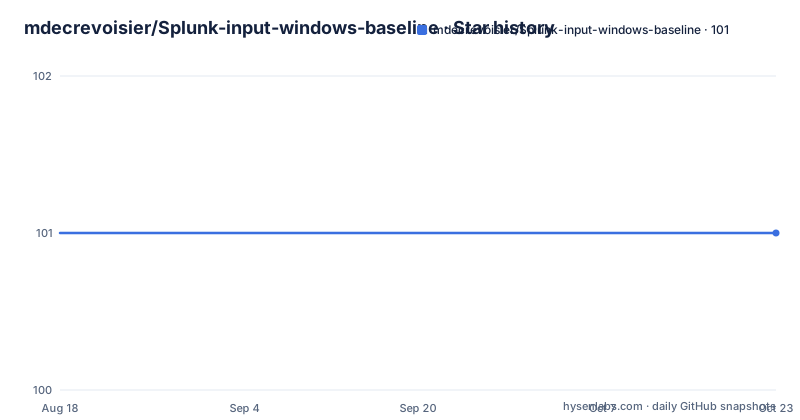
- mdecrevoisier/Splunk-input-windows-baseline101 ★ · +0
| Repository | 2026-08-18 | 2026-10-04 |
|---|---|---|
| mdecrevoisier/Splunk-input-windows-baseline | 101 | 101 |
0 Stars in the last 47 days, measured from the daily GitHub snapshot. Compare with other projects
Editorial analysis
What this input.conf actually solves
Most Windows event collection guides focus on the Security log and follow Microsoft's generic audit policy recommendations. This project rejects that approach. It provides a single input.conf file for the Splunk Universal Forwarder that collects only event IDs and providers deemed relevant for detection, threat hunting, incident response, and forensics. The author is a threat detection analyst, and the file reflects that bias: it covers more than 70 native event logs, including Security, RDP, BitLocker, AppLocker, PowerShell, WinRM, Defender, Printer, NTLM, VHD, Firewall, OpenSSH, SYSMON, and Scheduled tasks. It also covers more than 10 server roles, such as ADDS, ADCS, Exchange, SQL Server, DNS, DHCP, Hyper-V, ADFS, IIS, Docker, NPS Radius, and AOVPN. The intended user is a Splunk shop that wants a defensible starting point for Windows event collection without hand-picking event IDs from scattered references.
How the configuration is structured
The repository contains a single folder, splunk-windows-input, with the input.conf file. Each stanza defines a Windows event log input, and many stanzas include a list of event IDs or providers. The author uses an allow-list approach: only known and necessary event IDs are collected, which is meant to limit license impact. Each event ID comes with a description and a MITRE ATT&CK TTP mapping where applicable. A unique identifier is attached to each category except the Security event log. That identifier lets you cross-reference the event log or event ID with the author's Windows mindmaps and auditing baseline projects. The configuration relies on renderXml=true for whitelists and blacklists. The README warns that if you disable that option, the whitelists and blacklists stop working. This is a concrete dependency that operators must respect, and it is easy to miss if you are only copying the file into place.
Getting it running on a Universal Forwarder
The deployment target is any Windows host running Vista or later where the Splunk Universal Forwarder is installed. You take the input.conf from the splunk-windows-input folder and place it in the forwarder's inputs directory, typically $SPLUNK_HOME/etc/system/local/ or a deployment-app directory. The README does not give exact copy commands, but the standard Splunk procedure applies: replace or merge the file, then restart the forwarder or reload inputs. The configuration itself contains Splunk-specific settings such as format, sourcetype, index, evt_resolve_ad_obj, and start_from, but the README explicitly says those must be set by your operations team. That means the file as shipped is not ready to produce useful data in your environment until you adjust those keys. Some stanzas are set to disabled = 1 because the author lacks documentation or testing for them. Others are marked with '!!! EVENT LOG FILE DISABLED PER DEFAULT !!!', meaning the Windows event log itself is off and must be enabled manually or via GPO, following the author's separate Windows auditing baseline project. This is not a copy-paste-and-forget deployment.
What the author deliberately excludes
The README is honest about what is not collected. Firewall filtering platform events (IDs 5154, 5156, 5152) are excluded as too noisy, with a recommendation to use SYSMON ID 3 instead. Network share access events (IDs 5140, 5145) are excluded in favor of SYSMON named pipe events. Success NTLM login events (ID 4776) are excluded, only failed ones are collected. NTLM events 8001 through 8004 are excluded as potentially noisy, and the author suggests enabling them only when necessary. Classic PowerShell events 600 and 800 are excluded in favor of modern PowerShell events 4103 and 4104. Permission change events on objects (ID 4670) are excluded because they are noisy, with the suggestion to focus on offensive actions like PowerShell or command execution. This is a clear design philosophy: minimize noise at the cost of missing some forensic detail. If your detection strategy depends on those noisy events, this configuration is not for you without modification.
The trade-off between coverage and maintenance
The project claims 'instant deployment' on any server regardless of role, which is a bold promise. The reasoning is that if you collect everything relevant up front, you will not miss events when a new role or feature is enabled. That is a real benefit for large fleets where role changes are frequent. But it comes with a maintenance cost. The README notes that some stanzas are disabled due to lack of documentation or testing, and it invites improvements and suggestions. That means the file is a living document, not a finished product. You will need to decide which disabled stanzas to enable based on your environment, and you will need to track updates to the repository if you want to stay current with new event IDs or ATT&CK mappings. The author also maintains companion projects, the Windows auditing baseline and the event log mindmap, which you must consult to understand the full picture. This is not a standalone solution.
Alternatives and where this fits
The README cites Palantir's windows-event-forwarding and NSA's Event-Forwarding-Guidance as sources. Those are the main alternatives in approach. Palantir's project provides a WEF/WEC configuration that uses Group Policy to forward events to a central collector, and it is also allow-list based but not tied to Splunk. NSA's guidance is a broader set of recommendations for event forwarding, again not Splunk-specific. This project differs by being directly formatted as an input.conf for the Splunk Universal Forwarder, which saves you the translation step. It also adds MITRE ATT&CK mappings and descriptions that the other projects do not provide. If you are not on Splunk, this configuration is useless as-is, and you would be better off with Palantir's WEF or NSA's guidance. If you are on Splunk but need log-file inputs, such as DNS debug logs or IIS transaction logs, this project explicitly excludes those, so you would need to supplement it with your own inputs.
Licence, maintenance, and upgrade considerations
The repository metadata shows no license, which is a red flag for enterprise adoption. Without a license, you do not have clear legal permission to use, modify, or redistribute the file, even though it is public on GitHub. You should contact the author or check for a LICENSE file before deploying it in a production environment. The project is not archived, but there are no recent releases retrieved, so you cannot rely on a release cadence. The README says the author will update the configuration as reliable information becomes available, which suggests maintenance is driven by the author's availability. The upgrade path is manual: you would pull the latest input.conf from the repository, diff it against your deployed version, and reapply any local modifications. That is a manageable cost for a single file, but it is a recurring one. The configuration also depends on the author's other projects for context, so you should monitor those as well.
Editorial conclusion
Adopt this if you operate a Splunk Universal Forwarder fleet on Windows servers and want a detection-focused event collection baseline that goes beyond the Security log, especially if you already use the author's SIGMA rules. Skip it if you need log-file inputs, metrics, or noise reduction, or if your licensing model forces you to minimize event volume at all costs. Before rolling out, verify which stanzas are disabled by default, confirm your Splunk index and sourcetype settings with your operations team, and test the renderXml=true requirement, because whitelists and blacklists depend on it. The project is a single-file configuration, so the real cost is not installation but the ongoing audit of which disabled stanzas you choose to enable and how you map the provided event descriptions to your own detection use cases.
Frequently asked questions
What is Splunk used for in this repository?
It is the log platform the configuration targets. The file is an input.conf for the Splunk Universal Forwarder agent, applied on any Windows host, Vista or higher, where that agent is deployed, and it decides which Windows events are collected while leaving the Splunk-specific fields such as sourcetype and index to your operations team.
Where is the Splunk inputs.conf located?
The copy this project ships is in the splunk-windows-input folder at the top of the repository. The README does not state the path where input.conf belongs on the forwarder itself, so that part depends on your Splunk deployment rather than on this project.
Can I learn Splunk in 2 days?
This repository says nothing about learning Splunk or about how long anything takes. It is a Windows event collection configuration with documentation of its scope and exclusions, and the only stated prerequisite is a Windows host with the Splunk Universal Forwarder already deployed.
Does Splunk have a future?
There is no statement about that here. What the repository records is that it is not archived, that its last push is dated 2026-04-07, and that the configuration was assembled from public sources including NSA and ANSSI guidance, Splunk's audit policy guide and community event ID collections.
Official sources
Add this badge to your README
If you maintain this project, the badge below links readers to this analysis and shows its maintenance status from the daily GitHub snapshot. Paste the markdown into your README; add ?metric=license or ?metric=stars to the image URL for a different field.

[](https://hysenlabs.com/projects/mdecrevoisier-splunk-input-windows-baseline)Star history chart for your README
[](https://hysenlabs.com/projects/mdecrevoisier-splunk-input-windows-baseline)