MyHDL lets you write hardware in Python and convert it to Verilog
The MyHDL development repository
At a glance
- What is it?
- MyHDL is a Python package for using Python as a hardware description and verification language, with a conversion layer that turns a design into Verilog and a cosimulation layer that runs it against an external simulator. It is licensed under the LGPL, requires Python 3.10 or newer, and the copy on PyPI lags the repository, which is why the documentation tells you to install from the master branch.
- Who is it for?
- Adopt MyHDL when you want to prototype a digital design in Python and have it synthesised by a real toolchain, because the conversion to Verilog is what makes the Python source a description rather than a simulation script. Do not adopt it expecting a package manager release, since the documentation says the version on PyPI is quite behind the current development status and recommends installing the master branch instead.
- Can I use it commercially?
- Yes, with conditions. LGPL-2.1 is a weak copyleft licence: you can use it inside commercial and closed-source software, but if you distribute changes to its own files, you must publish those changes under the same licence.
- Is it still maintained?
- Yes. The repository last received commits 54 days ago.
- What is it written in?
- Mainly Python, according to GitHub's language statistics.
Answers come from the project's GitHub data, last synced on November 7, 2026, and from our analysis. They are not legal advice.
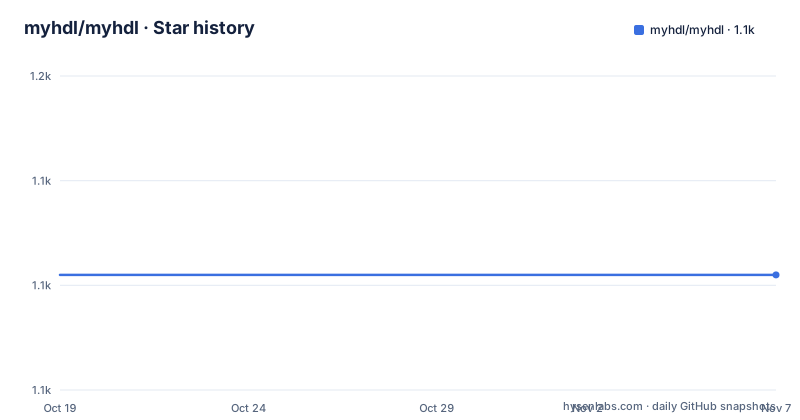
Star history
- myhdl/myhdl1,131 ★ · +0
| Repository | 2026-10-19 | 2026-11-07 |
|---|---|---|
| myhdl/myhdl | 1.1k | 1.1k |
0 Stars in the last 19 days, measured from the daily GitHub snapshot. Compare with other projects
Editorial analysis
Python as a description of hardware, not a script that pretends to be one
MyHDL is a free, open-source package for using Python as a hardware description and verification language.
The wording is precise and worth parsing, because it decides what the package is for. A hardware description language describes a circuit in a way a synthesis tool can turn into gates. MyHDL is not a simulator that imitates a chip, it is a description language whose output can be converted, and the conversion is what gives the design a physical meaning.
The package metadata says the same thing in a shorter form, with the description Python as a Hardware Description Language and the keywords HDL ASIC FPGA hardware design. The classifier puts it under Electronic Design Automation, and the development status is marked as Production/Stable.
The project is the work of Jan Decaluwe, who has been the author and the maintainer for most of its life, and the site is myhdl.org. The licence is the LGPL, and the readme states that MyHDL is available under the LGPL license with the text in LICENSE.txt.
The version line is 0.11, and there is a documentation badge for both the stable and the latest manual, which matters for a project with this much history, because the stable manual and the development manual describe different things.
The last push was on 2026-09-14, and the repository has no GitHub releases, so the version lives in the source and in the changelog.
Install from the master branch, not from PyPI
The Installation section is the most opinionated part of the readme, and it is worth following literally.
It is recommended to install MyHDL, and your project's other dependencies, in a virtualenv. Then, for the latest stable release.
pip install myhdlAnd then the sentence that changes the instruction. Unfortunately the version on PyPI is quite behind the current development status, so you are better off installing the stable master branch directly from the GitHub repository.
pip install git+https://github.com/myhdl/myhdl.git@masterThere are two more forms, one for a local clone and one for a specific commit.
pip install -e path/to/dirpip install git+https://github.com/myhdl/myhdl@f696b8So the recommendation is to run from the branch, and if you need reproducibility, to pin a commit hash. That is a project that has not published to PyPI in a while and is honest about it.
The Python floor is enforced in code as well as declared. The setup script raises a RuntimeError with the message Python version 3.10+ required if the interpreter is older, and the package metadata sets python_requires to 3.10 and above. The version number itself is read out of the source tree with a regular expression against the version assignment in the package init file, so there is one place to change it, and the release target in the Makefile changes exactly that.
Testing the installation, and the cosimulation layer
There is a way to check that the installation is a proper one rather than a partial one.
cd myhdl/test/core
py.test
The core test suite is the one that does not need an external tool, and running it is the check that the package is working.
Co-simulation is the other half, and it is installed separately. You go to the directory cosimulation/<platform> for your target platform and follow the instructions in the README.txt file there.
The cosimulation directory is the part of the repository that tells you what the project actually does at the boundary. The setup script walks the cosimulation tree at build time and collects the C files, the Makefiles, the Python files, the Verilog files and the text files, and installs them as data files under a share/myhdl directory, which means the simulator interface and its Verilog are shipped alongside the Python package.
So the shape is a Python front end, a conversion layer and a per platform simulator interface, and the third piece is the one that needs a toolchain on your machine, which is why it is not part of the pip install and why the documentation treats it as a separate step.
The test matrix runs against real simulators
The Makefile is where the project's testing strategy becomes visible, and it is more elaborate than a Python library of this size usually admits.
The core target runs pytest verbosely over the core test directory. Then there are the simulator targets, and they are named after the tool they use: iverilog_myhdl.vpi builds the Icarus Verilog plugin interface, iverilog_cosim runs the Icarus test target, iverilog_general runs the general conversion tests with the iverilog simulator selected, iverilog_toverilog runs the conversion to Verilog tests, and iverilog_bugs runs the bug regression tests with the same simulator flag.
The conversion tests being parameterised by simulator is the important detail. A converter that produces Verilog can be wrong in ways that only show up in one simulator, and a library that claims to be an HDL will be judged on whether its output simulates correctly, not on whether it looks plausible.
The bug test target is the other half of that. A hardware description library accumulates a history of reported defects, and keeping a directory of regression tests for them is the only way to know that a change did not bring one back.
The development dependencies match the story. The requirements file lists pytest, pytest-xdist for running the suite in parallel, pyflakes for the lint step, and black for formatting, and the Makefile has a lint target that runs pyflakes over the package and a black target that formats it.
Releases are cut by a Makefile target, and the version lives in one file
The release process is a single make target, and reading it explains how the version numbers work.
The default tag is 0.11.54, held in a variable, and the version file is the package init file. The release target echoes the release version, tags the commit, and then rewrites the version string in the version file with a sed expression, adds that file, commits it with the message Update to version, re-tags the version and pushes both the commit and the tags.
The ordering matters. The tag is created first and then moved, so the pushed tag points at the commit that contains the version bump. That is a slightly unusual sequence, and it is the kind of detail that only works because the version lives in exactly one file.
The rest of the Makefile is ordinary. The install and localinstall targets wrap setup.py with a record file and with a home directory, the dist target builds a source distribution after removing the manifest and the changelog copy, the docs targets run tox for the html and livehtml documentation builds, and the clean target removes the generated artefacts, which the commented line spells out as the VHDL files, the Verilog files, the object files, the logs, the VCD files, the hex files and the work directories.
That list of generated files is itself a description of the project. The conversion tests write Verilog, the cosimulation builds write object files and shared libraries, and the simulation runs write VCD waveform files, and all of it lands in the working tree.
The repository layout and the examples
The top level listing shows a project with a documentation site, an examples tree and a simulation tree.
There is the myhdl/ package itself, with the conversion subpackage inside it, a doc/ directory for the manual and the what is new pages, an example/ directory, a cosimulation/ directory with the per platform simulator interfaces, and scripts/.
The examples are worth a look, because they are the documentation of the language. There is example/arith_lib/, a small arithmetic library, example/cookbook/ for the recipes, example/manual/ for the examples that go with the manual chapters, and two hardware examples, rs232/ and uart_tx/.
That last pair tells you something about the audience. A serial transceiver and a UART transmitter are exactly the kind of small, self contained digital design that a hardware engineer writes to check a toolchain, and having them in the repository means you can start from working code rather than from a blank file.
The configuration files at the root are also informative. There is a pytest.ini for the test configuration, a tox.ini for the environments, a pylintrc for the linter, requirements.txt for the development dependencies, a MANIFEST.in for the source distribution, and CHANGES.txt as the changelog. There are also.hgignore and.hgtags files, which are a Mercurial heritage, and a.landscape.yaml.
The scripts and the manual are in the repository, and the manual is what the website serves, so the documentation is versioned with the code.
A long-lived project with a quiet release history
MyHDL has been in development for a long time, and the repository shows it in ways that are easy to misread as neglect.
The version is 0.11, and the 0.11.54 tag in the Makefile tells you that there have been dozens of patch releases within one minor version. The readme also points at a what's new page for the 0.11 release, so the release notes are maintained as prose on the documentation site rather than as a GitHub release list, which is consistent with there being no GitHub releases in the repository at all.
The last push was on 2026-09-14, so the code is being worked on, and the stable and latest documentation badges suggest both are maintained.
The community around it is small and has moved platforms. The readme links a Gitter chat, and the header image links a Discourse forum at discourse.myhdl.org, so the project migrated from the older chat service to a forum, which is a sign of an active but small community rather than a dormant one.
The honest summary is that this is a mature, niche, LGPL licensed project that is still being maintained, whose main friction for a new user is not the code but the packaging, since the recommended install is a branch rather than a release.
One detail is worth flagging for a team that cares about supply chain hygiene: the recommended installation is a moving branch, and the reproducible option is a commit hash.
Editorial conclusion
Adopt MyHDL when you want to prototype a digital design in Python and have it synthesised by a real toolchain, because the conversion to Verilog is what makes the Python source a description rather than a simulation script. Do not adopt it expecting a package manager release, since the documentation says the version on PyPI is quite behind the current development status and recommends installing the master branch instead. Verify first that your Python is 3.10 or newer, that the simulator you intend to co-simulate against is one of the supported cosimulation platforms, and that you can build the extension for it, because the co-simulation support is a per platform build with its own instructions.
Frequently asked questions
What is MyHDL?
It is a free, open-source package for using Python as a hardware description and verification language, with a conversion layer that produces Verilog and a cosimulation layer that runs a design against an external simulator.
How do I install MyHDL?
The documentation recommends a virtualenv and then warns that the version on PyPI is quite behind the current development status, so it suggests installing the stable master branch directly from the GitHub repository with pip install git+https://github.com/myhdl/myhdl.git@master, or pinning a specific commit hash.
What Python version does MyHDL need?
Python 3.10 or newer. The setup script raises a RuntimeError saying Python version 3.10+ required when the interpreter is older, and the package metadata declares python_requires as 3.10 and above.
How do I test a MyHDL installation?
Change into the myhdl/test/core directory and run py.test. Co-simulation support is installed separately by going into the cosimulation directory for your platform and following the README.txt file there.
How are MyHDL releases cut?
With the release target in the Makefile. It tags the commit, rewrites the version string in myhdl/__init__.py, commits that change, re-tags the version and pushes both the commit and the tags, so the pushed tag points at the commit containing the version bump.
What licence is MyHDL under?
The LGPL, with the licence text in LICENSE.txt, and the package metadata classifies it as GNU Lesser General Public License v2.
Official sources
Add this badge to your README
If you maintain this project, the badge below links readers to this analysis and shows its maintenance status from the daily GitHub snapshot. Paste the markdown into your README; add ?metric=license or ?metric=stars to the image URL for a different field.

[](https://hysenlabs.com/projects/myhdl-myhdl)Star history chart for your README
[](https://hysenlabs.com/projects/myhdl-myhdl)Was this useful?