APOC Extended for Neo4j: Installation, Usage, and Boundaries
Awesome Procedures On Cypher for Neo4j - codenamed "apoc" If you like it, please ★ above ⇧
At a glance
- What is it?
- APOC Extended adds Java-backed procedures and functions to Neo4j for data integration, graph algorithms, conversion, import, and export. It is useful when Cypher alone cannot express an operation conveniently, but it is separate from the officially supported APOC Library and includes procedures disabled by default when they rely on internal APIs.
- Who is it for?
- APOC Extended fits Neo4j developers who need its documented data integration, conversion, or graph procedures and can align the library with their database release. It is a poor choice for workloads requiring only the officially supported APOC Library, environments that prohibit internal-API procedures, or teams unable to manage plugin files and version-specific upgrades.
- Can I use it commercially?
- Yes. Apache-2.0 is a permissive licence: you can use, modify and sell software built on it, as long as you keep its copyright and licence notices.
- Is it still maintained?
- Yes. The repository received new commits within the last day.
- What is it written in?
- Mainly Java, according to GitHub's language statistics.
Answers come from the project's GitHub data, last synced on October 23, 2026, and from our analysis. They are not legal advice.
Star history
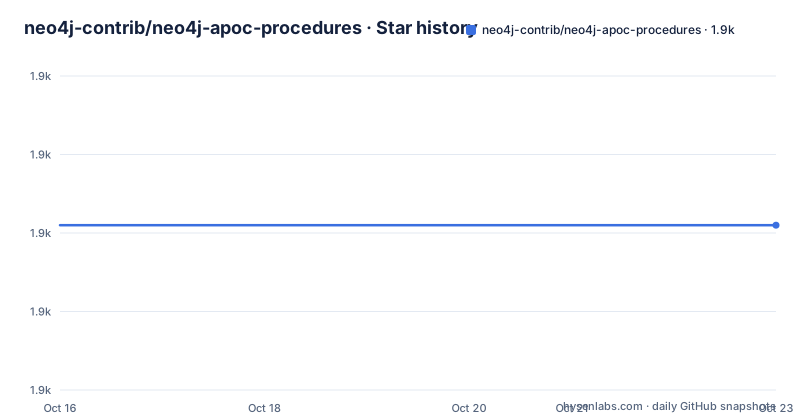
- neo4j-contrib/neo4j-apoc-procedures1,871 ★ · +0
| Repository | 2026-10-16 | 2026-10-23 |
|---|---|---|
| neo4j-contrib/neo4j-apoc-procedures | 1.9k | 1.9k |
0 Stars in the last 7 days, measured from the daily GitHub snapshot. Compare with other projects
Editorial analysis
Why neo4j-contrib/neo4j-apoc-procedures Exists
APOC Extended fills the gap between work that Cypher can express directly and functionality that needs a custom implementation. The README describes user-defined procedures and functions as Java implementations that can be deployed into Neo4j and called from Cypher. Its stated areas include data integration, graph algorithms, data conversion, import, export, and graph refactoring. The project says the Extended library contains more than 150 procedures and functions, although the README does not enumerate them all on its main page.
The intended users are Neo4j developers and operators who administer the server's plugin directory, select an appropriate release, and decide which database-side extensions their applications may call. This is not a standalone graph database or a client library. It augments a running Neo4j instance and exposes database operations through Cypher.
Repository scope matters here. Since APOC 5.0, the project has been split into separate repositories. This repository is the Extended part. The README points the main, officially supported distribution to the separate `neo4j/apoc` repository. An organization with a policy against unofficial or community-oriented extensions should therefore review this repository boundary before treating its procedures as part of the core APOC Library.
How APOC Extended Executes Inside Neo4j
APOC Extended is a Neo4j plugin built primarily in Java. After the extended JAR is placed in the server's plugins directory, Neo4j can expose its procedures and functions to Cypher. Functions can appear inside expressions and predicates in the same positions as built-in functions. Procedures can be invoked as standalone `CALL` operations or embedded in larger Cypher statements.
The README demonstrates the latter pattern by passing a URL to `apoc.load.json`. The procedure yields a value, which becomes the `person` variable. A subsequent `MERGE` creates a `Person` node and initializes its properties during creation. This illustrates a practical data flow: APOC retrieves structured data, while Cypher remains responsible for writing and updating the graph.
APOC also exposes self-description through `apoc.help`. The documentation says that an incorrect procedure call includes the procedure signature in its error message. This is useful because callers must know input parameter names, types, positions, output column names, and output types. The repository provides built-in help rather than requiring maintainers of every application to maintain a separate wrapper reference.
The plugin boundary still has operational consequences. Java code executes inside the Neo4j process rather than in an isolated external service. The README does not document a separate daemon, remote protocol, connection string, or deployment topology for APOC Extended.
Building APOC Extended from the Development Branch
The README provides a source-build path for the current development branch. It assumes the repository, Gradle wrapper, build output, and Neo4j installation are available on the local machine. The build produces an extended JAR whose version placeholder must be resolved from the build output before copying it.
Clone the repository, enter its directory, build the shaded JAR, install it in the Neo4j plugins directory, and restart the server:
git clone https://github.com/neo4j-contrib/neo4j-apoc-procedures
cd neo4j-apoc-procedures
sudo ./gradlew --init-script init.gradle shadow
cp build/extended/libs/apoc-<version>-extended.jar $NEO4J_HOME/plugins/
$NEO4J_HOME/bin/neo4j restart
The `<version>` text is a placeholder shown by the README, not a literal filename. The reader should locate the generated file under `build/extended/libs/` before copying it. If embedded mode or `neo4j-shell` with a disk store requires another plugin location, the README identifies `dbms.plugin.directory` as the relevant Neo4j configuration key. It also shows this syntax:
dbms.plugin.directory=path/to/pluginsThe README does not reproduce its linked manual installation or Docker installation instructions. It therefore does not establish exact release-download URLs, Docker image names, Neo4j image tags, or Docker commands on its main page. The source commands above should not be treated as a substitute for selecting a documented release compatible with the target server.
Loading JSON Through an APOC Extended Call
The clearest first use in the README combines remote JSON loading with a graph write. The example defines a URL, calls `apoc.load.json`, yields its parsed value, and merges a `Person` node by name. It initializes `age` and a child count only when the node is created.
WITH 'https://raw.githubusercontent.com/neo4j-contrib/neo4j-apoc-procedures/{branch}/src/test/resources/person.json' AS url
CALL apoc.load.json(url) YIELD value as person
MERGE (p:Person {name:person.name})
   ON CREATE SET p.age = person.age, p.children = size(person.children)
As written in the repository documentation, `{branch}` is an AsciiDoc substitution tied to the documentation branch rather than a literal remote URL. A user needs a concrete branch or release URL before executing the statement outside the documentation build.
The example also reveals the responsibility boundary. `apoc.load.json` handles loading and parsing, while `MERGE` controls graph identity and `ON CREATE SET` controls initial property values. If a matching `Person` already exists, the shown statement does not update its age or child count. That behavior comes directly from the Cypher used in the example, not from a documented APOC merge policy.
Before relying on this pattern, operators should establish whether their Neo4j environment permits the URL access required by the procedure. The README does not describe network policy, authentication for private URLs, retry behavior, or schema guarantees for arbitrary JSON.
Internal-API Restrictions and Security Configuration
The main operational limitation is explicit: procedures and functions that use Neo4j internal APIs are disabled by default. Enabling APOC is therefore a server configuration decision, not merely a JAR deployment. The README links to the restricted-procedure section of the APOC installation documentation but does not reproduce the individual configuration keys or list restricted procedures.
This restriction should shape adoption. APOC Extended may be appropriate in a controlled development environment where operators understand why a particular internal-API procedure is needed and whether its behavior fits the target Neo4j release. It is a poor fit where extension deployment is restricted by policy, where the required procedure cannot be enabled under the organization's controls, or where the team cannot review changes in server-side execution behavior.
The README does not provide rollback instructions. A JAR deployment followed by a server restart changes the running plugin set, but the README does not explain how to remove the plugin safely or how Neo4j handles incompatibilities during an upgrade. Operators should not infer that replacing a JAR is equivalent to a documented upgrade or rollback procedure.
For procedural discovery, the README shows this query:
CALL apoc.help("dijkstra")The result includes the signature and expected output columns. This is a concrete first verification after installation because it checks whether the plugin was loaded and whether the named procedure is visible.
APOC Extended Versus Core APOC and Custom Java Procedures
There are two relevant alternatives. The first is the separate, officially supported APOC Library at `neo4j/apoc`. The repository documentation describes that as the main APOC distribution and calls APOC Extended the other half of the split introduced with APOC 5.0. A project that only needs core APOC coverage should inspect that repository first rather than installing Extended procedures without a specific requirement.
The second alternative is writing the procedure or function directly in Java and deploying that custom implementation. Both approaches extend Neo4j through Java code. APOC Extended supplies a catalog of more than 150 existing procedures and functions for integration, algorithms, conversion, and related work. A custom implementation is closer to the original user-defined procedure model, but the README does not compare development effort, API compatibility, testing, or maintenance between the two choices.
The repository layout shows `apoc-core`, `extended`, `extended-it`, `hadoop`, `extra-dependencies`, and documentation directories. That separation indicates distinct modules in the source tree, but the README does not define which capabilities are supplied by every module. Users should consult the documented procedure overview and detailed user guide rather than infer behavior from directory names.
The project is licensed under Apache License 2.0. That identifier permits review under its published terms, but this repository summary does not cover notices, bundled dependencies, or organization-specific obligations. License compatibility should be checked against the complete distribution rather than inferred from the top-level declaration alone.
Release Maintenance and Upgrade Work
The repository is not archived, and its last push was on 2026-10-09. Recent release entries include `2026.04.0`, published on 2026-05-05, `2026.03.0`, published on 2026-04-20, and `5.26.4`, published on 2026-04-17. These dates indicate recent repository activity, but they do not by themselves establish compatibility with every Neo4j deployment.
The README's cleaned branch metadata points to Neo4j and APOC `2025.04.0`, while the repository's recent release list includes newer version labels. That difference is a concrete version-management concern: documentation branches, plugin releases, and database versions must be matched deliberately rather than selected by date alone.
Upgrade cost includes finding a compatible release, replacing the plugin JAR, reviewing any required `dbms.plugin.directory` setting, restarting Neo4j, and checking whether internal-API procedures remain enabled. The README links to installation documentation but does not document a general rollback process on its main page. Its source branch also exposes a formatting command:
./gradlew spotlessApplyThat command applies the repository's Spotless code style and removes unused imports. It is relevant to contributors modifying the Java source, not to routine server installation.
Editorial conclusion
APOC Extended fits Neo4j developers who need its documented data integration, conversion, or graph procedures and can align the library with their database release. It is a poor choice for workloads requiring only the officially supported APOC Library, environments that prohibit internal-API procedures, or teams unable to manage plugin files and version-specific upgrades. Verify the matching Neo4j and APOC Extended versions, required configuration, enabled procedures, and licensing implications before adoption. The first concrete adoption check is a compatible release JAR in `$NEO4J_HOME/plugins/`, followed by `CALL apoc.help("dijkstra")` to confirm that the plugin is loaded.
Frequently asked questions
What problem does APOC Extended solve for Neo4j developers?
It adds Java-backed procedures and functions for operations that are difficult to express directly in Cypher, including data integration, graph algorithms, conversion, import, and export.
How do I install APOC Extended in Neo4j?
The README provides a source-build route that creates an extended JAR, copies it into `$NEO4J_HOME/plugins/`, and restarts Neo4j. It also links to Desktop, manual release, and Docker installation documentation, but the main page does not reproduce those installation commands.
Are APOC Extended internal-API procedures enabled by default?
No. The README states that procedures and functions using internal APIs are disabled by default and that enabling them requires Neo4j configuration.
How can I inspect an APOC Extended procedure signature?
Run `CALL apoc.help("dijkstra")`, or use `apoc.help('keyword')` to search by keyword. The README says the output contains the procedure signature, while incorrect calls also expose signatures in error messages.
What license does APOC Extended use?
The repository README identifies Apache License 2.0.
Official sources
Add this badge to your README
If you maintain this project, the badge below links readers to this analysis and shows its maintenance status from the daily GitHub snapshot. Paste the markdown into your README; add ?metric=license or ?metric=stars to the image URL for a different field.

[](https://hysenlabs.com/projects/neo4j-contrib-neo4j-apoc-procedures)Star history chart for your README
[](https://hysenlabs.com/projects/neo4j-contrib-neo4j-apoc-procedures)Was this useful?