Nitric: declaring cloud infrastructure inside the application that needs it
Nitric is a multi-language framework for cloud applications with infrastructure from code.
At a glance
- What is it?
- Nitric is a multi-language framework where infrastructure is written inline next to the application code and deployed through plugins that speak Pulumi or Terraform. It suits teams that want one codebase portable across AWS, GCP and Azure, and it suits developers who would rather not own a growing pile of infrastructure code.
- Who is it for?
- Nitric fits application teams that want cloud portability without maintaining a separate infrastructure codebase, and it fits polyglot shops because the SDKs cover JavaScript, TypeScript, Python, Go and Dart. It does not fit an infrastructure team that wants explicit, reviewable Terraform or CloudFormation checked into source control, since Nitric infers the resources from application code, and it does not fit a shop that needs a resource type the framework has not modelled.
- Can I use it commercially?
- Yes. Apache-2.0 is a permissive licence: you can use, modify and sell software built on it, as long as you keep its copyright and licence notices.
- Is it still maintained?
- Yes. The repository last received commits 14 days ago.
- What is it written in?
- Mainly Go, according to GitHub's language statistics.
Answers come from the project's GitHub data, last synced on November 7, 2026, and from our analysis. They are not legal advice.
Star history
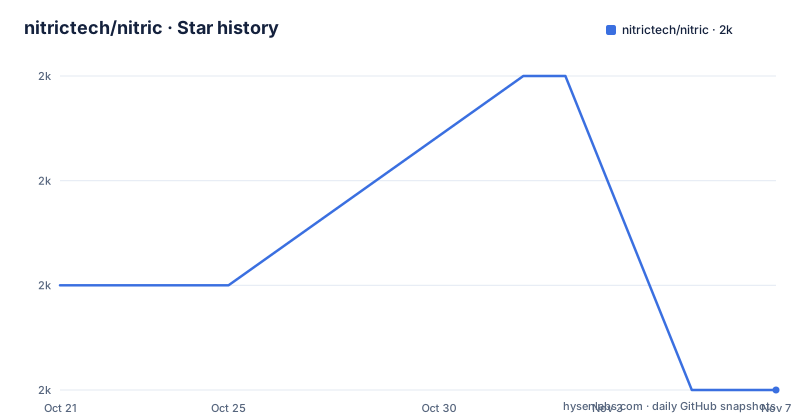
- nitrictech/nitric2,017 ★ · -1
| Repository | 2026-10-21 | 2026-11-07 |
|---|---|---|
| nitrictech/nitric | 2k | 2k |
-1 Stars in the last 17 days, measured from the daily GitHub snapshot. Compare with other projects
Editorial analysis
Nitric infers the infrastructure your application already implies
The premise of Nitric is that most cloud setup is not a design decision, it is a consequence of what the application does. The project puts it plainly: you write your application code, and your infrastructure requirements are inferred from it. Nitric then orchestrates and configures the deployment, so there is no Terraform or other infrastructure-as-code file to write by hand.
The stated goal is a single application that is portable across clouds including AWS, GCP and Azure. The supported SDKs cover JavaScript and TypeScript, Python, Go and Dart, and the supported clouds are AWS, GCP and Azure out of the box, with the option to build custom providers as well.
The resources on offer are the common ones: databases, queues and topics, APIs, key-value stores and buckets. The project also promises IAM for humans, and a local run mode with a local dashboard so you can develop without a cloud account. The framing is developer-centric by design, and the claim in the README is that abstraction should mean building on existing layers rather than hiding them, which is why the framework ships escape hatches for the cases where things get custom.
The inline API: api, bucket and an .allow() call
The mechanism is visible in the note taking example, which the README says deploys a working API endpoint and a bucket with all the IAM permissions automatically configured in fewer than ten lines. The code declares the resources and then uses them:
import { api, bucket } from "@nitric/sdk";

const main = api("main");
const notes = bucket("notes").allow("read", "write");

main.post("/notes/:title", async (ctx) => {
  const { title } = ctx.req.params;
  await notes.file(title).write(ctx.req.text());
});
Three things are worth reading out of that snippet. The resource is created by calling api or bucket, the permission is declared on the resource itself with.allow("read", "write"), and the route is attached to the API object. The permission declaration is the part that replaces the IAM work: the framework knows which service needs access to which bucket because both are declared in the same file, so least privilege access comes from the code rather than from a separate permissions document.
The route handler receives a context with request parameters and a body, and the storage call is a plain asynchronous method. There is no provider-specific client object anywhere in the snippet, and that is the whole portability claim in a handful of lines.
Plugins, Pulumi and Terraform: how the deployment happens
Nitric does not generate cloud resources itself. It orchestrates and configures the deployment, and the README says the same application can be deployed using automatically generated Pulumi, Terraform, or any other automation tool of your choice. The mechanism is a plugin-based architecture: the deployment plugins the project provides use Pulumi or Terraform, and you can also write your own.
That choice is the real design decision in the project, and it is worth being precise about what it buys. Your infrastructure ends up expressed in the vocabulary of the tool you already trust, so the generated stack can be reviewed, diffed and imported into an existing pipeline rather than living in a private format. It also means the framework is not the only thing between you and the cloud, which is a fair trade for people who distrust a black box.
A build of the project itself is a Go monorepo with a workspace, and the Makefile shows how the pieces fit. The module list and the provider list are declared at the top:
all := core cloud/aws cloud/gcp cloud/azure cloud/common
providers := cloud/aws cloud/gcp cloud/azure
Targets such as binaries, fmt, lint, test, test-coverage, license-check, generate-sources and tidy all iterate over those directories, and the core module plus the three provider modules are where the Go code lives. The repository root confirms the shape: core/, cloud/, nitric/, docs/, examples/ and test/.
Installing the CLI on macOS, Linux and Windows
The CLI is the entry point for everything, and each platform has a one-line install. On macOS it comes from a Homebrew tap:
brew install nitrictech/tap/nitricOn Linux the install endpoint is a shell script:
curl -L "https://nitric.io/install?version=latest" | bashOn Windows the project maintains its own Scoop bucket, which is added and then installed from:
scoop bucket add nitric https://github.com/nitrictech/scoop-bucket.git
scoop install nitric
With the CLI in place, the first step of the workflow is one command:
nitric newFrom there the loop is the one the README describes: write the code, and let the framework infer what it needs. Deployment is done with nitric up, and the project points to a separate examples repository and to written guides for people who want a walkthrough instead. There is also a local dashboard for development, which matters because the alternative to a cloud account is the reason many people cannot evaluate a framework like this in the first place. The installation is worth doing before reading further: nitric new gives you a working starting point with a real SDK and a real deploy path, which tells you more about the framework in ten minutes than the documentation does.
Where the abstraction is allowed to break
Any framework that stands between you and the cloud is eventually pushed past its limits, and Nitric's own documentation admits it. The README says the project includes escape hatches for when things get custom, and points at custom providers as the way to build support the framework does not ship.
This is a deliberate stance rather than a concession, and it changes how you should evaluate the project. The abstraction covers the common resources, which is where the repetitive work lives. The parts of a system that are genuinely unusual, a legacy integration, a network topology with a specific requirement, a service that only exists in one cloud, are the parts where you stop using the inline declarations and reach for a custom provider or the underlying automation tool. The plugin architecture is what makes that possible, and it is also the part that is hardest to evaluate before you need it.
The other pressure point is portability in practice. Mapping an application's requirements to the appropriate services across platforms is the claim, and AWS, GCP and Azure do not offer identical primitives. Where a resource has no counterpart, the abstraction has to either approximate it or hand it back to you.
Maintenance pace and what the licence means for your stack
Nitric is moving fast. The last push to the repository was on 2026-10-17, and three releases were published on that same day: v1.28.2, v1.28.3 and v1.28.4. Releases land under a SemVer scheme, and the repository carries a release configuration, a codeowners file and separate developer documentation, which is the shape of a project with a release process rather than a weekend experiment.
The consequence for an adopter is that a fast release cadence cuts both ways. Patch releases arrive quickly, but a framework that reorganises between minor versions will pull your application code along with it. The supported language and provider matrix is something to watch rather than assume, since each SDK is a separate repository, and the framework is only as good as the version of each SDK you have pinned.
The project is open source under the Apache License 2.0, with the licence file at the root of the repository and a Makefile target that runs a licence check across the provider modules. Apache 2.0 is permissive, and the explicit licence check in the build suggests the project treats licensing as something to verify mechanically rather than leave to a policy document. Read the licence file for the terms that apply to your distribution, and note that the SDKs live in their own repositories.
Editorial conclusion
Nitric fits application teams that want cloud portability without maintaining a separate infrastructure codebase, and it fits polyglot shops because the SDKs cover JavaScript, TypeScript, Python, Go and Dart. It does not fit an infrastructure team that wants explicit, reviewable Terraform or CloudFormation checked into source control, since Nitric infers the resources from application code, and it does not fit a shop that needs a resource type the framework has not modelled. Before adopting it, run nitric new and nitric up on a throwaway service, read the provider pages for AWS, GCP and Azure to see how closely the generated resources match what you run today, and check the escape hatches for the parts where your infrastructure is genuinely custom. The last push was on 2026-10-17 and the current release is v1.28.4.
Frequently asked questions
Which programming languages does Nitric support?
The SDKs cover JavaScript, TypeScript, Python, Go and Dart, each maintained as its own repository under the nitrictech organisation. The framework itself is written in Go, with the core and provider modules in the main repository.
Which cloud providers does Nitric deploy to?
AWS, GCP and Azure are supported out of the box. The README also states that you can build custom providers for targets the framework does not ship with.
How do I install the Nitric CLI?
On macOS with brew install nitrictech/tap/nitric, on Linux with the install script at https://nitric.io/install, and on Windows by adding the nitric Scoop bucket and running scoop install nitric. Once installed, nitric new creates your first application.
Does Nitric write Terraform or Pulumi code for me?
Nitric infers your infrastructure requirements from your application code and deploys through plugins that use Pulumi or Terraform, or any other automation tool you choose. You do not hand-write the infrastructure-as-code files.
How are permissions handled in a Nitric application?
Permissions are declared next to the resource they apply to. In the README example, the bucket is created with .allow("read", "write"), and the framework configures the IAM permissions automatically, which the project presents as IAM for humans.
Can I develop a Nitric application without a cloud account?
Yes. The README lists running locally with a local dashboard among the problems Nitric solves, so the application can be worked on and run on your own machine before it is deployed to a provider.
Official sources
Add this badge to your README
If you maintain this project, the badge below links readers to this analysis and shows its maintenance status from the daily GitHub snapshot. Paste the markdown into your README; add ?metric=license or ?metric=stars to the image URL for a different field.

[](https://hysenlabs.com/projects/nitrictech-nitric)Star history chart for your README
[](https://hysenlabs.com/projects/nitrictech-nitric)Was this useful?