react-timeago: a small live time-ago component for React
A simple time-ago component for ReactJs.
At a glance
- What is it?
- react-timeago is a React component that renders a relative timestamp and keeps it up to date, and it does it in about a hundred lines with no dependencies. The extension points are a formatter function and a set of language strings, which is how it stays small while supporting dozens of locales.
- Who is it for?
- Adopt react-timeago if you need a relative timestamp that updates itself and you would rather not ship a date library for it, and if your bundle budget is tight. Do not adopt it if you need absolute dates, a calendar, or a full localisation stack beyond relative time, since it deliberately does one thing.
- Can I use it commercially?
- Yes. MIT is a permissive licence: you can use, modify and sell software built on it, as long as you keep its copyright and licence notices.
- Is it still maintained?
- Yes. The repository last received commits 170 days ago.
- What is it written in?
- Mainly JavaScript, according to GitHub's language statistics.
Answers come from the project's GitHub data, last synced on November 6, 2026, and from our analysis. They are not legal advice.
Star history
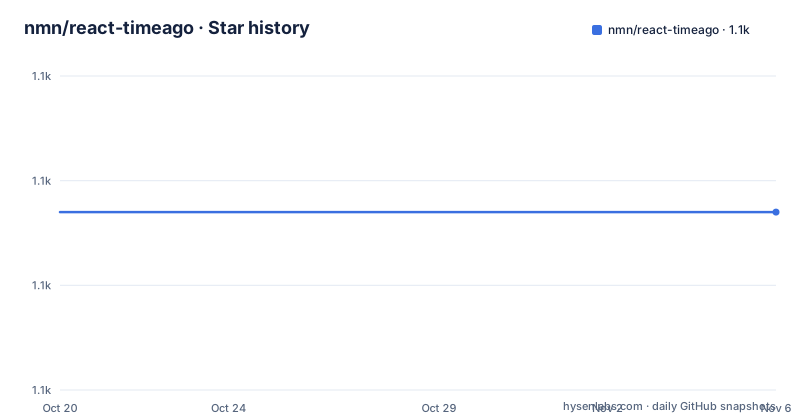
- nmn/react-timeago1,097 ★ · +0
| Repository | 2026-10-20 | 2026-11-06 |
|---|---|---|
| nmn/react-timeago | 1.1k | 1.1k |
0 Stars in the last 17 days, measured from the daily GitHub snapshot. Compare with other projects
Editorial analysis
One prop, one element, live updates
react-timeago is a simple time-ago component for React, and the usage section shows the entire API surface in two lines.
<TimeAgo date="Aug 29, 2014" />

// OR in vanilla JS
React.createElement(TimeAgo, {date: 'Aug 29, 2014'})
The component takes a date prop and returns a time element containing a live updating date in a time-ago format. The word live is the important one: the value refreshes by itself as the timestamp ages.
The part that makes it pleasant to use is the update schedule. The date updates only as often as needed. For timestamps below a minute away it updates every second, for timestamps up to five minutes away every minute, and so on as the gap grows. The README's summary is that react-timeago does the minimum amount of updates necessary, and that is a design goal rather than an accident, because a component that re-renders every second forever is a component that keeps a page awake.
That is the whole contract, and the rest of the library is about changing the words, not the mechanism.
The Intl formatter, which is not the default
Since v8.2.0 the package ships with a formatter that uses the Intl built into JavaScript to create a relative time format in any locale, with little configuration.
The catch is stated plainly: this option is not the default, because the default is a custom formatter for English. To use the Intl one you import makeIntlFormatter manually.
import TimeAgo from 'react-timeago'
import {makeIntlFormatter} from 'react-timeago/defaultFormatter';

const intlFormatter = makeIntlFormatter({
  locale: undefined, // string
  localeMatcher?: 'best fit', // 'lookup' | 'best fit',
  numberingSystem?: 'latn', // Intl$NumberingSystem such as 'arab', 'deva', 'hebr' etc.
  style?: 'long', // 'long' | 'short' | 'narrow',
  numeric?: 'auto', //  'always' | 'auto', Using 'auto` will convert "1 day ago" to "yesterday" etc.
});

<TimeAgo date='Feb 1, 1966' formatter={intlFormatter} />
Every option maps onto an Intl relative time format option: the locale, the locale matching strategy, the numbering system, the style, and whether to use numeric or auto, where auto turns a day into yesterday.
The documentation's recommendation is blunt about which to use. This new formatter should be your first choice when using react-timeago going forward, as long as it has the browser support you need, and the README links a caniuse entry for the relative time format API. The English custom formatter stays as the default so that the package does not change the output of existing installations, which is the right default for a library that has been around for years.
Language strings ported from jquery-timeago
There are two ways to localise the component, and the older one predates the Intl support.
Since v3.1.0 the package has support for a large number of languages out of the box, based on the string objects taken from jquery-timeago and then updated with the help of the community, and the README thanks the people who contributed language support.
To use a language other than the default English you import the language strings and build a custom formatter:
import TimeAgo from 'react-timeago'
import frenchStrings from 'react-timeago/lib/language-strings/fr'
import buildFormatter from 'react-timeago/lib/formatters/buildFormatter'

const formatter = buildFormatter(frenchStrings)

// in your react component
<TimeAgo date='Feb 1, 1966' formatter={formatter} />
You can also customise the language strings themselves or provide your own formatter function, and the README says pull requests for more languages are welcome. For other internationalisation needs it recommends the L10ns project.
There is one performance note in this section that is easy to miss. For best performance, build the formatters that you are going to use once and pass them around, rather than constructing a formatter inside a render. A formatter is a closure with the strings inside it, and building it on every render means rebuilding the strings on every render.
The package exports cover both the modern and the legacy import paths for these modules, with ./language-strings/* and ./formatters/buildFormatter alongside the older ./lib/ prefixed variants, so the code above works with either resolution style.
The props, and the two that catch people
The prop list is long for a small component, and two of them are the ones worth understanding before you ship.
The date prop is required and accepts a date in the past or the future, as a Date object, a UTC date string, or a number of milliseconds since the epoch. The live prop is optional and defaults to true, so the value auto-updates, and setting live: false stops that.
The now prop is the one that matters for server rendering. It is a custom function used instead of Date.now() to get the current value of epochSeconds in the formatter, and the documentation says it can be specifically useful for server rendering when you want the datetime to be the same on the server and client. Without it, a server-rendered string and a client-rendered string can differ by a second, which React will point out as a hydration mismatch.
The formatter prop takes a function with five arguments. The value is an integer already rounded off, the unit is a string in English, one of second, minute, hour, day, week, month or year, the suffix is a string, either ago or from now, the epochMilliseconds is the result of Date.now() or of a custom now prop, and nextFormatter gives the result of the default formatter with the same arguments. The examples are formatter(5, 'minute', 'ago') and formatter(1, 'year', 'from now'). The formatter is expected to return a string, but it can also return any React component or array of components, which is how you add a link or an icon.
The remaining props are component, which is the React class used to wrap the live string and defaults to time, title, which is passed to that component if it is the default one, minPeriod, the minimum number of seconds to wait before updating, and maxPeriod, the opposite, to force more frequent updates than the default. Since v2.0 any other props are passed straight down to the resulting component, so className, styles, id, aria-label and event handlers all work.
Two Babel targets, a Rollup example and Jest
The package manifest is small and explains how the distribution is put together.
There are two builds. The babel script compiles src/ to lib/ for CommonJS, and babel-es6 compiles it to es6/ for modules, and each is followed by a post script that runs scripts/gen-types.js to generate the type definitions for that target. The manifest points main at lib/index.js, module at es6/index.js and types at es6/index.d.ts, and the exports map gives both the modern subpath and the legacy ./lib/ prefixed path for the date parser, the default formatter, the language strings and the formatter builder.
The build script runs both Babel targets and then the example, and the example step is a Rollup build using rollup.config.mjs, which is what produces the bundled example in the examples/ directory, with a simple example under examples/simple/.
The tests are Jest with the jsdom environment and coverage enabled, and the test files are in the __tests__/ directory. The repository also carries a .babelrc.js, an .eslintrc, a .prettierignore, a flow-typed/ directory with a flow-typed.config.json, and a CHANGELOG.md and CONTRIBUTORS.ms.
The build is deliberately old-fashioned in one respect and modern in another: Babel with a config file rather than a bundler for the library itself, and Rollup only for the example. The result is a package that ships plain compiled JavaScript with no runtime dependencies, which is the point of the whole exercise.
Type definitions, the version timeline and the licensing
The type story has moved twice, and it is documented in the README.
Since v3.0.0 the package comes with Flow type definitions out of the box. In v3.1.0 the React.PropType validations were removed in favour of just the Flow types, and further, many type definitions are now exported for use in your own code, with the README pointing at the source for the details. The .flowconfig and the flow-typed/ directory in the repository are the Flow side of that, and the TypeScript definitions are generated by the same gen-types.js script that runs after each Babel build.
The version numbers need care when you read the repository. The manifest says version 8.3.0, the last published tag on the repository listing is v7.1.0 from 2022-06-10, and the README describes the Intl formatter as present since v8.2.0. The last push to the repository was on 2026-05-22 and it is not archived, so the tree is ahead of the last tag in the way many libraries are.
The licence is MIT. The author field in the manifest names Naman, and the package is published as react-timeago.
The last section of the README explains the philosophy, and it is the part that makes the small size make sense. React-TimeAgo focuses on speed and simplicity, and at about 100 lines of code the file size is extremely small. There are many similar libraries, but most of them come with large dependencies that are not worth it for such a simple use case. Any additional feature you need can be plugged in using the formatter function, and in the spirit of npm and keeping libraries small, as you only require the parts you actually use there will be no need to bloat your JavaScript.
Editorial conclusion
Adopt react-timeago if you need a relative timestamp that updates itself and you would rather not ship a date library for it, and if your bundle budget is tight. Do not adopt it if you need absolute dates, a calendar, or a full localisation stack beyond relative time, since it deliberately does one thing. Before you start, decide whether you will use the Intl formatter or the language strings, since the two are separate paths with different browser support requirements, and if you server-render, pass a custom now function so the server and the client produce the same string and React does not warn about a hydration mismatch.
Frequently asked questions
What does react-timeago render?
A time element containing a relative timestamp in a time-ago format, which updates itself as the timestamp ages. The date prop accepts a Date object, a UTC date string or milliseconds since the epoch, and the update schedule is throttled: every second under a minute, every minute up to five minutes, and so on.
How do I get a relative time in another language with react-timeago?
There are two paths. The Intl formatter, available since v8.2.0 through makeIntlFormatter, uses the browser's own relative time formatting and should be your first choice if the browser support is there. Otherwise import the language strings and build a formatter, for example importing frenchStrings from 'react-timeago/lib/language-strings/fr' and passing it to buildFormatter.
How do I stop react-timeago from updating itself?
Set the live prop to false, so live={false}. The component then renders the value once and does not schedule further updates.
What is the now prop for in react-timeago?
It is a custom function used instead of Date.now() to get the current epoch value passed to the formatter. The documentation points out it is useful for server rendering when you want the datetime to be the same on the server and the client, which avoids a hydration mismatch.
Is react-timeago still maintained?
The repository is not archived and the last push was on 2026-05-22, with the package manifest at version 8.3.0 while the last listed release tag is v7.1.0 from 2022-06-10. It is MIT licensed, and the library ships with no runtime dependencies, which is the point of the design.
Official sources
Add this badge to your README
If you maintain this project, the badge below links readers to this analysis and shows its maintenance status from the daily GitHub snapshot. Paste the markdown into your README; add ?metric=license or ?metric=stars to the image URL for a different field.

[](https://hysenlabs.com/projects/nmn-react-timeago)Star history chart for your README
[](https://hysenlabs.com/projects/nmn-react-timeago)Was this useful?