ONEARMY Community Platform for Open Environmental Projects
A platform to build useful communities that aim to tackle global problems
At a glance
- What is it?
- ONEARMY Community Platform is a TypeScript application for combining community knowledge, projects, research, questions, news, and local connections in one place. It fits organizations that need a shared, open-source home for social and environmental work, but setup depends on the documented Supabase workflow.
- Who is it for?
- Adopt this platform when a social or environmental project needs a common, open-source space for community knowledge and collaboration. Do not treat it as a ready-to-run generic forum, because local setup requires the separate Supabase procedure and the repository does not show a one-command installation.
- Can I use it commercially?
- Yes. MIT is a permissive licence: you can use, modify and sell software built on it, as long as you keep its copyright and licence notices.
- Is it still maintained?
- Yes. The repository last received commits 3 days ago.
- What is it written in?
- Mainly TypeScript, according to GitHub's language statistics.
Answers come from the project's GitHub data, last synced on November 6, 2026, and from our analysis. They are not legal advice.
Star history
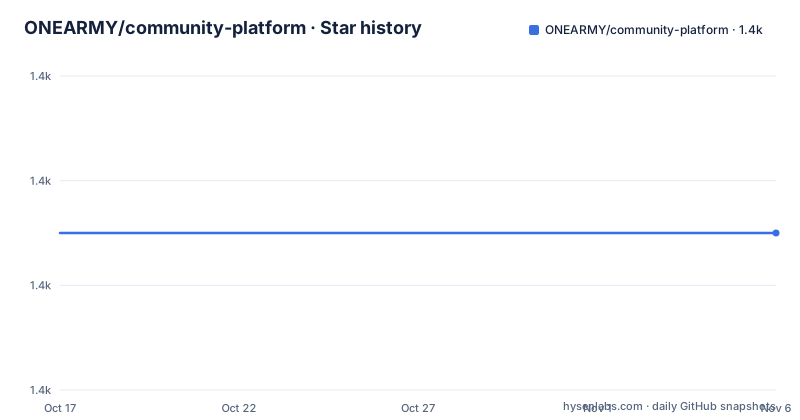
- ONEARMY/community-platform1,405 ★ · +0
| Repository | 2026-10-17 | 2026-11-06 |
|---|---|---|
| ONEARMY/community-platform | 1.4k | 1.4k |
0 Stars in the last 20 days, measured from the daily GitHub snapshot. Compare with other projects
Editorial analysis
Why ONEARMY Built a Unified Community Workspace
ONEARMY Community Platform addresses two problems described in the README. First, an environmental project depends on a community, and creating that community can consume substantial time and resources. Second, project teams often rely on several incomplete, disconnected, privately controlled, or closed digital tools. The platform's response is to place several kinds of community activity in one application rather than treating communication, documentation, and discovery as unrelated destinations.
The intended audience is not limited to individual climate researchers. The project is built for organizations and communities supporting work such as Precious Plastic, Project Kamp, and Fixing Fashion. Its documented feature set includes a project library, research, questions, news updates, and a map. The README also frames the platform as a place for people to meet, assist one another, ask and answer questions, exchange practical solutions, find nearby participants, and connect online or offline.
This makes the project relevant to teams that want their accumulated knowledge to remain visible as a shared community resource. It is less suitable for a team whose main requirement is a narrow application, such as an issue tracker alone or a document repository alone. The README presents a broad community environment, not a specialized moderation, publishing, or incident-management tool.
The TypeScript Application and Workspace Layout
The repository is primarily written in TypeScript and its topics include React, ReactJS, Theme UI, and design-system work. The `package.json` identifies the application as `one-army-community-platform`, declares ES module behavior through `"type": "module"`, and defines workspaces for `shared` and `packages/*`. That package layout supports work being split into shared code, themes, components, and platform code rather than kept in one source tree.
The build sequence in `package.json` gives a concrete view of that structure. It first builds the shared workspace, then the themes, then the components, followed by the Vite application build and TypeScript compilation. Other scripts start those packages separately, including `oa-themes`, `oa-components`, and `oa-shared`. The repository also contains `react-router.config.ts`, `vite.config.ts`, `server.js`, `src/`, `shared/`, `packages/`, and a `supabase/` directory. Together, these files indicate a React Router application with a Bun-based server and separate workspace packages.
The application also has infrastructure-specific files. `Dockerfile`, several `fly-*.toml` files, `.circleci/`, and CI scripts indicate a deployment-oriented repository. Seed material, including `seed.config.ts`, `seed.sql`, `seed.ts`, and `seed/`, is also present. The README does not explain the database schema or every request path, so a detailed account of runtime data flow cannot be confirmed. The repository does show a multi-package frontend and server structure backed by documented Supabase setup requirements.
Starting Locally Requires Supabase and Bun
The README does not provide a complete standalone installation sequence. It directs developers to `/docs/supabase.md` under “Getting Started” and says to complete that setup before starting the application locally. The only documented local start command is `bun start`. The safe sequence is to obtain the repository, configure the Supabase-dependent local environment according to `docs/supabase.md`, and then invoke the documented start script. The README does not state a repository version to check out, so adopting the newest tag or `master` is a deployment decision that remains open.
After following the Supabase guide, run the start script from the repository root:
bun startThe `package.json` maps this command to `bun ./server.js`. That confirms that the application server starts through `server.js` using Bun. The README and `package.json` do not state the local listening port, required URL, or exact text expected in the browser, so those details should be taken from `docs/supabase.md` rather than guessed.
A first useful development check is to compare the available runtime with the source tree. The repository includes application code under `src/`, shared code under `shared/`, package workspaces under `packages/`, and Supabase files under `supabase/`. If any of those services is absent, following the README's prerequisite order matters: it asks for the Supabase guide to be completed before startup. No separate database initialization command appears in the README, so none should be substituted.
Container Builds Encode the Production Dependency Chain
The included `Dockerfile` provides a more concrete production path than the shortened README. It uses `oven/bun:1.4.2`, installs build dependencies, copies the repository, and runs `bun install`. The image then builds the shared package, themes, components, and Vite application in that order. It skips `tsc` in this container build because the Dockerfile says type checking is already performed in CI.
The runtime image exposes port `3000` and starts `server.js`:
ENV PORT=3000
EXPOSE 3000
CMD [ "bun", "./server.js" ]
The Dockerfile also accepts `VITE_BRANCH` and `VITE_SENTRY_DSN` as build arguments and writes their values into `.env` during the build. Those values are sourced from Docker build secrets in the shown file. This documents build-time configuration for deployment, but the README does not identify every Supabase setting required by a production installation beyond pointing developers to the Supabase setup guide.
For an organization evaluating production operation, the container image is more informative than the README's quick-start section. It identifies the runtime, port, build order, server entry point, and two build-time variables. It does not describe database backups, migrations, secret rotation, observability configuration, or rollback. Those operations should not be inferred from the presence of `server.js` or the Dockerfile.
Where the Platform Differs From Separate Community Tools
The clearest alternative described by the project is a collection of separate, disconnected tools. ONEARMY argues that project teams often move among incomplete or privately controlled products, which makes collaboration and knowledge sharing harder. Its approach consolidates project discovery, research, questions, news, mapping, and community participation inside one platform intended to support both online and offline connections.
This differs from adopting several point solutions because the goal is shared context across community activities. A question, project, research item, news update, or map entry participates in the same broader community environment. The repository's workspace structure also consolidates reusable themes, components, and shared TypeScript code, although that should not be confused with a guarantee that every external service has been eliminated.
The trade-off is breadth. A unified community application asks an adopting organization to accept a platform centered on One Army's community model instead of independently selecting the best tool for each function. The README provides links to existing communities such as Precious Plastic and Project Kamp, but it does not publish a feature-by-feature comparison with forum software, mapping products, or documentation systems. Organizations whose governance, localization, moderation, or data-residency requirements differ from those implementations would need a direct evaluation rather than relying on the project's general positioning.
Maintenance Signals, Releases, and MIT Implications
The repository is not archived. Its last push was on 2026-10-14, and the listed releases `v2.163.1`, `v2.163.0`, and `v2.162.0` were published on 2026-10-14, 2026-10-14, and 2026-10-13 respectively. Those facts show recent repository activity, but they do not guarantee that an installation will have low upgrade work.
The package is marked `"private": true` in `package.json`, even though the repository carries the MIT license. This means the application is not intended to be consumed as a normal published npm package according to its package metadata. Operators would need to fork or deploy the repository itself. The MIT license permits use, modification, distribution, and sublicensing under its conditions, including preservation of the copyright and license notice. This describes the documented license mechanics rather than legal advice about a particular deployment.
Upgrade planning must account for the coordinated workspace build, shared package, themes, components, Vite application, server entry point, and Supabase environment. The README does not document a migration or rollback procedure, so an adopter should not assume that application code can be changed independently of its data setup. The repository's release frequency is clear, but the operational cost of a specific upgrade remains undocumented.
What an Adoption Review Must Confirm
The repository exposes several verification points before a team commits its community data. The first is setup completeness. `docs/supabase.md` is mandatory reading according to the README, while the root package scripts show a coordinated workspace rather than a single isolated application package. A reviewer should compare the intended local setup with the documented Supabase procedure.
The second point is deployment scope. The Dockerfile identifies Bun `1.4.2`, port `3000`, `server.js`, and the build-time variables `VITE_BRANCH` and `VITE_SENTRY_DSN`. The presence of Fly configuration files and CircleCI configuration indicates deployment support, but the README excerpt does not define backup, migration, monitoring, or rollback procedures. Those are operational gaps rather than claims that the platform cannot support them.
The third point is product fit. The documented community features are broad, so a team should compare its needs with the README's project library, research, questions, news, map, and connection model. The MIT license gives the repository a permissive basis for modification, while `"private": true` means deployment is expected from source rather than package installation. That combination suits organizations willing to own the deployment and adapt the application.
Editorial conclusion
Adopt this platform when a social or environmental project needs a common, open-source space for community knowledge and collaboration. Do not treat it as a ready-to-run generic forum, because local setup requires the separate Supabase procedure and the repository does not show a one-command installation. Check that path first, along with the required deployment configuration and the fit of the documented features, before committing an active community to it. For this repository, the first concrete adoption checkpoint is whether `docs/supabase.md` covers the intended Supabase environment.
Frequently asked questions
How do I start the ONEARMY Community Platform locally?
Follow the repository's `Getting Started` guide at `docs/supabase.md` first, then run `bun start` from the project root. The `start` script invokes `bun ./server.js`.
What does ONEARMY Community Platform include?
The README lists a library of projects, research, questions, news updates, and a map. It is designed to help environmental-project communities connect, collaborate, share solutions, and discover people around them.
Can I run ONEARMY Community Platform with Docker?
The repository includes a `Dockerfile` built on `oven/bun:1.4.2`. Its runtime exposes port `3000` and starts `bun ./server.js`; the README excerpt does not give a complete Docker deployment tutorial.
Official sources
Add this badge to your README
If you maintain this project, the badge below links readers to this analysis and shows its maintenance status from the daily GitHub snapshot. Paste the markdown into your README; add ?metric=license or ?metric=stars to the image URL for a different field.

[](https://hysenlabs.com/projects/onearmy-community-platform)Star history chart for your README
[](https://hysenlabs.com/projects/onearmy-community-platform)Was this useful?