Oqtane: a CMS, a module generator and an install wizard in one .NET repository
Oqtane is an open-source developer productivity platform for building modern .NET applications and websites that run on Web, Desktop and Mobile.
At a glance
- What is it?
- Oqtane gives .NET teams a CMS, a module code generator and an install wizard wrapped around Blazor, spread across three solutions and four hosting modes. The gaps worth knowing sit in the branch the Azure button deploys, the blank DefaultConnection reset, and an upgrade path documented outside the repository.
- Who is it for?
- Oqtane earns its place when a team already builds on Blazor and wants a hosted module system with a database wizard instead of hand rolled plumbing. It costs a template package, a first run that picks your database, and upgrades that swap downloaded archives rather than commits you pin.
- Can I use it commercially?
- Yes. MIT is a permissive licence: you can use, modify and sell software built on it, as long as you keep its copyright and licence notices.
- Is it still maintained?
- Yes. The repository received new commits within the last day.
- What is it written in?
- Mainly C#, according to GitHub's language statistics.
Answers come from the project's GitHub data, last synced on October 23, 2026, and from our analysis. They are not legal advice.
Star history
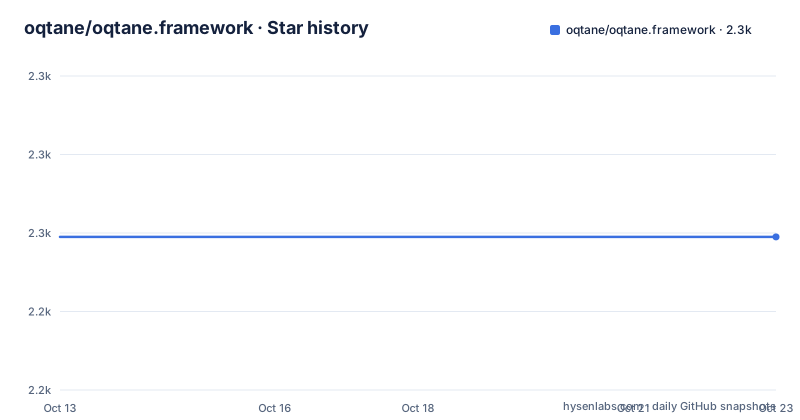
- oqtane/oqtane.framework2,259 ★ · +0
| Repository | 2026-10-13 | 2026-10-23 |
|---|---|---|
| oqtane/oqtane.framework | 2.3k | 2.3k |
0 Stars in the last 10 days, measured from the daily GitHub snapshot. Compare with other projects
Editorial analysis
The repository calls it a platform, the README calls it a CMS
Oqtane arrives under two different names, and they describe two different products. The repository description calls it an open source developer productivity platform for building modern .NET applications and websites that run on Web, Desktop and Mobile. The first line of the README calls the same thing an open source Content Management System (CMS) and Application Framework. The topic tags settle nothing either: cms, modular, multi-tenant, saas, blazor, maui, webassembly, aspnetcore. A team has to decide which promise it is buying: an admin surface for pages, or a host for application modules.
Both readings have something concrete behind them. Module Management, reached through the Control Panel gear icon and then the Admin Dashboard, generates a module's code for you and prints the Location it was written to. The tenant side has no such walkthrough at all. Nothing explains how a tenant is created, switched or isolated, even though multi-tenant and saas sit in the topic list. Anyone whose requirement is literally multi-tenancy has to read oqtane.docs or the source before committing, and that documentation sits in a different repository.
Three solution files and four Blazor hosting modes
The repository root is where the architecture shows through. Alongside Oqtane.slnx sit Oqtane.Maui.slnx and Oqtane.Updater.slnx, three solutions for three jobs, and the install instructions name only the first. The project folders divide along the hosting line: Oqtane.Client, Oqtane.Shared and Oqtane.Server for the web stack, Oqtane.Maui for the .NET MAUI application, and Oqtane.Updater, a project the README never describes.
Four hosting modes are named as supported targets, and they are the stock Blazor options rather than anything Oqtane invented: Static Blazor, Blazor Server, Blazor WebAssembly, and Blazor Hybrid through .NET MAUI. That breadth is the pitch, Rocket Fuel for Blazor in the project's own words, with scalable services and a composable UI you can move between those targets. The cost of the breadth is visible in the file list. A developer who wants nothing but Blazor Server still clones a tree whose root carries a MAUI solution, an updater solution, Directory.Build.props, azuredeploy.json and the .editorconfig. Nothing in the getting started text tells you which of the three solutions to open beyond one rule: Oqtane.Server has to be the Startup Project.
Scaffolding a first site from the .NET template
The documented path for a new application is the .NET template, and its heading is pinned to version 10.0.0 and above while the latest published build is 10.2.6. If a copy of the template is already installed, that copy is removed first.
dotnet new uninstall Oqtane.Application.TemplateThen the template installs and the project is created. MyCompany.MyProject is a placeholder you replace with your own company and project name.
dotnet new install Oqtane.Application.Template
dotnet new oqtane-app -o MyCompany.MyProject
cd MyCompany.MyProject
dotnet build
cd Server
dotnet run
That last command starts the server and, against a database that has never been initialised, brings up an Installation Wizard rather than a site. That first screen is where you pick a database and create a host user account, and it is the step that surprises anyone who expected a template to hand over a finished CMS. In an IDE you skip the CLI, open the *.slnx file in the project root and press F5. Two hosted shortcuts sit beside these instructions too: a one click Deploy to Azure button, and a free ASP.NET account on MonsterASP.NET that the README says needs no credit card. Both bypass the wizard entirely.
Source installs need .NET 10.0 SDK and Visual Studio 2026
The second route builds the framework itself, and its prerequisites are heavier. Install the latest .NET 10.0 SDK, then Visual Studio 2026 with the ASP.NET and web development workload. Every Visual Studio edition from Community to Enterprise is listed as working, and LocalDB is optional because SQLite, mySQL and PostgreSQL are all supported. That lowercase mySQL spelling is how the text writes it, worth knowing when you read other people's threads about the same choice.
Clone the tree with `git clone https://github.com/oqtane/oqtane.framework` for the dev default branch, or `git clone --single-branch --branch master https://github.com/oqtane/oqtane.framework` when you want master. Open Oqtane.slnx, set Oqtane.Server as the Startup Project, and running it shows the same Installation Wizard, which configures your preferred database and creates the host user.
Module work then happens inside that running site. Log in as the host user, click the gear icon for the Control Panel, open the Admin Dashboard and Module Management, and Create Module writes a new module's code to a Location you have to note down before opening the solution file it produced.
Blanking DefaultConnection in appsettings.json starts over
Once the wizard has recorded a database choice, the reset route is a single config key. Set DefaultConnection in the Oqtane.Server\appsettings.json file to an empty string and the next run executes the database installation again, from the wizard. Copy the database first: the README does not say what happens to rows that are already in it, and it does not document rollback for a half finished re-install either.
Upgrades take a different path and it lives outside the repository. Official archives come in two flavours, Install.zip for a new installation and Upgrade.zip for an existing one, while the step by step upgrade text sits on an oqtane.org blog post and the Azure walkthrough sits on blazorhelpwebsite.com, a third party site. Contributors working in a clone hit a smaller version of the same problem, because running the installer leaves local changes in `appsettings.json`. The documented fix is to hide that one file from git before opening a pull request.
git update-index --skip-worktree appsettings.jsonNothing in the README says when to undo that, so a long lived clone can carry a skipped file indefinitely. The framework itself is under the MIT licence, while contributions are governed by the .NET Foundation Contributor Covenant Code of Conduct.
The Azure button deploys master while development sits on dev
One click and you can be on a different tree than the developers working on it. The Deploy to Azure button points at an ARM template whose raw path ends in master/azuredeploy.json, while the repository's default branch is dev. The plain clone command handed to source installers also lands on dev, so the two documented routes can install different code from the same repository, with nothing in the README explaining the gap. The README's own image link for oqtane.png uses that same master path.
Version numbers drift in a comparable way. The getting started heading covers version 10.0.0 and above, the newest published build is 10.2.6, and three patch tags moved from 10.2.4 on 2026-08-17 to 10.2.5 on 2026-09-10 and then 10.2.6 on 2026-09-14. Patch level changes landed inside four weeks while the instruction text stays pinned to a whole major version, which is why the upgrade notes for your exact tag matter more than the getting started page.
One unchecked backlog item and a separate docs repository
The Roadmap section runs three lines: the project is described as a work in progress, and the Backlog beneath it holds a single unchecked entry, Folder Provide. That is the whole published backlog, so nobody is maintaining a public list of what comes next. Documentation is deliberately elsewhere, in the oqtane.docs repository, where API documentation is auto generated with Docfx and published to GitHub Pages at docs.oqtane.org, spelled Githib Pages in the text.
Support runs through Discord. Extension work has its own front door in the Oqtane Marketplace at oqtane.net, where modules, themes and extensions are collected, and that is a different domain from the www.oqtane.org homepage. The root of the repository carries CONTRIBUTING.md and SECURITY.md, and the README states that the project is an official member of the .NET Foundation. The last push to the repository landed on 2026-09-25, so the code here is current even where the roadmap is thin.
When stock Blazor hosting is the cheaper answer
The four hosting targets named for the platform, Static Blazor, Blazor Server, Blazor WebAssembly and Blazor Hybrid through .NET MAUI, are all stock .NET choices, and you can combine them without Oqtane. That path means writing your own host, your own content store and your own account handling, with no install wizard, no host user and no tenant administration to inherit. What Oqtane adds in exchange is the installer and the module generator: a first run that configures the database and creates a host account, plus a Create Module screen that emits project code inside an existing solution.
Oqtane is the wrong tool when the application is one small site with no content editors and no module boundary, because the first run still forces a database decision and a host user account, and undoing that choice means a config edit followed by a re-install. It also fits badly if you want a build you own end to end, since the documented upgrade path swaps a downloaded archive rather than a commit you pin. Teams that only need pages can also take the CMS surface and keep application code in a separate service, since the topic tags treat cms as a capability separate from the module system.
Editorial conclusion
Oqtane earns its place when a team already builds on Blazor and wants a hosted module system with a database wizard instead of hand rolled plumbing. It costs a template package, a first run that picks your database, and upgrades that swap downloaded archives rather than commits you pin. Verify three things before adopting: which of the three solutions you actually need, whether the dev branch matches the master tree behind the Azure button, and what the DefaultConnection reset does to data you already have.
Frequently asked questions
What does the Oqtane Installation Wizard do on the first run?
It lets you configure your preferred database and create a host user account, and it runs the database installation itself. The chosen database is recorded as the DefaultConnection value in the Oqtane.Server\appsettings.json file.
Which Oqtane hosting modes and solutions does the project support?
The README names Static Blazor, Blazor Server, Blazor WebAssembly and Blazor Hybrid through .NET MAUI as the hosting modes. The repository carries Oqtane.slnx, Oqtane.Maui.slnx and Oqtane.Updater.slnx, and the purpose of the Oqtane.Updater project is not described anywhere in the README.
How do I upgrade an existing Oqtane installation?
Official distributions ship an Install.zip for new installations and an Upgrade.zip for existing ones, and the upgrade instructions live outside the repository on an oqtane.org blog post. The README does not document rollback if an upgrade goes wrong.
How do I build a custom module in Oqtane?
Log in as the host user, open the Control Panel from the gear icon, then the Admin Dashboard and Module Management, and select Create Module. The code is generated into a Location that the instructions tell you to note down before opening the solution file in Visual Studio.
Can I develop Oqtane without Visual Studio?
The source install instructions name the .NET 10.0 SDK and Visual Studio 2026 with the ASP.NET and web development workload, and the build and debug step is an F5 run in that IDE. The .NET CLI commands in the README cover the application template only, not the framework solutions.
Official sources
Add this badge to your README
If you maintain this project, the badge below links readers to this analysis and shows its maintenance status from the daily GitHub snapshot. Paste the markdown into your README; add ?metric=license or ?metric=stars to the image URL for a different field.

[](https://hysenlabs.com/projects/oqtane-oqtane-framework)Star history chart for your README
[](https://hysenlabs.com/projects/oqtane-oqtane-framework)Was this useful?