browser-agent-py: an archived README, and a package that does the work
AI Browser Agent is an advanced Browser AI tool developed by Oxylabs AI Studio that automates real user browsing tasks using natural language instructions.
At a glance
- What is it?
- The oxylabs browser-agent-py repository holds three files and no code. Everything it documents belongs to the oxylabs-ai-studio package on PyPI, the browser runs on Oxylabs infrastructure through an API key, and the repository itself was archived with its last commit on 2026-04-02.
- Who is it for?
- Read this repository as a pricing page and an API reference, not as software you can audit. The code lives in the oxylabs-ai-studio package on PyPI, the browsing session itself runs on the vendor's side, and the repository that used to explain it stopped moving on 2026-04-02.
- Can I use it commercially?
- Not without permission. GitHub finds no licence file in the repository, and without a licence all rights are reserved by default: you may read the code but not reuse it. Check the README, or ask the authors, before using it.
- Is it still maintained?
- No. The owners have archived the repository on GitHub, so it is read-only and no longer receives changes.
- What is it written in?
- GitHub does not report a main language for this repository.
Answers come from the project's GitHub data, last synced on October 12, 2026, and from our analysis. They are not legal advice.
Star history
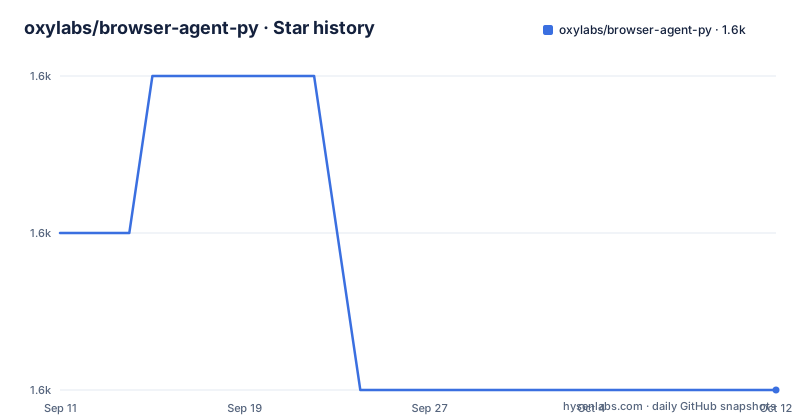
- oxylabs/browser-agent-py1,563 ★ · -1
| Repository | 2026-09-11 | 2026-10-12 |
|---|---|---|
| oxylabs/browser-agent-py | 1.6k | 1.6k |
-1 Stars in the last 31 days, measured from the daily GitHub snapshot. Compare with other projects
Editorial analysis
Three top level files, and none of them are code
The repository's whole content is a README and two PNG images, one of them a 1200x628 banner named `Github-AI-Studio-1200x628px-Browser-Agent.png` and one named `screenshot.png`. There is no `pyproject.toml`, no setup script, no test directory and no source package, so the name of the repository is the first thing that does not describe what you would get. You install something else entirely.
What you install is the SDK:
pip install oxylabs-ai-studioThe version, the changelog and the code all live in that PyPI package, not here. The README points at `https://pypi.org/project/oxylabs-ai-studio/` for that, and it calls that PyPI listing a repository, which is a small slip for a package index. The practical consequence is that this tree cannot answer a single question about what changed: no version file, no tags, no lock file, nothing to diff against. The GitHub side of the project is documentation about a package hosted somewhere else, and the package is what your dependency resolver will actually pin.
The browser runs on the vendor side, and the key is the whole handshake
The SDK is a client for a hosted service. Nothing in the examples starts a browser on your machine, and there is no Playwright or Selenium dependency anywhere in the import path, which starts at `from oxylabs_ai_studio.apps.browser_agent import BrowserAgent`. The browser opens on Oxylabs infrastructure after you construct the client:
from oxylabs_ai_studio.apps.browser_agent import BrowserAgent

browser_agent = BrowserAgent(api_key="<API_KEY>")
Your side of the exchange is a URL, a sentence of instructions, and a choice of output format. Everything else, including where the pages are fetched from, happens where the API key points. The parameter table names exactly one piece of infrastructure control, `geo_location`, described as a proxy location in ISO2 format, so the only documented way to influence where the browsing happens is which country the request is proxied through. There is no documented setting for a step budget, a timeout, a retry count, or a maximum number of actions in a task.
That gap is the thing to weigh before you point it at anything. A multi step prompt is executed by a remote agent whose stopping conditions are not in the documentation, and a task that clicks through a long flow can only be bounded by the guard the vendor applies on the server side.
Five parameters, of which two are mandatory and one is a trap
The documented call surface is small. `url` and `user_prompt` are mandatory, `output_format` accepts `json`, `markdown`, `html` or `screenshot` and defaults to `markdown`, `schema` is mandatory when the format is JSON, and `geo_location` is the proxy selector described earlier. Everything in the examples goes through `browser_agent.run`.
The trap is the default. Markdown is the default output format, which means a caller who writes `run(url=..., user_prompt=...)` with no third argument gets prose back and no error, even when the surrounding code expects structured data. The JSON path has the mirror image problem: it is the one that refuses to run without a schema, so the shortest working JSON call needs two API calls rather than one.
Which is exactly what the first example does. It asks the agent to invent the schema before it uses it:
schema = browser_agent.generate_schema(
    prompt="game name, platform, review stars and price"
)
print("schema: ", schema)
So a structured run is a two step affair, and the schema generation call is not a row in the parameter table of the call that consumes it. The example then posts that schema together with a prompt about finding a game in a store, against `https://sandbox.oxylabs.io/`.
The sample output shows a null where a number was requested
The README prints one complete JSON result for that first request, and it is worth reading closely because the values are not all filled in:
{
  "type": "json",
  "content": {
    "games": [
      {
        "game_name": "Super Mario Odyssey",
        "platform": "Nintendo Switch",
        "review_stars": null,
        "price": 89.99
      }
    ]
  }
}
The schema was generated from the words game name, platform, review stars and price. Three of those four come back populated and `review_stars` is null. So a schema is a request for shape, not a guarantee of values, and code built on this API has to decide what a null means: a field the page did not show, a field the agent could not read, or a field it never found. Nothing in the documentation says, and there is no error channel shown for a partial extraction.
Two smaller things sit in the same output section. The fenced sample is preceded by the bare word `Results:` inside the code block, so copying that block verbatim will not parse as JSON. And the line promising a screenshot of the second request is followed by the format list instead of an image, so the example that shows how to write PNG bytes never shows the PNG.
Credits and requests per second are the unit of cost, and neither maps to a task
The only pricing in the repository is in the FAQ: a free trial of 1000 credits, then monthly plans from $12 per month carrying 3000 credits and 1 request/s, with higher plans buying more credits and higher request rates. Credits and requests per second are both stated. What a request is, in the middle of a multi step task, is not.
That matters for how you would use this. The four use cases the README names are a checkout simulation that adds to cart, applies a coupon and confirms the flow, a travel search that filters flights or hotels, a job search that clicks through postings, and event discovery. Each is a sequence of page loads and actions performed remotely, and a single user instruction can expand into many of them. Whether the meter counts the instruction, each internal step, or each page fetched is exactly the kind of detail that decides whether a 3000 credit plan is comfortable or gone in a day, and the documentation does not answer it.
The rate limit points the same way. One request per second on the entry plan is a throughput ceiling for scripts, not a browsing speed, and there is no documented concurrency limit, no batch endpoint, and no description of what happens to a request that is refused.
The links in the README carry an affiliate identifier
The first link on the page is the product URL for the Browser Agent app, and it is not a clean one. It runs `https://aistudio.oxylabs.io/apps/browser_agent?utm_source=877&utm_medium=affiliate&utm_campaign=ai_studio&utm_content=browser-agent-py&groupid=877&transaction_id=102f49063ab94276ae8f116d224b67`. A `transaction_id` and a `groupid` in a documentation link is a referral marker, and the same tagged URL is also what the repository presents as its homepage.
Two other links matter more for a reader trying to evaluate the tool. One goes to a JavaScript SDK guide in a different repository, `oxylabs/oxylabs-ai-studio-js`, which tells you the browser agent is one app inside a larger paid platform rather than a standalone package. The other goes to the pricing page, which is where the credit accounting described above actually lives. The README's own words, though, end early: its final section promises a deeper dive into available parameters, advanced integrations and additional examples, names the AI Studio site as the place, and stops mid sentence in the middle of the link text. The reference material it points you to is not in the repository.
Archived on 2026-04-02, with no releases and no license file
The repository is marked archived. Its last commit is dated 2026-04-02, and it has no GitHub releases at all, so there is no version history to read and no changelog to diff against the PyPI package you install. The README itself has no last updated line, which leaves a reader with no way to tell whether the API it documents still matches the package on the index.
There is also no license anywhere in the tree. The three top level entries are the README and two images, and no license file sits among them, while the repository metadata carries no license either. The SDK is a separate artifact on PyPI with its own terms, so a reader who wants to know what they may do with the code has to go and find it there, and the same goes for the images in this repository, which carry no stated terms here.
Both of these are reasons to treat the tree as a landing page. It is a marketing write up for a hosted browser agent, with an install line, two examples, a parameter table and a price list, pointing outward at every step: the package, the JavaScript SDK, the pricing page, the AI Studio app. It is still a useful map of the API surface, as long as you read it knowing that nothing in it will be corrected now.
Editorial conclusion
Read this repository as a pricing page and an API reference, not as software you can audit. The code lives in the oxylabs-ai-studio package on PyPI, the browsing session itself runs on the vendor's side, and the repository that used to explain it stopped moving on 2026-04-02. Anyone who wants the natural language browsing layer should compare the current PyPI package and AI Studio pricing against a locally driven browser tool, and should read the target site's terms first, since the docs themselves only ask you to do that.
Frequently asked questions
What does the oxylabs browser-agent-py repository actually contain?
Three top level entries: README.md, a 1200x628 banner PNG and screenshot.png. No source, no packaging metadata, no license file, and no releases. The code lives in the oxylabs-ai-studio package on PyPI, imported as `from oxylabs_ai_studio.apps.browser_agent import BrowserAgent`.
Does oxylabs Browser Agent run a browser on my own machine?
No. The SDK is a client for a hosted service reached with an API key, and the only documented infrastructure control is `geo_location`, a proxy location in ISO2 format. Nothing in the repository documents a step budget, timeout or retry count.
What parameters does the oxylabs Browser Agent run call take?
`url` and `user_prompt` are mandatory. `output_format` takes json, markdown, html or screenshot and defaults to markdown, `schema` is mandatory for JSON output, and `geo_location` selects the proxy location in ISO2 format.
Why does a JSON run of oxylabs Browser Agent need two API calls?
The README's own example calls `generate_schema(prompt=...)` first and prints the result, then passes that schema into `run` with `output_format="json"`, because the schema is mandatory for JSON output while markdown is the default format.
What does oxylabs AI Studio Browser Agent cost to use?
A free trial with 1000 credits, then monthly plans from $12 per month with 3000 credits and 1 request/s, where higher plans carry more credits and higher request rates. How credits map to the steps inside one multi step task is not documented in the repository.
Can I use oxylabs Browser Agent on any website?
The README says it works on most public sites, including JavaScript driven and interactive ones, notes that sites with advanced bot detection may need advanced setup, and asks you to make sure your use case complies with the target site's terms and applicable laws.
Official sources
Add this badge to your README
If you maintain this project, the badge below links readers to this analysis and shows its maintenance status from the daily GitHub snapshot. Paste the markdown into your README; add ?metric=license or ?metric=stars to the image URL for a different field.

[](https://hysenlabs.com/projects/oxylabs-browser-agent-py)Star history chart for your README
[](https://hysenlabs.com/projects/oxylabs-browser-agent-py)Was this useful?