multiparty: a streaming multipart/form-data parser for Node
A node.js module for parsing multipart-form data requests which supports streams2
At a glance
- What is it?
- multiparty parses HTTP multipart/form-data requests, the format behind file uploads, and it hands you each part as a readable stream rather than buffering the whole body, so a server can stream an upload straight to disk or to object storage. The library is MIT licensed, its option set is where the security controls live, and it is the module a large part of the Express ecosystem depends on.
- Who is it for?
- Adopt multiparty if you are accepting file uploads in Node and you want a parser that streams parts instead of buffering the request, with explicit limits on what a client can make your server allocate. Do not adopt it if you need the fastest possible parser, because the README itself points at busboy as a faster alternative, and do not adopt it without reading the error handling rules, because an unhandled error event crashes the server on a malformed request.
- Can I use it commercially?
- Yes. MIT is a permissive licence: you can use, modify and sell software built on it, as long as you keep its copyright and licence notices.
- Is it still maintained?
- Yes. The repository last received commits 58 days ago.
- What is it written in?
- Mainly JavaScript, according to GitHub's language statistics.
Answers come from the project's GitHub data, last synced on November 7, 2026, and from our analysis. They are not legal advice.
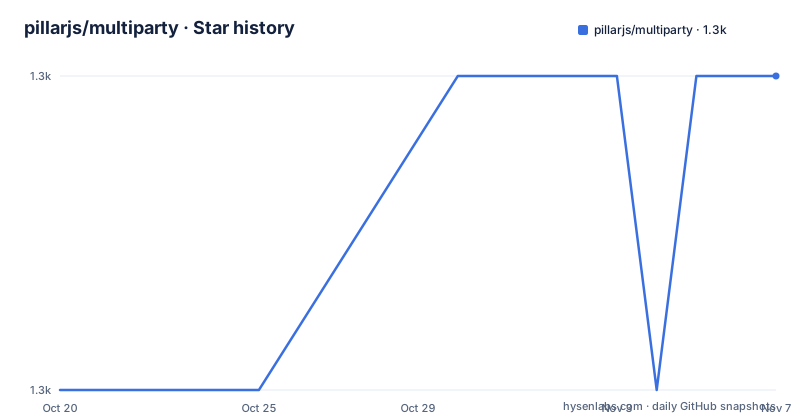
Star history
- pillarjs/multiparty1,296 ★ · +1
| Repository | 2026-10-20 | 2026-11-07 |
|---|---|---|
| pillarjs/multiparty | 1.3k | 1.3k |
1 Stars in the last 18 days, measured from the daily GitHub snapshot. Compare with other projects
Editorial analysis
Streaming parts instead of buffering the request
multiparty is a Node.js module for parsing multipart-form data requests, which is the content type behind browser file uploads, and the package description is precise that it is a parser which supports streaming. That word carries the design. A naive parser reads the entire request into memory, works out where the boundaries are, and hands your code a set of complete files, which is fine for a small avatar and wrong for a two gigabyte video. multiparty instead emits a part event for each piece of the request, and the part is a ReadableStream, so the bytes can be piped to a file, counted, or forwarded to an object store while the upload is still in flight. The library also exposes form.bytesReceived and form.bytesExpected, which is what you need to show progress or to enforce a limit before the whole body arrives. The dependency list explains how little this takes: http-errors for turning failures into HTTP status codes, safe-buffer for the Buffer handling, and uid-safe for generating safe names for the files it writes.
The option set is where the security controls live
The Form constructor takes an options object, and every option is a limit. encoding sets the encoding for incoming form fields and defaults to utf8. maxFieldsSize limits the amount of memory all fields, explicitly not files, can allocate in bytes, and exceeding it emits an error event, with a default of 2MB. maxFields limits the number of fields parsed before an error is emitted, a file counting as a field in that case, and defaults to 1000. maxFilesSize, only relevant when autoFiles is true, limits the total bytes accepted for all files combined and defaults to Infinity, which is the option most likely to need changing on a public endpoint. maxHeaderSize limits the size of header names and values for each part, defaulting to 16KB. Two more options control the event model rather than the limits. autoFields enables field events and disables part events for fields, and it is set automatically if you add a field listener. autoFiles does the same for files and is set automatically if you add a file listener. uploadDir is where file uploads are placed, defaulting to os.tmpdir(), and the documentation notes that you can move them later with fs.rename(). The defaults are sane for a trusted caller and too permissive for the internet.
The rule you must follow with a part
The event API is where a user of the library can get into trouble, and the README states the obligation plainly. When a part event fires, you must act on the part by reading it, and if you want to ignore it, just call part.resume(). The example spells out the two cases: a part with filename undefined is a field, and a part with filename defined is a file. Each part carries headers, a name for the field, a filename when it is an incoming file, a byteOffset for its position in the request body, and a byteCount which, assuming that this is the last part in the request, is the size of the part in bytes, or the value of its Content-Length header if it had one. The documentation points out that you could use that to set the Content-Length header when uploading to S3, which is exactly the kind of thing the streaming model enables and a buffered one does not. Each part also emits its own error event, and the note is that the same error may be emitted from the form and from the part, so a handler on both is not a double report of two different failures.
The error event is not optional, and the README says why
The error documentation is blunt in a way that is worth quoting, because it describes a real failure mode. Unless you supply a callback to form.parse, you definitely want to handle this event, because otherwise your server will crash when users submit bogus multipart requests. The rules around it are precise. Only one error event can ever be emitted, and if an error is emitted then close will not be. If the error corresponds to a particular HTTP response code, the err object carries a statusCode property with the value of the response code to send back, which lets you return a 413 or a 400 rather than a generic 500. The close event, which is emitted after the form has been parsed, is where the normal end-of-upload work belongs. A minimal server that wires up the three events looks like this:
var form = new multiparty.Form();

form.on('error', function(err) {
  console.log('Error parsing form: ' + err.stack);
});

form.on('part', function(part) {
  if (part.filename === undefined) {
    console.log('got field named ' + part.name);
    part.resume();
  } else {
    console.log('got file named ' + part.name);
    part.resume();
  }
});

form.on('close', function() {
  res.end('Upload completed!');
});

form.parse(req);
The callback is a convenience with a disk cost
If you pass a callback to form.parse, the behaviour changes in a specific way. autoFields and autoFiles are set to true, and all fields and files are collected and passed to the callback, which removes the need to listen to any events on the form. The result shape is simple: fields is an object where the property names are field names and the values are arrays of field values, and files is an object where the property names are field names and the values are arrays of file objects. The catch is stated in the documentation and it is the thing to remember: this is for convenience when you want to read everything, but be sure to write cleanup code, as this will write all uploaded files to the disk, even ones you may not be interested in. So the callback path is fine for a small internal form and a poor choice for a public upload endpoint, where you would rather set the limits and stream the parts you care about to their final destination yourself. The examples directory makes that distinction visible, with upload.js, progress.js, s3.js and azureblobstorage.js, which are the four things people actually want to do with an upload.
The README tells you to consider a faster parser
One line in the README deserves more attention than it gets. After describing the library, the documentation says to see also busboy, a faster alternative which may be worth looking into. That is a maintainer pointing at a competitor, which is either a display of honesty or a warning about the limits of the current implementation, and either way it tells you where the performance ceiling is. The difference in approach between the two is the choice the documentation does not spell out, but the trade is the usual one: a library that gives you a rich object model, a complete set of limits, an event model with parts and fields, and a callback convenience path, against a library that focuses on doing one thing as fast as possible. The engine choice in this repository is Node's streams, and the package is careful about details like uid-safe for generated filenames and safe-buffer for buffer handling, which are the details that matter when the input is hostile. The project is published under the pillarjs organisation, the author is Andrew Kelley with contributions from Douglas Christopher Wilson and Felix Geisendörfer, and the current version is 4.3.1 from 2026-09-10, following 4.3.0 in May 2026.
Where multiparty is the wrong tool
Four limits are clear. The first is performance. The README itself flags busboy as faster, and if your service is in the path of a large upload volume, the parser you choose is a measurable part of the request. The second is the security posture of the defaults, and this is the one to fix first rather than to decide about. maxFilesSize defaults to Infinity, which means a client can ask for as much data as it likes, and maxFieldsSize at 2MB and maxFields at 1000 are also defaults rather than decisions. A public endpoint needs those three set from a policy, not inherited. The third is the disk cost of the callback path, which the documentation is upfront about, since every uploaded file lands on disk whether or not your code cares about it, and on a small container that is a disk exhaustion path. The fourth is the age of the compatibility promise. The engines field says node >= 0.10, and a module that still declares support for a Node release from 2013 is a module that has been carried for a very long time, which is a strength in terms of stability and a signal that the API will not be modernised. A team starting a new service today would look at whether the ecosystem has moved to the streaming alternative the maintainer points at.
Editorial conclusion
Adopt multiparty if you are accepting file uploads in Node and you want a parser that streams parts instead of buffering the request, with explicit limits on what a client can make your server allocate. Do not adopt it if you need the fastest possible parser, because the README itself points at busboy as a faster alternative, and do not adopt it without reading the error handling rules, because an unhandled error event crashes the server on a malformed request. Before you ship, set the size limits deliberately rather than leaving the defaults, and note that the module declares support for Node 0.10 and up, with the current release at v4.3.1 from 2026-09-10.
Frequently asked questions
What does multiparty do?
It parses HTTP requests with content-type multipart/form-data, the format behind file uploads, and it supports streaming, emitting each part as a readable stream rather than buffering the whole request body.
How do I install multiparty?
It is a Node.js module published through the npm registry and installed with `npm install multiparty`. The package ships a single file, index.js, and declares support for node >= 0.10.
What happens if I do not handle the error event in multiparty?
The README states that unless you supply a callback to form.parse you definitely want to handle the error event, because otherwise your server will crash when users submit bogus multipart requests. Only one error event is ever emitted, and when one is, close will not be.
Which limits can I set on a multiparty Form?
encoding for the field encoding, maxFieldsSize for the memory all fields may allocate, maxFields for the number of fields, maxFilesSize for the combined bytes of all files, maxHeaderSize for the size of per-part headers, autoFields and autoFiles for the event model, and uploadDir for where files are written. The defaults are 2MB, 1000, Infinity and 16KB respectively.
Is there a faster alternative to multiparty?
The README points to busboy as a faster alternative which may be worth looking into. The current release of multiparty is v4.3.1 from 2026-09-10, after v4.3.0 in May 2026.
Official sources
Add this badge to your README
If you maintain this project, the badge below links readers to this analysis and shows its maintenance status from the daily GitHub snapshot. Paste the markdown into your README; add ?metric=license or ?metric=stars to the image URL for a different field.

[](https://hysenlabs.com/projects/pillarjs-multiparty)Star history chart for your README
[](https://hysenlabs.com/projects/pillarjs-multiparty)Was this useful?