Knox: Pinterest's secret store, built around rotation and audit
Knox is a secret management service
At a glance
- What is it?
- Knox is a Go service for storing and rotating the secrets, keys and passwords that other services use, and the README frames it as a fix for a specific failure mode: keys kept in git repositories, copied across the infrastructure and onto laptops, with no way to audit who could read them. The repository still takes commits, but its documentation and its single 2016 release tag have fallen behind the code.
- Who is it for?
- Knox fits a team that has already decided secrets must not live in a repository, that needs an audit trail of access, and that wants rotation to be a routine operation rather than a deploy. It does not fit a team whose users do not have GitHub accounts, because the documented user authentication is a GitHub token, and it does not fit anyone who wants to ship the shipped client, since the README calls it a development tool and recommends writing your own for production.
- Can I use it commercially?
- Yes. Apache-2.0 is a permissive licence: you can use, modify and sell software built on it, as long as you keep its copyright and licence notices.
- Is it still maintained?
- Yes. The repository last received commits 25 days ago.
- What is it written in?
- Mainly Go, according to GitHub's language statistics.
Answers come from the project's GitHub data, last synced on November 7, 2026, and from our analysis. They are not legal advice.
Star history
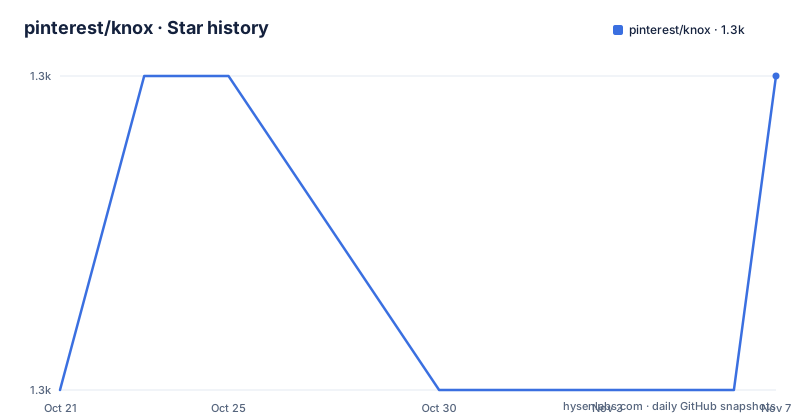
- pinterest/knox1,271 ★ · +1
| Repository | 2026-10-21 | 2026-11-07 |
|---|---|---|
| pinterest/knox | 1.3k | 1.3k |
1 Stars in the last 17 days, measured from the daily GitHub snapshot. Compare with other projects
Editorial analysis
The problem statement is unusually concrete
Knox is a service for storing and rotation of secrets, keys, and passwords used by other services, and the README's problem section is the most valuable part of the document.
Pinterest has a plethora of keys or secrets doing things like signing cookies, encrypting data, protecting the network via TLS, accessing AWS machines, and communicating with third parties. If these keys become compromised, rotating, or changing them, used to be a difficult process generally involving a deploy and likely a code change. Keys and secrets within Pinterest were stored in git repositories. That means they were copied all over the company's infrastructure and present on many employees' laptops. There was no way to audit who accessed or who has access to the keys.
That is a real threat model rather than a general one, and it explains the four goals: ease of use for developers to access and use confidential secrets, keys and credentials, confidentiality for those secrets, mechanisms for key rotation in case of compromise, and an audit log to keep track of what systems and users access confidential data.
Read as a whole, the design is that the secret moves out of the codebase and behind a service, the service becomes the thing that can be audited, and rotation becomes a service operation rather than a change that has to be coordinated with a deploy. The project is MIT licensed, written in Go, and the last push to the repository was on 2026-10-13.
Rotation and the audit log are the features, not the storage
Any team can keep secrets in a file. The reason to run a service instead is that the service can do two things a file cannot.
The first is a per-access record. The goal is to create an audit log to keep track of what systems and users access confidential data, and that record is what turns a suspected key leak into a question with an answer. The second is rotation. The goal is to provide mechanisms for key rotation in case of compromise, and the point of a service is that rotating a key is an operation on the service rather than an operation on every machine that holds a copy of the key.
That is also the difference between Knox and the alternatives most teams reach for first. A secret in an encrypted file, or in a managed secret store exposed through the cloud provider's own API, keeps the secret out of the repository, but it does not tell you which service read which key at which time, and it does not give you a rotation operation unless the provider happens to provide one. A service in the middle adds a component, and that component is the thing that can answer questions.
The cost of the middle component is that it now holds every secret, which makes it the highest-value target in the estate, and it makes its own audit log something you have to protect. The README does not discuss the concentration risk that this design creates, and it is the first thing to think about.
The dev client, a GitHub token, and the create/get/keys loop
The README walks through a developer flow, and it is specific enough to follow.
You need Go installed, or Docker, and the requirement as written is Go >= 1.6 or Go 1.5 with the vendor flag enabled, which is a piece of documentation that has not moved in a decade. Then you fetch the code with go get -d github.com/pinterest/knox, and compile the devserver and devclient binaries with go install github.com/pinterest/knox/cmd/dev_server and go install github.com/pinterest/knox/cmd/dev_client. The dev_client expects the server to be running on a localhost. By default the client uses mTLS with a hardcoded signed cert given for example.com for machine authentication, and has GitHub authentication enabled for users.
The server starts with $GOPATH/bin/dev_server. For user access you generate a token following GitHub's instructions for a command line access token, with read:org permissions, so that the token can get your username and the organization you belong to. Then you export it and create a key:
export KNOX_USER_AUTH=<insert generated github token here>
echo -n "My first knox secret" | $GOPATH/bin/dev_client create test_service:first_secret
The key identifier is a service name and a key name separated by a colon, which is the naming convention the retrieval and listing commands use:
$GOPATH/bin/dev_client get test_service:first_secret
$GOPATH/bin/dev_client keys
$GOPATH/bin/dev_client help
The README is explicit about the status of that client. For production usage, it recommends making your own client, renaming it knox, and moving it into your $PATH for ease of use. The shipped binary is a development tool with a hardcoded certificate, and the production answer is a client you write.
Tink, protobuf and fsnotify tell you what is inside
The dependency list in go.mod is short, and it describes the implementation more precisely than the README does.
There is github.com/google/tink/go, which is Google's cryptography library, and it is the reason confidentiality is a property of the system rather than a property of the deployment. There is github.com/golang/protobuf and google.golang.org/protobuf, which means the wire format between client and server is a defined schema rather than an ad hoc encoding, and that a client in another language is a matter of generating from the same proto files. There is github.com/gorilla/mux for the server's HTTP routing and github.com/gorilla/context for request scoping. And there is golang.org/x/crypto, which covers the primitives that are not in Tink.
The interesting one is gopkg.in/fsnotify.v1, a filesystem notification library. In a secret store, watching the filesystem is how you notice that something changed underneath you, and the presence of fsnotify alongside Tink and protobuf suggests the server tracks the state of the key material on disk rather than holding it only in memory. That is a meaningful design choice, because a service that only holds keys in RAM has nothing to recover from after a restart.
The module itself declares go 1.24.0, and the pinned versions are current, with golang.org/x/crypto at v0.47.0 and tink at v1.7.0. So the code is being maintained on a modern Go, even though the release history has not moved since 2016.
Docker gets you a shell with the source mounted
The Docker route in the README exists so that you do not have to install Go on your host, and it is a development shell rather than a packaged image.
git clone https://github.com/pinterest/knox.git
cd knox
docker run --name knox --rm -v "$PWD":/go/src/github.com/pinterest/knox -it golang /bin/bash
That runs a bash shell into a golang container with a local copy of knox mounted into the Go source path, so the code is compiled and run in the same layout the tooling expects. The README then sends you back to the setup section and repeats the Go steps inside that shell.
There is no published image with a server binary and a configuration in the README, and no Dockerfile in the repository listing, which has the usual Go layout of client.go, client_test.go, knox.go, knox_test.go, errors.go, and the client, cmd, log and server directories. So the deployment story is build from source, and the container is a convenience for people who do not want Go on the host.
For a service that holds every secret in the estate, that is a reasonable trade. A prebuilt image would be easier to deploy and would be a distribution artefact to trust, and building from source means you can read what you are running. The cost is that every environment has to be able to compile Go, and the docs do not cover the operational side of running the server in production, such as where the key material lives on disk and how the process is supervised.
The documentation describes a decade-old version of the toolchain
There is a clear gap between the README and the code, and anyone evaluating this needs to know about it.
The release history contains one entry, 1.0.0, labelled the initial release of Knox and dated 2016-05-06. There is no 1.0.1, no 1.1 and no 2.0, even though the last push to the repository was on 2026-10-13. The project is clearly still being worked on, and the module's dependency pins are years newer than that tag.
So the release tag is not a description of the current state, and the README's Go instructions are not either. The requirement as written, Go >= 1.6 or Go 1.5 with the vendor flag enabled, refers to a pre-modules, pre-vendor-experiment-as-default era of Go, and the commands use go get -d and $GOPATH paths rather than modules. A current Go toolchain will not behave the way those instructions assume, and the go.mod file, with go 1.24.0 and a modern dependency set, is the document to trust about what the code expects.
The user authentication model is the second thing to check. The documented flow requires a GitHub access token with read:org permissions, and the client is described as having GitHub authentication enabled for users. That is a reasonable choice for a project that came out of a company whose engineers live on GitHub, and it is a hard requirement for anyone else. An organisation whose users authenticate against a different identity provider would have to look at the wiki to see whether anything else is supported, because the README does not mention an alternative.
None of this makes the project unusable. It makes the README a starting point rather than a reference, and the wiki, linked from the top of the document, is where the current details live.
Editorial conclusion
Knox fits a team that has already decided secrets must not live in a repository, that needs an audit trail of access, and that wants rotation to be a routine operation rather than a deploy. It does not fit a team whose users do not have GitHub accounts, because the documented user authentication is a GitHub token, and it does not fit anyone who wants to ship the shipped client, since the README calls it a development tool and recommends writing your own for production. Before you build on it, read the wiki, and check the Go version in go.mod rather than the one in the README.
Frequently asked questions
What problem was Knox built to solve?
Pinterest stored keys and secrets in git repositories, so they were copied across the company's infrastructure and onto employee laptops, with no way to audit who had access, and rotation meant a deploy and a code change. Knox moved them into a service with confidentiality, rotation mechanisms and an audit log.
How do I build and run Knox?
Fetch the code with go get -d github.com/pinterest/knox, compile with go install github.com/pinterest/knox/cmd/dev_server and go install github.com/pinterest/knox/cmd/dev_client, then start the server with $GOPATH/bin/dev_server. The README's Go version requirement is old, so check the go.mod file, which declares go 1.24.0.
How does a user authenticate to Knox?
By generating a GitHub access token with read:org permissions and exporting it as KNOX_USER_AUTH, so the server can identify the user and the organization they belong to. The dev client also uses mTLS with a hardcoded signed cert for example.com for machine authentication.
Can I use the dev client in production?
The README recommends making your own client, renaming it knox and moving it into your $PATH for production usage, and notes that the dev client uses a hardcoded signed certificate. The shipped binaries are development tools.
What licence is Knox released under?
Apache-2.0, with the LICENSE file at the root of the repository. The only release tag in the repository is 1.0.0, the initial release of Knox, dated 2016-05-06, while the last push to the repository was on 2026-10-13.
Official sources
Add this badge to your README
If you maintain this project, the badge below links readers to this analysis and shows its maintenance status from the daily GitHub snapshot. Paste the markdown into your README; add ?metric=license or ?metric=stars to the image URL for a different field.

[](https://hysenlabs.com/projects/pinterest-knox)Star history chart for your README
[](https://hysenlabs.com/projects/pinterest-knox)Was this useful?