pydevices-examples: the same driver examples in a browser, a phone and a virtualenv
Examples, integration guides, and an installable PyScript gallery for the PyDevices driver stack.
At a glance
- What is it?
- A repository that is deliberately not the product source, holding the examples, integration guides and a browser gallery for the PyDevices driver stack, where the same display and audio code is expected to run on MicroPython, CircuitPython and CPython, from a phone through a browser to a desktop virtualenv.
- Who is it for?
- pydevices-examples fits a developer who wants to see what the PyDevices interfaces look like before writing board code, or who needs a working example to port into their own project, since the gallery runs the real examples in a browser with no hardware. It is not where you send library changes: the README is explicit that reusable libraries and hardware support belong in the product repository, and names and APIs may still move while the project is at alpha quality.
- Can I use it commercially?
- Yes. MIT is a permissive licence: you can use, modify and sell software built on it, as long as you keep its copyright and licence notices.
- Is it still maintained?
- Yes. The repository last received commits 4 days ago.
- What is it written in?
- Mainly Python, according to GitHub's language statistics.
Answers come from the project's GitHub data, last synced on October 19, 2026, and from our analysis. They are not legal advice.
Star history
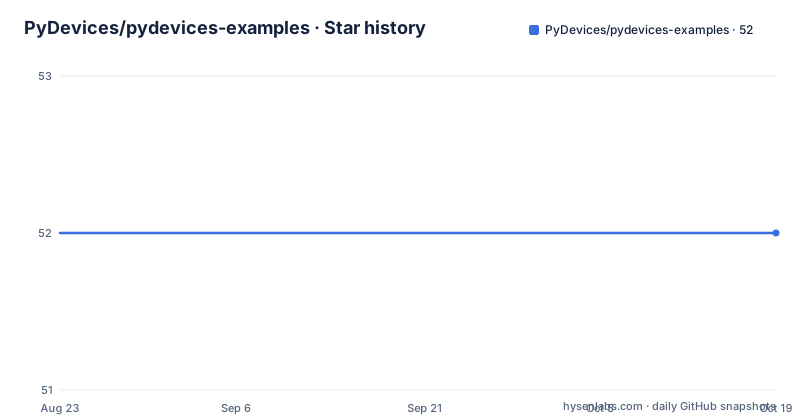
- PyDevices/pydevices-examples52 ★ · +0
| Repository | 2026-08-23 | 2026-10-19 |
|---|---|---|
| PyDevices/pydevices-examples | 52 | 52 |
0 Stars in the last 57 days, measured from the daily GitHub snapshot. Compare with other projects
Editorial analysis
This repository is examples, and it says so first
The positioning is the first thing to understand. This repository holds the examples, the integration documentation and the browser gallery for the PyDevices driver ecosystem, while the reusable product source lives in the pydevices repository. That library provides displaydev and audiodev as portable display and audio interfaces, events, keys and multimer as shared event, key and timing primitives, appdev as an optional application traffic controller for non-LVGL apps, and board_configs, board_peripherals and hardware drivers that connect those interfaces to real boards and desktop or browser hosts. This repository demonstrates the portability claim and is not the package source of truth. A newcomer is pointed at a newcomer's guide, and the project flags itself as alpha quality with names and APIs still evolving.
Four routes to the same example, depending on where you are
The try-it section is really a routing table. The fastest route is the interactive PyScript gallery, which runs the real examples directly in a modern web browser. For a standalone browser application or an offline PWA you use the pyscript-template project, whose larger-app page turns two of the examples, a piano and a drum machine, into installable apps. For a phone you install the prebuilt Android Runner and stage the script from your clone with android.py, with no build step. And for a desktop clone you set up a virtualenv and run the demo directly. The common thread is that the example code is the same in all four; what changes is the host under it, which is the portability claim the project makes for displaydev and audiodev across MicroPython, CircuitPython and CPython on microcontrollers, Linux, Windows, Android, browsers and notebooks.
The desktop clone installs from TestPyPI before PyPI
The desktop sequence is:
git clone https://github.com/PyDevices/pydevices-examples.git
cd pydevices-examples
python3 -m venv .venv
.venv/bin/pip install --index-url https://test.pypi.org/simple/ \
  --extra-index-url https://pypi.org/simple/ -r requirements.txt
cd lib
../.venv/bin/python examples/pydevices_demo.py
Two details explain most of the friction. The pip command lists TestPyPI as the index and PyPI as an extra index, so a released version is preferred over the preview one when both exist, and requirements.txt repeats those two index lines at the top of the file. It then lists pydevices plus eight companions covering audio DSP, audio instruments, audio effects, desktop, lvgl, palettes, pdwidgets and pygraphics. On Windows the same steps run with the .venv Scripts python executable instead.
Examples that use the shared helpers need PYTHONPATH set
A subset of examples imports from lib/utils, the directory of example helpers and third-party GUI adapters, and those need utils on the import path. The documented invocation is:
cd lib
PYTHONPATH=.:lib:utils ../.venv/bin/python examples/hello.py
The three entries are the current directory, lib and utils, so the same relative layout works whether you start from the repository root or from inside lib. The repository carries a README under lib/utils that describes those helpers, which is worth reading before you copy an example, because the failure mode when the path is missing is an import error rather than anything the example itself explains. For MicroPython the equivalent is an unprefixed install from the project's own MIP index:
import mip

INDEX = "https://PyDevices.github.io/mip"
mip.install("pydevices", index=INDEX)  # displaydev, appdev, and the rest of lib/
Board configs describe hardware and stop there
The app ownership section draws a line that is easy to miss in a demo-heavy repository. Board configs describe hardware and export neutral pieces such as display_drv, touch_read and host_read; they do not create an application-level appdev.App. Non-LVGL examples opt into the optional coordinator by importing appdev and constructing appdev.App with the board config, and the app keeps itself alive past the end of the script, so no trailing app.run() is needed unless you want the script to block at that point or need a nonzero exit code. LVGL examples do the opposite: they use the coordinator bundled with the LVGL binding and do not import appdev at all. The stated reason for the split is that it keeps hardware policy out of board configs and lets an application provide a different event loop when appropriate.
Distribution names carry a prefix that imports do not
Packaging has one rule that will confuse you once and then save you repeatedly. Python distributions on TestPyPI use the organization prefix, while imports and MIP package names remain conventional and unprefixed. The pydevices distribution ships the entire core lib tree as one distribution rather than one package per component, and the MIP index publishes it the same way. The mapping table sets out the rest: pydevices-pygraphics imports as pygraphics, pydevices-palettes as palettes, pydevices-pdwidgets as pdwidgets and pydevices-lvgl as lvgl, while the core distribution covers displaydev, audiodev, appdev, events, keys, multimer and boarddev. So a search for appdev will not find the distribution that provides it.
Five paths, and a contribution boundary
The repository layout is given as a table. lib/examples holds portable examples and complete demo applications, lib/utils the example helpers and third-party GUI adapters, .site/pyscript the PyScript gallery and browser demo runners, docs the GUI integration material, a TFT GUI stub and screenshots, tools the cross-interpreter example and LVGL test harnesses, and packages the GitHub MIP manifests for examples and helpers. Development uses unittest discovery, pytest and a ruff check across lib, tests, tools and scripts, and the lint configuration in pyproject.toml selects a wide set of rule families, from flake8-bugbear and isort to Pylint and Ruff-specific rules, while excluding the examples directory itself from linting and formatting so sample code is not held to library standards. The contribution rule is the last line of the README: reusable libraries and hardware support belong in the product repository, while examples, integrations and gallery work belong here.
Editorial conclusion
pydevices-examples fits a developer who wants to see what the PyDevices interfaces look like before writing board code, or who needs a working example to port into their own project, since the gallery runs the real examples in a browser with no hardware. It is not where you send library changes: the README is explicit that reusable libraries and hardware support belong in the product repository, and names and APIs may still move while the project is at alpha quality. Before you depend on an example, check which interpreter it targets, set PYTHONPATH if it imports the shared helpers, and read the newcomer's guide on where the examples-to-product boundary sits.
Frequently asked questions
How do I run a pydevices-examples demo on a desktop clone?
Clone the repository, create a virtualenv, and pip install requirements.txt with TestPyPI as the index and PyPI as an extra index. Then change into the lib directory and run the demo script with the virtualenv interpreter, for example examples/pydevices_demo.py. On Windows use the equivalent Scripts path.
When should a pydevices example use appdev?
Non-LVGL examples opt into the optional appdev coordinator and construct appdev.App with the board config, and the app stays alive so no trailing app.run() is needed unless you want to block or need a nonzero exit code. LVGL examples do not import appdev, using the coordinator bundled with the LVGL binding instead.
Why does pip install appdev fail in pydevices-examples?
Distribution names on TestPyPI carry the organization prefix while imports and MIP names do not. The core pydevices distribution provides displaydev, audiodev, appdev, events, keys, multimer and boarddev, and the MIP index publishes that single package rather than one per component.
How do I run a pydevices example in a browser?
The interactive PyScript gallery runs the real examples directly in a modern web browser, which the README calls the fastest route. For a standalone browser application or an offline PWA, use the pyscript-template project, whose larger-app page turns the piano and drum machine examples into installable apps.
Official sources
Add this badge to your README
If you maintain this project, the badge below links readers to this analysis and shows its maintenance status from the daily GitHub snapshot. Paste the markdown into your README; add ?metric=license or ?metric=stars to the image URL for a different field.

[](https://hysenlabs.com/projects/pydevices-pydevices-examples)Star history chart for your README
[](https://hysenlabs.com/projects/pydevices-pydevices-examples)Was this useful?