Ratzilla: Building Ratatui Interfaces for the Browser
Build terminal-themed web applications with Rust and WebAssembly. Powered by Ratatui.
At a glance
- What is it?
- Ratzilla brings Ratatui-style terminal interfaces to web applications compiled with Rust and WebAssembly. It fits Rust developers who want browser input and rendering through Trunk, but it is not a general-purpose substitute for conventional DOM-based web development.
- Who is it for?
- Adopt Ratzilla when the browser is the required target and Ratatui is already the preferred interface model. Do not choose it for a conventional content-driven site or when direct DOM composition is the main requirement.
- Can I use it commercially?
- Yes. Apache-2.0 is a permissive licence: you can use, modify and sell software built on it, as long as you keep its copyright and licence notices.
- Is it still maintained?
- Yes. The repository received new commits within the last day.
- What is it written in?
- Mainly Rust, according to GitHub's language statistics.
Answers come from the project's GitHub data, last synced on October 23, 2026, and from our analysis. They are not legal advice.
Star history
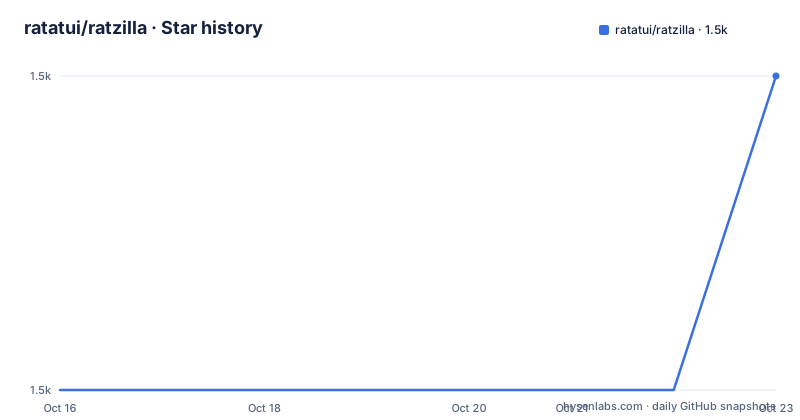
- ratatui/ratzilla1,472 ★ · +1
| Repository | 2026-10-16 | 2026-10-23 |
|---|---|---|
| ratatui/ratzilla | 1.5k | 1.5k |
1 Stars in the last 7 days, measured from the daily GitHub snapshot. Compare with other projects
Editorial analysis
Ratzilla's role for Rust interface developers
Ratzilla solves a specific gap between Rust terminal interfaces and browser applications. Ratatui applications normally draw widgets through a terminal-oriented backend, while a web application needs browser events and a browser rendering surface. Ratzilla supplies the browser-facing pieces while retaining Ratatui widgets such as `Paragraph`, `Block`, layout constraints, colors, and key handling. The intended audience is Rust developers who know or want to use Ratatui's widget model and need the result to run in a browser.
The repository describes Ratzilla as a way to build terminal-themed web applications with Rust and WebAssembly. That is narrower than a general web framework. The examples include a minimal counter, Pong, animations, RGB colors, a text area, user input, and a world map. That range shows that the library is intended for more than a static demo, but the examples remain centered on terminal interaction and widget composition.
The central design choice is reuse of Ratatui in the browser. Application code can construct familiar widgets and pass a closure to `terminal.draw_web`, while Ratzilla handles the browser-facing terminal implementation. This can reduce the conceptual distance between a command-line interface and a web interface built by the same team. It does not, however, turn Ratatui into a general replacement for responsive HTML pages, semantic forms, or content layouts.
DomBackend and the Ratzilla rendering path
The quickstart uses `DomBackend::new()` to create the backend and passes it to `Terminal::new(backend)`. The application then registers a key callback with `terminal.on_key_event` and provides a drawing closure to `terminal.draw_web`. Within that closure, the example renders a Ratatui `Paragraph`, centers it, wraps it in a bordered `Block`, and applies a yellow border style.
The data flow is application state to Ratatui widgets to a Ratzilla terminal, with browser keyboard events entering the same event-oriented model. The example stores the counter in `Rc<RefCell<u64>>`, clones the `Rc` into the key handler, mutates the value when the space key is received, and reads it during the next draw. This is a simple, explicit design. It also makes the state ownership visible in one file instead of hiding it behind a web component system.
The `WebRenderer` name and the `DomBackend` type show that browser rendering is mediated by Ratzilla rather than performed by a native terminal. The repository also declares browser-facing dependencies including `web-sys`, canvas elements, rendering contexts, keyboard and mouse events, `Window`, `Document`, and `Navigator`. The Cargo manifest also includes `beamterm-renderer`, `compact_str`, `unicode-width`, and `console_error_panic_hook`.
That dependency list points to a browser application with graphics and input support, not merely a static page generated from Rust. The README does not document the internal rendering algorithm, DOM retention strategy, or exact WebGL fallback behavior, so those details should not be assumed when evaluating performance or accessibility.
Install Ratzilla and run the first browser interface
The shortest documented path uses `cargo-generate` to create a project from the Ratzilla templates. The README presents this as the quickstart for a new application. This command installs the project generator:
cargo install cargo-generateGenerate the application from the published Ratzilla templates:
cargo generate ratatui/ratzillaThe generated project then needs a browser build tool. The README says to install Trunk, add the WebAssembly compilation target, and serve the result:
cargo install --locked trunk
rustup target add wasm32-unknown-unknown
trunk serve
After the server starts, the documented address is `http://localhost:8080`. The README states that Trunk injects and initializes the Rust code compiled to WebAssembly as a JavaScript module. The `index.html` file includes the marker that tells Trunk to include the Rust application:
<link data-trunk rel="rust"/>For a manual setup instead of a generated template, the project adds Ratzilla as a dependency and supplies an HTML entry point. The manual example uses `DomBackend`, `Terminal`, `WebRenderer`, and Ratatui widgets, so a first real use is a small interactive terminal interface rather than a static HTML page.
Building and deploying the WebAssembly bundle
Ratzilla uses Trunk as the documented build and serving path. A production bundle is produced with the release command:
trunk build --releaseThe README says that the resulting `dist` directory can be served by a web server. This gives Ratzilla a conventional static-site deployment boundary: Rust is compiled into WebAssembly, Trunk assembles the browser assets, and the generated directory is uploaded or served separately.
The repository also includes a Linux-oriented example build script. It installs Rustup with the `wasm32-unknown-unknown` target, installs Trunk through `cargo-binstall`, and runs the release build. That script is useful as a deployment reference, but it also shows several environment assumptions, including `HOME=/root` and a `x86_64-unknown-linux-musl` target for the Trunk installation. Those assumptions should not be copied to a macOS, Windows, or container deployment without changing the script.
A Vercel deployment template is linked from the README. That confirms at least one hosted deployment route, but it does not document every production concern. In particular, the README does not define caching policy, compression, server headers, asset versioning, browser compatibility, or rollback procedures. Those points need direct inspection of the chosen hosting setup rather than inference from the library itself.
Keyboard input and shared Rust state
The minimal example demonstrates the clearest supported interaction model. A keyboard callback receives a `KeyCode`, checks for `KeyCode::Char(' ')`, and changes application state. The state is held in `Rc<RefCell<u64>>`, which works naturally in a single-threaded WebAssembly application. The drawing closure borrows the same state and formats the current count into a `Paragraph`.
This arrangement keeps browser input and rendering in the same Rust module. There is no separate JavaScript event reducer or framework component layer in the example. The HTML file only supplies the Trunk marker, page styling, and an optional `TrunkApplicationStarted` listener. The README says that WebAssembly functions are then available under `window.wasmBindings.*`, although the quickstart does not use that binding surface directly.
The mechanism has boundaries. The example demonstrates keyboard input, but the README does not specify text editing, clipboard behavior, focus recovery, touch input, or screen-reader semantics. The repository contains examples named `clipboard`, `text_area`, and `user_input`, which indicates that those areas are represented in the project tree, but the README does not explain their APIs or guarantees. A team should not infer complete browser input coverage from the counter example alone.
Ratzilla compared with direct browser interface code
The closest alternative is direct HTML, CSS, and JavaScript interface development using browser DOM APIs or canvas directly. The difference is not simply Rust versus JavaScript. Both approaches can produce interactive browser interfaces. The difference is the abstraction used to describe layout and interaction.
Ratzilla applications describe a terminal area, widgets, buffers, and draw operations. That model is useful when the application already benefits from Ratatui's layout and widget vocabulary, or when developers want a terminal aesthetic with keyboard-oriented interaction. The browser remains responsible for loading the WebAssembly module and presenting the generated interface.
Direct DOM development instead makes elements, attributes, CSS layout, and browser events the primary objects. It is usually the more natural choice for content pages, semantic article layouts, ordinary forms, or applications whose main requirement is responsive document structure. Ratzilla is the better fit when the product is fundamentally an interactive terminal surface and the team wants to share Ratatui concepts across native terminal and browser builds.
A canvas-based game or visualization is another possible alternative, but it may still require a separate event and rendering architecture. Ratzilla's advantage in that comparison is the direct use of Ratatui widgets. The cost is that the browser-facing behavior depends on Ratzilla's backend and renderer rather than on a conventional DOM component hierarchy.
License, maintenance, and upgrade boundaries
Ratzilla is declared under `MIT OR Apache-2.0` in `Cargo.toml`, and the repository contains both `LICENSE-MIT` and `LICENSE-APACHE`. That licensing information identifies the offered license choices. It does not provide legal advice, and downstream projects still need to review dependency licenses and obligations for their own distribution.
The repository is not archived. Its last push was on 2026-07-04. The listed releases are `v0.3.1` from 2026-06-08, `v0.3.0` from 2026-01-23, and `v0.2.0` from 2025-09-28. This gives a visible release history, while the README does not publish a formal upgrade policy or compatibility matrix for browsers, Rust toolchains, Trunk versions, or Ratatui versions.
The current manifest uses Rust edition 2021 and pins Ratatui `0.30.1`, while the crate version is `0.3.1`. An upgrade therefore needs attention to both Ratzilla and its Ratatui dependency. The repository includes a `CHANGELOG.md` and release configuration files, but the README does not describe migration steps. The first upgrade check should be the release notes and the exact dependency changes between the installed version and the target version.
Practical limits of the terminal-to-browser approach
Ratzilla is the wrong tool when the primary requirement is a normal web document. A documentation page, marketing site, or content-heavy application usually benefits from ordinary HTML structure and CSS layout. Replacing those elements with a terminal widget model adds work without a clear benefit.
The project also introduces a compilation and runtime chain. The application needs Rust, the `wasm32-unknown-unknown` target, Trunk, WebAssembly loading, and browser-side execution. This is more moving parts than a small HTML and JavaScript page. The documented `trunk serve` workflow is clear, but it does not remove the need to diagnose build output, generated assets, or browser loading problems.
Rendering behavior and accessibility are unresolved in the README. Ratzilla's manifest includes WebGL-related browser interfaces and canvas types, while the README does not describe a fallback for browsers where the selected rendering path is unavailable. It also does not explain how generated interface elements appear to assistive technologies. Applications with accessibility requirements need to inspect the actual output and test it with browser accessibility tools. The project should not be treated as a transparent accessibility layer around Ratatui without that verification.
Editorial conclusion
Adopt Ratzilla when the browser is the required target and Ratatui is already the preferred interface model. Do not choose it for a conventional content-driven site or when direct DOM composition is the main requirement. Verify the generated browser output first, then test keyboard handling, resizing, rendering behavior, and the Trunk build before integrating the application into a larger deployment. Based on the repository, the concrete adoption boundary is whether Ratatui's widget model fits the product more closely than direct DOM or canvas application code.
Frequently asked questions
What is Ratzilla used for?
Ratzilla is used to build terminal-themed web applications with Rust, WebAssembly, and Ratatui widgets. The repository lists examples including Pong, animations, user input, and a world map.
How do you install and serve a Ratzilla application?
The documented workflow uses `cargo-generate`, `cargo install --locked trunk`, `rustup target add wasm32-unknown-unknown`, and `trunk serve`. The README says to open `http://localhost:8080` afterward.
Does Ratzilla replace Ratatui?
No. The quickstart imports Ratatui widgets and uses them with Ratzilla's `DomBackend`, `Terminal`, and `WebRenderer`. Ratzilla provides the browser-facing terminal layer.
Can Ratzilla be deployed as a static web application?
The README documents `trunk build --release` and says the resulting `dist` directory can be served. It also links a Vercel deployment template.
What license does Ratzilla use?
The repository declares `MIT OR Apache-2.0` in `Cargo.toml` and includes `LICENSE-MIT` and `LICENSE-APACHE` at the repository root.
Official sources
Add this badge to your README
If you maintain this project, the badge below links readers to this analysis and shows its maintenance status from the daily GitHub snapshot. Paste the markdown into your README; add ?metric=license or ?metric=stars to the image URL for a different field.

[](https://hysenlabs.com/projects/ratatui-ratzilla)Star history chart for your README
[](https://hysenlabs.com/projects/ratatui-ratzilla)Was this useful?