files_scripts adds Lua file actions to Nextcloud, and the bundled interpreter is not the one to use
Custom file actions app for Nextcloud
At a glance
- What is it?
- A Nextcloud app where administrators write Lua scripts and users invoke them straight from the Files interface. The setup has one sharp edge: the interpreter that ships with the app is marked under development and explicitly discouraged, while on PHP 8 the recommended extension has to be compiled from a third party fork.
- Who is it for?
- Use this app if you are running Nextcloud and want users to trigger real server side work from the Files interface without giving them a shell, and if you can install server packages. It is aimed at administrators, not end users: action authoring has its own guide with precautions attached.
- Can I use it commercially?
- Yes, with strict conditions. AGPL-3.0 is a network copyleft licence: if people use a modified version over a network, for example as a hosted service, you must offer them its source code under the same licence.
- Is it still maintained?
- Yes. The repository last received commits 3 days ago.
- What is it written in?
- Mainly PHP, according to GitHub's language statistics.
Answers come from the project's GitHub data, last synced on October 20, 2026, and from our analysis. They are not legal advice.
Star history
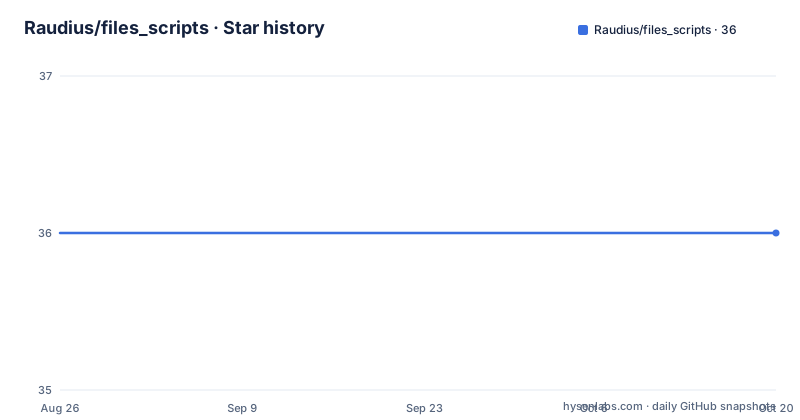
- Raudius/files_scripts36 ★ · +0
| Repository | 2026-08-26 | 2026-10-20 |
|---|---|---|
| Raudius/files_scripts | 36 | 36 |
0 Stars in the last 55 days, measured from the daily GitHub snapshot. Compare with other projects
Editorial analysis
Actions surface in the Files interface, and admins are the ones who write them
The positioning on the page is deliberate about who does what. This is a scripting tool for administrators, who use it to automate workflows and to hand the users of a Nextcloud instance extra custom file actions, and the payoff is that those actions are reachable directly from the Files app rather than from a separate admin console. That arrangement is what makes the app different from running a script by hand over the server's shell: the trigger is a file operation the user is already performing, and the audience for the resulting script is everyone using the instance. The page also names the escape hatch for missing capability: if the scripting API cannot do something, the stated remedy is to open an issue on the code host, with a pull request offered as the better option. Integration with the platform's own flow automation is what turns individual actions into unattended workflows.
The interpreter that ships with the app is explicitly discouraged
The app bundles a Lua interpreter that runs on PHP, and the documentation does not hide what it thinks of it. That interpreter is described as still under development, and its use is stated not to be recommended. The recommended alternative is the Lua PHP extension, with the reason given in one phrase: it is faster and more reliable. So there are two execution paths and one of them is a stopgap. The extension path itself has prerequisites, because the Lua runtime and its development files have to exist on the server before PHP can load anything. Those are three separate packages on a Debian style system: the interpreter itself, its shared library, and its headers. Everything else in the app, including the scripting API surface, assumes that extension is present, so this is the first thing to get right on a new server.
sudo apt-get install lua5.3
sudo apt-get install liblua5.3-0
sudo apt-get install liblua5.3-dev
On PHP 8 the Lua extension has to be compiled from a fork
The two documented build paths diverge by PHP major version. On PHP 7 there is a package manager route: install the PHP extension build tool and the development headers, copy the Lua header into place, link the Lua include directory, copy both the static and shared Lua libraries into the system library directory, and then install a pinned plugin release through the extension installer. On PHP 8 the extension is stated to have no official support yet, so the instructions switch to building it. That path installs the development toolchain, clones a community fork of the PHP Lua plugin, runs the standard configure step with an explicit Lua version argument, compiles, and copies the resulting shared object into your PHP extension directory. The guide is honest about the last step being fiddly, telling you to query your extension directory rather than assume it, and noting the destination can differ between PHP versions. Either way, the extension has to be named in the configuration file or PHP will not load it.
sudo pecl install lua-2.0.7sudo apt-get install php-pear
sudo apt-get install php-dev
cd ~
git clone https://github.com/badoo/php-lua.git
cd php-lua
phpize && ./configure --with-lua-version=5.3
make
# The destination path may change depending on your PHP version
# You can find your extension directory by using:
# php -i | grep extension_dir
sudo cp ./.libs/lua.so /usr/lib/php/20200930/Two server packages gate whole function families
The scripting API is broader than Lua's standard library, and two of its function groups depend on binaries that are not part of a default server. The first is a PDF command line tool at version 9.1.1 or newer, which is what the PDF functions in the API call into; a distro package installs it in one command. The second is the media tooling suite, which backs both the video processing functions and the media probing functions, and it too installs from the package manager with a single command. Both are marked optional rather than required, which is accurate at the level of installation but easy to misread at the level of use: a script that calls a PDF function on a server without that binary fails at call time rather than at load time. If you are planning an action that merges or rewrites documents, install the first one before you write the action, not after.
sudo apt-get install qpdfsudo apt install ffmpegTwo documentation files split authoring guidance from API reference
The documentation is split along the line you would expect from a platform app. The administrator guide covers how to create new actions and, importantly, the precautions that should be taken when writing one, which is the half of the documentation that matters most when you are about to let other people's scripts execute on your server. The second file is the scripting API reference, covering every function the app exposes along with usage snippets. The pairing tells you how the project expects the two audiences to work: an administrator reads the safety guidance first and then looks up the function they need. Example scripts are shipped alongside, and the set is worth skimming as a template library rather than as documentation, since between them they cover a business card generator, a directory tree walker, an invoice generator with its own template file, and a PDF merge.
The front end is Vue 2 with decorators, and one editor dependency is pinned exactly
The JavaScript side of the app is a Nextcloud File app built with Vue in its second major version, using class components and property decorators rather than a single file component convention, with the Vuex store in its third major. That combination tells you the code predates the Vue 3 migration and was not rewritten for it. Editor integration comes from a code editor component pinned to an exact version with no range, while almost every other dependency in the manifest carries a caret range. The build is webpack with separate production, development, watch and serve modes, the lint step covers TypeScript and single file components together, and the style lint step is given an explicit file list covering stylesheets and sources rather than a bare directory. The declared engine floor for the toolchain is Node 18 and npm 9.
The default target runs two PHPUnit suites and can fetch Composer for you
The Makefile is the project's whole build entry point, and its default target chains four stages: development setup, linting, a production JavaScript build, and tests. The setup stage cleans generated output, removes installed Node modules, installs PHP dependencies, and runs a clean install of the Node dependencies rather than a plain install, so a build always starts from the lock file. There is a convenience worth knowing about: if no Composer command exists on the machine, the target downloads the official installer into a build tools directory inside the project and uses that copy instead of failing. Tests run twice, once with the ordinary PHPUnit configuration and once with an integration configuration, and a separate target exists for the Behat driven integration tests. Version information for the release process is read out of the Node manifest rather than duplicated in the Makefile.
Translations run through the platform community, not through the repository
The contribution guide points in four directions and only one of them is code. Translations are handled through the platform's community translation service rather than through pull requests to this repository, which is the usual arrangement for apps in that ecosystem and is why a translation configuration directory sits at the root. Scripting API additions are the second route, and the framing is notably open about that: if something the scripting API cannot currently do is needed, open an issue, or better, send a patch. Documentation improvements are the third, justified by the statement that both the app and its API are evolving constantly. The fourth is donations through a named payment page, listed last and marked as the least important. The release tags tell their own story: a release candidate on one day followed by a major version and its patch the next, with no tags since June 2026.
Editorial conclusion
Use this app if you are running Nextcloud and want users to trigger real server side work from the Files interface without giving them a shell, and if you can install server packages. It is aimed at administrators, not end users: action authoring has its own guide with precautions attached. Three things to settle before you deploy it. Build the Lua extension rather than relying on the bundled interpreter, which the project itself says is still under development. On PHP 8 that means compiling a community fork and copying the shared object into the right extension directory by hand. And decide whether you need the PDF and media function families, because those pull a separate PDF tool and FFmpeg onto the server.
Frequently asked questions
What are script files in the files_scripts app?
They are Lua scripts that this Nextcloud app executes as file actions, invoked by users from the Files interface. The shipped examples are Lua files covering a business card generator, a directory tree walker, an invoice generator and a PDF merge, and the invoice example pulls in a separate template file, so the project is not exclusively Lua.
How do I create a script file for a Nextcloud file action?
Administrators write the actions, and the app's own admin guide covers both how to create one and the precautions to take while writing it. The scripting API reference covers every exposed function with snippets. The app needs Nextcloud 23 or newer and PHP 7.4 or newer, plus the Lua extension rather than the bundled interpreter.
How do I open a .script file?
There are no files with that extension in this repository. What ships are Lua scripts under an examples directory, which are not opened in a text editor by end users but executed as actions inside Nextcloud, reachable from the Files app once an administrator has registered them.
What is a script example I can copy from files_scripts?
The repository ships four Lua examples: a business card generator, a directory tree walker, an invoice generator with a companion template file, and a PDF merge script. The merge example is the one that needs an extra package on the server, since the PDF functions call a command line tool that must be installed at version 9.1.1 or newer.
Official sources
Add this badge to your README
If you maintain this project, the badge below links readers to this analysis and shows its maintenance status from the daily GitHub snapshot. Paste the markdown into your README; add ?metric=license or ?metric=stars to the image URL for a different field.

[](https://hysenlabs.com/projects/raudius-files-scripts)Star history chart for your README
[](https://hysenlabs.com/projects/raudius-files-scripts)