React Server Components Demo: a notes app that skips SSR on purpose
Demo app of React Server Components.
At a glance
- What is it?
- React Server Components Demo is a teaching app for an experimental React feature, not a product or a benchmark. Reading its build scripts, its SQL setup and its own list of missing pieces tells you more about Server Components than a greenfield tutorial would.
- Who is it for?
- Adopt this repository if you are writing Server Components today and want a short, readable reference for the render pipeline in plain Express and plain SQL, with a client boundary you can point at. Stay away if you need server rendering, bundle budgets or incremental refetching, and stay away if a pinned March 2023 React canary string is not something you want in your own dependency list.
- Can I use it commercially?
- Yes. MIT is a permissive licence: you can use, modify and sell software built on it, as long as you keep its copyright and licence notices.
- Is it still maintained?
- Activity is slowing. The repository last received commits 7 months ago.
- What is it written in?
- Mainly JavaScript, according to GitHub's language statistics.
Answers come from the project's GitHub data, last synced on November 14, 2026, and from our analysis. They are not legal advice.
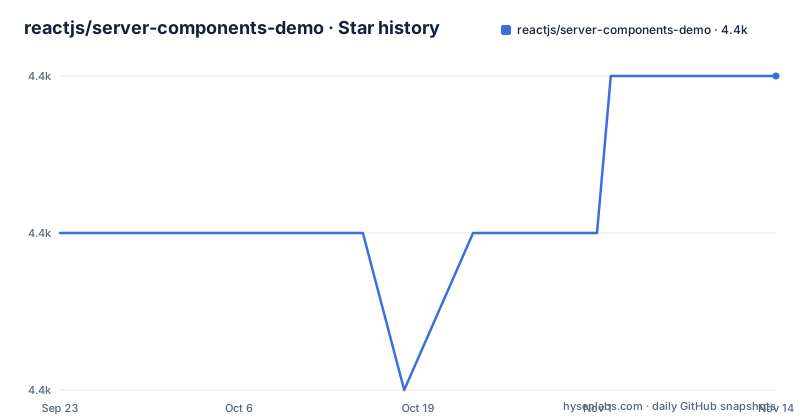
Star history
- reactjs/server-components-demo4,352 ★ · +1
| Repository | 2026-09-23 | 2026-11-14 |
|---|---|---|
| reactjs/server-components-demo | 4.4k | 4.4k |
1 Stars in the last 52 days, measured from the daily GitHub snapshot. Compare with other projects
Editorial analysis
No server rendering means every measurement you take is about the demo
Any latency comparison you run against this app is measuring the demo, not the feature. Nothing here generates HTML before JavaScript loads, because the README says the demo has no server rendering and treats Server Components as a separate technology from SSR. Because only the first half is here, the initial page load carries a client-server network waterfall, and the README says it will be much slower than any SSR framework. A second gap sits next to it. A bundler plugin splits the client JS bundle automatically, but the current split is described as not necessarily optimal, with better strategies out of scope for the demo. That leaves the app useful for reading component code and useless for timing one. Framing it as provisional as well, the README says it is provided as is to show the parts ready for experimentation and does not reflect the performance characteristics of a real app driven by a stable release.
The Webpack plugin that makes the split work lives outside this repository
Three moving parts make up the mechanism, and the most important one is missing from source control. Named in the README is a Webpack plugin, not defined in this repo, that keeps client components only in the build artifacts. On the other side sits an Express server that serves the app's API endpoints and renders Server Components into a special format the client can read. Between them is a React app holding both Server and Client components. Package scripts show how they are launched together, with the server started under a react-server export condition:
cross-env NODE_ENV=development nodemon -- --conditions=react-server serverThe bundler runs beside it through scripts/build.js, and npm start pairs the two with concurrently. Both sit inside nodemon, which tells you the demo assumes you are editing it.
The notes table is created by hand, then filled by a seed script
There is no migration layer. Expect a Postgres database named notesapi owned by a notesadmin role, and the README hands you the SQL for both the role and the table. Run the psql session below after creating the database, and the five column table exists: a serial id, two not-null timestamps, a title and a body. After that, npm run seed populates it, and the app will not do anything useful until this is in place. Connection details live in credentials.js at the repository root, and the docker-compose path mounts that same file while setting DB_HOST and PORT through environment variables.
psql -d postgres -U notesadmin;

\c notesapi

DROP TABLE IF EXISTS notes;
CREATE TABLE notes (
  id SERIAL PRIMARY KEY,
  created_at TIMESTAMP NOT NULL,
  updated_at TIMESTAMP NOT NULL,
  title TEXT,
  body TEXT
);

\q
Seeding runs through node ./scripts/seed.js, wired to the npm run seed script.
Selecting a note refetches the whole shell, sidebar included
Client state in this app is coarse, and the README names the behavior plainly: clicking a different note refetches the entire app shell from the server. That is not ideal, because sidebar content does not need refetching when only the right pane changed. Partial refetching is listed as an open area of research in the Server Components proposal, with the exact mechanism still unknown.
docker-compose mounts the source tree so edits reload without a rebuild
An optional Docker path exists, and it is less a packaged image than a bind-mounted workspace. node:lts-hydrogen is the base, then only package.json and package-lock.json are copied before npm install --legacy-peer-deps runs, and the rest follows. docker-compose adds postgres:13 with credentials matching the SQL you just ran, and it mounts ./notes, ./public, ./scripts, ./server, ./src and ./credentials.js into /opt/notes-app. Start it detached, then seed inside the running container:
docker-compose up -ddocker-compose exec notes-app npm run seedThe app service receives DB_HOST and PORT from compose, and port 4000 is published to the host, so the same localhost:4000 URL works on this path.
Two forks trade SQL access for a database you do not have to install
Two forks change one specific thing each rather than rewriting the app, and the README points at both. A fork at pomber/server-components-demo runs the demo with no database at all, which costs you the ability to execute SQL queries, though fetching still works. A second fork at prisma/server-components-demo replaces the hand-written Postgres schema with Prisma on SQLite, so it needs no additional setup. One difference is worth holding onto: this repository talks to Postgres through the pg package with SQL you type yourself, while the Prisma fork moves the schema behind a client layer and swaps in a file-backed database. Nothing in this repository routes requests through such a client.
package.json pins a March 2023 React canary and contradicts its own Node requirement
Here is the contradiction a skim misses. React, react-dom and react-server-dom-webpack are all pinned to 18.3.0-next-1308e49a6-20230330, a canary string carrying a March 2023 build date, and the README's own update note is dated March 2023. Yet the repository is not archived and the last push was on 2026-03-29, under an MIT license and with no GitHub releases to mark a version boundary. Prose and manifest also disagree: package.json asks for Node 14.9.0 or newer, while the README tells you to have Node 18 LTS and to run nvm i before npm install. The README's npm install uses --legacy-peer-deps. Worth checking before you copy any of it is scripts/build.js and the client boundary in src, not the README.
Editorial conclusion
Adopt this repository if you are writing Server Components today and want a short, readable reference for the render pipeline in plain Express and plain SQL, with a client boundary you can point at. Stay away if you need server rendering, bundle budgets or incremental refetching, and stay away if a pinned March 2023 React canary string is not something you want in your own dependency list. Verify first that the Webpack plugin the app depends on still matches the React build pinned in package.json, because the README says that plugin is not defined in this repository. Then check whether scripts/build.js still compiles the src tree the way the README describes before you copy any of its structure.
Frequently asked questions
What are server components?
The README describes Server Components as an experimental React feature that lets some of your components run purely on the server, separate from but complementary to Server Rendering. In this demo they are rendered by an Express server into a special format the client reads.
Does React Server Components Demo include server rendering?
No. The README states the demo only shows Server Components and not SSR, so the first page load has a client-server network waterfall and will be slower than an SSR framework.
How do I start React Server Components Demo?
Install with npm install --legacy-peer-deps and run npm start, then open http://localhost:4000. The app stays empty until you create the notesapi Postgres database, create its table and run npm run seed.
Can I run React Server Components Demo without Postgres?
The README points to a fork that runs without a database, though you lose the ability to execute SQL queries and fetching still works. A second fork uses Prisma with SQLite so it needs no extra setup.
Is React Server Components Demo ready for production use?
The README says Server Components are an experimental feature and are not ready for adoption, and to use this in your projects at your own risk. The demo is provided as is to show the parts ready for experimentation.
Official sources
Add this badge to your README
If you maintain this project, the badge below links readers to this analysis and shows its maintenance status from the daily GitHub snapshot. Paste the markdown into your README; add ?metric=license or ?metric=stars to the image URL for a different field.

[](https://hysenlabs.com/projects/reactjs-server-components-demo)Star history chart for your README
[](https://hysenlabs.com/projects/reactjs-server-components-demo)Was this useful?