Sunspot: three gems in one repository, releases that stopped in 2024, and an empty array that means no filter
Solr-powered search for Ruby objects
At a glance
- What is it?
- Sunspot puts a Solr-backed search DSL on top of RSolr and is designed to plug into any ORM, or into nothing database-shaped at all. What the repository and the page between them show is a project whose published artifacts stopped in mid 2024 while the branch kept moving, three gems maintained side by side in one tree, a pre-packaged Solr distribution explicitly marked as not for production, and a set of search examples precise enough to be useful, down to the rule that an empty filter array is a no-op.
- Who is it for?
- Sunspot suits a Rails application that has outgrown SQL LIKE queries and wants Solr features such as phrase proximity, boosting and faceting without writing a Solr client. Four things to check before you adopt it.
- Can I use it commercially?
- Yes. MIT is a permissive licence: you can use, modify and sell software built on it, as long as you keep its copyright and licence notices.
- Is it still maintained?
- Yes. The repository last received commits 28 days ago.
- What is it written in?
- Mainly JavaScript, according to GitHub's language statistics.
Answers come from the project's GitHub data, last synced on November 21, 2026, and from our analysis. They are not legal advice.
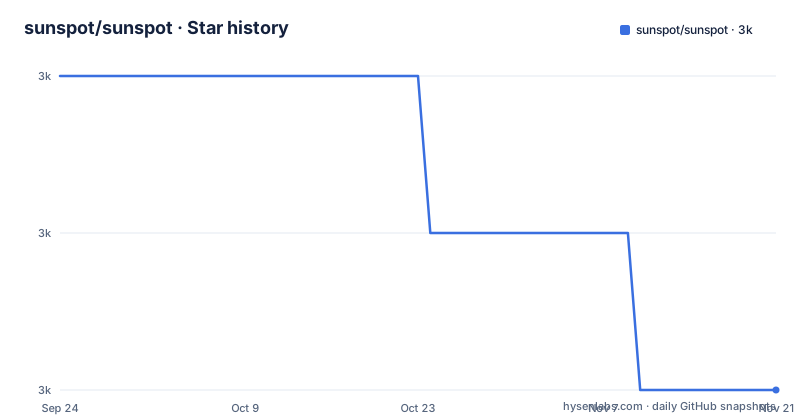
Star history
- sunspot/sunspot2,976 ★ · -2
| Repository | 2026-09-24 | 2026-11-21 |
|---|---|---|
| sunspot/sunspot | 3k | 3k |
-2 Stars in the last 58 days, measured from the daily GitHub snapshot. Compare with other projects
Editorial analysis
Three gems ship from one repository, and the badge names the one Rails does not install
The tree holds three library directories: sunspot/ for the core, sunspot_rails/ for the Rails integration, and sunspot_solr/ for the packaged Solr distribution, alongside a Rakefile, a ci/ directory, a tools/ directory and an examples/ directory with a single solr7_core example. So one repository publishes three artefacts and they version independently. The quickstart only names two of them, asking a Rails application to add sunspot_rails and, optionally, sunspot_solr. The badge at the top of the page, however, is a RubyGems badge for sunspot, which is the core gem rather than the one an application installs. A reader arriving from search results sees a version number for a package they will not add to their Gemfile, which is a small mismatch between what the page advertises and what the instructions do.
The newest tag is two years older than the newest commit
The release history and the branch tell different stories. The three most recent tags are v2.7.1 published 2024-07-16, v2.7.0 on 2024-06-07 and v2.6.0 on 2022-05-30, so two of the last three releases landed a month apart in mid 2024 and the one before that is from 2022. The last push to master is dated 2026-08-18. That gap is the practical question for anyone installing this library: a gem install gives you v2.7.1, while a checkout of master gives you thirteen months of commits that no release has labelled. Neither is wrong, and the page does not explain which one it expects, so a project pinning the gem and a project tracking the branch will report different behaviour on the same query.
The packaged Solr is for development, and starting it writes files you must ignore
The quickstart is five commands and two of them are about a Solr that is explicitly temporary. The Gemfile line for sunspot_solr carries a comment saying it is an optional pre-packaged Solr distribution for development and not for use in production. Starting it is bundle exec rake sunspot:solr:start, or sunspot:solr:run to stay in the foreground, and that task generates a /solr folder containing default configuration files and indexes. Because those files appear in the working tree, the page then recommends ignoring five paths:
solr/data
solr/test/data
solr/development/data
solr/default/data
solr/pids
Three of those are per-environment data directories, one is the PID file the start task writes, and the list is what a team has to add to .gitignore before the first run rather than discover afterwards.
One searchable block declares every field, and the examples predate modern Ruby syntax
The declaration side is a block on the model, and the example is dense because it shows every field type in one place:
class Post < ActiveRecord::Base
  searchable do
    text :title, :body
    text :comments do
      comments.map { |comment| comment.body }
    end

    boolean :featured
    integer :blog_id
    integer :author_id
    integer :category_ids, :multiple => true
    double  :average_rating
    time    :published_at
    time    :expired_at

    string  :sort_title do
      title.downcase.gsub(/^(an?|the)/, '')
    end
  end
end
Two things stand out. The association field takes a block that maps each record to its body, so an indexed field can be computed rather than stored. And the syntax is old: the multiple option is written with a hash rocket rather than as a keyword argument, and the same style carries through the search examples with page and per_page. The library is current in behaviour and dated in typography, which matters if you are copying these blocks into a codebase that has moved on.
Text fields search, and every other field only scopes
The division the page draws is simple and load-bearing. Fields declared as text are full-text searchable. Everything else, the integers, booleans, times, doubles and strings, exists to scope a query, and the examples make that concrete: with(:blog_id, 1) for an exact value, a range for a numeric field, an array for a multi-valued field such as category_ids, and a time comparison against a week ago. A string field can also be computed, as sort_title is, which shows that a derived column exists for filtering and sorting rather than for matching. The consequence for a schema is that the searchable block is the place where you decide what is fuzzy and what is exact, and getting that wrong is not a query bug but a declaration bug. The same block shape also carries everything that is not a match: a fulltext call can boost a field with boost_fields, or boost a numeric value conditionally, so a featured post scores higher without being required to match. Ordering is order_by with a direction, paging is paginate with a page number and a per-page count, and facet turns two columns into counts you can render as filters. One option that is easy to miss is field_list, which narrows the columns Solr returns, so a listing query can fetch two columns while the full document stays indexed.
An empty array means no restriction, which removes the guard clause
One rule in the scoping section is worth pulling out because it changes how filters are written. Passing an empty array is equivalent to a no-op, which lets you replace a guarded call with an unguarded one:
# Passing an empty array is equivalent to a no-op, allowing you to replace this...
Post.search do
  with(:category_ids, id_list) if id_list.present?
end

# ...with this
Post.search do
  with(:category_ids, id_list)
end
So a filter over a user-supplied list can be passed straight through, and the library drops it when the list is empty. That is a deliberate convenience, and it has a matching edge: a bug that empties a category list now produces an unscoped search rather than an error, so the scope of a result set is no longer guaranteed by the code that built it. Negation works the same way through without, and both can be nested with any_of, all_of, any and all.
Phrase proximity is three settings, and the parser is named
Phrase search is where the Solr features show through, and the page gives it the most room. A phrase is written as a double-quoted group of words, and the default query parser Sunspot uses is edismax, which is named here as the thing to know when a query behaves differently from the documentation you remember from another client. Three settings adjust proximity. query_phrase_slop sets how many words may sit between the words of a phrase, so a slop of one also matches a phrase with one word in the middle. phrase_fields boosts terms that appear close together in a named field without requiring a phrase. And phrase_slop widens that proximity for the boosted terms. Each has its own example, and they compose, so a query can require a phrase, allow a word between the words, and weight that match by field.
Two documentation hosts, one of them plain http
The support and documentation pointers are spread across several domains and two protocols. The repository's homepage field is an http URL on github.com, while the API reference in the page is an http URL on github.io, and the class-by-class documentation is described as available there. Questions go to a Sunspot mailing list hosted as a Google Group, or to Stack Overflow. The page also states its own scope, that the README is a high-level overview and the reference is where the method-level detail lives, which is the right division for a library this size but means the README cannot answer a question about a specific call. A reader following the homepage field and a reader following the reference link end up on different hosts, and neither is served over TLS in these links. The table of contents also runs well past the sections printed here, naming custom units, a unit converter sample, a WPF sample built around a value converter, a section on precision and accuracy, one on serialising to JSON and XML, and the sections on continuous integration and on who is using the library, so the page is an excerpt of the documentation rather than the whole of it.
Editorial conclusion
Sunspot suits a Rails application that has outgrown SQL LIKE queries and wants Solr features such as phrase proximity, boosting and faceting without writing a Solr client. Four things to check before you adopt it. Which release you install, because the newest tag is from July 2024 and the branch has been pushed to since, so a gem install and a git checkout are different amounts of code. Which Solr you point it at, since the packaged distribution the quickstart installs is labelled development only and not for production. Which fields you declare as text, because that choice decides what is full-text searchable and what only scopes. And whether your filters can be empty, which the library treats as no restriction, a behaviour that saves a guard clause and can also hide a bug.
Frequently asked questions
How do I set up Sunspot in a Rails application?
Add gem 'sunspot_rails' to the Gemfile, add gem 'sunspot_solr' for the pre-packaged Solr distribution used in development and not in production, run bundle install, then rails generate sunspot_rails:install. Start the packaged Solr with bundle exec rake sunspot:solr:start, or sunspot:solr:run to run it in the foreground, which generates a /solr folder with default configuration files and indexes.
What should I add to .gitignore when using Sunspot?
The page recommends five paths: solr/data, solr/test/data, solr/development/data, solr/default/data and solr/pids. Those cover the indexing data for the test, development and default environments plus the PID file written by the start task, which is generated the first time the packaged Solr runs.
How do I restrict a Sunspot search to certain fields?
Inside fulltext, fields(:title) restricts matching to one field, boost_fields weights fields, and phrase_fields with phrase_slop boosts terms appearing close together in a field. Separately, field_list limits which fields are returned. The default query parser is edismax, which the page names as the parser behind phrase searches written as double-quoted groups.
How do I filter Sunspot results by a field value?
with(:field, value) applies a positive restriction, including ranges such as 3.0..5.0, arrays for multi-valued fields and time comparisons, while without(...) negates it. Passable values can be combined with any_of, all_of, any and all. Passing an empty array is documented as a no-op, so a conditional filter can be written without an if guard.
Is Sunspot still being released?
The three most recent tags are v2.7.1 from 2024-07-16, v2.7.0 from 2024-06-07 and v2.6.0 from 2022-05-30, while the last push to the master branch is dated 2026-08-18. Support questions are directed to the Sunspot mailing list or to Stack Overflow, and the README points at the API reference for class-by-class documentation.
Official sources
Add this badge to your README
If you maintain this project, the badge below links readers to this analysis and shows its maintenance status from the daily GitHub snapshot. Paste the markdown into your README; add ?metric=license or ?metric=stars to the image URL for a different field.

[](https://hysenlabs.com/projects/sunspot-sunspot)Star history chart for your README
[](https://hysenlabs.com/projects/sunspot-sunspot)Was this useful?