design-patterns-typescript gives every GoF pattern two TypeScript versions
Design Pattern Examples in TypeScript
At a glance
- What is it?
- The design-patterns-typescript repository implements every classic GoF pattern in TypeScript twice, once as a commented Conceptual skeleton and once as a RealWorld example, and both are console apps you run with ts-node. What decides who can reuse the code is not the code but the Creative Commons NoDerivatives licence, and what rules out using it as a dependency is that the package publishes nothing.
- Who is it for?
- This repository suits a developer who wants to see a GoF pattern implemented in TypeScript twice, once as a commented skeleton and once in a more realistic setting, and who is content to run the files locally with ts-node.
- Can I use it commercially?
- Check first. The repository uses a licence we do not classify automatically, so read its LICENSE file before any commercial use.
- Is it still maintained?
- Activity is slowing. The repository last received commits 6 months ago.
- What is it written in?
- Mainly TypeScript, according to GitHub's language statistics.
Answers come from the project's GitHub data, last synced on October 25, 2026, and from our analysis. They are not legal advice.
Star history
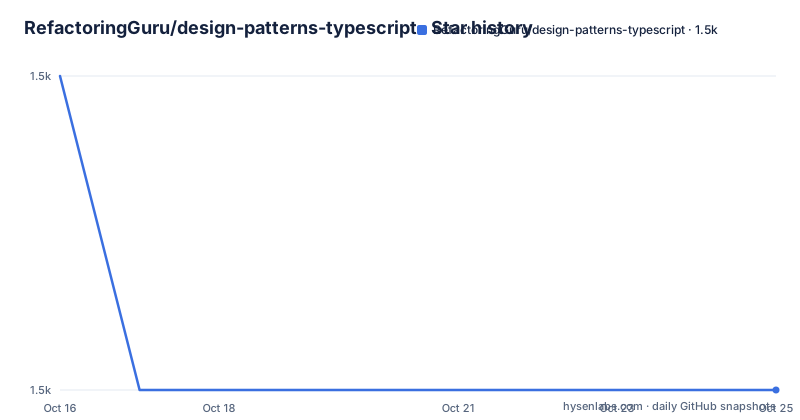
- RefactoringGuru/design-patterns-typescript1,460 ★ · -1
| Repository | 2026-10-16 | 2026-10-25 |
|---|---|---|
| RefactoringGuru/design-patterns-typescript | 1.5k | 1.5k |
-1 Stars in the last 9 days, measured from the daily GitHub snapshot. Compare with other projects
Editorial analysis
Every pattern arrives twice, as a skeleton and as a worked case
Each pattern in this repository is delivered as a pair, and the pairing is the reason to read it. The README says each pattern includes two examples. The Conceptual example shows the internal structure of the pattern, including detailed comments, and the RealWorld example shows how patterns can be used in real-world web applications.
That pairing is a stronger teaching setup than a single implementation. The Conceptual file is the shape of the thing, with the parts named after their roles in the pattern rather than after a domain, so you can read it without knowing anything about the sample business in the other file. The RealWorld file is the one to sit next to when you are about to use the pattern, because it is the same idea expressed against a plausible program.
Both kinds are console apps. The README says so as a matter of simplicity, and it means the RealWorld label describes the scenario rather than the delivery mechanism. Nothing here needs a browser, a server or a framework, so the pattern stays the subject of the file instead of becoming a demonstration of some web stack.
Running an example means two global installs and one file path
There is no build step in this repository. The README asks for Node.js and NPM, then for the TypeScript compiler and the TypeScript Node extension, installed globally.
npm install -g typescript
npm install -g ts-node
With those two commands in place, an example is launched by pointing ts-node at its file.
ts-node src/Path-to-example/Example.tsThe path in that command is the README's own placeholder, and the concrete one depends on which pattern you want to see. What matters is the shape of the workflow: you install two tools once, then run any file in src/ directly, with no compile step, no build directory and no output files to clean up.
The global install is worth noticing, because it is unusual in a TypeScript repository. Most projects pin their compiler inside node_modules and run it through a local script, while this one puts ts-node on your PATH and expects it to work in every directory. The README also names WebStorm and Visual Studio Code as the environments it works best in, which lines up with running individual files and reading them side by side.
The package.json publishes nothing, so there is no dependency to add
The package.json is short and it settles what kind of project this is. The name is design-patterns-typescript, the description is TypeScript examples for all classic GoF design patterns, the author field names Alexander Shvets, and the dependency block lists only development tooling.
{
  "name": "design-patterns-typescript",
  "description": "TypeScript examples for all classic GoF design patterns",
  "author": "Alexander Shvets <[email protected]>",
  "devDependencies": {
    "tslint": "^5.12.1",
    "typescript": "^3.3.3",
    "tslint-config-airbnb": "^5.11.1"
  },
  "scripts": {
    "codestyle:check": "tslint -c tslint.json -p tsconfig.json",
    "codestyle:fix": "tslint -c tslint.json -p tsconfig.json --fix"
  }
}
There is no main field, no exports field and no version field. That is the practical point: there is nothing to install from a registry and nothing to import into your own code, so this repository can never become a dependency of an application. The two scripts are for the repository itself, checking and fixing code style across the project with tslint pointed at the tsconfig file.
That leaves one route for reuse. You read a pattern here, then write it into your own codebase. The code you write is yours, and the licence question applies to what you copy rather than to what you write from scratch.
The NoDerivatives and NonCommercial clauses decide who can reuse a file
The licence is the constraint that decides who this repository is for. The README states that the work is licensed under a Creative Commons Attribution-NonCommercial-NoDerivatives 4.0 International License, and the repository root carries LICENSE.txt.
Three parts of that name carry weight for a code sample. NonCommercial means the examples cannot sit inside a product you sell or in a codebase belonging to a commercial employer. NoDerivatives means you cannot publish modified versions of them. Attribution means that reuse of the text unchanged has to credit the authors, who the README names as Alexey Pyltsyn and Alexander Shvets, alongside a pointer to the contributor list on the repository.
The effect is that this is a teaching repository rather than a source of drop-in code. A team can read it, run it, and learn the shape of a pattern from it. A team that wants the file itself inside a shipped product runs into the licence terms first. That is a statement about what the licence says, not legal advice, and anyone with a commercial interest should read LICENSE.txt rather than rely on a summary of it.
There is a second reason the NoDerivatives clause bites here. These examples are meant to be modified. A pattern adapted to your own types and your own data is a modified version, which is exactly what the clause rules out.
Copying a pattern beats depending on a repository that publishes nothing
Since the repository cannot be imported, the real choice is between two ways of getting a pattern into your code, and the difference is ownership.
One route is to read the example and write your own implementation in your own project. The difference in approach is that everything about it belongs to you: your names, your types, your tests, your licence, and the freedom to change it when the requirement shifts. The cost is that you solve the problem again, and the example is often the fastest way to see the pattern done correctly before you start.
The other route would be to depend on the repository as a package, and that route is closed by the package.json, which has no main field and no version to install. There is no tagged release either, so even a checkout-and-link approach gives you a moving target rather than a fixed artifact.
The site and the repository divide the same work in two. The README links to the Refactoring.Guru project, and the repository's homepage is the TypeScript section of that site. One is the reference front end for the patterns and the other is the place the runnable code lives. Reading the site and running the repository are two views of one body of material, and neither one is a library you can call.
The toolchain is pinned to TypeScript 3.3 and tslint
The file names and dependency versions place this repository in an earlier period of TypeScript, and you should expect that to show up when you run the examples.
The devDependencies pin tslint at ^5.12.1, tslint-config-airbnb at ^5.11.1 and typescript at ^3.3.3. The style scripts run tslint against the project through tslint.json and tsconfig.json, in a check variant and a fix variant. The repository also carries .travis.yml for continuous integration and a yarn.lock beside the package.json, which says the original workflow assumed a Yarn install, while the README tells readers to install the compiler and ts-node globally with NPM. Two package managers, two eras, one tree.
The TypeScript version is the line that matters to a reader, because the examples are written against that floor and use its idiom. Anyone running them with a different compiler may need to adjust the code. The README makes no claim about a minimum supported version, and typescript appears only as a development dependency, so nothing pins a consumer to it. The version is the one the examples were written with, not a compatibility promise.
For a style check of your own edits, the two scripts are all there is. The README asks contributors to read CONTRIBUTING.md, and it says both a typo fix and a whole new example are welcome.
The last push was on 2026-04-15 and there is no release history
The repository is not archived, and the last push was on 2026-04-15. There are no GitHub releases, no version tags and no changelog in the tree, so the state of the code on the main branch is the state of the code.
For a catalogue of pattern examples that position is defensible. There is no public API surface to break, and nothing depends on the code compiling against a particular TypeScript version once a file has been copied into someone else's project. What you give up is the assurance that a broken example will be repaired or that a new pattern will be added.
So the useful check is not whether the project will keep changing, but how much you are taking on. The tree is small and legible. There is CONTRIBUTING.md for how to contribute, LICENSE.txt for the licence terms, package.json for the tooling, tsconfig.json and tslint.json for the code style configuration, .travis.yml for the continuous integration setup, .gitignore, yarn.lock, README.md and the src/ directory that holds the examples themselves.
A reader deciding whether to trust an example should read the file, run it, and check the pattern against the one they already know.
Editorial conclusion
This repository suits a developer who wants to see a GoF pattern implemented in TypeScript twice, once as a commented skeleton and once in a more realistic setting, and who is content to run the files locally with ts-node. It does not suit a commercial product that needs to vendor these files, because the NonCommercial and NoDerivatives clauses of the licence the README describes put that outside its terms, and it does not suit a team that wants a maintained package dependency, since the package.json publishes nothing and the repository has no releases. Before you copy anything, check three things: that LICENSE.txt allows your intended use, that the TypeScript you run matches the ^3.3.3 devDependency the examples were written against, and that the launch command ts-node src/Path-to-example/Example.ts works on your machine, because the README assumes global installs of typescript and ts-node.
Frequently asked questions
How do I run the examples in design-patterns-typescript?
Install Node.js and NPM, then install the compiler and the TypeScript Node extension globally with npm install -g typescript and npm install -g ts-node. Run a pattern file with ts-node src/Path-to-example/Example.ts, replacing the path with the example you want, and the README recommends WebStorm or Visual Studio Code for the work.
What is the difference between the Conceptual and RealWorld examples?
Each pattern includes two examples. The Conceptual one shows the internal structure of the pattern with detailed comments, and the RealWorld one shows how the pattern can be used in real-world web applications. Both are console apps, so the RealWorld label describes the scenario rather than the delivery mechanism.
Can I install design-patterns-typescript from npm and import it into my project?
No. The package.json declares only devDependencies for tslint and the TypeScript compiler, plus two codestyle scripts, and it has no main field, no exports field and no version field, so nothing is published for an application to depend on. The repository also has no GitHub releases.
What licence covers the code in design-patterns-typescript?
The README states that the work is licensed under a Creative Commons Attribution-NonCommercial-NoDerivatives 4.0 International License, and the terms are in the LICENSE.txt file at the repository root. In short, the NonCommercial and NoDerivatives clauses restrict reuse in a commercial product and rule out publishing modified versions, and that is a summary of the licence rather than legal advice.
Is design-patterns-typescript still being worked on?
The repository is not archived, and the last push was on 2026-04-15. There are no GitHub releases and no changelog, so the main branch is the current state of the code, and the README asks contributors to read CONTRIBUTING.md and says both typo fixes and whole new examples are welcome.
Official sources
Add this badge to your README
If you maintain this project, the badge below links readers to this analysis and shows its maintenance status from the daily GitHub snapshot. Paste the markdown into your README; add ?metric=license or ?metric=stars to the image URL for a different field.

[](https://hysenlabs.com/projects/refactoringguru-design-patterns-typescript)Star history chart for your README
[](https://hysenlabs.com/projects/refactoringguru-design-patterns-typescript)Was this useful?