rehype is four small packages that parse, transform and print HTML as a hast tree
HTML processor powered by plugins part of the @unifiedjs collective
At a glance
- What is it?
- rehype is the HTML branch of the unified collective: a monorepo with a parser, a serializer, a combined package and a CLI. It processes HTML as a syntax tree, and it leaves safety to a separate plugin.
- Who is it for?
- Adopt rehype if you already work in JavaScript and want HTML changes expressed as small tree-walking plugins that run on a server, in a browser or from a CLI. Skip it if you only need a quick string replacement, because every job starts with a unified pipeline and a parser.
- Can I use it commercially?
- Yes. MIT is a permissive licence: you can use, modify and sell software built on it, as long as you keep its copyright and licence notices.
- Is it still maintained?
- Yes. The repository last received commits 148 days ago.
- What is it written in?
- Mainly JavaScript, according to GitHub's language statistics.
Answers come from the project's GitHub data, last synced on November 6, 2026, and from our analysis. They are not legal advice.
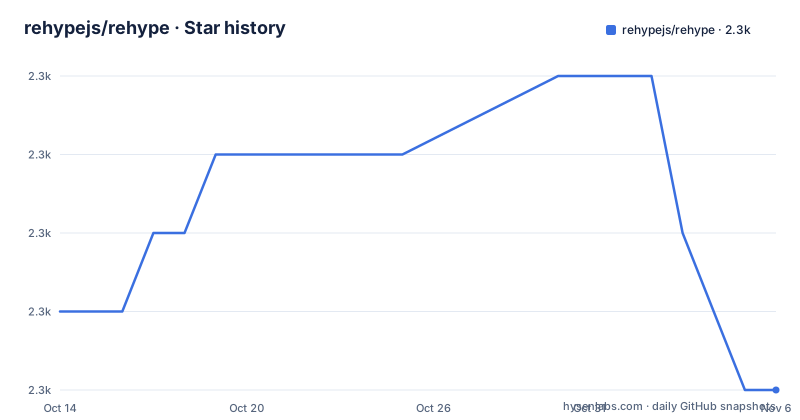
Star history
- rehypejs/rehype2,258 ★ · -1
| Repository | 2026-10-14 | 2026-11-06 |
|---|---|---|
| rehypejs/rehype | 2.3k | 2.3k |
-1 Stars in the last 23 days, measured from the daily GitHub snapshot. Compare with other projects
Editorial analysis
HTML becomes a hast tree before any plugin touches it
rehype works on HTML as structured data. A plugin never edits a string. It receives an abstract syntax tree, inspects it and changes it, and the result is printed back out as HTML. The tree format is hast, the HTML AST that rehype uses, while unified is the core project that moves content through parse, transform and stringify steps. rehype adds HTML support to that machinery.
The README says the tool can run on the server, the client, in CLIs and in deno. That breadth comes from the design: the same pipeline works wherever JavaScript runs, and a plugin written once can be reused in each place. Plugins can be existing ones or ones you write yourself, and the second README example shows the second path in about a dozen lines.
Four packages in one monorepo, split by what goes in and what comes out
The repository is a monorepo, and the root package.json lists four workspaces: packages/rehype-parse, packages/rehype-stringify, packages/rehype and packages/rehype-cli. The root package itself is marked private, so nothing is published from the top level.
rehype-parse is a plugin that takes HTML as input and produces hast. rehype-stringify does the reverse, taking hast and producing HTML. The package named rehype bundles unified, rehype-parse and rehype-stringify, which suits the case where both input and output are HTML. rehype-cli wraps the rehype package so you can inspect and format HTML files from scripts.
The README spells out the choice. If the input is HTML, use rehype-parse with unified. If the output is HTML, use rehype-stringify with unified. If both are HTML, use rehype alone. For inspecting and formatting HTML files in a project, use rehype-cli. A pipeline that reads Markdown and writes HTML therefore needs only rehype-stringify on the output side, and a pipeline that reads HTML and writes something else needs only rehype-parse.
The minify example shows a full pipeline in four calls
The README opens with a document titled Saturn and turns it into a compact string, using rehype-preset-minify as the transforming plugin. The pipeline is a unified processor with three .use calls and a .process call:
import rehypeParse from 'rehype-parse'
import rehypePresetMinify from 'rehype-preset-minify'
import rehypeStringify from 'rehype-stringify'
import {unified} from 'unified'

const file = await unified()
  .use(rehypeParse)
  .use(rehypePresetMinify)
  .use(rehypeStringify).process(`<!doctype html>
<html lang="en">
  <head>
    <meta charset="utf-8">
    <title>Saturn</title>
  </head>
  <body>
    <h1>Saturn</h1>
    <p>Saturn is a gas giant composed predominantly of hydrogen and helium.</p>
  </body>
</html>`)

console.log(String(file))
The output drops the quotes around attribute values, shortens the doctype to <!doctypehtml> and removes the closing tags that HTML allows you to omit. Order matters: rehypeParse comes first, the transformer in the middle, rehypeStringify last. The README does not show an install command for these packages, so take the package names from the imports above and check each package's own readme for setup.
A plugin that bumps h1 to h2 is a visit over element nodes
The second README example is a hand-written plugin called myRehypePluginToIncreaseHeadings. It turns <h1>Hi, Saturn!</h1> into <h2>Hi, Saturn!</h2>. Three details carry the lesson. rehypeParse is called with {fragment: true}, which tells the parser that the input is a piece of HTML and not a whole document. The plugin returns a function that takes a tree typed as Root from hast. And it calls visit from unist-util-visit with the node type 'element', so the callback runs for every element in the tree.
The README text for this example is cut off mid-line, so the part of the function that decides which heading levels to change is not visible. What is visible is the pattern: a plugin is a function that returns a transformer, and the transformer walks the tree. Any change you want to make to HTML comes down to that shape.
rehype itself does nothing about XSS, and rehype-sanitize is the only fix named
The Security section is short and blunt. Improper use of HTML can expose you to cross-site scripting attacks, and use of rehype can be unsafe in the same way. The one remedy it gives is rehype-sanitize, used to make the tree safe. Nothing in the package list makes sanitizing automatic. If you parse untrusted HTML with rehype-parse and print it with rehype-stringify, the pipeline as written contains no safety step.
Plugins add a second exposure. The README tells readers to assess each plugin and the risks involved, because plugins run on your trees and can introduce other attacks. For reporting a vulnerability, it points to the security policy rather than to a mailing address, so there is no contact detail to copy from the readme. A reader deciding whether rehype is safe is really deciding whether their own pipeline includes a sanitizer and whether each plugin has been reviewed.
Plugins come from three lists, and quality is your job to judge
The README names three places to find plugins: awesome-rehype, which it describes as a selection of the most awesome projects, a list of all plugins, and the rehype-plugin topic on GitHub, which covers any tagged repository. The three differ in how much they filter. The curated list is smallest, the full list is wider, and the topic page includes anything an author chose to tag.
Some plugins live in the @rehypejs organization and others are maintained by people elsewhere. Anyone can publish one. The README says to assess quality before adding a dependency, the same as with any other package. Nothing in the repository ranks plugins or vouches for third-party ones. The README names no individual plugin besides rehype-sanitize and rehype-preset-minify, so the lists above are where you look up anything else.
Node 16 is the stated baseline and the last tagged release is from 2024
Compatibility is stated in two sentences. Projects from the unified collective work with maintained versions of Node.js, and a new major release drops support for unmaintained Node versions. The README adds that the current release line is kept compatible with Node.js 16. Check that baseline against the Node version you actually run.
The listed releases are 13.0.0 on 2023-08-26, 13.0.1 on 2023-08-30 and 13.0.2 on 2024-09-27. The last push to the repository was on 2026-06-13, so the default branch has moved after the last tag. The repository is not archived. For types, everything in the collective is typed with TypeScript, and hast types come from @types/hast. The project's own tests are strict: the test-coverage script runs c8 with --100 and the type-coverage setting requires at least 100, so a contribution that lowers either fails the build.
Editorial conclusion
Adopt rehype if you already work in JavaScript and want HTML changes expressed as small tree-walking plugins that run on a server, in a browser or from a CLI. Skip it if you only need a quick string replacement, because every job starts with a unified pipeline and a parser. Before shipping anything that handles untrusted HTML, confirm that rehype-sanitize sits in the pipeline, and check that your Node.js version matches the Node 16 baseline the project says it tries to keep.
Frequently asked questions
Is rehype safe to use on untrusted HTML?
Not on its own. The README warns that improper use of HTML can open you up to cross-site scripting attacks and says to use rehype-sanitize to make the tree safe. Plugins should also be assessed for risk.
What is rehype sanitize?
It is the plugin the rehype README names for making the tree safe against cross-site scripting. The README gives no options or configuration for it.
Is rehype legit?
The repository rehypejs/rehype is MIT licensed, belongs to the unified collective, links to unifiedjs.com and takes sponsorship through OpenCollective. It is not archived, and its last push was on 2026-06-13.
What is rehype raw?
The README never mentions rehype-raw. It points to awesome-rehype, a list of all plugins and the rehype-plugin topic on GitHub for finding plugins.
Official sources
Add this badge to your README
If you maintain this project, the badge below links readers to this analysis and shows its maintenance status from the daily GitHub snapshot. Paste the markdown into your README; add ?metric=license or ?metric=stars to the image URL for a different field.

[](https://hysenlabs.com/projects/rehypejs-rehype)Star history chart for your README
[](https://hysenlabs.com/projects/rehypejs-rehype)Was this useful?